Salesforce Admin Interview Questions test what you know about the platform, users, security, data and automation. This 25-part series lists more than 3,000 questions by topic, in simple English, so you can study one area at a time. This is Part 1, on Salesforce basics, org setup, users, login security and career questions.
We first published a shorter list in 2022. Since then, Salesforce retired Workflow Rules and Process Builder and added many new features, so we rebuilt the whole list. The full series has 25 parts, and every part is listed in the section below. For full scenario practice, see our scenario question series.
How to Use These Salesforce Admin Interview Questions
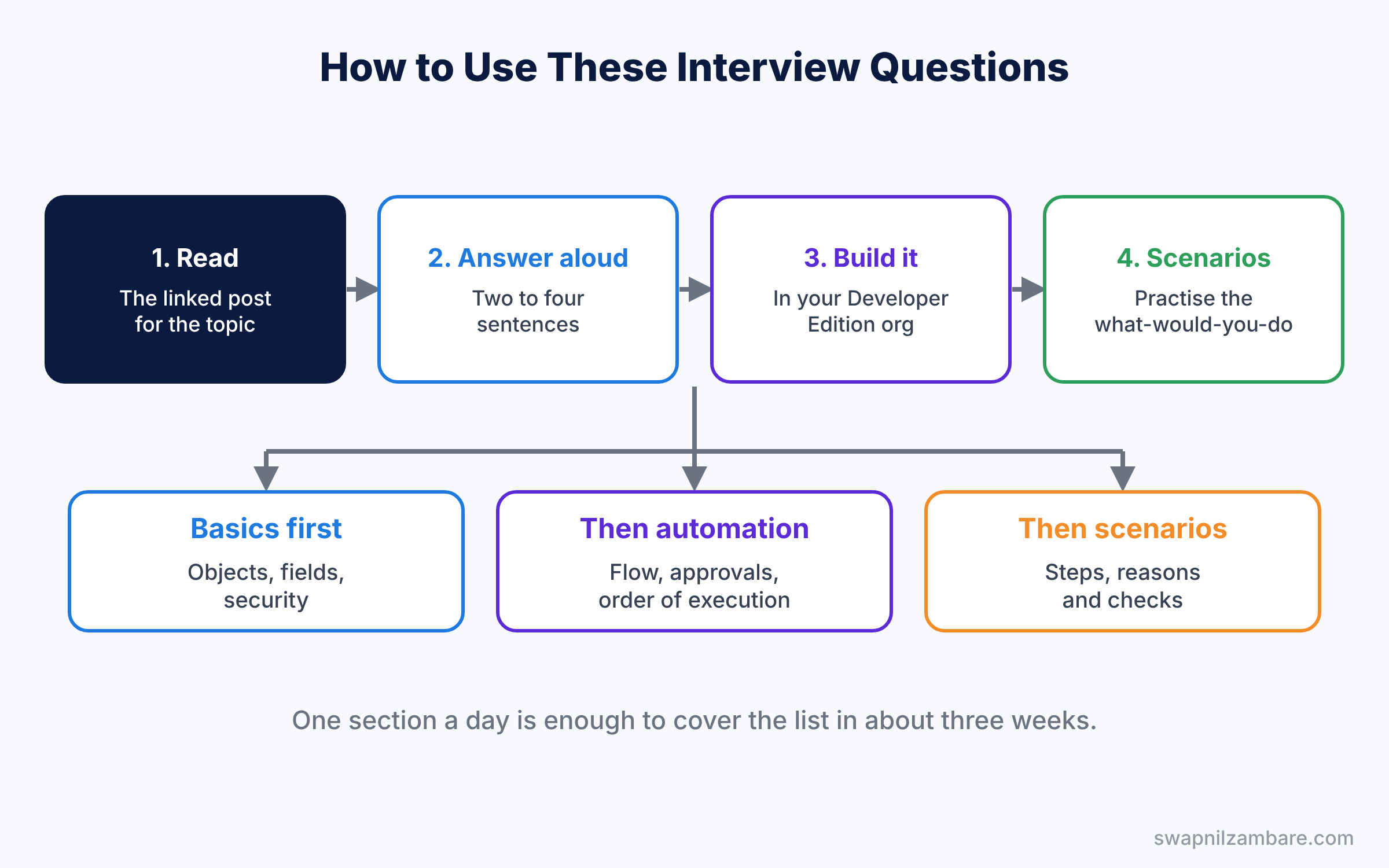
Interviewers rarely follow a fixed order. So treat this list as a map. First, read one section a day with its linked post. Next, answer each question aloud in two to four sentences. Then build anything you could not explain in your free Developer Edition org. Finally, try the two scenario questions at the end of each section.
Here is every part of the series, in reading order.
- Top Salesforce Admin Interview Questions by Topic (Part 1)
- Advanced Admin Interview Questions: Flow and Automation (Part 2)
- Data Model Interview Questions for Salesforce Admins (Part 3)
- Salesforce CRM Interview Questions: Sales Cloud (Part 4)
- Salesforce Security Interview Questions for Admins (Part 5)
- Service Cloud Interview Questions for Salesforce Admins (Part 6)
- Salesforce Reports Interview Questions: Reports and UI (Part 7)
- Salesforce Deployment Interview Questions: Data, Release and AI (Part 8)
- Most Asked Admin Interview Questions for Salesforce (Part 9)
- Salesforce Formula Interview Questions: Functions and Limits (Part 10)
- Experience Cloud Interview Questions for Salesforce Admins (Part 11)
- Salesforce Collaboration Interview Questions: Chatter, Email and Mobile (Part 12)
- Salesforce Integration Interview Questions for Admins (Part 13)
- Agentforce Interview Questions: AI for Salesforce Admins (Part 14)
- Salesforce Clouds Interview Questions: Marketing, CPQ and More (Part 15)
- Org Management Interview Questions for Salesforce Admins (Part 16)
- Salesforce Flow Interview Questions: Advanced Automation (Part 17)
- Salesforce Troubleshooting Interview Questions for Admins (Part 18)
- Business Analysis Interview Questions for Salesforce Admins (Part 19)
- Salesforce Difference Between Questions: Quick Revision (Part 20)
- Admin Certification Practice Questions for Salesforce (Part 21)
- Senior Salesforce Admin Interview Questions for Lead Roles (Part 22)
- Salesforce Analytics Interview Questions: CRM Analytics and Tableau (Part 23)
- Health Cloud Interview Questions for Salesforce Admins (Part 24)
- Platform App Builder Interview Questions for Salesforce (Part 25)
Salesforce Admin Interview Questions on Cloud Computing Basics
Study with What is Cloud Computing?.
- What is cloud computing, in simple words?
- What are SaaS, PaaS and IaaS? Give one example of each.
- What are public, private and hybrid clouds?
- Why do companies move from their own servers to the cloud?
- What are two risks of using cloud software?
- Is Salesforce SaaS or PaaS? Explain why.
- What is multitenant architecture?
- Why does multitenancy lead to governor limits?
- What is metadata, and how is it different from data?
- What is the difference between data and an application in the cloud?
- Briefly, what does “pay as you go” mean in cloud software?
- Scenario: your manager asks why the company should use Salesforce instead of Excel sheets. What do you say?
- Scenario: a user asks where their Salesforce data is stored. How do you explain it simply?
Salesforce Basics Questions
Study with What is Salesforce? and Admin vs Developer.
- What is CRM, and how does Salesforce help a business?
- What is the difference between Salesforce Classic and Lightning Experience?
- Explain what Sales Cloud, Service Cloud and Experience Cloud are used for.
- What is the Salesforce Platform used for?
- What are the main Salesforce editions?
- Which edition do most mid-size companies use, and why?
- How many major releases does Salesforce ship each year?
- What are the names of the three releases?
- Where do you check for an outage or planned maintenance?
- What is Trailhead, and how do you use it?
- What is the AppExchange?
- Briefly, what does a Salesforce Admin do in a normal day?
- How is an admin role different from a developer role?
- What is Salesforce Lightning Platform licensing used for?
- What is the difference between a production org and a sandbox org?
- Define a Trailblazer Community group.
- Scenario: a user says Salesforce is down. How do you check if it is a Salesforce issue or a local one?
- Scenario: a new team asks which cloud they need for customer support. What do you ask them first?
Salesforce Admin Interview Questions on Org Setup and Company Settings
Study with Company Settings, Business Hours and Fiscal Year.
- What is stored in Company Information?
- How do you find your org ID?
- What is the difference between the org time zone and a user time zone?
- What are default locale, language and currency?
- Explain what business hours are used for.
- What are holidays in Salesforce used for?
- What is the difference between a standard and a custom fiscal year?
- Can you change a custom fiscal year back to standard?
- What is My Domain, and why is it required?
- What happens to old links when you change My Domain?
- How do you search Setup quickly?
- Where do you check data storage and file storage?
- What happens when an org runs out of data storage?
- How is a Developer Edition org different from a sandbox?
- What is the difference between Company Information and My Domain settings?
- What is a fiscal year quarter name setting?
- Scenario: support works 9 to 6 in India and 9 to 5 in the UK. How do you set up business hours?
- Scenario: finance wants the year to start in April. What do you change?
Users and Licenses Questions
Study with User Management.
- How do you create a new user?
- What fields are required when you create a user?
- Can you delete a user? If not, what do you do instead?
- What is the difference between freezing and deactivating a user?
- What happens to records owned by a deactivated user?
- Why can you not deactivate some users right away?
- What is a user license?
- What are permission set licenses and feature licenses?
- Can you change a user license after you create the user?
- How do you see how many licenses are left?
- What is the Salesforce Integration user license?
- How do you create many users at once?
- What is Login As, and how do you turn it on for admins?
- How do you reset a user password?
- What do you do when a user is locked out?
- What is a username, and must it be unique across all orgs?
- Define a nickname on a user record.
- What is a user role field on a user record used for?
- What is the manager field on a user record used for?
- How do you transfer all records from one user to another?
- What is the Integration User profile?
- Scenario: an employee leaves today and owns 500 open opportunities. What do you do, step by step?
- Scenario: you have no licenses left, but a new hire starts tomorrow. What are your options?
Salesforce Admin Interview Questions on Login Security and MFA
Study with Org Security: MFA, Login and Session Settings.
- What is multi-factor authentication (MFA)?
- Is MFA required for Salesforce logins?
- Which verification methods can users use for MFA?
- What are login IP ranges on a profile?
- What are login hours on a profile?
- How are trusted IP ranges different from profile login IP ranges?
- What is a security token, and when is it needed?
- Where do you set password rules, like length and expiry?
- What is session timeout?
- What other session settings should an admin know?
- Briefly, what is identity verification, and when does Salesforce ask for it?
- What happens when a user logs in from outside the allowed IP range?
- How do you see who logged in and when?
- Scenario: a sales rep cannot log in from a hotel while travelling. What do you check?
- How does a login flow work?
- What is a lightning login?
- What is High Assurance session security?
- Scenario: a user lost the phone that has their authenticator app. How do you help them log in?
- Scenario: security wants users logged out after 30 minutes of no activity. Where do you set it?
Daily Admin Work Questions
Study with Release Updates and Seasonal Releases and AppExchange.
- How do you collect requirements from users?
- How do you decide if a request needs clicks or code?
- Explain how you test a change before users see it.
- How do you train users on a new feature?
- How do you keep track of changes you make in an org?
- Explain how you read and use release notes.
- What is a release update, and when must you act on it?
- How do you check if users are adopting a new feature?
- How do you handle many requests at the same time?
- Salesforce Optimizer is retired. Which tools do you use to review org health now?
- How do you prioritise admin requests from different teams?
- How do you write a simple change log?
- Explain how you measure the success of a Salesforce project.
- Scenario: two managers ask for opposite changes to the same field. How do you decide?
- Scenario: users stop using a page you built last month. What do you do?
Salesforce Admin Interview Questions on Career and Certification
Prepare honest answers with our Admin Certification Guide and Platform Administrator II guide.
- Tell us about yourself and your Salesforce experience.
- Which Salesforce certifications do you hold?
- What did you learn while preparing for your certification?
- Describe a project where you improved a business process in Salesforce.
- What is the biggest Salesforce change you have made?
- Tell us about a mistake you made in Salesforce and how you fixed it.
- How do you say no to a senior manager request?
- How do you explain a technical problem to a non-technical user?
- Explain how you keep learning about Salesforce.
- Why do you want to work as a Salesforce Admin?
- What do you plan to learn next in Salesforce?
- Where do you see yourself in three years?
- How do you work with developers on a project?
- How do you plan your first 30 days as admin of a new org?
- What questions do you have for us?
- Scenario: you join a company and find 40 custom profiles and no documentation. What do you do first?
- Scenario: a director asks for a change that breaks a security rule. How do you respond?
Salesforce Admin Interview Questions FAQ
How many questions are asked in a Salesforce Admin interview?
Most interviews last 30 to 60 minutes with 15 to 30 questions. Scenario questions take the most time, so practise them well.
Should I study the parts in order?
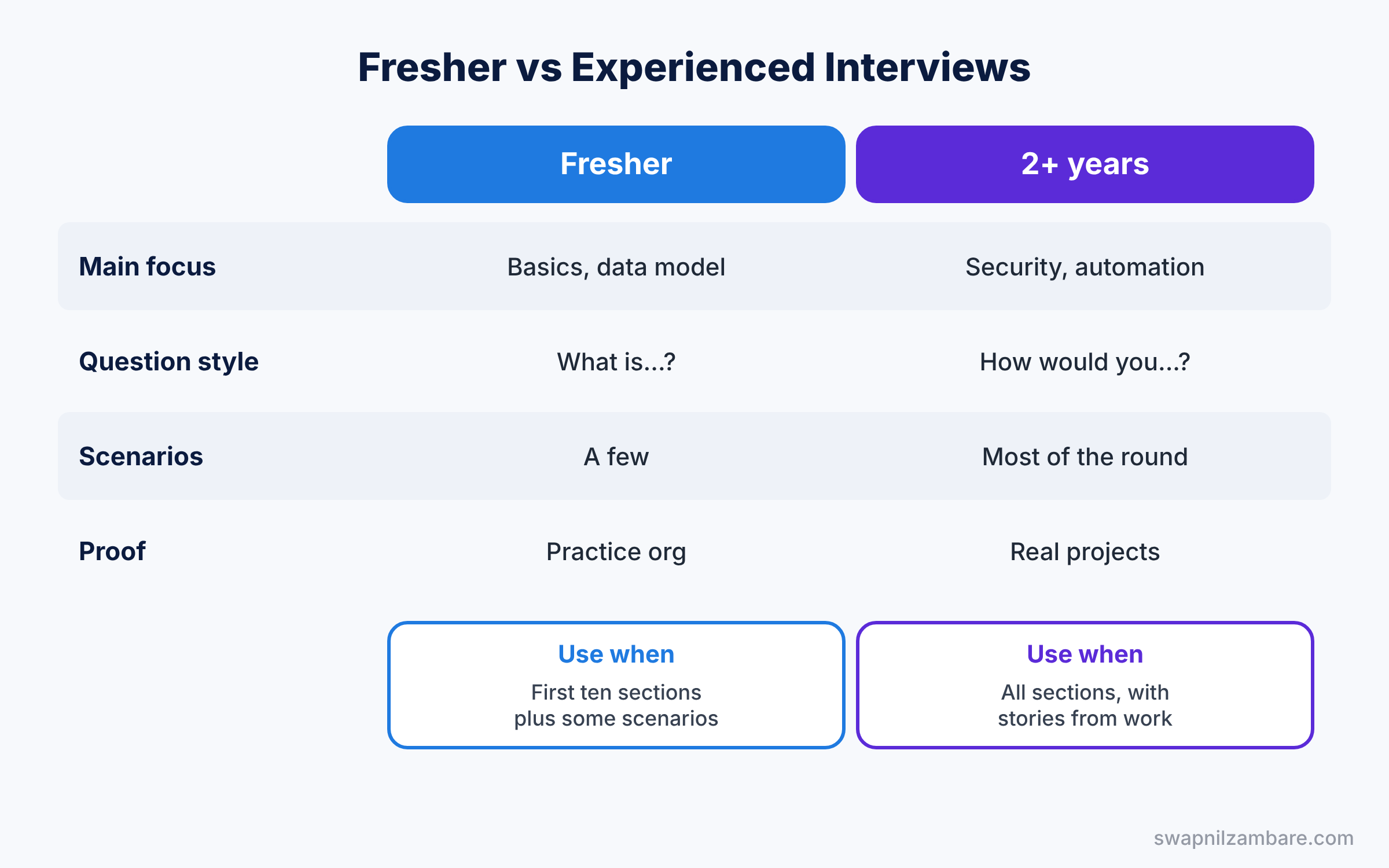
Yes. Each part builds on the one before. Start with this part, then move to Flow, the data model and security.
Official Resources
Quick Recap
- These Salesforce Admin Interview Questions cover basics, org setup, users, login security and career topics.
- Each section ends with two scenario questions.
- Answer aloud in two to four sentences.
- Build anything you cannot explain in a practice org.
- Parts 2 to 8 cover automation, data, sales, security, service, reports and deployment.
What’s Next?
Continue with the next part. Read Advanced Admin Interview Questions: Flow and Automation (Part 2).