Platform Administrator II is the advanced Salesforce admin certification, formerly called Advanced Administrator, and it proves you can solve complex business problems with the full set of admin tools. You must already hold the Salesforce Certified Platform Administrator credential before you take it. In our admin certification guide, you prepared for the first exam. In our exam registration guide, you learned how to book a test. This post covers the next step on the admin path.
In this post, you will learn the exam format, the seven exam sections and their weightings, and how each section maps to posts in this series. Then you will build a six-week study plan for Asha Mehta, our Bright Path Tutors admin. The details below come from the official exam guide, which Salesforce updates from time to time, so always check it before you book.
What is Platform Administrator II?
This advanced exam tests admin skills in real scenarios. Questions describe a business problem and ask for the best solution, not just the name of a feature. For example, a question may ask how to give a regional manager access to accounts in two territories without changing the role hierarchy.
Here is a simple analogy. Think of a driving licence. The first test proves you can drive safely in normal traffic. However, an advanced test proves you can handle highways, night driving and bad weather. The first admin exam is the normal licence, and this exam is the advanced one.
Why Platform Administrator II Matters
Many admins stop after the first certification. This exam shows employers that you can design, not just configure. For example, anyone can create a sharing rule, but a senior admin knows when a territory, a team or a restriction rule fits better. That judgement is exactly what the scenario questions test.
Here are some real situations where it helps.
- You want to move from a junior admin role to a senior admin role.
- Clients ask consultants to prove advanced skills before a project.
- You plan to become a Salesforce consultant or architect later.
- Your team needs one person who understands automation and security deeply.
So this certification is a strong step for an admin career.
How Platform Administrator II Exam Works
The exam follows a clear format. First, you register through Trailhead Academy and choose an online or onsite proctored exam. Next, you answer 60 scored multiple-choice and multiple-select questions, plus up to five unscored ones. Then you have 105 minutes, and you need 65% to pass. Finally, you get your result at the end, and you keep the credential by completing maintenance modules on Trailhead.
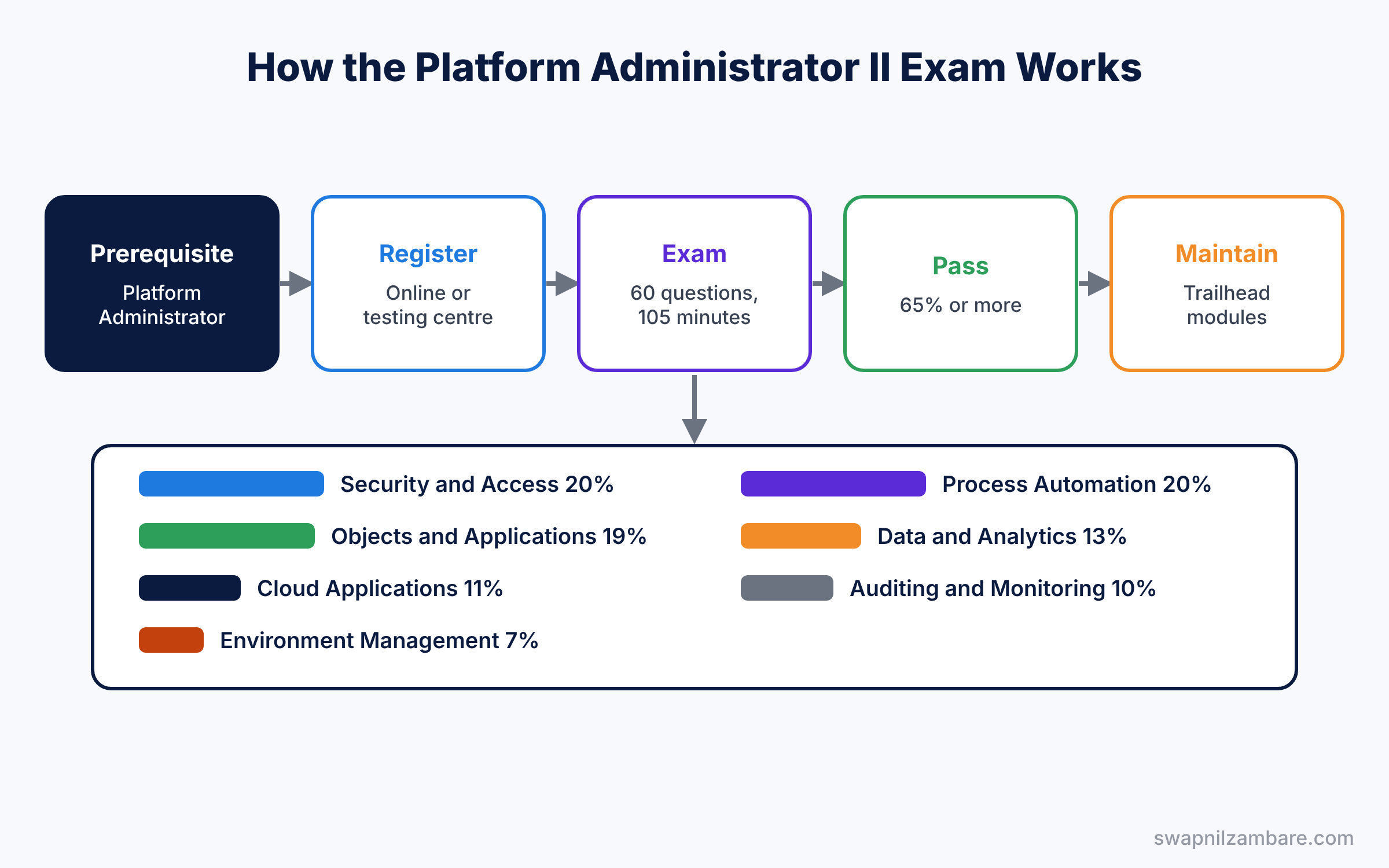
The registration fee is US$200, and a retake is US$100, plus local taxes. No books or notes are allowed during the exam. Also, the online version needs a quiet room, a webcam and a clean desk, so prepare your space the day before.
Exam Sections in Platform Administrator II
Security and Access, 20%
First, this section covers sharing, territories, profiles, permission sets and delegated administration. Study our territory management guide and the delegated administration guide.
Objects and Applications, 19%
Next, expect questions on relationships, junction objects, record types, Schema Builder, App Builder and Dynamic Forms. Our Dynamic Forms guide covers the newest part.
Process Automation, 20%
Then automation questions ask you to choose the best tool and explain the order of execution. Read our order of execution guide twice.
Data and Analytics Management, 13%
This section covers data quality, imports with External IDs, external data, and advanced reports. Custom report types, joined reports, bucket fields, snapshots and dynamic dashboards all appear here.
Cloud Applications, Auditing and Deployment
Finally, Cloud Applications (11%) covers products, orders, forecasting, Knowledge, entitlements and Experience Cloud. Auditing and Monitoring (10%) covers debug logs, Setup Audit Trail and sensitive data. Environment Management and Deployment (7%) covers sandboxes, change sets and packages.
The table below sums up the sections.
| Section | Weight | Posts in this series to review |
|---|---|---|
| Security and Access | 20% | Sharing, territories, permission set groups |
| Objects and Applications | 19% | Relationships, Schema Builder, Dynamic Forms |
| Process Automation | 20% | Flows, order of execution, approvals |
| Data and Analytics Management | 13% | Data migration, joined reports, snapshots |
| Cloud Applications | 11% | Orders, forecasting, Knowledge, Experience Cloud |
| Auditing and Monitoring | 10% | Debug logs, audit trail, encryption |
| Environment Management | 7% | Sandboxes, change sets, DevOps Center |
Platform Administrator vs Platform Administrator II
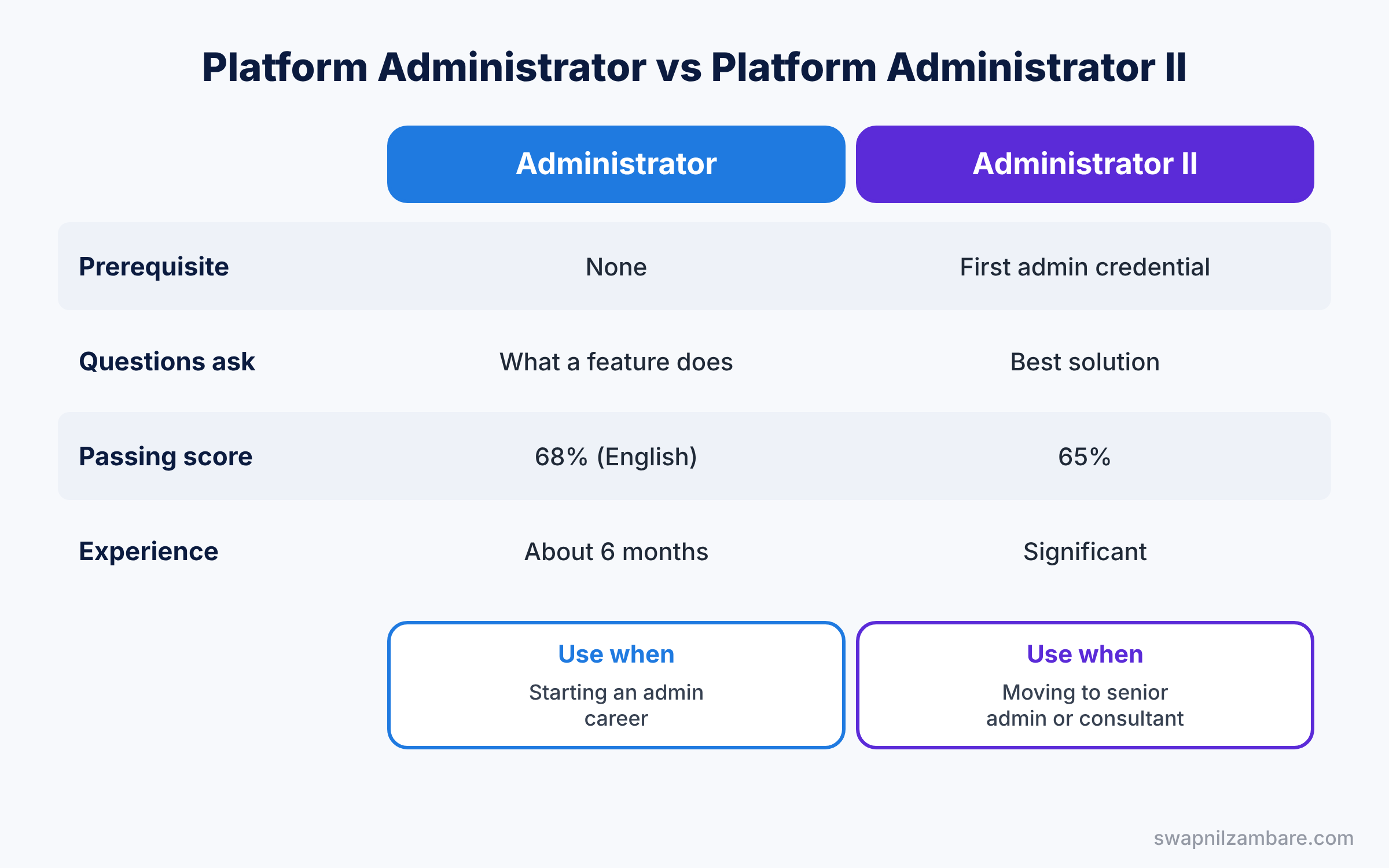
Both exams share a topic list, but they test at different depths. So compare them before you plan your study time.
| Feature | Platform Administrator | Advanced exam (II) |
|---|---|---|
| Prerequisite | None | Platform Administrator credential |
| Question style | What does this feature do? | Which solution fits this scenario best? |
| Passing score | 68% (English version) | 65% |
| Typical experience | About 6 months as an admin | Significant hands-on admin experience |
| Best for | Starting an admin career | Moving to senior admin or consultant |
In short, take the first exam when you can run an org day to day. Take the advanced exam when you can design solutions for complex requirements.
Hands-on Example: Platform Administrator II Study Plan
Let’s build a six-week plan for Asha Mehta, who works full time.
Step 1: Read the official exam guide
- Open the official exam guide on Salesforce Help, linked in the resources below.
- Copy each exam objective into a tracking sheet with a status column.
Step 2: Plan six weeks for Platform Administrator II
Use the plan in the table below. Each week mixes reading, hands-on practice and review.
| Week | Focus | Hands-on task |
|---|---|---|
| 1 | Security and Access | Build a territory model and a delegated group |
| 2 | Objects and Applications | Junction object, Schema Builder, Dynamic Forms page |
| 3 | Process Automation | Subflows, fault paths, scheduled paths |
| 4 | Data and Analytics | Joined report, snapshot, External ID upsert |
| 5 | Cloud Apps and Auditing | Orders, entitlements, debug log tracing |
| 6 | Review and practice | Two timed practice sessions and weak areas |
Step 3: Practise in a Developer Edition org
Do every hands-on example from this series in your free org. Hands-on work matters most for automation and security questions, because you remember what you built. Then complete the superbadges listed in the exam guide, such as Object Relationships and Record-Triggered Flow.
Step 4: Use scenario thinking
For each practice question, ask three things: what is the requirement, which features could solve it, and which one is the best practice. This matches how the real questions work. For example, if a question says “with the least effort” or “without code”, the answer is usually a standard feature, not a custom build.
Step 5: Book and take the exam
Book the exam two weeks before your planned date, so you have a fixed goal but still time to adjust. On the day, mark hard questions, answer the easy ones first, and return to the marked ones with your remaining time. With 105 minutes for 60 questions, you have under two minutes per question, so do not spend five minutes on one.
Common Mistakes with Platform Administrator II
- Memorising features without practice. Scenario questions need real hands-on experience.
- Ignoring the weightings. Security and automation together make 40% of the exam.
- Using old study notes. Exam guides change, so study from the current one.
- Skipping Sales and Service features. Orders, forecasting and entitlements appear too.
- Rushing the long questions. Read every word, because small details change the answer.
Best Practices for Platform Administrator II
- Study from official sources. The exam guide, Help and Trailhead come first.
- Build, then read. Doing a task once makes the theory stick.
- Join a study group. Explaining an answer to someone else shows gaps in your own understanding.
- Keep a mistakes notebook. Review every wrong practice answer before the exam.
- Plan maintenance. Complete maintenance modules on time to keep the credential active.
Practice Task
Pick three objectives from the Security and Access section, and for each one write a real Bright Path Tutors scenario and the best solution. Then compare your answers with the posts in this series.
Hint: scenarios that mention “without changing the role hierarchy” often point to territories or sharing rules.
Platform Administrator II FAQ
Is this the same as Advanced Administrator?
Yes. Salesforce renamed the Advanced Administrator credential to Salesforce Certified Platform Administrator II.
How long should I study?
Most working admins need six to ten weeks, depending on hands-on experience.
Can I take the exam online?
Yes. You can take it online with a proctor or at a testing centre.
Official Resources
- Salesforce Certified Platform Administrator II Exam Guide (Salesforce Help)
- Platform Administrator II Certification (Trailhead Academy)
- Schedule a Salesforce Certification Exam (Salesforce Help)
Quick Recap
- Platform Administrator II is the advanced admin certification, formerly Advanced Administrator.
- You need the Platform Administrator credential first.
- The exam has 60 scored questions in 105 minutes, with a 65% pass mark.
- Security and automation are the two biggest sections.
- A six-week plan with hands-on practice works well for busy admins.
What’s Next?
That completes the Salesforce Admin track. Next, we start the Developer track with the language for reading Salesforce data. Coming soon: SOQL Basics: Query Salesforce Data Step by Step.