Salesforce Flow Interview Questions go beyond the basics and test how you build, test and fix real automation. This is Part 17 of our 25-part series, with advanced questions on screen flows, orchestration, testing, performance and migration.
In Part 2, we covered flow types, elements and the order of execution. Here we go deeper. Our flow types guide, fault paths guide and Migrate to Flow guide will help.
How to Use These Salesforce Flow Interview Questions
First, build one screen flow and one record-triggered flow in your practice org. Next, break them on purpose and fix them with debug and fault paths. Then answer the scenario questions, because senior rounds use them to test real design choices.
Salesforce Flow Interview Questions on Migrating to Flow
Study with Migrate to Flow.
- Why did Salesforce retire Workflow Rules and Process Builder?
- What is the Migrate to Flow tool?
- What can the tool not migrate?
- How do you plan a migration of many processes?
- Should you merge many old processes into one flow?
- How do you test a migrated flow?
- What happens to time-based workflow actions during migration?
- How do you turn off the old automation safely?
- What is the difference between a migrated flow and a rebuilt flow?
- How do you document what each old process did?
- Scenario: an object has 6 Process Builders and 4 Workflow Rules. How do you migrate them?
- Scenario: after migration, emails go out twice. What do you check?
Screen Flow Design Questions
Study with Flow Types.
- What makes a good screen flow?
- What are reactive screen components?
- Define conditional visibility on a screen.
- What is a Data Table component?
- How do you show a record lookup on a screen?
- How do you validate input on a screen?
- What is a custom screen component, at a high level?
- How do you add a screen flow to a record page?
- How do you launch a screen flow from a button?
- Can you run a screen flow in an Experience Cloud site?
- What is the pause element, and when do you use it?
- How do you pass a record ID into a screen flow?
- How do you show a progress indicator in a screen flow?
- Explain how you pass data from a screen flow back to a record page.
- What are flow screen sections and columns?
- Scenario: users skip important fields on a long screen. How do you redesign it?
- Scenario: a guest user must submit a form on a site through a flow. What do you check?
Salesforce Flow Interview Questions on Record-Triggered Flow Design
Study with Order of Execution.
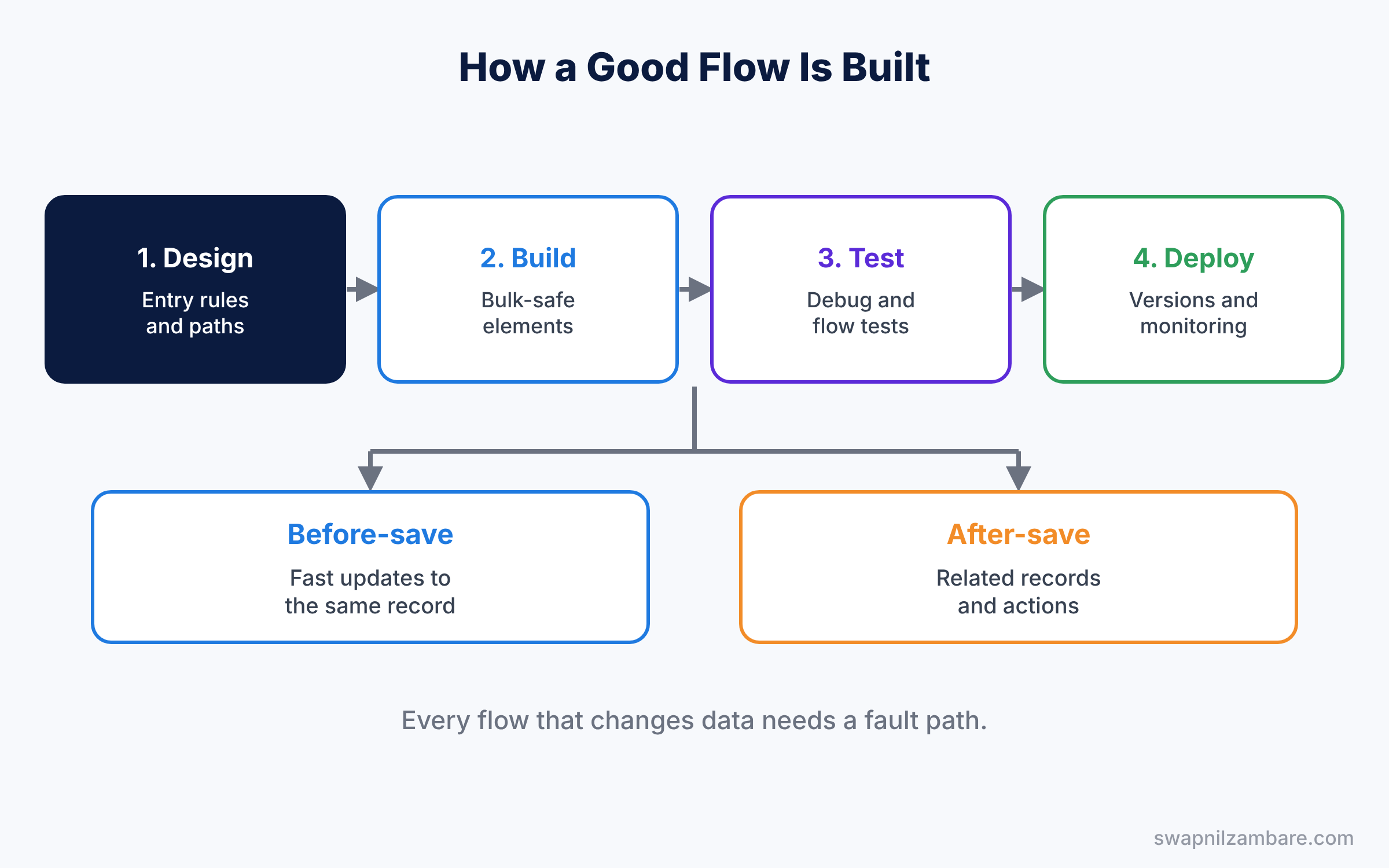
- When do you use a before-save flow instead of an after-save flow?
- What is the Flow Trigger Explorer?
- How do you set the order of many flows on one object?
- What is $Record__Prior used for?
- How do you stop a flow from running in a loop?
- What are entry conditions, and why do they matter?
- How do you run a flow only when a field changes?
- What is an asynchronous path?
- What is a scheduled path?
- How many record-triggered flows should one object have?
- What is the “Run Asynchronously” path used for?
- How do you skip a flow during a data load?
- What is a custom permission, and how can a flow check it?
- Scenario: two flows on Opportunity update the same field. How do you fix the conflict?
- Scenario: a flow must call an external system after save. Which path do you use?
Flow Orchestration Questions
Study with Approval Processes.
- What is Flow Orchestration?
- What are stages and steps?
- Define an interactive step.
- What is a background step?
- What is an evaluation flow?
- How do users see their orchestration work items?
- When is orchestration better than an approval process?
- What licences or limits apply to orchestration, at a high level?
- How do you assign an orchestration step to a queue?
- How do you report on orchestration progress?
- Scenario: onboarding needs HR, IT and the manager to act in order. How do you design it?
- Scenario: one step of an orchestration is stuck. How do you find out why?
Salesforce Flow Interview Questions on Testing and Debugging Flows
Study with Fault Paths.
- How do you debug a flow?
- What is a flow test?
- Which flow types support flow tests?
- What is a fault path?
- What is a fault email?
- Who receives flow error emails?
- How do you read a flow error message?
- What is the Flow Error Log, at a high level?
- How do you test a flow as another user?
- What is a custom error message in a flow?
- How do you test a flow with many records at once?
- What is a flow interview?
- How do you see paused flow interviews?
- Scenario: a flow works in debug but fails for one user. What do you check?
- Scenario: users see “An unhandled fault has occurred”. What do you do?
Performance and Limits Questions
- Why should you never put a Get Records element inside a loop?
- What does bulkification mean for flows?
- How many records can one flow transaction handle, at a high level?
- What is a CPU time limit error?
- What is the Transform element?
- How do you update many records with one element?
- When should you use a collection filter?
- What is the difference between a Loop and a Transform element?
- How do you avoid hitting DML limits?
- What is the Collection Sort element?
- What is the Assignment element used for in bulk updates?
- How many elements can one flow run in a transaction, at a high level?
- Scenario: a data load of 10,000 records fails because of a flow. What do you change?
- Scenario: a flow is slow on save. How do you make it faster?
Salesforce Flow Interview Questions on Versions and Deployment
Study with Sandboxes and Change Sets.
- What is a flow version?
- How many versions can a flow have?
- Can you edit an active flow version?
- How do you deploy a flow with a change set?
- Does a deployed flow arrive active or inactive?
- How do you roll back to an older version?
- How do you document a flow?
- What is a flow naming convention?
- How do you compare two flow versions?
- How do you deploy a flow with DevOps Center?
- Scenario: a bad flow version went live. How do you fix it fast?
- Scenario: a flow uses a hard-coded record ID. Why is this a problem in deployment?
Flow vs Code Questions
Study with Admin vs Developer.
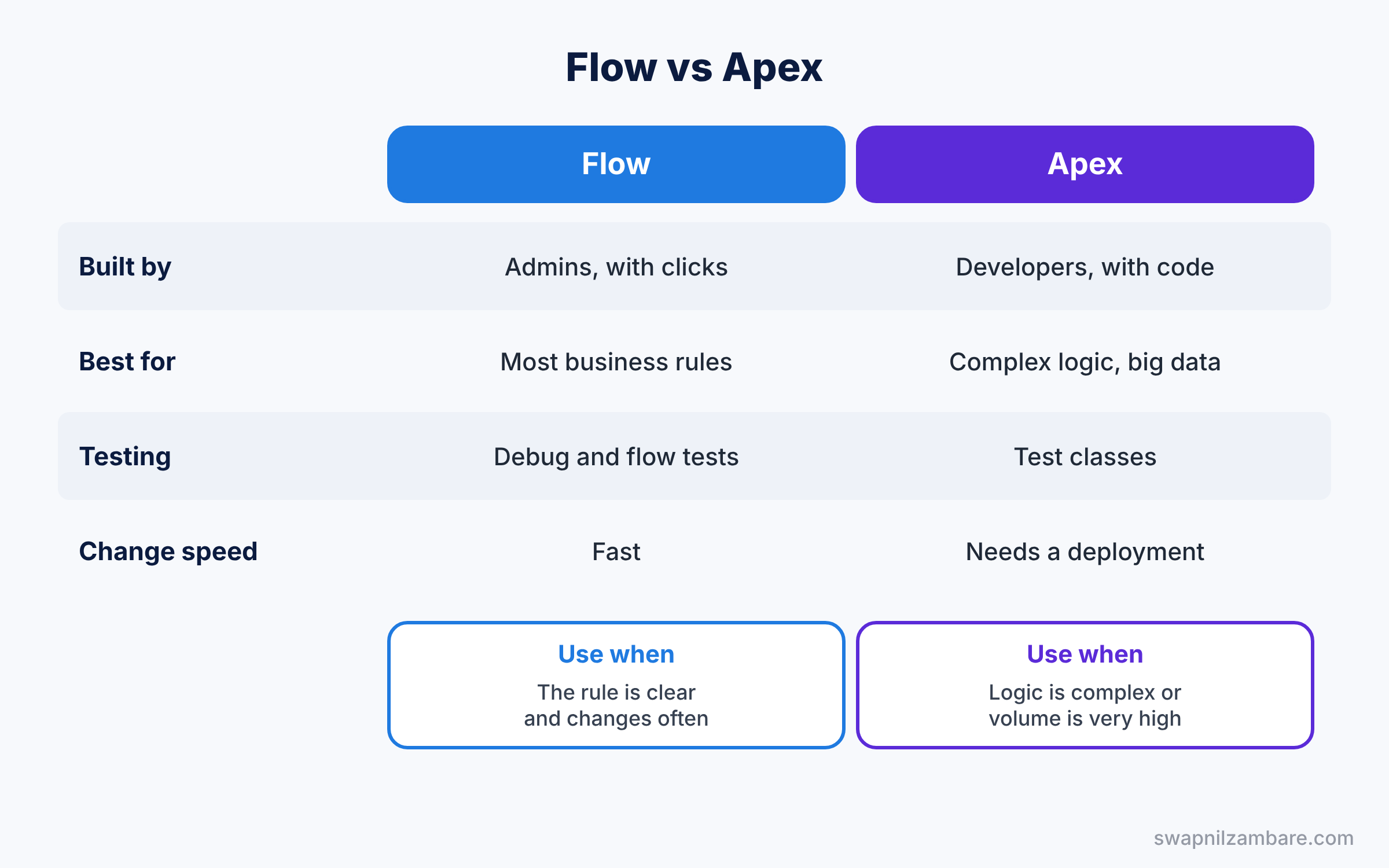
- When should you use Flow instead of Apex?
- When is Apex the better choice?
- What is an invocable action?
- How can a flow call Apex?
- Can Flow call an external API?
- What is an HTTP Callout action in Flow, at a high level?
- How do admins and developers share an object safely?
- What is an Apex action in Flow?
- How do you call a flow from Apex, at a high level?
- What is a Lightning web component in a flow screen?
- Scenario: a developer wants to replace your flow with a trigger. How do you decide?
- Scenario: a business rule changes every month. Flow or code?
Salesforce Flow Interview Questions FAQ
Are advanced flow questions asked for admins?
Yes. Flow is now the main automation tool, so experienced admins get several deep flow questions.
Do I need to know Flow Orchestration?
Know what it is and when to use it. Deep detail is asked only for automation-heavy roles.
Official Resources
- Record-Triggered Flows (Trailhead)
- Flow Orchestration Basics (Trailhead)
- Salesforce Platform Administrator Credential (Trailhead)
Quick Recap
- These Salesforce Flow Interview Questions cover migration, screen flows, triggers, orchestration, testing and limits.
- Use before-save flows for field updates on the same record.
- Never put Get Records or Update Records inside a loop.
- Add fault paths to every flow that changes data.
- Next, practise finding and fixing common problems.
What’s Next?
Continue with the next part. Read Salesforce Troubleshooting Interview Questions for Admins (Part 18).