Apex Basics Interview Questions check whether you know the building blocks of the language: data types, variables, operators, conditions and loops. Every Apex interview includes some of them, and many include a small “what is the output” puzzle. Clear, quick answers here show you can read and write everyday code without help.
Last reviewed for the Winter ’27 release (November 2026).
This is Part 2 of our Salesforce developer interview series. It covers the Apex basics questions asked most, from simple definitions to tricky outputs, each with a short answer. It builds on your first Apex class, Apex data types and variables and Salesforce Platform Interview Questions.
What are Apex Basics Interview Questions?
Apex Basics Interview Questions focus on the core syntax and behaviour of Apex. They ask about types, default values, operators, switch statements, loops and simple conversions. So they test how well you know the language before classes, triggers and SOQL.
Think of learning a new language before travelling. Before you can hold a conversation, you need numbers, basic words and simple grammar. Apex basics are those words and grammar rules for Salesforce code.
Why Apex Basics Interview Questions Matter
Small gaps in basics cause real bugs. Here is why Apex Basics Interview Questions matter.
- First, wrong types cause rounding and overflow bugs with money.
- Also, null handling mistakes cause the most common runtime error.
- Next, interviewers use short outputs to test careful reading.
- String comparison rules surprise many Java developers.
- Finally, freshers are often judged mostly on these topics.
So strong basics make every later answer more convincing.
How to Prepare for Apex Basics Interview Questions
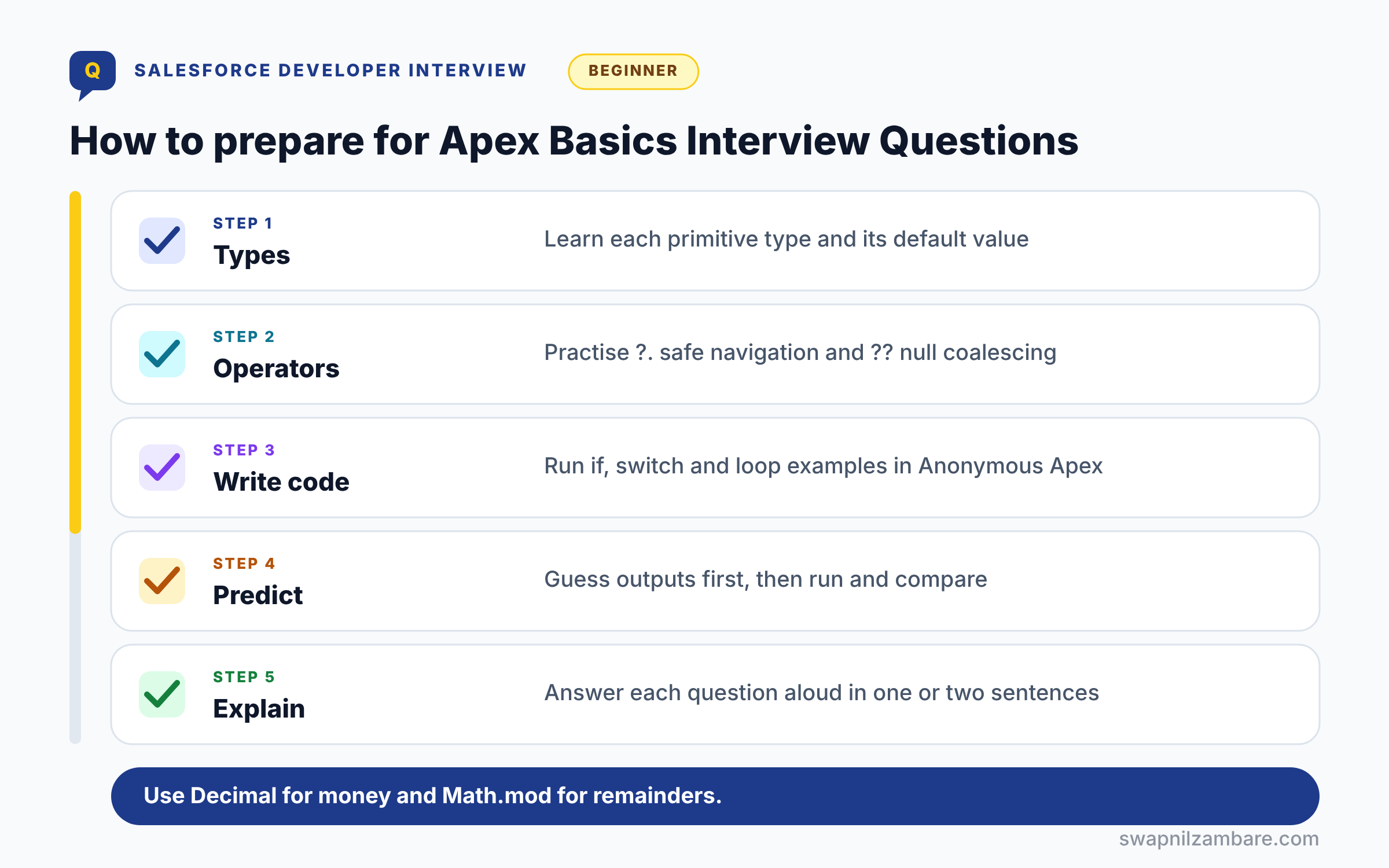
Preparing for Apex Basics Interview Questions follows five steps. First, learn each primitive type and its default value. Next, practise operators, including the safe navigation and null coalescing operators. Then write small if, switch and loop examples in Anonymous Apex. After that, predict outputs before you run them, and compare. Finally, explain each answer aloud in one or two sentences.
Apex Data Types at a Glance
The table below lists the primitive types interviewers ask about most.
| Type | Holds | Example |
|---|---|---|
| Integer | 32-bit whole number | 42 |
| Long | 64-bit whole number | 9000000000L |
| Decimal | Exact decimal, for money | 4999.50 |
| Double | 64-bit floating point | 3.14 |
| String | Text in single quotes | ‘Apex Basics’ |
| Boolean | true, false or null | true |
| Id | 15 or 18 character record Id | a01Kj00000Ab3xY |
| Date, Datetime, Time | Calendar and clock values | Date.today() |
Apex vs Java
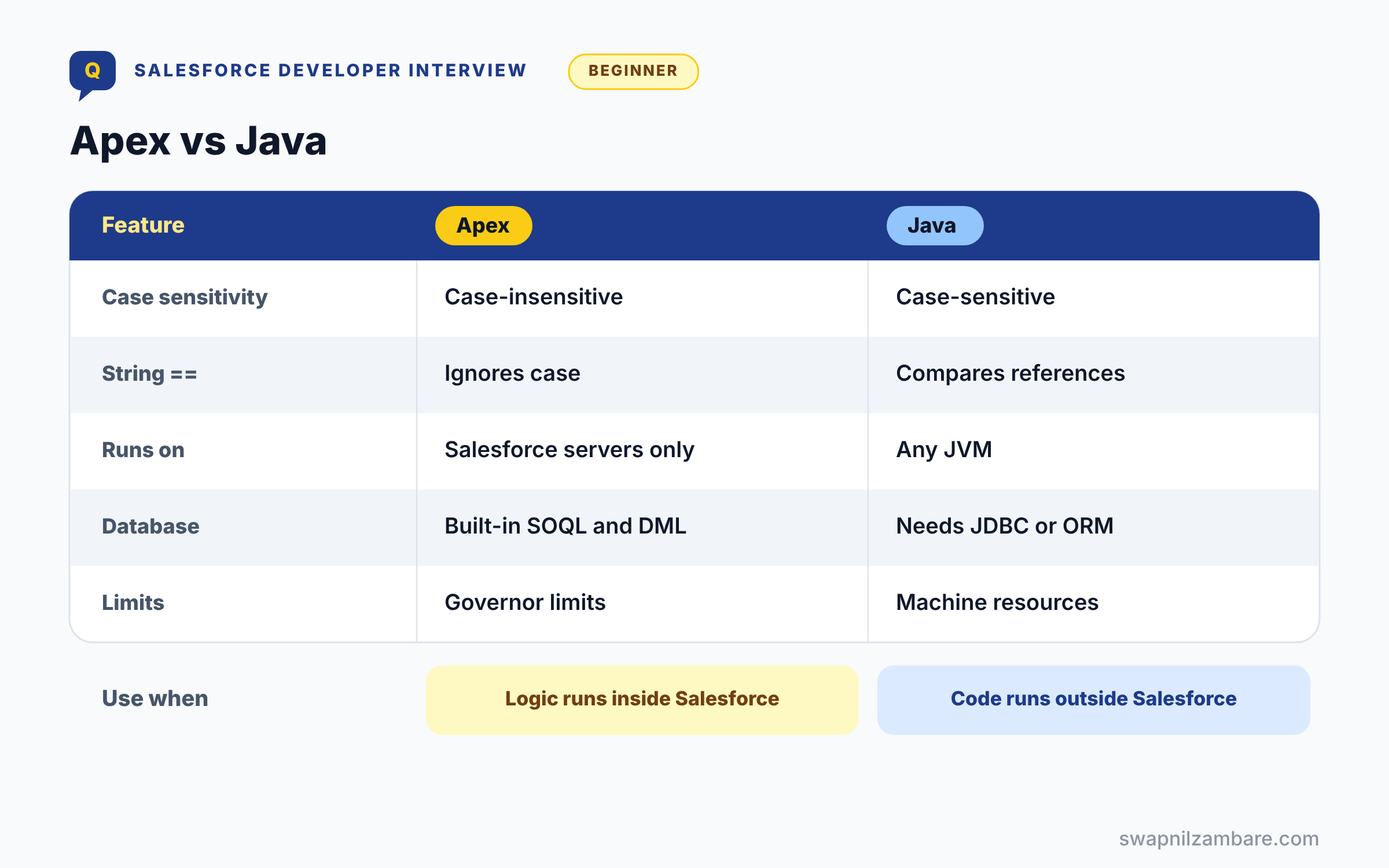
The table below compares Apex with Java, a very common interview question.
| Feature | Apex | Java |
|---|---|---|
| Case sensitivity | Case-insensitive | Case-sensitive |
| String == | Case-insensitive compare | Compares references |
| Runs on | Salesforce servers only | Any JVM |
| Database | Built-in SOQL and DML | Needs JDBC or ORM |
| Limits | Governor limits per transaction | Machine resources |
When to use which is simple. Apex is for logic inside Salesforce, while Java runs anywhere and often powers external systems.
Basic Apex Basics Interview Questions
These Apex Basics Interview Questions are the ones freshers hear first.
Questions on Apex Fundamentals
Q1: What is Apex?
Apex is Salesforce’s strongly typed, object-oriented programming language. So developers use it for business logic, triggers and integrations.
Q2: Where does Apex run?
It runs on Salesforce servers, not in the browser. Also, it is stored as metadata and compiled by the platform.
Interview tip: add that Apex runs under governor limits. It is the first thing that makes Apex different from Java.
Q3: Is Apex case-sensitive?
No, Apex keywords and variable names are case-insensitive. So myCourse and MYCOURSE refer to the same variable.
Follow-up you may get: Are String values compared case sensitively? Not with ==, but yes with equals().
Q4: How is Apex similar to Java?
It has Java-like syntax, classes, interfaces and exceptions. However, it adds SOQL, DML and governor limits.
Interview tip: give two concrete differences, like == ignoring case on Strings and no % operator. They prove hands on use.
Q5: What is Anonymous Apex?
It is code you run once without saving a class. For example, you run it in the Developer Console or with sf apex run.
Q6: Where can you write Apex?
In VS Code with Salesforce extensions, the Developer Console or Setup in a sandbox. However, you cannot edit Apex directly in production.
Q7: When should you use Apex instead of Flow?
Use Apex for complex logic, large volumes, advanced callouts or reusable services. Otherwise, Flow is often enough.
Follow-up you may get: Can Flow call Apex? Yes, through an invocable method.
Q8: What is the difference between a class and a trigger?
A class holds reusable code that runs when something calls it. A trigger runs automatically when records of one object are saved or deleted.
Good practice keeps triggers tiny and moves the logic into classes, so it can be tested and reused.
Q9: What are the two ways to write a comment?
Use // for one line and /* */ for several lines. So comments explain code without running.
Questions on Data Types
Q10: What are primitive data types in Apex?
They include Integer, Long, Double, Decimal, String, Boolean, Id, Date, Datetime, Time and Blob. Also, Object can hold any type.
Q11: What is the default value of an uninitialised Integer?
null, not 0.
Every variable in Apex that you do not set starts as null, even numbers. So total = total + 5 fails with a NullPointerException if total was never set.
Example: write Integer total = 0; before adding to it in a loop.
Interview tip: this is a classic trap. Saying 0 is the most common wrong answer.
Q12: What is the default value of a Boolean?
null as well, not false.
That matters because if (flag) throws a NullPointerException when flag is null. Initialise it, like Boolean isActive = false;, or check flag == true.
Q13: Which type should you use for currency?
Decimal, because it stores exact values.
Double is a floating point type, so it can give tiny rounding errors like 0.30000000000000004. Currency fields in Salesforce are Decimal for the same reason.
Example: Decimal fee = 1499.50; and fee.setScale(2) to round to two places.
Q14: What is the difference between Integer and Long?
Integer is 32 bit and Long is 64 bit, for bigger whole numbers. Long literals end with L, like 5000000000L.
The four number types are easy to mix up, so here they are together.
| Type | Holds | Range or precision | Use for |
|---|---|---|---|
| Integer | Whole numbers | About plus or minus 2.1 billion | Counts, loop indexes |
| Long | Whole numbers | About plus or minus 9.2 quintillion | Very large counts, milliseconds |
| Double | Decimal numbers, floating point | Fast but inexact | Science style maths |
| Decimal | Decimal numbers, exact | Exact, set the scale | Money and percentages |
Q15: How do you round a Decimal to two places?
Use setScale(2), like Decimal fee = 1499.567; fee = fee.setScale(2); which gives 1499.57.
You can pass a rounding mode too, like setScale(2, System.RoundingMode.DOWN), when the business wants amounts cut off instead of rounded.
Q16: What is the difference between Double and Decimal?
Double is floating point and fast, but inexact. However, Decimal is exact and used for currency fields.
Questions on Ids, Blobs and sObjects
These Apex Basics Interview Questions cover the special types.
Q17: What is the Id data type?
It stores a Salesforce record Id with 15 or 18 characters. Also, Apex checks that the value is a valid Id.
Follow-up you may get: How do you get the object type from an ID? Use myId.getSObjectType().
Q18: What is the difference between 15 and 18 character Ids?
The 15-character Id is case-sensitive, while the 18-character Id adds a checksum and is case-insensitive. So external tools often use 18.
Interview tip: mention that reports and Data Loader exports often give 15 character IDs, so compare carefully.
Q19: How do you write a String in Apex?
Use single quotes, like ‘Apex Basics’.
Double quotes cause a compile error in Apex, which surprises people coming from Java. To put a single quote inside, escape it: ‘Ravi\’s course’.
Q20: What is a Blob?
It holds binary data, such as file contents. For example, Attachment and ContentVersion bodies use Blob.
Q21: What is the Object type?
It is the parent of all types, so it can hold any value. Then you cast it to a specific type before use.
Q22: How do you get the type of an sObject at run time?
Call getSObjectType() on the record or ID, and getDescribe().getName() for the API name.
Example: String objName = recordId.getSObjectType().getDescribe().getName(); returns ‘Account’ for an account ID.
Q23: What is an sObject?
It is a record of any Salesforce object, such as Account or Course__c. Also, the generic sObject type can hold any of them.
Questions on Variables and Constants
Q24: How do you declare a variable?
Write the type, the name and an optional value, such as Integer seats = 20;. So the type is fixed at compile time.
Q25: How do you declare a constant?
Use static final, such as static final Integer MAX_SEATS = 30;. Then the value cannot change.
Follow-up you may get: Can a final variable be set in a constructor? Yes, if it was not set when declared.
Q26: What does the final keyword do?
It means the variable can be assigned only once. For example, it can be set in the declaration or the constructor.
Q27: What is variable scope?
It is where a variable can be used. For example, a variable declared inside a loop exists only in that loop.
Q28: What is the difference between a static and an instance variable?
A static variable belongs to the class and is shared by all code in the transaction. An instance variable belongs to one object, and each object has its own copy.
Example: a static Integer counter counts calls across the transaction; an instance String name is different for each Course object.
Q29: Can two variables in the same scope share a name?
No, so the compiler reports a duplicate variable error. Also, names are case-insensitive.
Example: declaring Integer count twice in one method fails to compile, and so does Integer Count after Integer count, because names ignore case.
Intermediate Apex Basics Interview Questions
These Apex Basics Interview Questions test operators, conditions and loops.
Questions on Operators
Q30: What is the difference between == and === in Apex?
== compares values, while === checks if two references point to the same object. So two equal Strings can fail ===.
Interview tip: give an example: two new Account() objects with the same Name are == but not ===.
Q31: Is String comparison with == case-sensitive?
No. == ignores case for Strings, so ‘Apex’ == ‘APEX’ is true.
This is different from Java. If case matters, like checking a password style code, use equals() instead.
Q32: How do you compare Strings with case?
Use equals(), like s1.equals(s2). It returns false for ‘Apex’ and ‘APEX’.
If you want to ignore case on purpose and make that clear to readers, use equalsIgnoreCase().
Q33: What is the safe navigation operator?
It is ?., which returns null instead of throwing when the left side is null. For example, course?.Account__r?.Name.
Follow-up you may get: Does ?. work on method calls? Yes, like acc?.getCloneSourceId().
Q34: What is the null coalescing operator?
It is ??, which returns the right value when the left is null. For example, Integer seats = input ?? 0;.
Q35: What is the ternary operator?
It is a short if-else: condition ? valueIfTrue : valueIfFalse. So it fits simple assignments.
Q36: What does 5 / 2 return for Integers?
It returns 2, because dividing two Integers drops the remainder.
Apex does not round; it just cuts off the decimal part. To get 2.5, make one side a Decimal, like Decimal result = 5.0 / 2;
Interview tip: write the fix in one line, 5.0 / 2. It shows you know how to get the decimal answer.
Q37: What do ++i and i++ do differently?
++i increments before use, while i++ uses the old value first. So the result differs inside expressions.
Q38: What does the modulus operator do?
Apex has no % operator. Use Math.mod(a, b) for the remainder.
Example: Math.mod(7, 3) returns 1. A common use is checking even numbers with Math.mod(n, 2) == 0.
Q39: What is operator precedence, and why does it matter?
It is the order Apex follows when an expression has several operators: multiplication and division before addition and subtraction, and comparison before AND and OR.
Example: 10 + 5 * 2 is 20, not 30. Use brackets, like (10 + 5) * 2, to make your intent clear.
Q40: What are the logical operators?
&& for AND, || for OR and ! for NOT. Also, && and || short-circuit, so the right side may not run.
Questions on Conditions and Switch
Q41: How do you write if-else in Apex?
Write if (condition) { } else if (other) { } else { }. Only the first branch whose condition is true runs.
Example: if (fee > 10000) { tier = ‘Premium’; } else if (fee > 5000) { tier = ‘Standard’; } else { tier = ‘Basic’; } Always use braces, even for one line, so later edits do not create bugs.
Q42: What types can a switch statement use?
Integer, Long, String, sObject and Enum.
switch makes long if else chains easier to read. String matching is case sensitive in switch, unlike ==.
Example: switch on course.Level__c { when ‘Beginner’ { seats = 30; } when else { seats = 20; } }
Q43: How do you write the default branch in switch?
Use when else. It runs when no other when value matches.
It must be the last branch, and it is a good place to handle unexpected values, for example by logging them.
Q44: Can one when branch match several values?
Yes, list them with commas, such as when ‘Beginner’, ‘Intermediate’. So you avoid repeated code.
Q45: Can switch work on null?
Yes. Add when null as a branch, and it runs when the value is null, so you avoid a separate null check before the switch.
Q46: Can switch match an sObject type?
Yes, with when Account a or when Course__c c. Then the variable is already cast to that type.
Follow-up you may get: Do you need a cast after when Account a? No, a is already an Account.
Questions on Loops
Q47: Which loops does Apex support?
for, for each, while, do while, and the SOQL for loop.
| Loop | Best for | Example |
|---|---|---|
| for (index) | Counting or going backwards | for (Integer i = 0; i < 5; i++) |
| for each | Every item in a collection | for (Course__c c : courses) |
| while | Repeating until a condition changes | while (retries < 3) |
| do while | Running at least once | do { … } while (hasMore); |
| SOQL for loop | Large query results with low heap | for (Account a : [SELECT Name FROM Account]) |
Q48: What is the difference between while and do-while?
do-while runs the body at least once, because it checks the condition after. However, while checks first.
Q49: What is a for-each loop?
It loops over every item in a collection, such as for (Course__c c : courses). So you do not track an index.
Q50: What do break and continue do?
break exits the loop, while continue skips to the next iteration. Both are common in data checks.
Q51: What is a SOQL for loop?
It loops over query results in chunks of 200 records. As a result, it uses less heap on large queries.
Follow-up you may get: Can you do DML inside a SOQL for loop? You can, but put the DML on a list chunk, not on each record.
Q52: How do you exit a nested loop early?
Apex has no labelled break, so set a Boolean flag inside the inner loop, break, and check the flag in the outer loop to break again. Often it is cleaner to move the loops into a method and use return.
Q53: Why should you avoid SOQL and DML inside loops?
Because each iteration uses a query or DML statement, so you quickly hit governor limits. Instead, bulkify outside the loop.
Interview tip: name the limits: 100 SOQL queries and 150 DML statements in a synchronous transaction.
Questions on Enums and Conversions
Q54: What is an enum?
It is a type with a fixed set of values, such as enum Level { BEGINNER, ADVANCED }. So it prevents invalid values.
Q55: Which methods do enum values have?
name() returns the text, ordinal() returns the position, and values() lists all values. These help with mapping.
Follow-up you may get: Can you get an enum from a String? Loop over values() and compare name(), or use a Map.
Q56: What is implicit conversion in Apex?
Smaller number types widen automatically, such as Integer to Long, Double or Decimal. However, narrowing needs an explicit cast.
Q57: How do you convert a String to an Integer?
Integer.valueOf(’42’). If the text is not a number, it throws a TypeException.
When the value comes from users or files, wrap it in try and catch, or check it first with isNumeric().
Example: if (input.isNumeric()) { Integer seats = Integer.valueOf(input); }
Q58: How do you convert an Integer to a String?
String.valueOf(42), or join it with a String, like ” + 42. Both give ’42’.
String.valueOf is clearer and also works for Dates, Decimals and Booleans.
Q59: How do you cast an Object to a specific type?
Put the type in brackets, such as (Course__c) obj. If the type is wrong, Apex throws a TypeException.
Q60: How do you convert a String to a Date?
Use Date.valueOf(‘2026-11-22′) for the yyyy-MM-dd format, or Date.parse(’22/11/2026’) for the user’s locale format.
Date.valueOf is safer for data from integrations, because it does not depend on the user’s locale.
Q61: Can you assign a String to an Id variable?
Yes, if it is a valid Id format. Otherwise, Apex throws a StringException.
Example: Id accId = ‘001000000000001AAA’; works, but Id bad = ‘hello’; throws a StringException at run time.
Advanced Apex Basics Interview Questions
These Apex Basics Interview Questions catch even experienced developers.
Questions on Tricky Behaviour
Q62: What happens when an Integer overflows?
It wraps around silently to a negative number, with no error. So use Long for large counts.
Interview tip: overflow questions test whether you know Apex is silent here. Say “no exception” clearly.
Q63: What is the most common runtime error in Apex?
The NullPointerException, usually from using a null variable or field. Also, the safe navigation operator helps avoid it.
Q64: Does Apex support the % operator?
No. Apex uses Math.mod(a, b) for the remainder.
Writing 7 % 2 gives a compile error. This is a common trick question for people coming from Java or JavaScript.
Q65: What is the difference between null and an empty String?
null means no value, while ” is a value with length 0. So use String.isBlank to check both.
Interview tip: recommend String.isBlank over checking == null and == ” separately.
Q66: How does Datetime.now() handle time zones?
Datetime values are stored in GMT. Methods like format() show them in the running user’s time zone.
Example: a class starting at 10 AM in Mumbai is stored as 4:30 AM GMT. Use formatGmt() when you need the stored value, and Date.today() when you only need the user’s local date.
Q67: What is the difference between Date and Datetime?
Date holds only a calendar day, while Datetime adds the time and time zone. So use Date for birthdays and Datetime for events.
Q68: Can Apex variables be global?
Not across transactions, because static variables reset after each one. So use custom settings or Platform Cache for shared values.
Interview tip: name Platform Cache and custom settings as the real ways to share values across transactions.
Q69: What is the transient keyword?
It stops a variable from being saved in Visualforce view state. So it keeps pages lighter.
Follow-up you may get: Does transient matter in LWC? No, it is for Visualforce view state.
Q70: What is the difference between a runtime error and a compile error?
A compile error stops you from saving the code, like a missing semicolon or a wrong type. A runtime error happens while the code runs, like a NullPointerException or a limit exception, so it needs tests to catch it.
Q71: What limits apply to Apex code size?
An org can hold about 6 MB of Apex code, and a class can have up to 1 million characters. Test classes and managed package code do not count.
Questions on Writing Clean Basics
Q72: How should you name variables and constants?
Use camelCase for variables and UPPER_SNAKE_CASE for constants. So code stays readable for the team.
Q73: Why avoid hard-coded Ids?
Because Ids differ between orgs, so code breaks after deployment. Instead, query records or use custom metadata.
Interview tip: say where IDs come from instead: a query by DeveloperName, custom metadata, or Schema describe for record types.
Q74: How do you check if a String is empty or only spaces?
String.isBlank(value). It returns true for null, an empty String and a String of only spaces.
Use isNotBlank() for the opposite. isEmpty() is stricter: it returns false for a String of spaces.
Q75: What is the difference between System.debug and a custom log?
System.debug writes to debug logs, which last only 24 hours and need a trace flag. A custom log, like an Error_Log__c record or a platform event, stays in the org so support teams can review errors later.
Q76: How do you print values while debugging?
Use System.debug, then read the debug log. Also, add a label, such as System.debug(‘fee: ‘ + fee).
Follow-up you may get: Can you set the log level for one line? Use System.debug(LoggingLevel.ERROR, ‘message’).
Scenario-Based Apex Basics Interview Questions
These Apex Basics Interview Questions ask you to predict or fix code.
Questions on Outputs and Fixes
Q77: What does this print: Integer a; System.debug(a + 1);?
It throws a NullPointerException, because a has no value yet.
Apex does not start numbers at 0. Write Integer a = 0; first, and the line prints 1.
Q78: What does ‘apex’ == ‘APEX’ return?
true, because == on Strings ignores case.
‘apex’.equals(‘APEX’) returns false, so use equals() when case matters.
Q79: A fee of 0.1 + 0.2 shows 0.30000000000000004. Why?
Because the values were Doubles, and floating point cannot store 0.1 exactly.
Switch to Decimal for money: Decimal total = 0.1 + 0.2; gives exactly 0.3.
Interview tip: connect it back to currency fields being Decimal. That shows real world sense.
Q80: How would you safely read the account name from a course?
Use course?.Account__r?.Name ?? ‘No account’.
The safe navigation operator ?. returns null instead of failing when the course or account is missing, and ?? gives a default. Both work in current Apex versions.
Q81: How do you loop through a list backwards?
Count down from the last index: for (Integer i = list.size() – 1; i >= 0; i–).
This is handy when removing items, because removing from the end does not shift the items you have not checked yet.
Example: if (courses[i].Seats__c == 0) courses.remove(i);
Q82: What does String.valueOf(null) return?
It returns the text ‘null’, not an empty String. So check for null before building messages, or use a default like value ?? ”.
Q83: What does Integer.MAX_VALUE + 1 return?
It returns -2147483648, because Integer overflow wraps around.
Apex gives no error for this, so use Long when a value can pass about 2.1 billion, like a sum of amounts in paise.
A Real Apex Basics Interview Questions Answer
Interviewers often hand you a short snippet and ask for the output. Here is a typical one.
Integer seats;
Decimal fee = 4999.5;
String level = 'BEGINNER';
seats = seats ?? 10;
switch on level.toLowerCase() {
    when 'beginner' { fee = fee * 0.9; }
    when else { fee = fee; }
}
System.debug(seats + ' seats at ' + fee.setScale(2));
Walk through it line by line. seats is null, so ?? sets it to 10. The level becomes ‘beginner’, so the fee gets 10% off and setScale rounds it to two places.
Here is the output.
10 seats at 4499.55Common Mistakes with Apex Basics Interview Questions
- Saying uninitialised numbers default to 0.
- Using Double for currency values.
- Forgetting that String == ignores case.
- Using % instead of Math.mod.
- Putting SOQL or DML inside loops in sample code.
Best Practices for Answering Apex Basics Interview Questions
- Give a short definition, then a one-line example.
- Mention null handling whenever you talk about variables.
- Run small snippets in Anonymous Apex while practising.
- Explain outputs step by step, not just the final value.
- Link basics to limits and bulkification when you can.
Official Resources
Quick Recap
- Apex Basics Interview Questions cover types, operators, conditions and loops.
- Uninitialised variables are null, including numbers.
- Use Decimal for money and Math.mod for remainders.
- String == ignores case, while equals() does not.
- Practise outputs aloud before the interview.
What’s Next?
Next in the series, master lists, sets and maps with our Apex collections interview questions.


