Apex Conditional Statements let your code make decisions. For example, they answer “Is the fee too low?” or “Which level is this course?”. Then they run different code for each answer. Without them, your code would do the same thing every time, no matter what the data says.
In the last two posts, you learned Apex data types and Apex operators. Operators give you true or false results. Now you will use those results to choose what happens next. If you have built decision elements in our Flow Builder guide, the idea will feel familiar.
What Are Apex Conditional Statements?
A conditional statement runs a block of code only when a condition is true. The condition is any expression that gives a Boolean, such as fee > 5000. Apex has two main tools for this: the if family and the switch statement.
Think of a traffic signal. If the light is green, you drive. Else if it is yellow, you slow down. Else, you stop. Your code works the same way. It checks a condition and picks one path.
Why Apex Conditional Statements Matter
Business rules are full of “if this, then that”. So almost every class or trigger you write will use Apex Conditional Statements. Here are some real rules from Bright Path Tutors.
- Stop the save with an error when the fee is below 500.
- Give a 10% discount when a course is online.
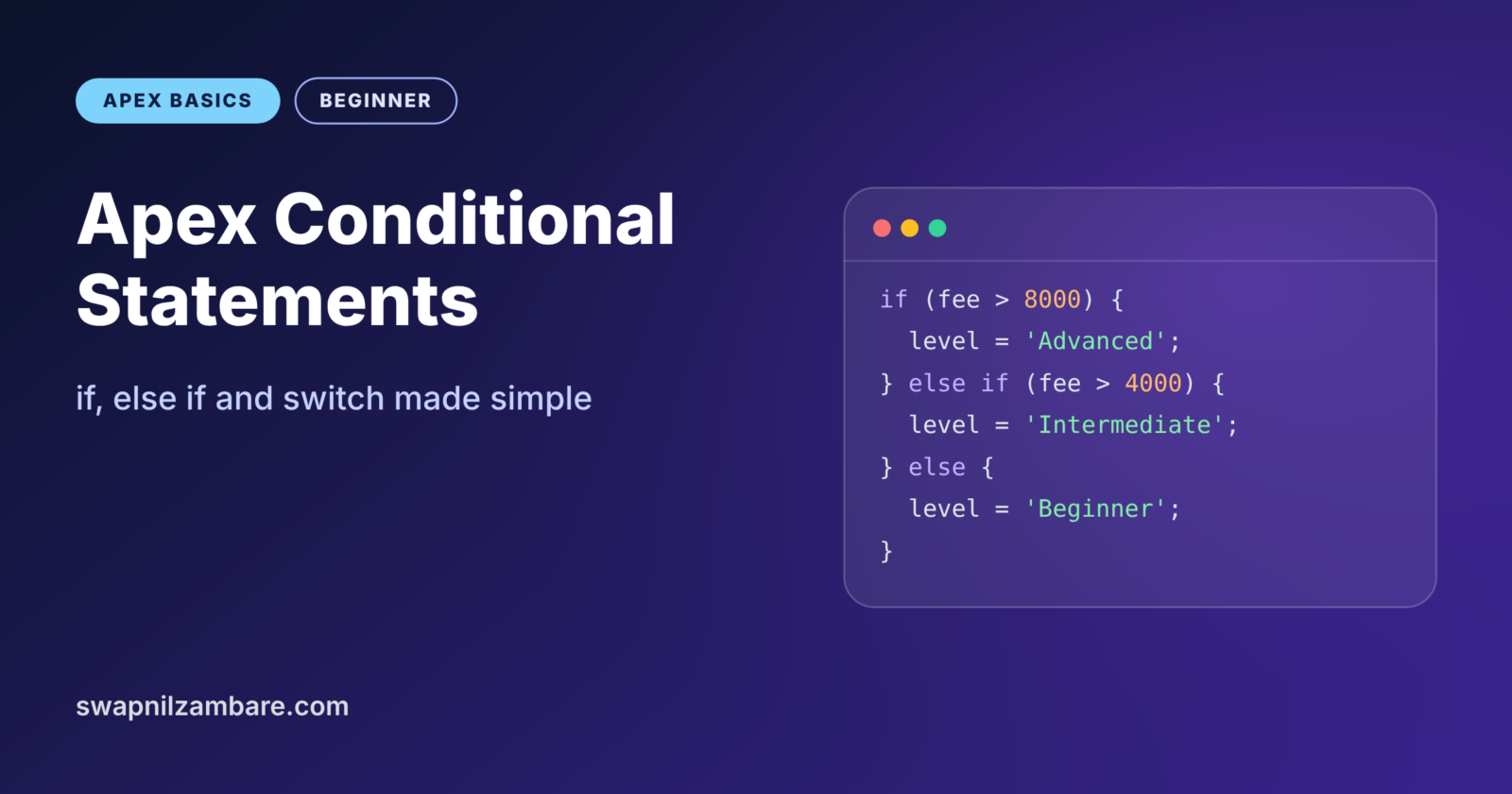
- Mark fees above 8000 as Advanced, above 4000 as Intermediate, and the rest as Beginner.
- Assign a senior trainer to Advanced courses.
- Close sign-ups once the start date has passed.
Each of these is one small decision. Put together, they form the logic of an app.
How Apex Conditional Statements Work
With Apex Conditional Statements, Apex checks the condition first. If it is true, Apex runs the code inside the curly braces. If it is false, Apex skips that block and moves on, or runs the else block if there is one.
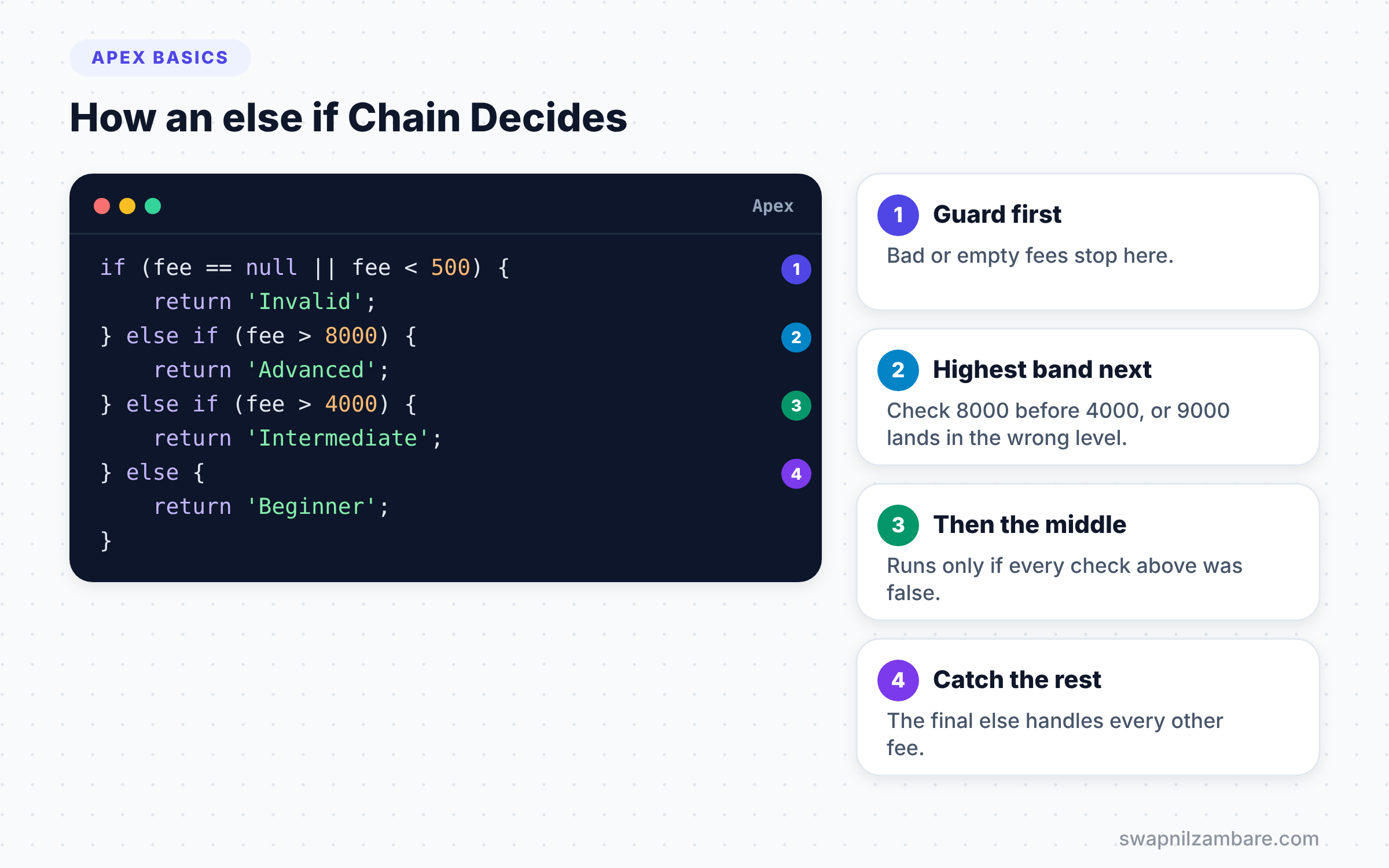
With an else if chain, Apex checks each condition from top to bottom. As soon as one is true, it runs that block and skips the rest. So the order of your checks matters a lot.
Types of Apex Conditional Statements
Apex gives you a few shapes of conditional statements. Each one fits a different kind of decision.
The if Statement
The simplest form runs code only when one condition is true. Nothing happens when it is false.
Decimal fee = 300;

if (fee < 500) {
    System.debug('Fee is too low');
}
Here the condition fee < 500 is true, so the message prints. If the fee were 600, Apex would skip the block silently.
The if-else Statement
Add else when you want something to happen in both cases. One of the two blocks always runs, never both.
The else if Chain
Use else if when you have more than two choices. Apex walks down the chain and stops at the first true condition. A final else catches everything left over.
Nested if Statements
You can put one if inside another. This is useful when a second check only makes sense after the first passes. However, deep nesting gets hard to read, so keep it to two levels when you can.
The switch Statement in Apex Conditional Statements
switch on compares one value against a list of options. Each option starts with when. The when else block runs if nothing matches. It reads more cleanly than a long else if chain when you are checking one value.
A Real Example with if, else if and else
Let’s set a course level from its fee at Bright Path Tutors. Fees above 8000 mean Advanced, and fees above 4000 mean Intermediate. All the rest mean Beginner. We also block fees below 500.
public with sharing class CourseLevelSetter {

    public static String levelFor(Decimal fee) {
        if (fee == null || fee < 500) {
            return 'Invalid';
        } else if (fee > 8000) {
            return 'Advanced';
        } else if (fee > 4000) {
            return 'Intermediate';
        } else {
            return 'Beginner';
        }
    }
}
The first check handles bad input, including a null fee. Next, the chain checks the highest band first. This order is important, because 9000 is also greater than 4000. If we checked 4000 first, a 9000 course would wrongly become Intermediate.
Now test it with anonymous Apex.
System.debug(CourseLevelSetter.levelFor(9500));
System.debug(CourseLevelSetter.levelFor(5200));
System.debug(CourseLevelSetter.levelFor(1500));
System.debug(CourseLevelSetter.levelFor(200));
The log shows one result for each call.
USER_DEBUG [1]|DEBUG|Advanced
USER_DEBUG [2]|DEBUG|Intermediate
USER_DEBUG [3]|DEBUG|Beginner
USER_DEBUG [4]|DEBUG|Invalid
A Real Example with switch
Now we go the other way. Given a level, we want the trainer team name. This time we check one value against several options, so switch is a good fit.
String level = 'Intermediate';
String team;

switch on level {
    when 'Beginner' {
        team = 'Foundation Team';
    }
    when 'Intermediate', 'Advanced' {
        team = 'Senior Team';
    }
    when null {
        team = 'Unassigned';
    }
    when else {
        team = 'Review Needed';
    }
}
System.debug('Team: ' + team);
The second when lists two values separated by a comma, so both share one block. Next, when null handles an empty level safely. Finally, when else catches any unexpected value, such as a typo. The log prints Team: Senior Team.
What switch Can Check
However, switch on does not work with every type. The table below lists what it supports.
| Type | Example when value | Good for |
|---|---|---|
| Integer and Long | when 1, 2, 3 | Numbered options |
| String | when ‘Beginner’ | Picklist values |
| Enum | when RED | Fixed sets you define |
| sObject | when Course__c c | Checking a record’s object type |
| null | when null | Empty values |
So you cannot switch on a Decimal or a Date. For ranges like “fee above 4000”, use if and else if instead.
if-else vs switch in Apex
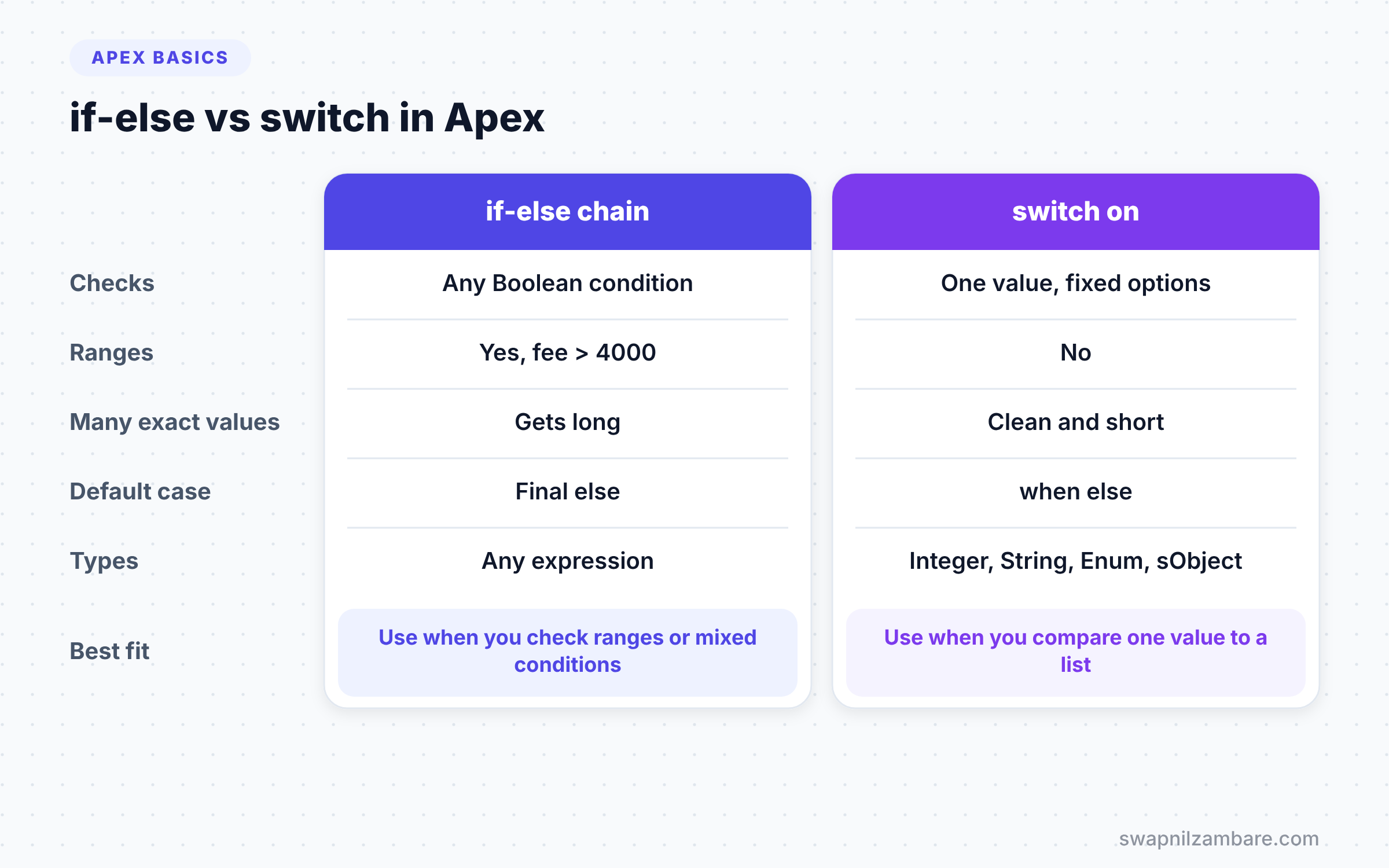
Both are Apex Conditional Statements, but they suit different jobs. Picking the right one makes your code shorter and clearer. The table below compares them.
| Feature | if-else chain | switch on |
|---|---|---|
| Checks | Any Boolean condition | One value against fixed options |
| Ranges, such as fee > 4000 | Yes | No |
| Many exact values | Gets long | Clean and short |
| Supported types | Any expression | Integer, Long, String, Enum, sObject |
| Default case | Final else | when else |
| Readability for 5+ options | Lower | Higher |
When to use which is simple. Use if-else for ranges and mixed conditions, and use switch when you compare one value against a list.
Apex Conditional Statements in Triggers
Triggers are where you will use conditions most often. A trigger runs for every record a user saves, so it must decide what to do with each one. Here is a common pattern from Bright Path Tutors.
trigger CourseCheck on Course__c (before insert, before update) {
    for (Course__c c : Trigger.new) {
        if (c.Fee__c == null) {
            c.Fee__c.addError('Please enter a fee.');
        } else if (c.Fee__c < 500) {
            c.Fee__c.addError('Fee must be at least 500.');
        } else if (c.Is_Online__c && c.Duration_in_Weeks__c == null) {
            c.Duration_in_Weeks__c = 6;
        }
    }
}
First, the trigger loops over every course in the save. For each one, it checks three conditions in order. A missing fee or a low fee stops the save with a clear error on the field. Otherwise, online courses with no duration get a default of 6 weeks.
So a few lines of Apex Conditional Statements enforce three business rules at once. We will learn loops in the next post and triggers in detail later in the series.
Ternary vs if-else
You met the ternary operator in the previous post. It is a one-line shortcut for a simple if-else that picks a value. For example, String mode = isOnline ? 'Online' : 'Classroom'; does the same job as five lines of if-else.
However, the ternary only picks between two values. It cannot run several statements. So use it for short value choices, and use full Apex Conditional Statements for anything with more steps.
Test Every Branch
Every if, else if and when is a separate path through your code. Good tests check each path at least once. So the level example needs four tests. You test an invalid fee, an Advanced fee, an Intermediate fee and a Beginner fee.
Testing every branch also raises your code coverage. As a result, your deployments pass the 75% rule with room to spare.
Tips for Clean Apex Conditional Statements
Good conditional code is easy to scan. A few habits help a lot.
First, return early. If an input is invalid, return or throw an error at the top of the method. Then the rest of the code does not need extra nesting. Next, always use curly braces, even for one line. Apex allows a single line without braces, but adding a second line later causes bugs.
Also, give complex conditions a name. Instead of a long expression inside the if, store it in a Boolean first, such as Boolean canEnrol = seatsLeft > 0 && !isClosed;. Then write if (canEnrol). The code now reads almost like plain English.
Common Mistakes with Apex Conditional Statements
- Checking ranges in the wrong order. Always test the highest or most specific case first.
- Using
=instead of==in a condition. Apex will not compileif (fee = 500), so read the error carefully. - Forgetting null checks. A null fee in
fee > 500throws an error, so check for null first. - Leaving out
when else. An unexpected picklist value then does nothing, silently. - Nesting four or five levels deep. Split the logic into small methods instead.
Best Practices for Apex Conditional Statements
- Put the most likely or most important condition first.
- Use
switchfor picklist values, so new options are easy to add. - Always include a final
elseorwhen elsefor unexpected values. - Keep each block short. If it grows, move the work into a method.
- Store business thresholds, such as 4000 and 8000, in constants.
Practice Task
Write a method called seatStatus that takes seats booked and max seats. Return “Full” when booked equals max, “Almost full” when 3 or fewer seats remain, and “Open” otherwise. Hint: check “Full” first, then “Almost full”.
Official Resources
- Apex Developer Guide: Conditional (If-Else) Statements
- Apex Developer Guide: Switch Statements
- Trailhead: Apex Basics and Database
Quick Recap
- Apex Conditional Statements run code only when a condition is true.
- An
else ifchain stops at the first true condition, so order matters. switch oncompares one value against fixed options.- Switch works with Integer, Long, String, Enum and sObject types.
- Always handle null and unexpected values with
elseorwhen else.
What’s Next?
Decisions are only half the story. Next, learn how to repeat work in Apex loops with for, while and do-while.