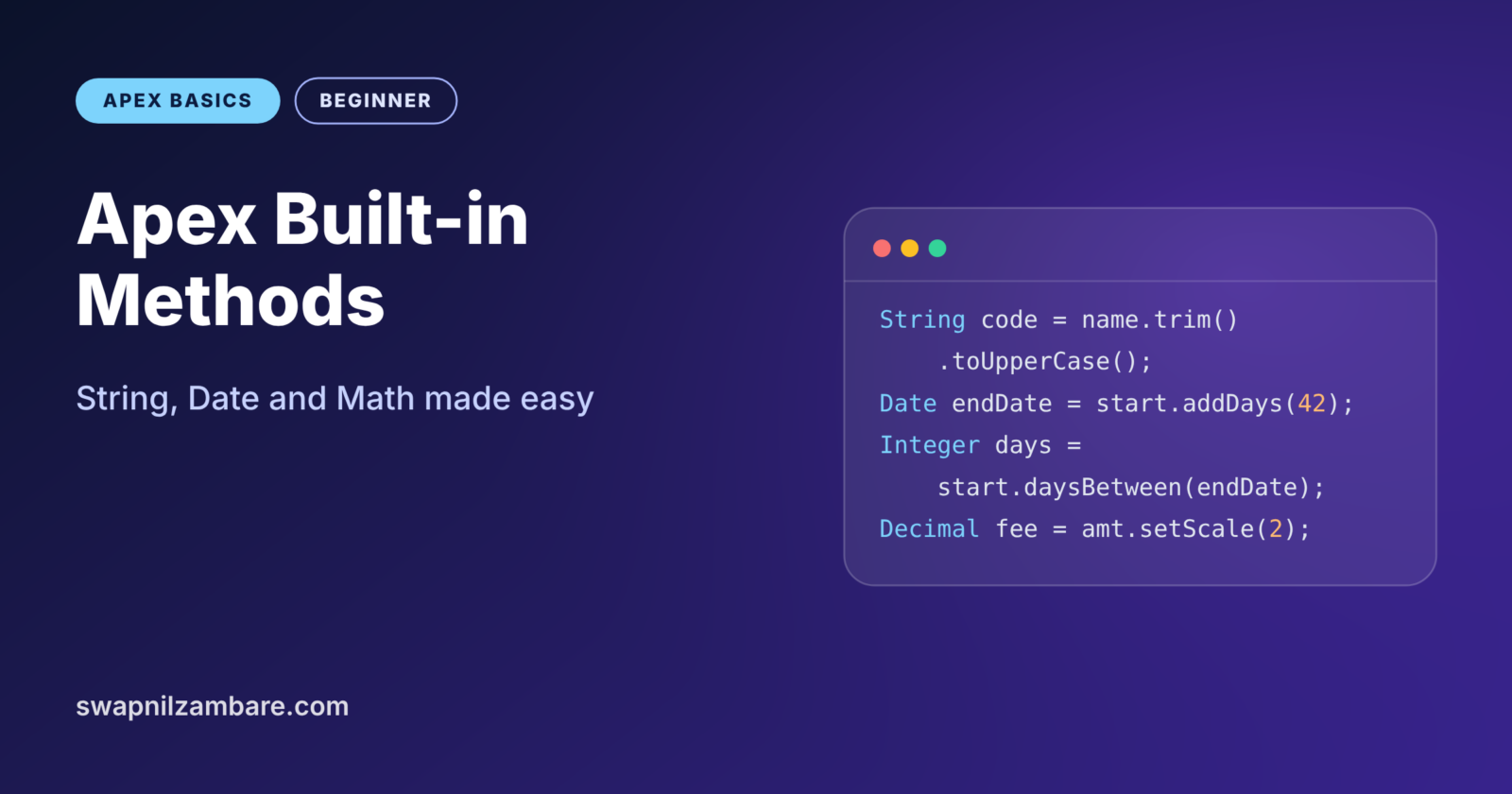
Apex Built-in Methods are ready-made tools that Salesforce gives you for everyday jobs. Need to cut a course code out of a name? Add 30 days to a start date? Round a fee to two decimals? You do not have to write that logic yourself, because Apex already has a method for it.
In this post, we cover the three groups you will use most: String, Date and Math. You already know Apex data types and how to call Apex methods. You also know the difference between static and instance members, which matters here. Some built-in methods are static, such as Date.today(), while others run on a value, such as name.toUpperCase().
What Are Apex Built-in Methods?
Built-in methods come with the Apex language. They belong to system classes like String, Date, Datetime, Decimal and Math. You can call them anywhere in your code without creating or deploying anything.
Think of a kitchen that already has a peeler, a grater and a measuring cup. You could cut and measure everything with one knife, but the right tool is faster and gives a cleaner result. Apex Built-in Methods are those ready tools.
Why Apex Built-in Methods Matter
Hand-written code for common tasks is slow to write and easy to get wrong. However, Salesforce tests every built-in method, and each one works the same way in every org.
- Less code. One call like
name.split(' ')replaces a whole loop. - Fewer bugs. Date maths handles leap years and month lengths for you.
- Clearer code.
startDate.addDays(30)reads like plain English. - Correct money maths.
setScalerounds fees in a predictable way. - Interview ready. Many coding questions test String and Date methods.
How Apex Built-in Methods Work
There are two ways to call them. You call static methods on the class name, such as String.isBlank(name) or Date.today(). In contrast, you call instance methods on a value, such as name.length() or startDate.addDays(7).
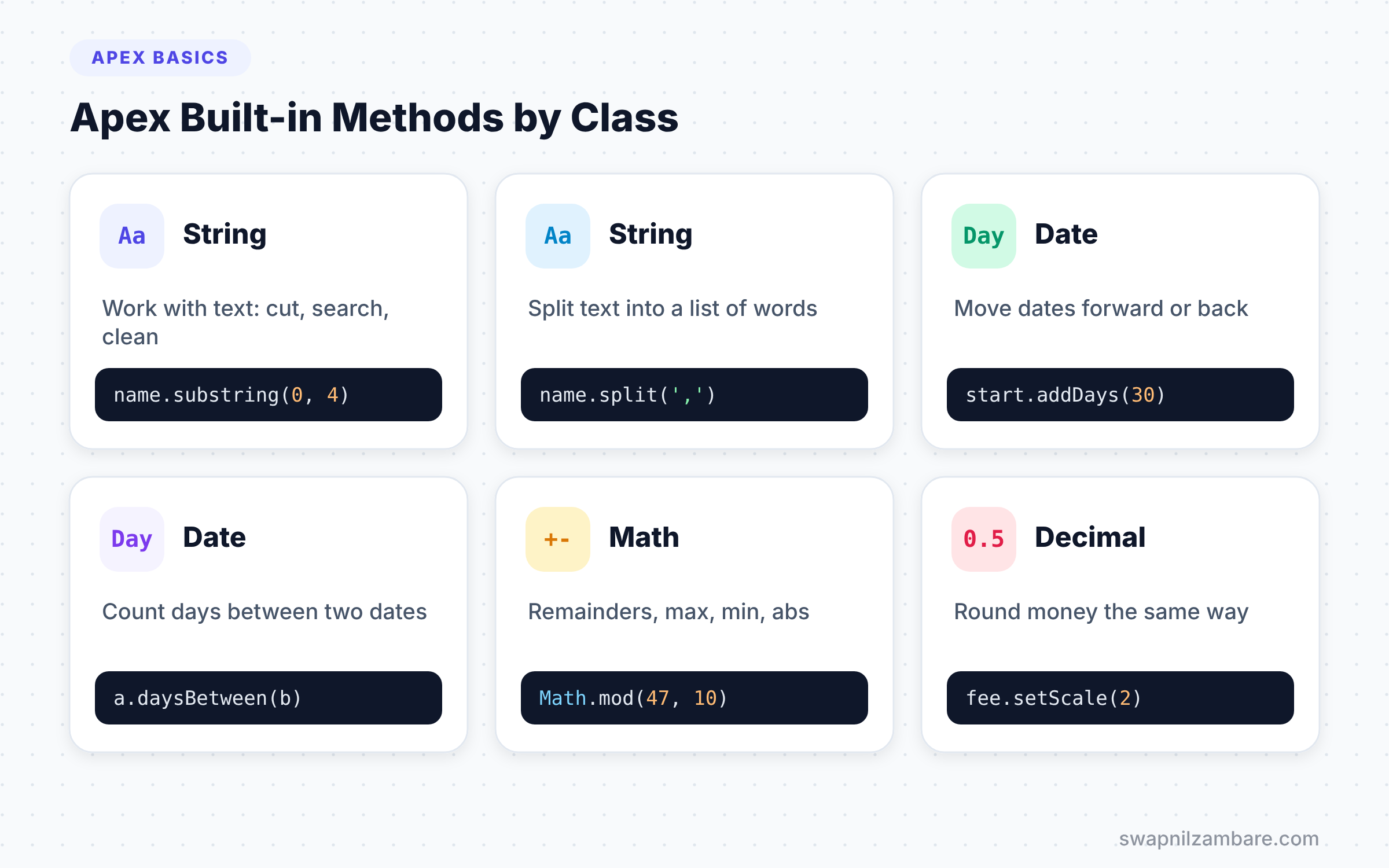
Most methods return a new value instead of changing the original. For example, name.toUpperCase() gives you an uppercase copy, but name itself stays the same. So you must store the result in a variable if you want to keep it.
String Methods
Strings hold text, and you will work with text in almost every class. The table below lists the String methods you will reach for most often.
| Method | Example | Result |
|---|---|---|
| length() | ‘Apex Basics’.length() | 11 |
| toUpperCase() | ‘apex’.toUpperCase() | APEX |
| contains(text) | ‘Apex Basics’.contains(‘Basics’) | true |
| startsWith(text) | ‘APX-101’.startsWith(‘APX’) | true |
| substring(start, end) | ‘Apex Basics’.substring(0, 4) | Apex |
| split(separator) | ‘a,b,c’.split(‘,’) | (a, b, c) |
| trim() | ‘ Apex ‘.trim() | Apex |
| replace(old, new) | ‘Apex 101’.replace(‘101’, ‘201’) | Apex 201 |
| String.isBlank(text) | String.isBlank(‘ ‘) | true |
| String.join(list, sep) | String.join(names, ‘, ‘) | Asha, Ravi |
Important String Details
String positions start at 0, just like List indexes. So substring(0, 4) takes the characters at positions 0, 1, 2 and 3. The end position itself is not included.
String.isBlank is safer than checking name == ''. It returns true for null, empty text and text that holds only spaces. So it covers all three “nothing here” cases at once.
For messages with many values, String.format is cleaner than many plus signs. You write placeholders like {0} and {1}, then pass the values in a list.
Date and Datetime Methods
Dates appear in every business process, from course start dates to payment due dates. The table below shows the Date methods you will use most.
| Method | Example | Result |
|---|---|---|
| Date.today() | Date.today() | Today’s date |
| Date.newInstance(y, m, d) | Date.newInstance(2026, 9, 15) | 15 September 2026 |
| addDays(n) | d.addDays(30) | 30 days later |
| addMonths(n) | d.addMonths(2) | 2 months later |
| daysBetween(other) | start.daysBetween(endDate) | Number of days |
| toStartOfMonth() | d.toStartOfMonth() | First day of that month |
| year(), month(), day() | d.month() | 9 |
| Datetime.now() | Datetime.now() | Current date and time |
Pass a negative number to go back in time. For example, Date.today().addDays(-7) gives the date one week ago. The addMonths method also handles short months correctly, so 31 January plus one month gives 28 or 29 February.
Datetime values include a time and a time zone. The format method shows them in the running user’s time zone. For example, Datetime.now().format('dd-MM-yyyy HH:mm') gives something like 15-09-2026 14:30.
Math and Decimal Methods
The Math class covers common number tasks, while Decimal has its own methods for rounding money. The table below shows the most useful ones.
| Method | Example | Result |
|---|---|---|
| Math.abs(n) | Math.abs(-250) | 250 |
| Math.max(a, b) | Math.max(4500, 6000) | 6000 |
| Math.min(a, b) | Math.min(4500, 6000) | 4500 |
| Math.mod(a, b) | Math.mod(47, 10) | 7 |
| Math.ceil(n) | Math.ceil(4.2) | 5 |
| Math.floor(n) | Math.floor(4.8) | 4 |
| setScale(2, mode) | fee.setScale(2, RoundingMode.HALF_UP) | 1234.57 when fee is 1234.565 |
Remember from the operators post that Apex has no % operator. So Math.mod is the only way to get a remainder. For money, always use setScale with a clear rounding mode, so every invoice rounds the same way.
A Real Apex Built-in Methods Example
Let’s build a small helper for Bright Path Tutors. It takes a course name, a fee and a start date. Then it creates a course code, an end date six weeks later and a monthly instalment.
public with sharing class CourseInfoHelper {

    public static String courseCode(String name) {
        if (String.isBlank(name)) {
            return 'NA';
        }
        List<String> words = name.trim().split('\\s+');
        String code = '';
        for (String w : words) {
            code += w.substring(0, 1).toUpperCase();
        }
        return code + '-' + Date.today().year();
    }

    public static Date endDate(Date startDate, Integer weeks) {
        return startDate.addDays(weeks * 7);
    }

    public static Decimal monthlyInstalment(Decimal fee, Integer months) {
        return (fee / months).setScale(2, RoundingMode.HALF_UP);
    }
}
The courseCode method first guards against empty names with String.isBlank. Then trim removes outer spaces, and split('\\s+') breaks the name into words, even when there are double spaces between them. The loop takes the first letter of each word with substring(0, 1) and makes it uppercase. Finally, it adds the current year.
Next, endDate uses addDays to move the date forward by the number of weeks. Then monthlyInstalment divides the fee and rounds it to two decimals with setScale.
Here is how to call it from anonymous Apex.
Date start = Date.newInstance(2026, 9, 15);

System.debug(CourseInfoHelper.courseCode('salesforce apex basics'));
System.debug(CourseInfoHelper.endDate(start, 6).format());
System.debug(CourseInfoHelper.monthlyInstalment(10000, 3));
System.debug(start.daysBetween(CourseInfoHelper.endDate(start, 6)) + ' days');
The log shows the code, the end date in your locale format, the instalment and the length in days.
USER_DEBUG [3]|DEBUG|SAB-2026
USER_DEBUG [4]|DEBUG|27/10/2026
USER_DEBUG [5]|DEBUG|3333.33
USER_DEBUG [6]|DEBUG|42 days
Your date format may differ, because format() follows the user’s locale setting. An Indian English locale shows 27/10/2026, while a US locale shows 10/27/2026.
Apex Built-in Methods vs Writing Your Own
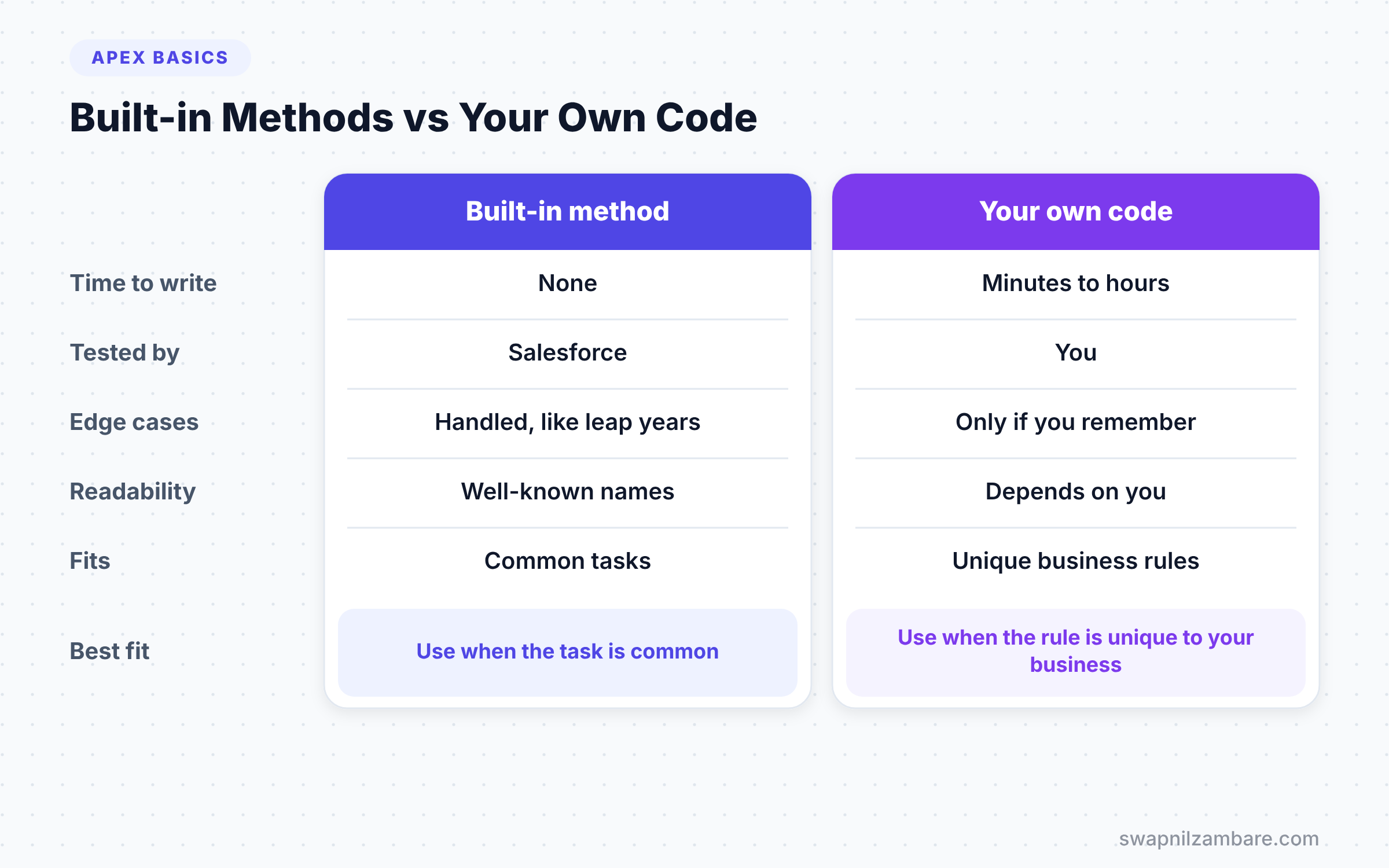
Should you ever write your own version of a built-in method? The table below compares the two approaches.
| Feature | Built-in method | Your own code |
|---|---|---|
| Time to write | None | Minutes to hours |
| Tested by | Salesforce | You |
| Handles edge cases | Yes, such as leap years | Only if you remember them |
| Readability | High, well-known names | Depends on your naming |
| When it fits | Common tasks | Rules unique to your business |
When to use which is clear. Use Apex Built-in Methods for common tasks, and write your own only for rules that are unique to your business.
Chaining Apex Built-in Methods
Because most methods return a new value, you can call one method right after another. Developers call this chaining. For example, name.trim().toUpperCase().replace(' ', '-') turns ' apex basics ' into 'APEX-BASICS' in one line.
Apex runs the chain from left to right. First, trim removes the outer spaces. Next, toUpperCase changes the letters. Finally, replace swaps the space for a hyphen.
Chaining keeps code short, but long chains get hard to read. So limit a chain to about three calls. If you need more, split the steps across a few clearly named variables.
Apex Built-in Methods and null Values
Instance methods need a real value to run on. If the variable is null, Apex throws a NullPointerException before the method even starts. This is the most common crash with Apex Built-in Methods.
The safe navigation operator helps here. For example, name?.toUpperCase() returns null instead of crashing when name is null. For text, String.isBlank(name) is often the best first check, because it is a static method and accepts null safely.
Finding More Apex Built-in Methods
This post covers the most common methods, but there are many more. The Apex Reference Guide lists every system class with its methods, parameters and return types. Bookmark it, because you will use it often.
In VS Code, you can also type a variable name followed by a dot. The Apex extension then shows a list of available methods for that type. This is a quick way to discover Apex Built-in Methods while you code.
Common Mistakes with Apex Built-in Methods
- Calling a method on a null String.
name.length()crashes whennameis null, so check withString.isBlankfirst. - Forgetting that strings are not changed in place. Store the result, such as
name = name.trim();. - Using
substringwith an end past the text length. It throws an error, so checklength()first. - Rounding money without a rounding mode. Use
setScale(2, RoundingMode.HALF_UP)for clear results. - Hardcoding date formats for users in many countries. Use
format()to follow each user’s locale.
Best Practices for Apex Built-in Methods
- Check the Apex Reference before writing a helper, because a built-in may already exist.
- Rely on
String.isBlankfor all empty-text checks. - Pick
DecimalandsetScalefor every currency calculation. - Move dates with
addDaysandaddMonthsinstead of adding numbers by hand. - Wrap tricky combinations in your own small helper method with a clear name.
Practice Task
Write a method daysUntilStart(Date startDate) that returns how many days remain until a course starts. If the date has passed, return 0. Hint: use Date.today().daysBetween(startDate) and Math.max with 0.
Official Resources
- String Class in the Apex Reference Guide
- Date Class in the Apex Reference Guide
- Math Class in the Apex Reference Guide
Quick Recap
- Apex Built-in Methods are ready-made tools in classes like String, Date and Math.
- Static methods use the class name, while instance methods run on a value.
- String positions start at 0, and
substringexcludes the end position. addDays,addMonthsanddaysBetweenhandle date maths safely.- Use
setScalewith a rounding mode for money.
What’s Next?
There is one more building block in Level 2. Next, learn how Apex handles records in Apex sObjects: generic vs specific.