Apex Methods give a name to a block of code that does one job. For example, one method might calculate a fee, and another might check a date. So instead of writing the same logic in five places, you write it once. Then you call it whenever you need it. This keeps your code short, easy to test and easy to change.
You have already used methods without thinking much about them. In your first Apex class, welcome and feeAfterDiscount were methods. In the post on Apex collections, add, get and size were methods too. Now we will look at how to design and write your own, step by step. The examples build on Apex operators as well.
What Are Apex Methods?
A method is a set of statements grouped under a name inside a class. It can take input values, called parameters, and it can send back one result, called the return value. You run a method by calling its name.
Think of a coffee machine. You put in coffee beans and water, which are the parameters. You press one button, which is the method call. A cup of coffee comes out, which is the return value. You do not need to know how the machine works inside. You only need to know what to put in and what you get back.
Why Apex Methods Matter
Well-designed Apex Methods make code easy to live with. Poor ones create code that nobody wants to touch. Here is why they matter so much.
- Reuse. Write the fee rule once and call it from a trigger, a flow and a component.
- Readability. A call like
isCourseFull(c)explains itself. - Testing. Small methods are easy to test one at a time.
- Safer changes. When the tax rate changes, you edit one method, not ten files.
- Teamwork. Teammates can use your method without reading every line inside it.
How Apex Methods Work
When code calls a method, Apex jumps into the method body. It copies the values you passed into the parameters. Then it runs the statements one by one. When it reaches return, it sends the result back to the caller and continues from where it left off.

So a method call is like a short detour. The program leaves the main road, does the job inside the method, and then comes back with the result.
Parts of Apex Methods
All Apex Methods have the same set of parts, written in a fixed order. The table below breaks down a real method from Bright Path Tutors.
| Part | Example | What it means |
|---|---|---|
| Access modifier | public | Who can call this method |
| static keyword | static | Call it on the class, no object needed |
| Return type | Decimal | The type of value it sends back |
| Method name | applyDiscount | What you call it by |
| Parameters | (Decimal fee, Integer percent) | Inputs, each with a type and name |
| Body | { … } | The statements that do the work |
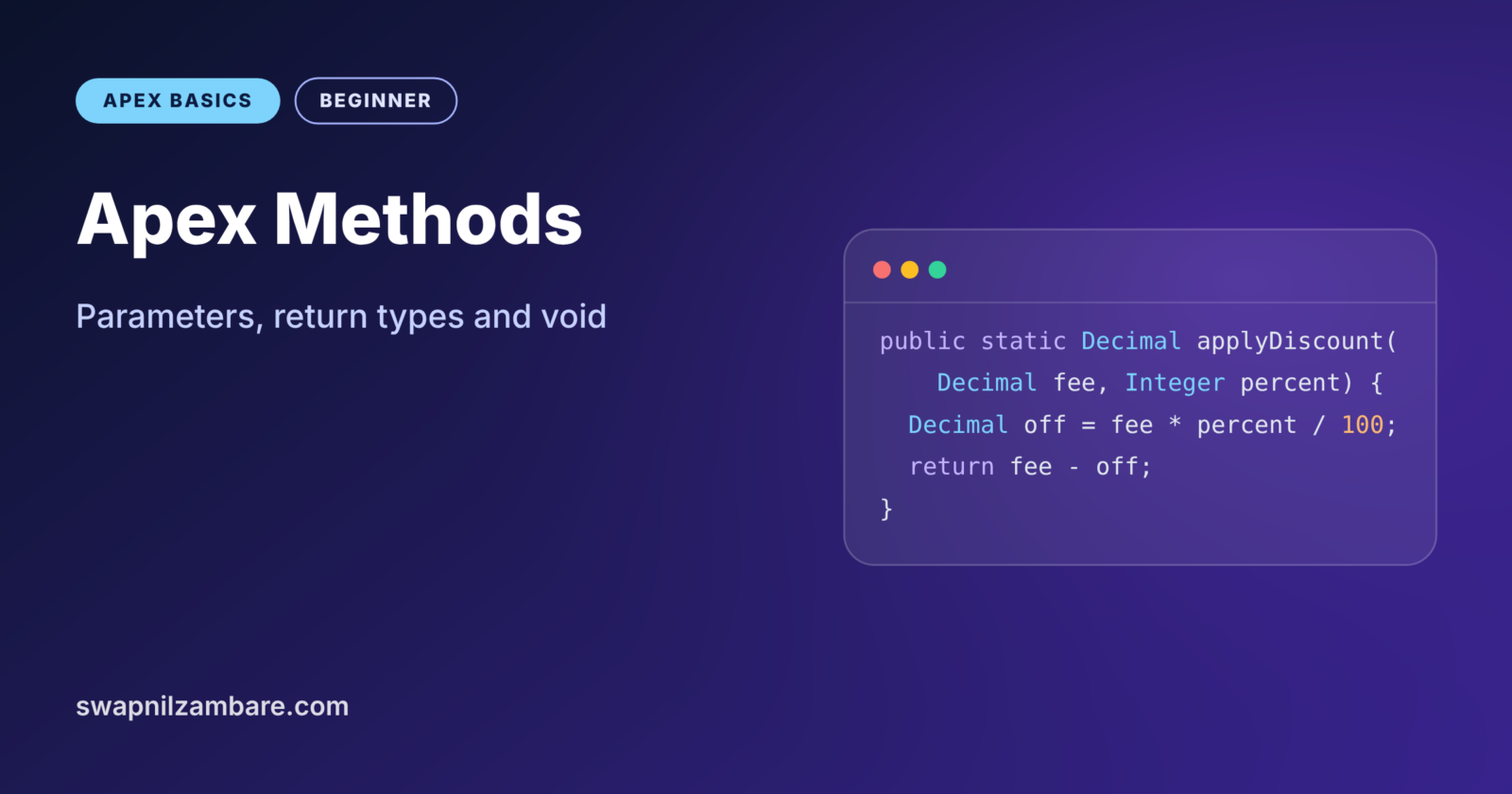
Here is that full method written out.
public static Decimal applyDiscount(Decimal fee, Integer percent) {
    Decimal discount = fee * percent / 100;
    return fee - discount;
}
The first line is the method signature. It says this method is public, static, returns a Decimal, and needs a fee and a percentage. The body works out the discount, and return sends back the final fee.
Access Modifiers
The modifier controls who can call the method. public means any code in your org can call it, while private means only code in the same class can. We will cover all four modifiers in a later post in this level.
Return Types and void
Every method must declare a return type. If the method sends nothing back, use void. A void method does work, such as logging or updating a record, but returns no value.
Parameters
Parameters are the inputs. You list them inside the brackets, each with a type and a name, separated by commas. A method can have zero parameters, written as empty brackets ().
Return Value vs void
The table below compares methods that return a value with methods that return nothing.
| Feature | Method with a return type | void method |
|---|---|---|
| Sends back a value | Yes | No |
| Must use return with a value | Yes, on every path | No, plain return is optional |
| Can be used in an expression | Yes, like fee = calc() | No |
| Typical job | Calculate, check, build | Save, log, send |
| Example | Decimal finalFee(Decimal fee) | void logCourse(Course__c c) |
When to use which depends on the job. Use a return type when the caller needs an answer, and use void when the method just performs an action.

A Real Apex Methods Example
Let’s build a FeeCalculator class with four Apex Methods for Bright Path Tutors. It applies a discount, adds 18% tax and returns the final fee. It also has a void method that prints a fee summary.
public with sharing class FeeCalculator {

    private static final Decimal TAX_RATE = 18;

    public static Decimal applyDiscount(Decimal fee, Integer percent) {
        return fee - (fee * percent / 100);
    }

    public static Decimal addTax(Decimal amount) {
        return amount + (amount * TAX_RATE / 100);
    }

    public static Decimal finalFee(Decimal fee, Integer percent) {
        Decimal discounted = applyDiscount(fee, percent);
        return addTax(discounted).setScale(2);
    }

    public static void printSummary(String courseName, Decimal fee, Integer percent) {
        System.debug(courseName + ': ' + finalFee(fee, percent));
    }
}
Each method has one clear job. finalFee reuses the other two methods instead of repeating their maths. The setScale(2) call rounds the result to two decimal places. Finally, printSummary is void, because it only writes to the log.
Now call it from anonymous Apex.
Decimal price = FeeCalculator.finalFee(6000, 10);
System.debug('Final fee: ' + price);

FeeCalculator.printSummary('LWC Basics', 8000, 0);
The first call stores the result in a variable. The second call is a void method, so we do not store anything. So the log shows these two lines.
USER_DEBUG [2]|DEBUG|Final fee: 6372.00
USER_DEBUG [19]|DEBUG|LWC Basics: 9440.00
Method Overloading
Apex lets two methods share the same name if their parameters differ. Developers call this overloading. It is handy when a method has a common default.
// No discount given, so use 0
public static Decimal finalFee(Decimal fee) {
    return finalFee(fee, 0);
}
Add this to FeeCalculator, and now you can call finalFee(6000) or finalFee(6000, 10). Apex picks the right version by looking at the number and types of the values you pass.
How Apex Passes Parameters
This part confuses many beginners, so let’s go slowly. Apex passes every parameter by value. For simple types like Integer or String, the method gets a copy. So changing the parameter inside the method does not change the caller’s variable.
For objects and records, the copy is a copy of the reference. Both the caller and the method point to the same record. As a result, if a method changes a field on a record, the caller sees that change.
public static void markOnline(Course__c c) {
    c.Is_Online__c = true; // the caller's record changes too
}
If you call markOnline(myCourse), then myCourse.Is_Online__c is now true. This behaviour is useful in triggers, where helper methods often update records passed in from Trigger.new.
Calling Apex Methods
How you call a method depends on where it lives. For a static method, you write the class name, a dot and the method name, such as FeeCalculator.finalFee(6000, 10). Inside the same class, you can drop the class name and just write finalFee(6000, 10).
Instance methods work a little differently. First, you create an object with new, and then you call the method on that object. We will learn this in the next post on classes and objects. Later, we compare both styles in the post on static and instance members.
Flows and components can also call Apex Methods from outside Apex. A flow can call a method marked @InvocableMethod. A Lightning Web Component can call a method marked @AuraEnabled. These are just normal Apex Methods with an extra label, so everything you learn here still applies.
Keep Apex Methods Small
A simple test helps here. Try to describe what the method does in one short sentence without using the word “and”. If you cannot, the method probably does too much.
For example, “works out the final fee” is one job. However, “works out the fee and saves the course and emails the student” is three jobs. Split that into three Apex Methods, and call them one after another from a small parent method. Each piece is now easy to read, test and reuse.
Naming Apex Methods Well
Names matter more than most beginners think. A good method name starts with a verb and says what it does. For example, calculateFee, isCourseFull and sendWelcomeEmail all read clearly.
Methods that return a Boolean often start with is, has or can. So hasSeatsLeft(c) reads almost like a question. Avoid vague names like doStuff or process2, because nobody will know what they do next month.
Common Mistakes with Apex Methods
- Missing a
returnon some path. Apex refuses to compile if any path can end without returning a value. - Writing one giant method that does everything. Split it into small methods with one job each.
- Expecting a changed Integer parameter to update the caller. Primitives are copies, so return the new value instead.
- Calling an instance method as if it were static. Use
ClassName.method()only for static methods. - Putting SOQL inside a method that runs in a loop. The query still runs once per call.
Best Practices for Apex Methods
- Give each method one job and a name that starts with a verb.
- Keep methods short, ideally under 30 lines, so they fit on one screen.
- Limit parameters to about four. If you need more, pass an object or a record.
- Return values instead of changing hidden state, so behaviour is easy to follow.
- Write a test for each public method as soon as you create it.
Practice Task
Add a method isPremium(Decimal fee) to FeeCalculator that returns true when the final fee with tax is above 9000. Then call it for fees of 7000 and 8000. Hint: reuse addTax inside the new method.
Official Resources
- Apex Developer Guide: Class Methods
- Apex Developer Guide: Classes, Objects and Interfaces
- Trailhead: Apex Basics and Database
Quick Recap
- Apex Methods group statements under a name so you can reuse them.
- A method signature holds the modifier, return type, name and parameters.
- Use
voidwhen a method returns nothing. - Overloading lets methods share a name with different parameters.
- Primitives pass as copies, while records pass as shared references.
What’s Next?
Methods live inside classes. Next, read Apex classes, objects and constructors to learn how to build your own types and create objects from them.