Apex Classes and Objects are the core of object-oriented programming in Salesforce. A class is a blueprint that describes some data and the actions you can perform on it. An object is a real thing built from that blueprint. Once you understand this pair, the rest of Apex starts to make sense.
So far, you have written classes full of static methods, such as FeeCalculator in the post on Apex methods. Those classes acted like toolboxes. Now you will build classes that create objects with their own data. This builds on Apex data types and the ideas from your first Apex class.
What Are Apex Classes and Objects?
A class defines what something looks like and what it can do. It lists member variables, which hold data, and methods, which perform actions. An object, also called an instance, is one copy of that class with its own values.
Think of a cookie cutter and cookies. The cutter is the class. It decides the shape. Each cookie you press out is an object. All cookies share the same shape, but you can decorate each one differently. In the same way, every object from a class has the same fields, but each one holds its own values.
Why Apex Classes and Objects Matter
Static methods are fine for simple calculations. However, real programs often need to track many things that each have their own state. Apex Classes and Objects handle this well. That is where objects shine.
- Group related data. A course offer has a name, fee and seat count, all kept together.
- Model real things. Each batch, invoice or cart becomes one object.
- Wrapper classes. You can combine a record with extra values to send to a Lightning Web Component.
- Cleaner code. Methods act on the object’s own data, so you pass fewer parameters.
- Design patterns. Most professional Apex frameworks use Apex Classes and Objects at their core.
How Apex Classes and Objects Work
Apex Classes and Objects follow a simple cycle. First, you write a class with member variables, a constructor and methods. Next, you create an object with the new keyword. Apex then runs the constructor to set up the object. Finally, you call methods on the object, and they work with that object’s data.
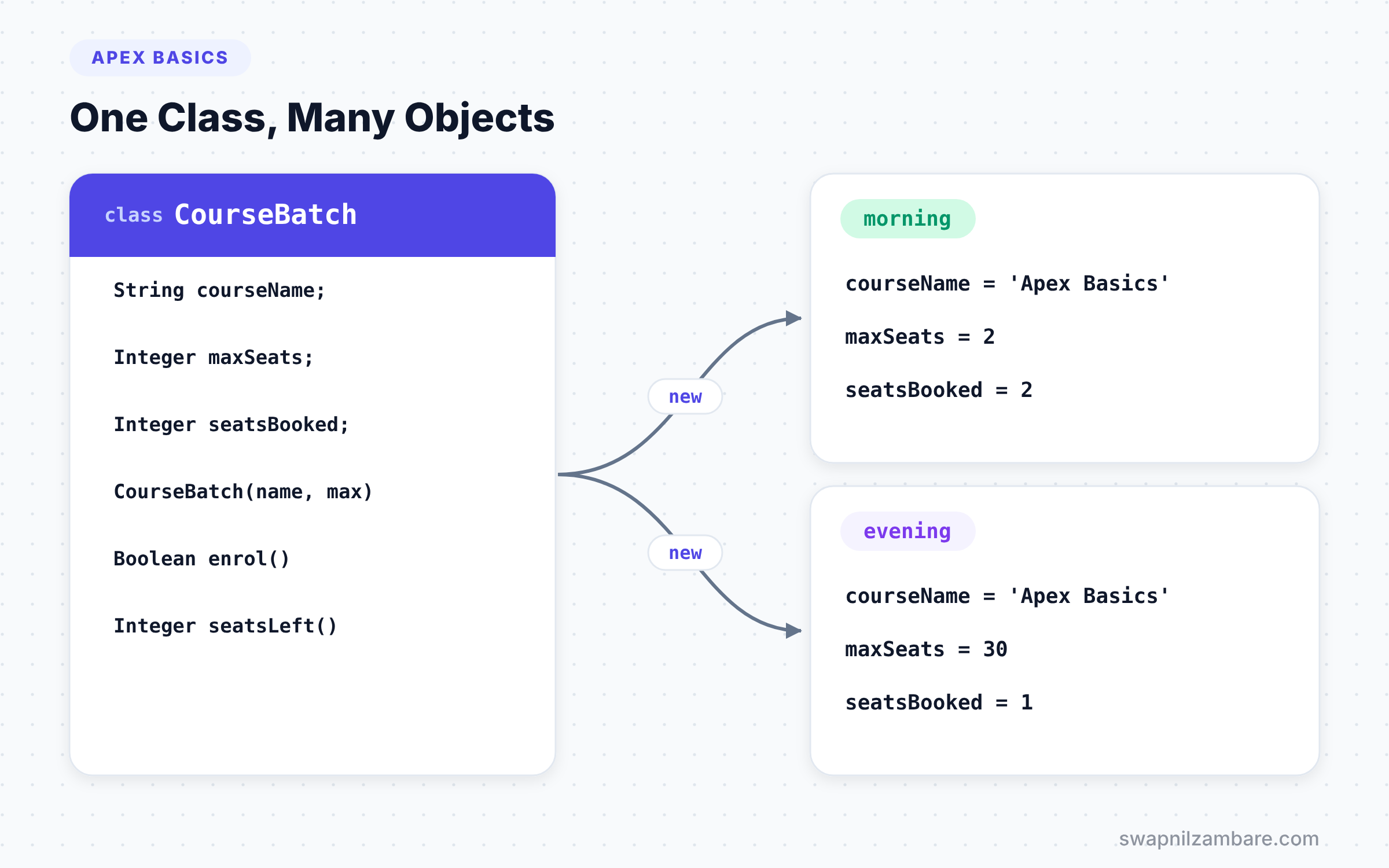
Each object lives in memory for the length of the transaction. If you create two objects from the same class, they are completely separate. Changing one does not change the other.
Parts of a Class
A typical class has a few standard parts. The table below lists them with examples from Bright Path Tutors.
| Part | Example | Purpose |
|---|---|---|
| Class declaration | public class CourseBatch | Names the blueprint |
| Member variables | String courseName; Integer seatsBooked; | Hold each object’s data |
| Constructor | public CourseBatch(String name, Integer max) | Sets up a new object |
| Methods | public Boolean enrol() | Actions on the object’s data |
| Properties | public Integer seatsLeft { get; } | Controlled access to data |
Member Variables
You declare member variables inside the class but outside any method. Every object gets its own copy. If you do not give them a value, they start as null, just like any other variable.
Constructors
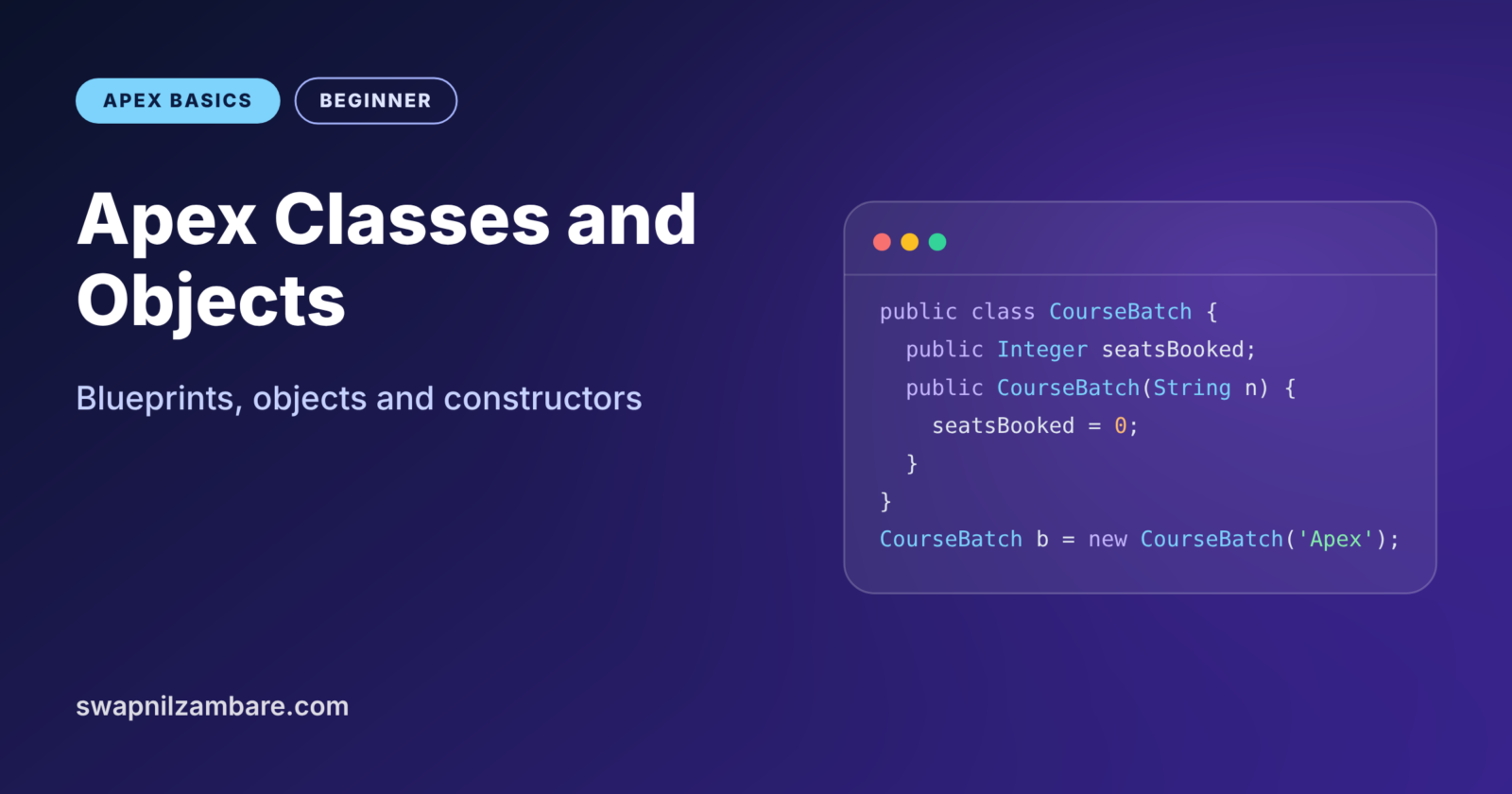
A constructor is a special method that runs when you create an object with new. It has the same name as the class and no return type. Its job is to set the starting values.
If you write no constructor, Apex gives you a default one with no parameters. As soon as you write your own, that default disappears, unless you add it back yourself.
The this Keyword
Inside a class, this means “the current object”. It is handy when a parameter has the same name as a member variable. For example, this.courseName = courseName; copies the parameter into the object’s field.
Properties
A property looks like a variable but can run code when you read or write it. The short form { get; set; } creates a simple property. You can also make one read-only with { get; private set; }.
A Real Apex Classes and Objects Example
Let’s model a course batch at Bright Path Tutors. Each batch has a course name, a maximum number of seats and a count of booked seats. Students can enrol until the batch is full.
public with sharing class CourseBatch {

    public String courseName { get; private set; }
    public Integer maxSeats { get; private set; }
    public Integer seatsBooked { get; private set; }

    // Constructor sets the starting values
    public CourseBatch(String courseName, Integer maxSeats) {
        this.courseName = courseName;
        this.maxSeats = maxSeats;
        this.seatsBooked = 0;
    }

    public Boolean enrol() {
        if (seatsBooked >= maxSeats) {
            return false;
        }
        seatsBooked++;
        return true;
    }

    public Integer seatsLeft() {
        return maxSeats - seatsBooked;
    }
}
The three properties have public get and private set, so outside code can read them but not change them directly. The constructor uses this to copy the parameters into the object. Then enrol adds one seat unless the batch is full, and seatsLeft returns the free seats.
Now let’s create two objects and use them.
CourseBatch morning = new CourseBatch('Apex Basics', 2);
CourseBatch evening = new CourseBatch('Apex Basics', 30);

morning.enrol();
morning.enrol();
Boolean third = morning.enrol();

evening.enrol();

System.debug('Morning left: ' + morning.seatsLeft() + ', third enrol: ' + third);
System.debug('Evening left: ' + evening.seatsLeft());
We create two separate batches from the same class. The morning batch fills up after two students, so the third enrol returns false. However, the evening batch has its own count and stays almost empty. So the log shows this.
USER_DEBUG [9]|DEBUG|Morning left: 0, third enrol: false
USER_DEBUG [10]|DEBUG|Evening left: 29
Class vs Object
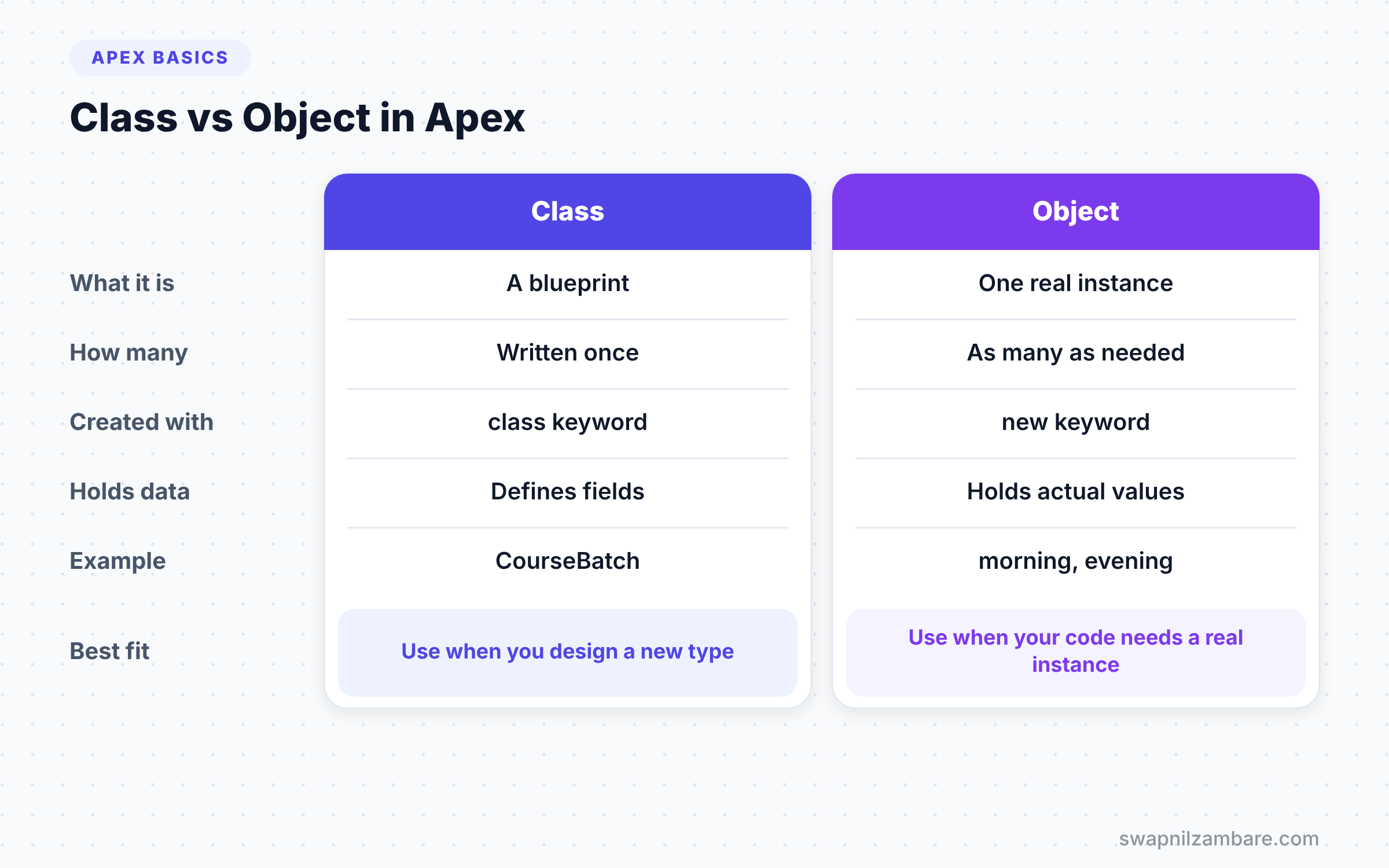
Beginners often mix up the two words in Apex Classes and Objects. The table below makes the difference clear.
| Feature | Class | Object |
|---|---|---|
| What it is | A blueprint or template | One real instance of the blueprint |
| How many | Written once | Created as many times as needed |
| Created with | The class keyword in a file | The new keyword at run time |
| Holds data | Defines which data exists | Holds actual values |
| Example | CourseBatch | morning, evening |
When to use which is not really a choice, because you always need both. You write the class once, and then you create objects from it whenever your code needs one.
Overloading Constructors
Like methods, you can overload constructors. This lets callers create objects in different ways. You can also call one constructor from another with this(...), which avoids repeating code.
// Add to CourseBatch: a default of 30 seats
public CourseBatch(String courseName) {
    this(courseName, 30);
}
Now new CourseBatch('LWC Basics') creates a batch with 30 seats. The call this(courseName, 30) must be the first line in the constructor.
Wrapper Classes in Apex
A wrapper class is a class that bundles a record with extra values. Developers use wrappers all the time to send data to Lightning Web Components. For example, a course card might need the course record and a flag that says whether it is nearly full.
public class CourseCard {
    @AuraEnabled public Course__c course;
    @AuraEnabled public Boolean almostFull;

    public CourseCard(Course__c course, Integer seatsLeft) {
        this.course = course;
        this.almostFull = seatsLeft <= 3;
    }
}
The @AuraEnabled label lets a Lightning Web Component read these values. The constructor takes a record and a seat count, then works out the flag. You will use this pattern a lot when we reach LWC.
Apex Classes and Objects vs sObjects
Salesforce records in Apex are also objects, called sObjects. For example, new Course__c(Name = 'Apex Basics') creates an object from the Course__c type. The difference is that sObjects map to database records, and you can save them with DML. Your own classes live only in memory. We will cover sObjects in detail at the end of this level.
Inner Classes
You can define a class inside another class. Developers call this an inner class. Apex allows one level of inner classes, which is enough for most needs.
Inner classes are handy for small helper types that only make sense inside one outer class. For example, CourseService might hold an inner class Result with a success flag and a message. Wrapper classes are often written as inner classes for the same reason. The outer class keeps everything about one feature in a single file.
Apex Classes and Objects in Real Projects
In real Salesforce projects, you will see Apex Classes and Objects everywhere. Service classes hold business logic, such as EnrolmentService. Selector classes hold queries, such as CourseSelector. Wrapper classes shape data for Lightning Web Components.
You will also meet objects created by Salesforce itself. For example, HttpRequest is a class you create with new when you call an outside system. Every time you write new followed by a type, you are creating an object.
So the skills in this post are not just theory. They are the base for triggers, integrations and components in later levels. Practise Apex Classes and Objects now, and the advanced topics will feel much easier.
Common Mistakes with Apex Classes and Objects
- Forgetting
new. DeclaringCourseBatch b;only creates a null variable, not an object. - Adding a return type to a constructor. Then Apex treats it as a normal method, and it never runs on
new. - Losing the default constructor. Once you write any constructor, add a no-argument one back if you still need it.
- Making every member variable public. Use private setters to protect the object’s data.
- Mixing up static and instance members. All objects share static data, which we cover two posts from now.
Best Practices for Apex Classes and Objects
- Name classes with nouns, such as
CourseBatch, and methods with verbs, such asenrol. - Set every member variable in the constructor, so no object starts half-ready.
- Use
{ get; private set; }to let others read data without changing it. - Keep classes focused on one idea. A class that does everything is hard to change.
- Use wrapper classes to shape data for components instead of adding fake fields to objects.
Practice Task
Add a method cancel() to CourseBatch that frees one seat but never goes below zero. Create a batch, enrol three students, cancel one, and print the seats left. Hint: check seatsBooked > 0 before you subtract.
Official Resources
- Apex Developer Guide: Classes, Objects and Interfaces
- Apex Developer Guide: Using Constructors
- Trailhead: Object-Oriented Programming for Admins
Quick Recap
- A class is a blueprint, and an object is one real instance of it.
- Apex Classes and Objects group data and actions together.
- A constructor shares the class name, has no return type, and runs on
new. thisrefers to the current object, andthis(...)calls another constructor.- Wrapper classes bundle records with extra values for components.
What’s Next?
You have used public and private many times now. Next, learn exactly what they mean in Apex access modifiers, including protected and global.