Salesforce Apex is the programming language that runs inside Salesforce, and almost every developer job asks for it. In this post, you will learn what Apex does and how it runs. Then you will write your very first Apex class.
This post starts Level 2 of our developer series. You already know what Salesforce development is and when to choose clicks or code. You also have your tools ready from the Salesforce CLI setup. Now it is time to write real code.
What is Salesforce Apex?
Salesforce Apex is a strongly typed, object-oriented programming language made by Salesforce. It runs on Salesforce servers, not on your computer. You use it to add business logic that clicks cannot handle, such as complex rules, triggers and integrations.
“Strongly typed” means every variable has a fixed type, such as a number or text. “Object-oriented” means you organise code into classes, which bundle data and actions together. If you have seen Java or C#, Apex will look familiar.
Think of Salesforce as a smart office building. Flow is like the building’s ready-made switches and timers. Apex is like hiring an electrician who can wire anything you need, exactly how you want it.
Why Learn Salesforce Apex?
Clicks cover a lot, but real projects always hit their limits. That is when teams need Salesforce Apex. Here are common jobs that Apex handles well.
- Running custom logic before or after a record saves, using triggers.
- Processing thousands of records in the background with batch jobs.
- Calling outside systems, such as a payment or SMS service.
- Building custom REST services that other apps can call.
- Powering Lightning Web Components with server-side data.
So learning Salesforce Apex opens most developer roles. It is also the main topic of the Platform Developer I exam.
How Salesforce Apex Works
You write Apex in VS Code or the Developer Console. When you save or deploy, Salesforce compiles it on its servers. Then the platform stores the compiled code as metadata in your org.
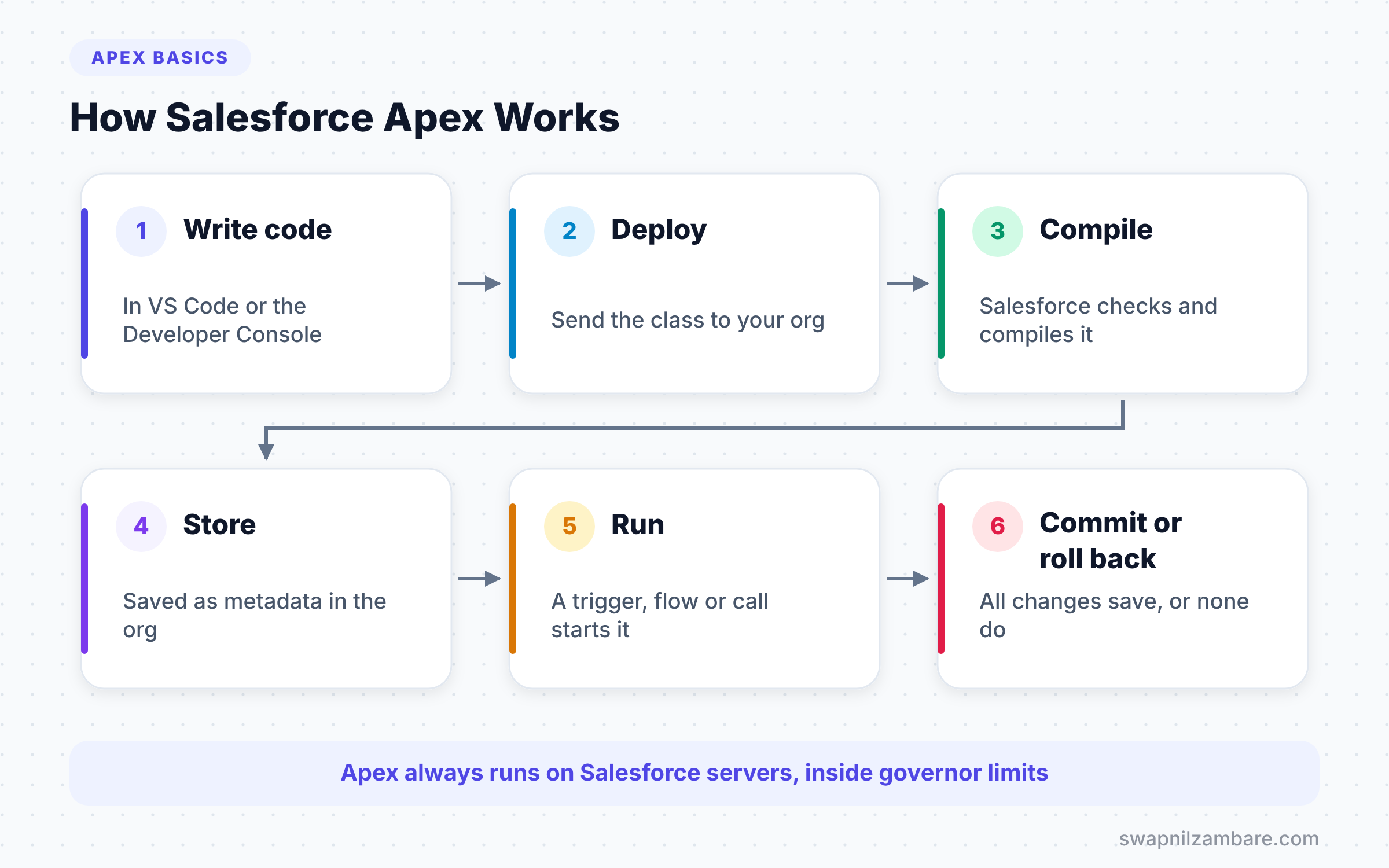
When something triggers the code, such as a user saving a record, Salesforce runs it. The code can read and change data, and then the transaction finishes. If any error happens, Salesforce rolls back the whole transaction, so no half-saved data stays behind.
Apex Runs in a Shared Platform
As you learned in our post on multi-tenant architecture, many orgs share the same servers. So Salesforce Apex has governor limits. For example, one synchronous transaction can run up to 100 SOQL queries. You will learn to write code that stays well inside these limits.
Where Apex Code Lives
Apex lives in a few kinds of files. The table below shows the main ones and when each one runs.
| Apex file type | What it is | When it runs |
|---|---|---|
| Class | A reusable block of code | When something calls it |
| Trigger | Code tied to an object | Before or after a record saves |
| Anonymous Apex | Code you run once | When you click Execute |
| Test class | Code that tests other code | When you run tests |
When Salesforce Apex Runs
Apex never runs on its own. Something always starts it, and developers call that an entry point. Knowing the entry points helps you plan where your code should live.
- Triggers fire when a user saves a record.
- Flows call an invocable Apex method for hard logic.
- Lightning Web Components ask an Apex method for data.
- Scheduled jobs run at a set time, such as every night at 2 AM.
- Outside systems call a custom Apex REST service.
- Developers run anonymous Apex in the Developer Console.
In Salesforce Apex, each entry point starts a new transaction with its own limits. For example, a nightly batch job gets fresh limits for each chunk of records it processes. We will cover these entry points one by one later in the series.
Salesforce Apex and Flow Together
Apex and Flow are not rivals. In fact, many of the best solutions use both. An admin builds the main flow with clicks, and a developer writes one Apex action for the hard part.
For example, Bright Path Tutors may want a screen flow that enrols a student. The flow handles the screens and simple updates. However, the fee calculation has many rules, so the flow calls an Apex method to work it out. As a result, admins can still change the screens without touching code.
The Building Blocks of Apex
Every Apex program uses the same small set of ideas. We will cover each one in its own post in this level. For now, here is a quick view so you know what is coming.
Variables and Data Types
A variable is a named box that holds a value. Each box has a type, such as Integer for whole numbers or String for text.
Statements and Logic
Apex uses if, switch and loops to make decisions and repeat work. Each statement ends with a semicolon.
Collections
Lists, sets and maps hold many values at once. They are the heart of bulk-safe code.
Classes and Methods
A class groups related code. A method is one action inside a class, like getMessage or calculateFee.
Salesforce Apex vs Java
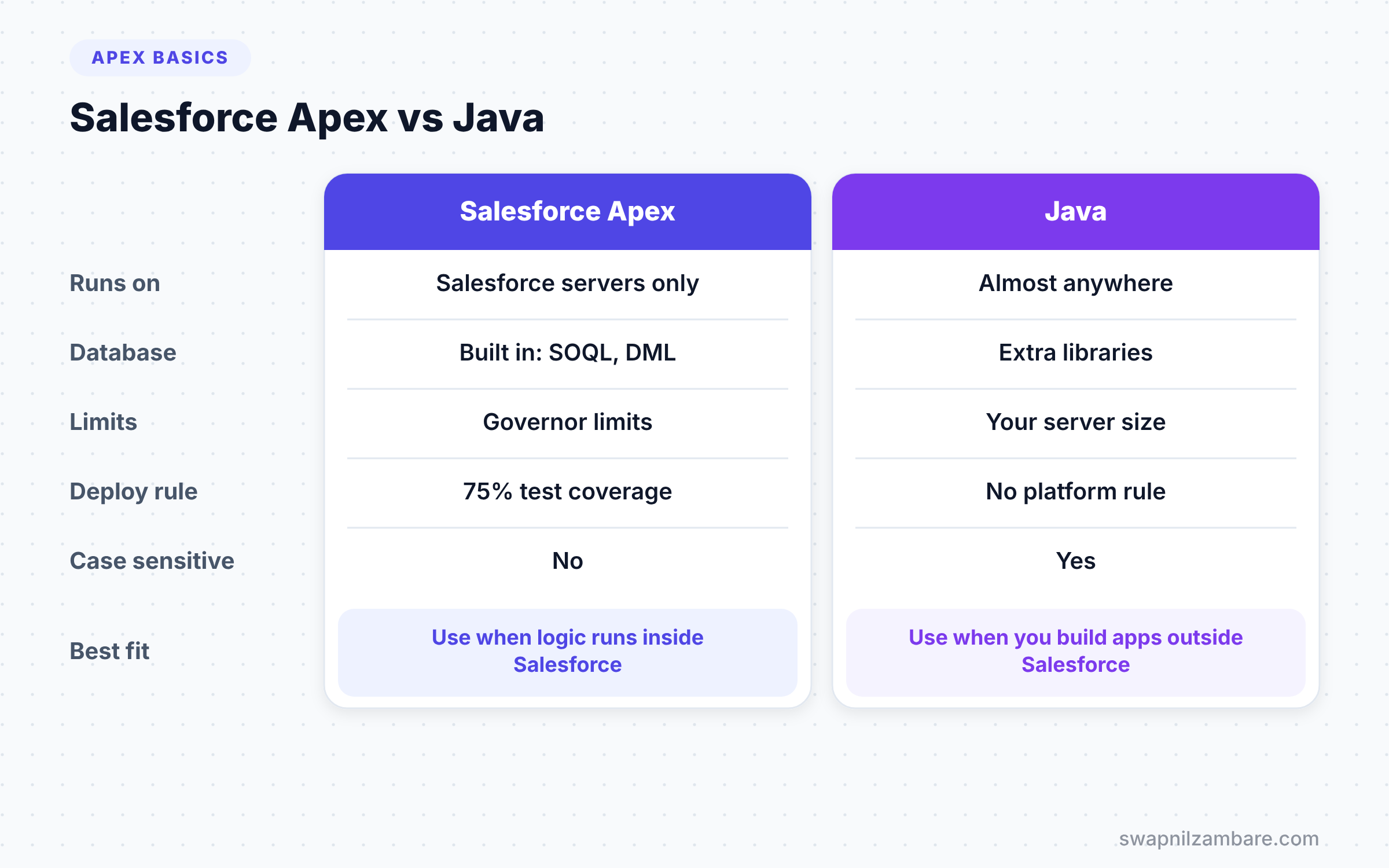
Many people ask how Apex compares to Java. They look alike, but they live in very different places. The table below shows the key differences.
| Feature | Apex | Java |
|---|---|---|
| Where it runs | Only on Salesforce servers | Almost anywhere |
| Database access | Built in with SOQL and DML | Needs extra libraries |
| Limits | Governor limits per transaction | Limited by your server |
| Testing rule | 75% coverage to deploy to production | No platform rule |
| Case sensitive | No | Yes |
| Best for | Salesforce business logic | General software |
When to use which is simple. Use Apex for logic inside Salesforce, and use Java or other languages for apps outside it.
Your First Apex Class
Let’s write a real class for our practice company, Bright Path Tutors. The class will build a welcome message for a course and calculate a fee after a discount.
- Open your
brightpath-appproject in VS Code. - Press Ctrl+Shift+P and run “SFDX: Create Apex Class”.
- Name it
CourseHelperand accept the default folder. - Replace the file content with the code below and save it.
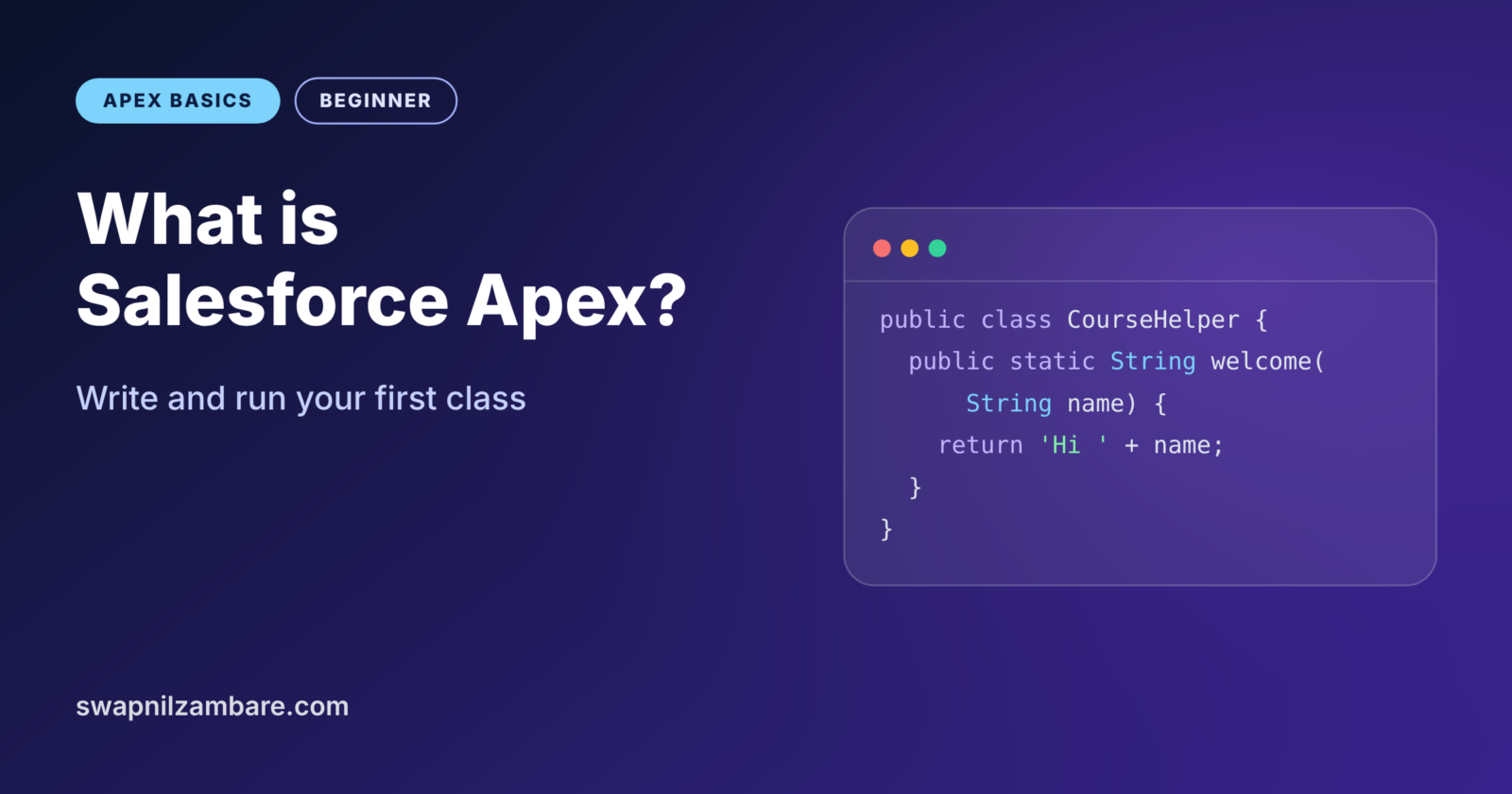
public with sharing class CourseHelper {

    // Builds a friendly welcome line
    public static String welcome(String studentName, String courseName) {
        return 'Hi ' + studentName + ', welcome to ' + courseName + '!';
    }

    // Returns the fee after a percentage discount
    public static Decimal feeAfterDiscount(Decimal fee, Decimal percent) {
        Decimal discount = fee * percent / 100;
        return fee - discount;
    }
}
Let’s read it line by line. The public keyword means other code in the org can use this class. Next, with sharing tells Apex to respect the user’s record access. Then static lets you call a method without creating an object first. Each method declares a return type, String or Decimal, and returns a value of that type.
Next, deploy the class. Right-click the file and choose “SFDX: Deploy This Source to Org”. You can also run sf project deploy start --source-dir force-app/main/default/classes.
Run Your First Apex Code
Now let’s call the class. Open the Developer Console and press Ctrl+E to open the anonymous window. Paste this code, tick “Open Log” and click Execute.
String msg = CourseHelper.welcome('Asha', 'Apex Basics');
System.debug(msg);

Decimal finalFee = CourseHelper.feeAfterDiscount(5000, 10);
System.debug('Fee after discount: ' + finalFee);
The first line calls welcome and stores the result in a String variable. The System.debug line writes it to the log. Then the code calls feeAfterDiscount with a fee of 5000 and a 10% discount. Tick “Debug Only” in the log, and you will see these lines.
USER_DEBUG [2]|DEBUG|Hi Asha, welcome to Apex Basics!
USER_DEBUG [5]|DEBUG|Fee after discount: 4500
Well done, you have written and run your first Salesforce Apex class. Now try a different student name and a 25% discount, then run it again. Small changes like this build confidence fast.
Salesforce Apex Syntax Rules
Salesforce Apex has a few rules that trip up beginners. Learn them early, and you will see far fewer compile errors.
- End every statement with a semicolon.
- Use single quotes for text, such as
'Apex'. Double quotes do not work. - Apex is not case sensitive, so
Integerandintegermean the same thing. - Comments start with
//for one line, or sit between/*and*/for many lines. - Curly braces group code into blocks, such as the body of a method.
Common Mistakes with Salesforce Apex
- Using double quotes for strings. Apex only accepts single quotes.
- Forgetting the semicolon at the end of a line. The compiler stops at the next line.
- Writing code before checking clicks. A simple rule may only need a validation rule.
- Skipping
with sharing. Without it, your code may show records the user should not see. - Testing only in production. Always write and test code in a sandbox or scratch org first.
Best Practices for Salesforce Apex
- Give classes clear names that say what they do, like
CourseHelper. - Keep each method small, with one job, so it is easy to test.
- Add short comments that explain why, not just what.
- Start every class with
with sharingunless you have a clear reason not to. - Save your project in Git after each working change.
Practice Task
Add a third method to CourseHelper called isPremium. It should take a fee and return true when the fee is above 8000. Hint: the return type is Boolean, and you can write return fee > 8000;.
Official Resources
- Apex Developer Guide: What is Apex?
- Trailhead: Apex Basics and Database
- Trailhead: Developer Beginner trail
Quick Recap
- Salesforce Apex is a strongly typed, object-oriented language that runs on Salesforce servers.
- Salesforce compiles your Apex and stores it as metadata in your org.
- Apex code lives in classes, triggers, test classes and anonymous blocks.
- Governor limits keep Apex fair on the shared platform.
- Strings use single quotes, and every statement ends with a semicolon.
What’s Next?
Next, we look at the boxes that hold your data. Read Apex data types, variables and constants to learn Integer, String, Decimal, Boolean and more.