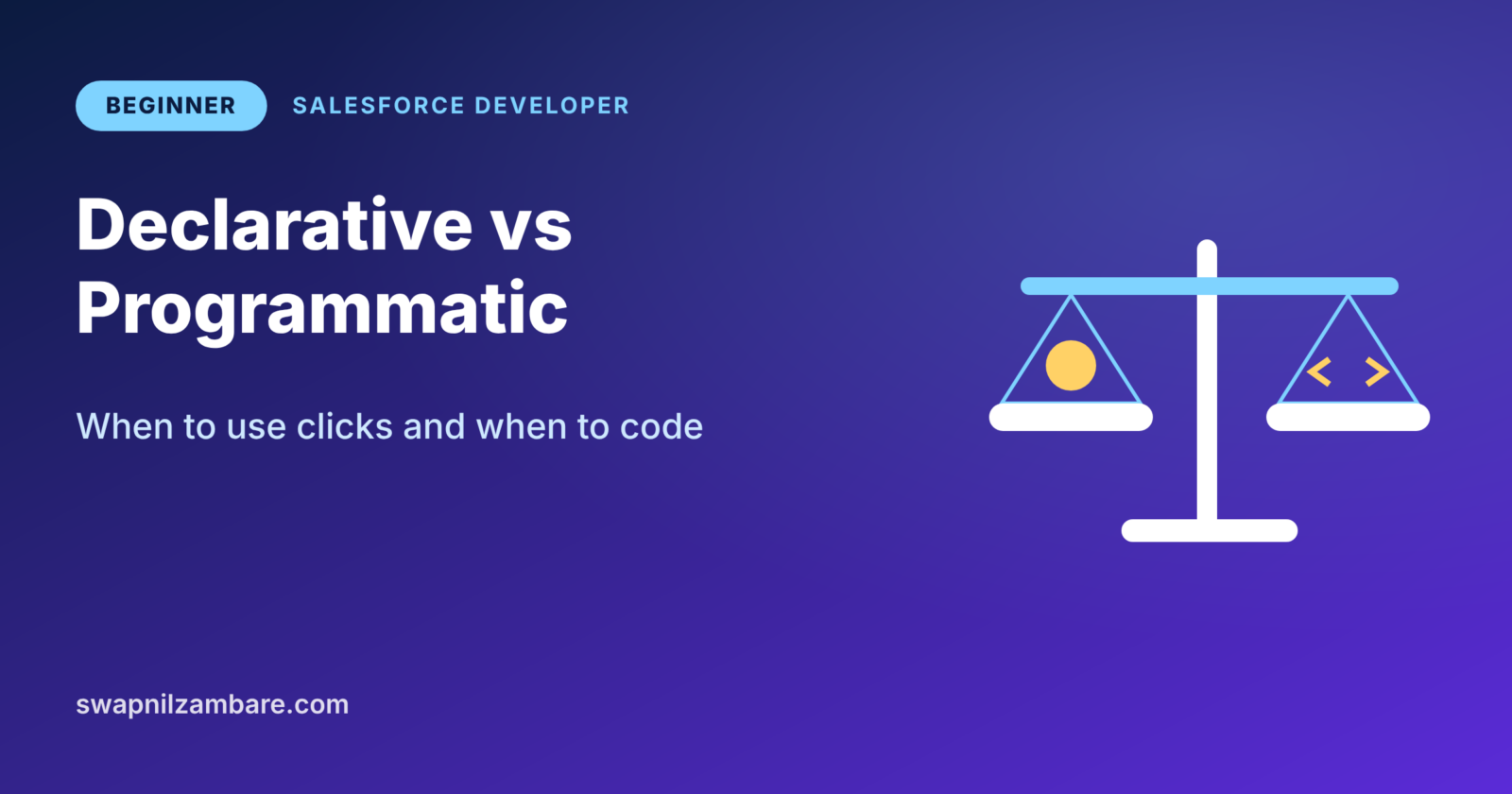
Declarative vs Programmatic is the first big choice every Salesforce developer makes on every task. Should you build it with clicks, or should you write code? Picking the wrong side costs time, money and future pain.
In our last post, What is Salesforce Development?, you saw what developers build. Now we will learn how to decide between clicks and code. You will also get a simple checklist you can use at work tomorrow. If you want a refresher on clicks first, read our Flow Builder guide.
What Does Declarative vs Programmatic Mean?
Declarative means you build features with point-and-click tools. You describe what you want in Setup, and Salesforce does the work. Programmatic means you write code, such as Apex or JavaScript, to tell Salesforce exactly how to do it.
Here is an easy way to picture it. Ordering a meal from a menu is declarative, because you pick from ready options. Cooking the meal yourself is programmatic, because you control every step and every ingredient.
Why the Declarative vs Programmatic Choice Matters
Your team must maintain every feature for years. So the declarative vs programmatic choice affects much more than today’s task.
Clicks are faster to build and easier for admins to change. However, they can become slow or messy when the logic gets complex. Code is flexible and fast at scale, but it needs a developer to change it. It also needs test classes before it can reach production.
A good choice keeps the org simple. A bad choice, on the other hand, creates a tangle that nobody wants to touch.
Declarative Tools in Salesforce
Salesforce gives you many strong click tools. Most of them come from the Admin series, so you may know them already.
Flow Builder
Flow is the main automation tool today. It can create and update records, send emails, show screens and call Apex. Salesforce has also retired Workflow Rules and Process Builder in favour of Flow.
Validation Rules and Formulas
Validation rules stop bad data from saving. Formula fields calculate values on the fly. Both use a simple formula language, not a programming language.
Page Layouts and Lightning App Builder
These tools control what users see on screen. You can add components, set visibility rules and build whole apps without code.
Reports, Dashboards and Approvals
Reports show data in tables and charts. Approval processes route records to managers for sign-off. Again, they need no code.
Programmatic Tools in Salesforce
When clicks are not enough, developers reach for code. These are the main programmatic tools.
Apex
Apex runs on Salesforce servers. You use it for triggers, complex logic, batch jobs and integrations with other systems.
Lightning Web Components
LWC lets you build custom screens with HTML, JavaScript and CSS. You use it when a standard page cannot show what the user needs.
APIs and Integrations
Salesforce offers REST, SOAP and Bulk APIs. Developers use them to connect Salesforce with outside apps, such as a payment gateway.
Declarative vs Programmatic: Side by Side
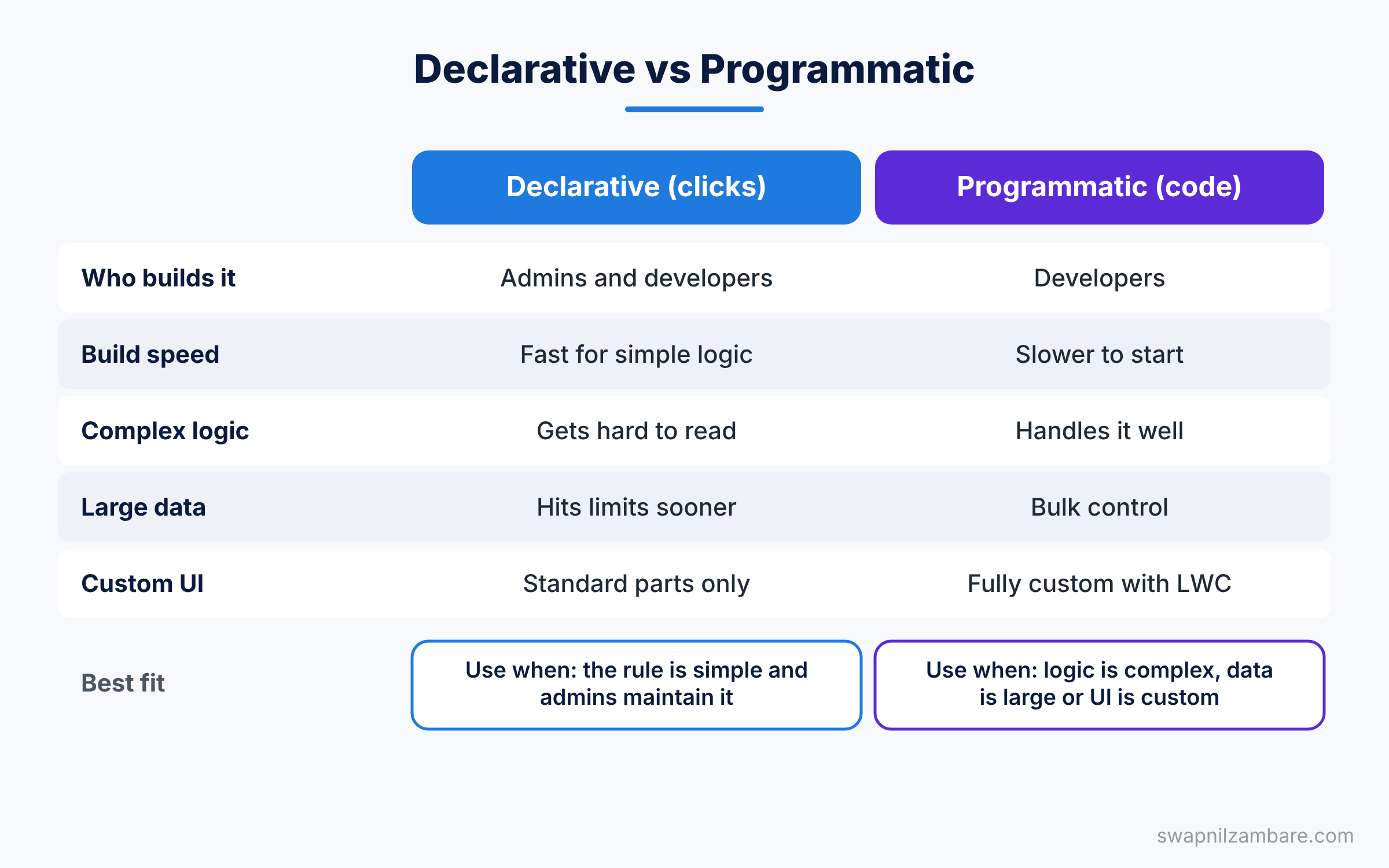
The table below compares both approaches across the points that matter most in real projects.
| Feature | Declarative (clicks) | Programmatic (code) |
|---|---|---|
| Who builds it | Admins and developers | Developers |
| Build speed | Fast for simple logic | Slower to start |
| Complex logic | Gets hard to read | Handles it well |
| Large data volumes | Can hit limits sooner | Better control with bulk code |
| Testing | Manual testing, flow tests | Apex test classes required |
| Who can change it | Most admins | Only developers |
| Custom user interface | Limited to standard parts | Fully custom with LWC |
When to use which comes down to one rule. Start with clicks, and switch to code only when clicks cannot meet the need cleanly.
How to Make the Declarative vs Programmatic Decision
You can use a short set of questions for every new requirement. Ask them in order, and stop as soon as you get a clear answer.
- Can a standard feature do it already? If yes, use it and stop.
- Can a formula, validation rule or Flow do it simply? If yes, use clicks.
- Will the logic need many decisions, loops or nested conditions? If yes, lean towards code.
- Will it process thousands of records at once? If yes, Apex is usually safer.
- Does it need a custom screen or an outside system? If yes, use LWC or Apex.
- Who will maintain it later? If only admins will, try hard to stay with clicks.
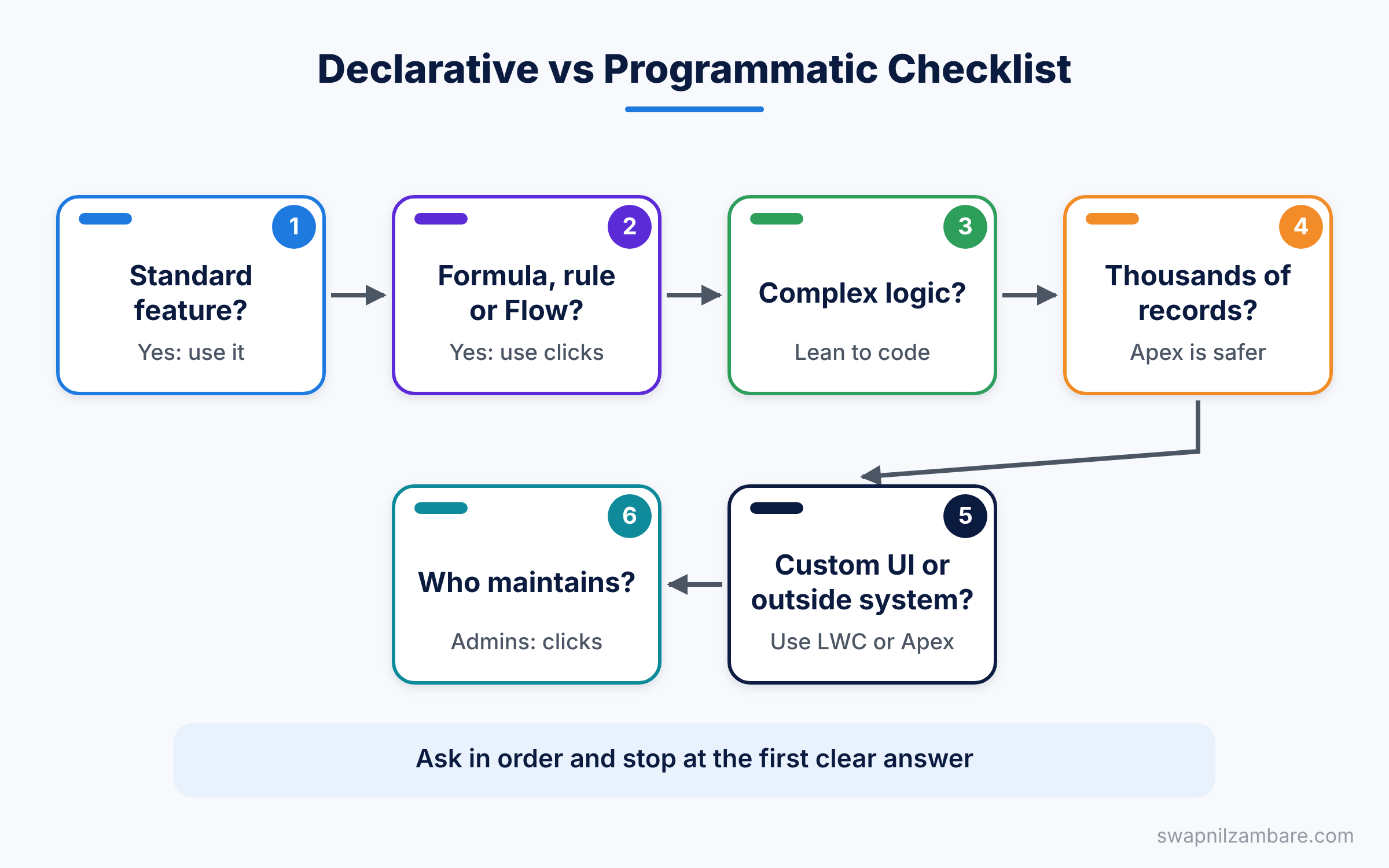
This checklist is not a strict law. Still, it gives your team a shared language for each declarative vs programmatic decision.
A Real Declarative vs Programmatic Example
Let’s solve the same problem both ways at Bright Path Tutors, so you can see declarative vs programmatic in action. The requirement is simple. When a user marks a Course as online, set its Duration_in_Weeks__c to 6 if it is empty.
The Declarative Way
An admin can build this with a record-triggered flow in a few minutes.
- Go to Setup > Process Automation > Flows > New Flow.
- Choose Record-Triggered Flow, then select the Course object.
- Set it to run when a user creates or updates a record.
- Add an entry condition: Is_Online__c equals True and Duration_in_Weeks__c is null.
- Choose “Fast Field Updates”, then add an Assignment that sets Duration_in_Weeks__c to 6.
- Save the flow as “Course Default Duration” and activate it.
For this simple rule, the flow is the right choice. It is quick, clear and any admin can change it.
The Programmatic Way
A developer could write the same logic as a trigger.
trigger CourseDuration on Course__c (before insert, before update) {
    for (Course__c c : Trigger.new) {
        // Only online courses with no duration
        if (c.Is_Online__c && c.Duration_in_Weeks__c == null) {
            c.Duration_in_Weeks__c = 6;
        }
    }
}
The trigger runs before the record saves. It checks two conditions and sets the duration. It works, but it also needs a test class and a deployment. So for this case, code is extra effort with no real gain.
When Code Wins
Now imagine a harder rule. The duration must come from an outside timetable system, based on the trainer’s calendar. Flow can call outside systems in some cases, but this needs retries, error logs and data mapping. Here, an Apex class with a callout is the cleaner choice.
public class CourseTimetable {
    // Gets the duration from an outside timetable service
    public static Integer getWeeks(String courseCode) {
        HttpRequest req = new HttpRequest();
        req.setEndpoint('callout:Timetable_API/courses/' + courseCode);
        req.setMethod('GET');
        HttpResponse res = new Http().send(req);
        Map<String, Object> body =
            (Map<String, Object>) JSON.deserializeUntyped(res.getBody());
        return (Integer) body.get('weeks');
    }
}
This class sends a GET request through a Named Credential called Timetable_API. Then it reads the JSON reply and returns the number of weeks. We will cover callouts fully in the integration part of this series.
Declarative vs Programmatic Examples for Common Needs
Real requirements make the rule easier to understand. The table below lists common requests from Bright Path Tutors and the best tool for each.
| Requirement | Best choice | Why |
|---|---|---|
| Fee must be above 500 | Validation rule | One simple condition |
| Show total fees of a student | Roll-up summary field | Built-in, no logic needed |
| Email the trainer when a course starts | Scheduled flow | Simple time-based action |
| Split a fee across 3 installments | Flow or Apex | Depends on how complex the rules are |
| Sync courses with an outside LMS | Apex callout | Needs retries and error handling |
| Drag-and-drop timetable screen | Lightning Web Component | Fully custom user interface |
| Recalculate 50,000 records each night | Batch Apex | Large data volume |
Look at the pattern in this table. The simple, single-step rules go to clicks. Rules with heavy data, outside systems or custom screens go to code. That pattern is the heart of every declarative vs programmatic decision.
Declarative vs Programmatic and Governor Limits
Salesforce runs many companies on shared servers. So it sets limits on how much work one transaction can do. For example, one transaction can run up to 100 SOQL queries in synchronous Apex.
These limits apply to both clicks and code. A flow that gets records inside a loop can hit the same limit as bad Apex. However, code gives you finer control. You can collect records in a list, query once and update once.
This means the declarative vs programmatic question is also a performance question. If a flow keeps hitting limits during testing, it may be time to move that part to Apex.
Mixing Both Sides of Declarative vs Programmatic
The best orgs do not pick one side forever. Instead, they mix both. A flow can call an Apex action when it needs heavy logic. An LWC can sit inside a screen flow to give users a better form.
This mix gives you the best of both worlds. Admins keep control of the simple parts, and developers handle the hard parts. So the declarative vs programmatic question is often “which part goes where”, not “one or the other”.
Common Mistakes with Declarative vs Programmatic Choices
- Writing code for simple rules. A validation rule is faster to build and easier to change.
- Forcing huge logic into one flow. A flow with 80 elements is harder to read than a short class.
- Mixing a trigger and a flow on the same object without a plan. They can fight each other and cause loops.
- Ignoring who maintains it. If your team has no developer, code becomes a risk.
- Forgetting limits. Both clicks and code share the same governor limits in a transaction.
Best Practices for Declarative vs Programmatic Design
- Start with standard features, then clicks, then code. This keeps the org simple.
- Write down why you chose code, so future teammates understand the reason.
- Keep one automation strategy per object, so flows and triggers do not clash.
- Use invocable Apex to give admins code-powered actions inside Flow.
- Review old automation each year, because new click features may replace old code.
Practice Task
Pick three rules from your own org or from Bright Path Tutors. For each one, run the six-question checklist from this post. Then decide whether you would use clicks or code. Hint: if you choose code for all three, check question 2 again.
Official Resources
Quick Recap
- Declarative tools use clicks, while programmatic tools use code.
- The declarative vs programmatic choice affects how easy a feature is to maintain.
- Start with standard features, then Flow, then Apex.
- Use code for complex logic, large data, custom screens and integrations.
- Many good solutions mix both, such as Flow calling Apex.
What’s Next?
Next, we look under the hood with Salesforce multi-tenant architecture and metadata. It explains why Salesforce has limits and how your org works.