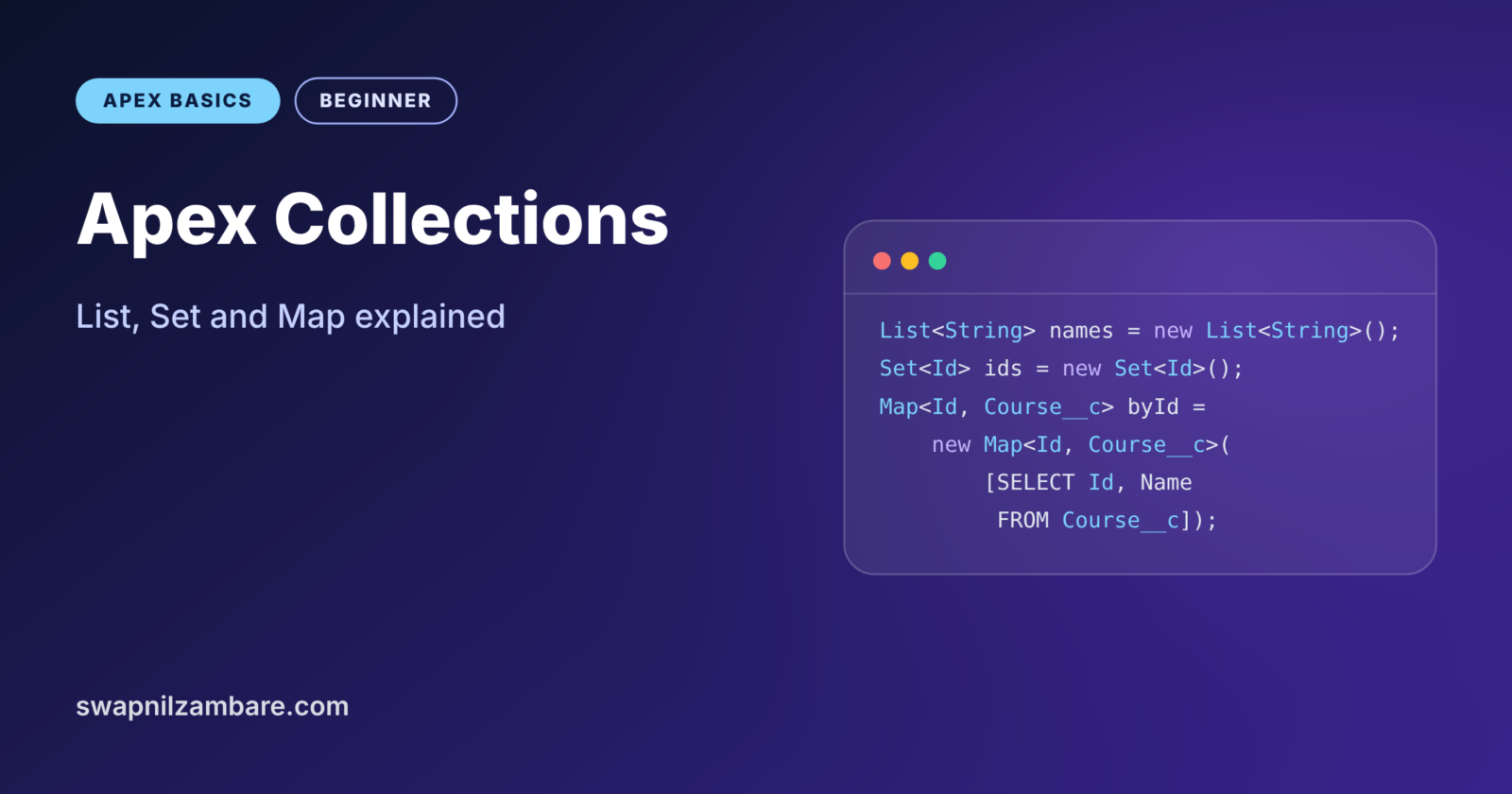
Apex Collections are variables that hold many values at once instead of just one. Apex gives you three kinds: List, Set and Map. They are the key to code that handles 1 record or 200 records with the same ease. Salesforce calls this bulk-safe code.
In the last post on Apex loops, you saw why queries inside loops break limits. Collections are the fix. You will also use them in almost every trigger, class and test you write from now on. If you need a reminder of basic types, look back at Apex data types.
What Are Apex Collections?
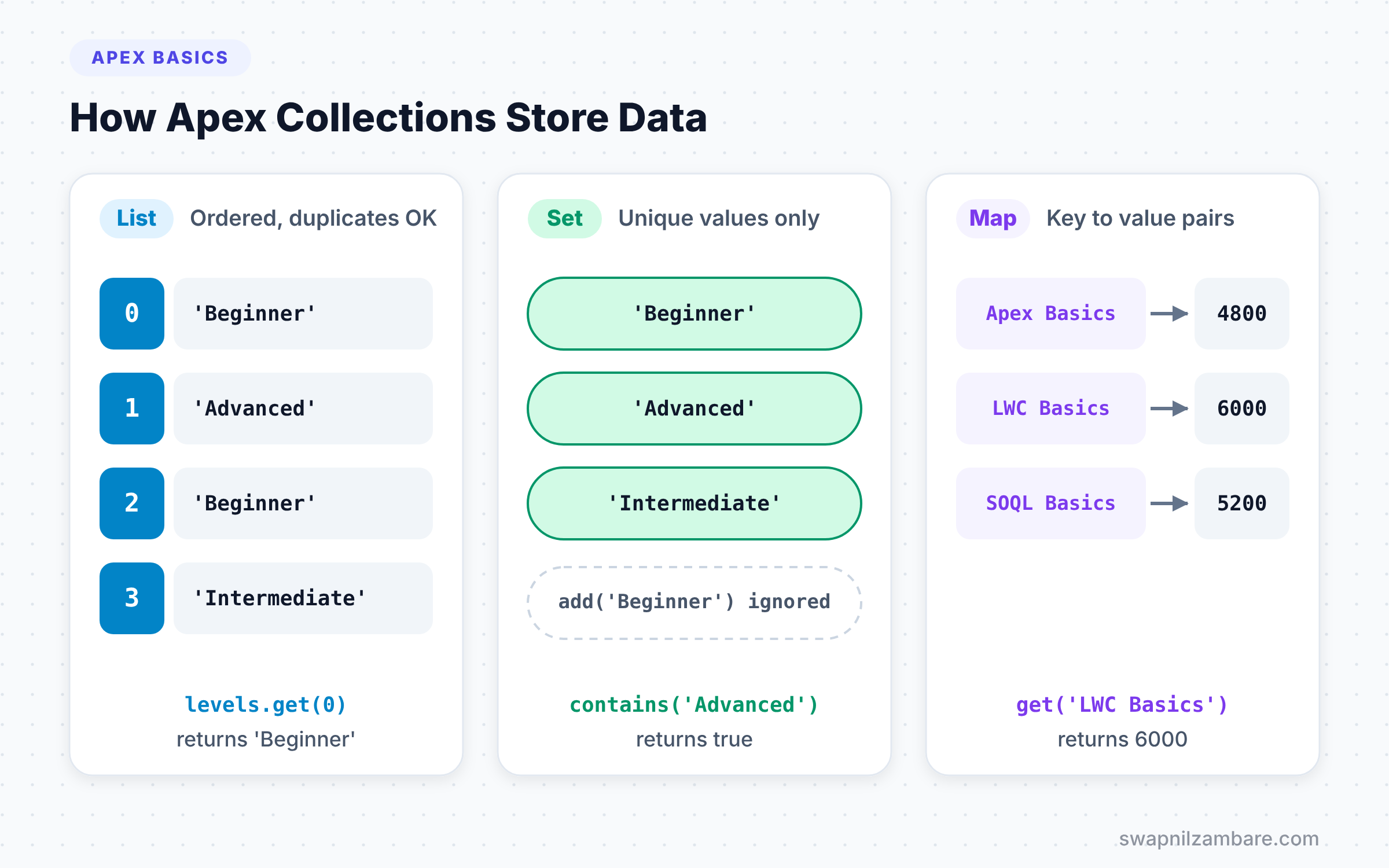
A collection is a container that groups many values under one name. Each kind of collection stores its values in a different way. For example, a List keeps them in order. A Set keeps only unique values, while a Map pairs each key with a value.
Here is an everyday picture. A List is like a queue at a ticket counter, where order matters and the same person can appear twice. Next, a Set is like a guest list for a party, where each name appears once. Finally, a Map is like a phone book, where you look up a name to find a number.
Why Apex Collections Matter
Salesforce runs code in bulk. A trigger can get 200 records at once, and every transaction has strict limits. So you cannot query or save records one at a time. Instead, you gather records into Apex Collections, query once, and save once.
Here is what Apex Collections let you do at Bright Path Tutors.
- Hold all courses returned by one SOQL query.
- Collect unique course levels without duplicates.
- Look up a course by its Id in one step, without another query.
- Save 200 updated courses with a single DML statement.
- Count how many courses each level has.
In short, without collections, real Salesforce code does not scale.
How Apex Collections Work
Each collection has a type for the values it holds, written in angle brackets. For example, List<String> holds text, and Map<Id, Course__c> holds course records keyed by their Id. Apex checks these types when it compiles, so you cannot add the wrong kind of value.
First, you create a collection with new. Then you add values with add or put, and read them back with get or a loop. Collections live in memory, so they are very fast. They count against the heap size limit, but for normal code that limit is rarely a problem.
Types of Apex Collections
List
A List is an ordered collection. Each item has an index number that starts at 0, not 1. Lists allow duplicates, so the same value can appear many times. SOQL queries return their results as a List.
List<String> levels = new List<String>{'Beginner', 'Advanced', 'Beginner'};
levels.add('Intermediate');

System.debug(levels.size());   // 4
System.debug(levels.get(0));   // Beginner
System.debug(levels);          // (Beginner, Advanced, Beginner, Intermediate)
The list starts with three values, including a duplicate. Then add puts a fourth value at the end. Next, size() returns the count, and get(0) reads the first item.
Set
Unlike a List, a Set holds unique values only. If you add a value that already exists, the Set simply ignores it. Sets are perfect for collecting record Ids before a query.
Set<String> uniqueLevels = new Set<String>{'Beginner', 'Advanced', 'Beginner'};
uniqueLevels.add('Advanced');

System.debug(uniqueLevels.size());               // 2
System.debug(uniqueLevels.contains('Beginner')); // true
Even though we added “Beginner” twice and “Advanced” twice, the Set keeps one of each. So size() returns 2. The contains method checks membership very quickly.
Map
Next, a Map stores key and value pairs. Each key is unique and points to one value. You use put to add a pair and get to read a value by its key.
Map<String, Decimal> feeByCourse = new Map<String, Decimal>();
feeByCourse.put('Apex Basics', 4500);
feeByCourse.put('LWC Basics', 6000);
feeByCourse.put('Apex Basics', 4800); // replaces the old value

System.debug(feeByCourse.get('Apex Basics'));       // 4800
System.debug(feeByCourse.containsKey('Git Basics')); // false
System.debug(feeByCourse.keySet());                  // {Apex Basics, LWC Basics}
Putting the same key again replaces its value, so Apex Basics now costs 4800. The containsKey check returns false for a course that is not in the Map. Finally, keySet() returns all keys as a Set.
Useful Methods for Apex Collections
The table below lists the methods you will use most. Many work on more than one kind of collection.
| Method | Works on | What it does |
|---|---|---|
| add(value) | List, Set | Adds one value |
| addAll(collection) | List, Set | Adds many values at once |
| put(key, value) | Map | Adds or replaces a pair |
| get(index or key) | List, Map | Reads one value |
| contains(value) | List, Set | Checks if a value exists |
| containsKey(key) | Map | Checks if a key exists |
| remove(item) | List, Set, Map | Removes an item |
| size() | All | Returns the number of items |
| isEmpty() | All | Returns true when there are no items |
| keySet() and values() | Map | Returns all keys or all values |
List vs Set vs Map
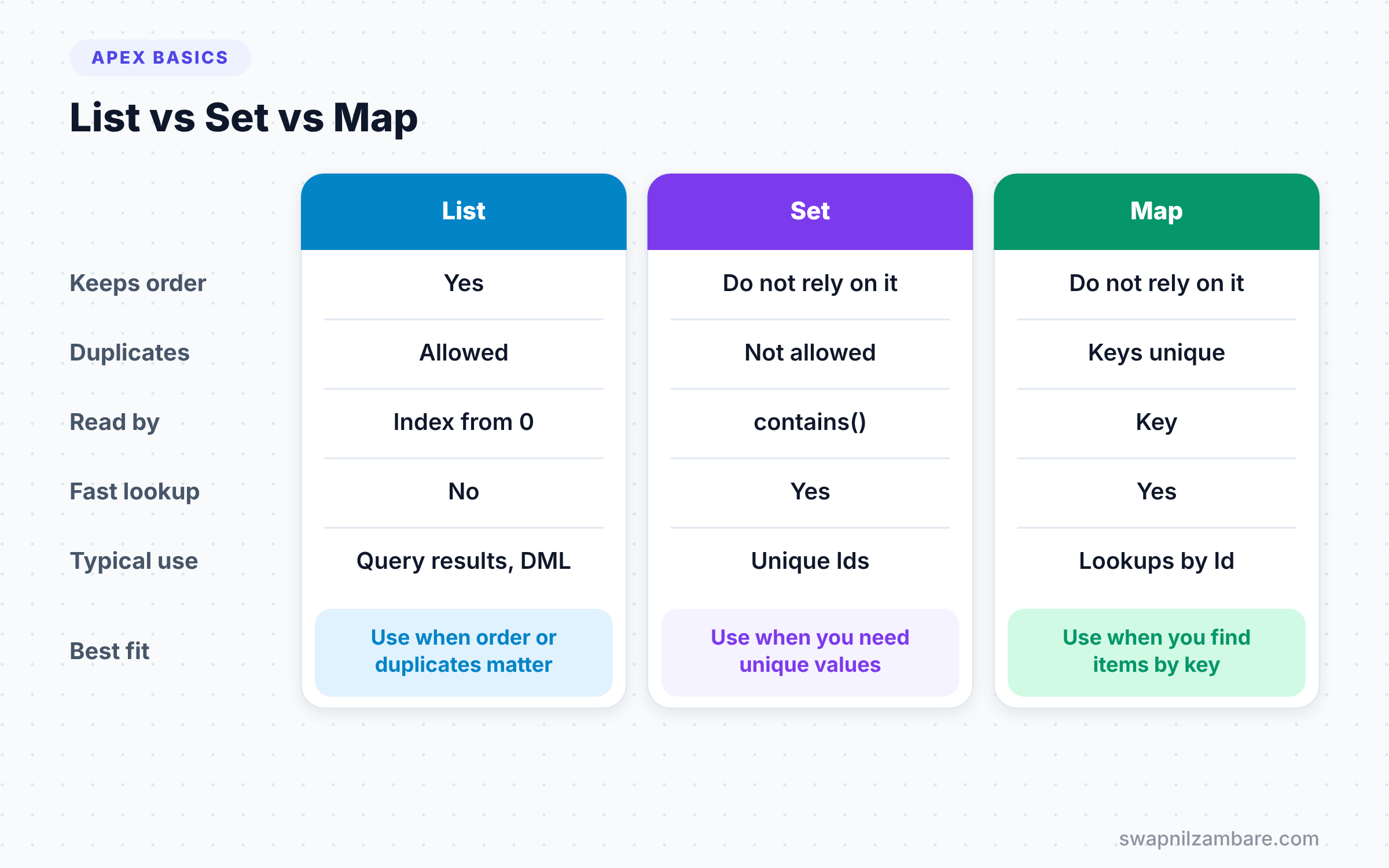
Choosing the right Apex Collections makes your code shorter and faster. The table below compares all three.
| Feature | List | Set | Map |
|---|---|---|---|
| Keeps order | Yes | Do not rely on it | Do not rely on it |
| Allows duplicates | Yes | No | Keys no, values yes |
| Read by | Index, from 0 | Loop or contains | Key |
| Fast lookup | No | Yes | Yes |
| Returned by SOQL | Yes | No | Yes, with a constructor |
| Typical use | Query results, DML | Unique Ids | Lookups by Id |
When to use which comes down to one question. Use a List when order or duplicates matter, and a Set for unique values. Then use a Map when you need to find something by a key.
A Real Apex Collections Example: The Bulk Pattern
Now let’s fix the bad loop from the previous post. Bright Path Tutors wants each new course to note how many courses already exist at the same level. The bad version ran one query per course. However, the good version uses Apex Collections and runs just one query.
trigger CourseLevelCount on Course__c (before insert) {
    // 1. Collect the levels we need
    Set<String> levels = new Set<String>();
    for (Course__c c : Trigger.new) {
        if (c.Level__c != null) {
            levels.add(c.Level__c);
        }
    }

    // 2. One query for all levels, counted in a Map
    Map<String, Integer> countByLevel = new Map<String, Integer>();
    for (Course__c existing : [SELECT Level__c FROM Course__c WHERE Level__c IN :levels]) {
        Integer current = countByLevel.get(existing.Level__c) ?? 0;
        countByLevel.put(existing.Level__c, current + 1);
    }

    // 3. Use the Map inside the loop, with no extra queries
    for (Course__c c : Trigger.new) {
        Integer total = countByLevel.get(c.Level__c) ?? 0;
        System.debug(c.Name + ' joins ' + total + ' other ' + c.Level__c + ' courses');
    }
}
The first loop gathers unique levels into a Set. Then one query uses IN :levels to fetch all matching courses at once. Next, a Map counts courses per level. Finally, the last loop reads counts from the Map in memory. No matter how many records come in, the trigger runs exactly one query.
This “collect, query once, map, loop” pattern appears in almost every professional trigger. So learn it well, and practise it until you can write it from memory. Interviewers often ask candidates to fix a trigger with a query inside a loop. With Apex Collections, your answer takes less than a minute.
Building a Map Straight from a Query
Apex has a handy shortcut. You can pass a query directly into a Map constructor. Apex then uses each record’s Id as the key.
Map<Id, Course__c> courseById = new Map<Id, Course__c>(
    [SELECT Id, Name, Fee__c FROM Course__c WHERE Is_Online__c = true]
);

for (Id courseId : courseById.keySet()) {
    Course__c c = courseById.get(courseId);
    System.debug(c.Name + ' costs ' + c.Fee__c);
}
One line gives you every online course, keyed by Id. Later, any code that has an Id can find the full record instantly with get. This is one of the most used lines in all of Apex.
Saving Records with a List
DML also works on collections. Instead of saving records one by one, you update a List with one statement. For example, update coursesToFix; saves every course in the list at once. That counts as just one DML statement out of the 150 allowed per transaction.
Nested Apex Collections
Apex Collections can hold other collections. The most common example is a Map whose value is a List. It groups records by a key, such as all courses for each level.
Map<String, List<Course__c>> coursesByLevel = new Map<String, List<Course__c>>();

for (Course__c c : [SELECT Name, Level__c FROM Course__c WHERE Level__c != null]) {
    if (!coursesByLevel.containsKey(c.Level__c)) {
        coursesByLevel.put(c.Level__c, new List<Course__c>());
    }
    coursesByLevel.get(c.Level__c).add(c);
}
System.debug(coursesByLevel.get('Beginner')?.size());
For each course, the code creates an empty List the first time it sees a level. Then it adds the course to that level’s List. As a result, coursesByLevel.get('Beginner') returns every Beginner course in one step.
Sorting a List
Lists have a built-in sort() method. For Strings and numbers, it sorts in ascending order. For example, a list of fees {6000, 4500, 9000} becomes {4500, 6000, 9000} after fees.sort();.
Sorting records by a field needs a bit more work, such as a custom comparator class. We will cover that later. For now, the easiest way to sort records is an ORDER BY clause in your SOQL query.
Common Mistakes with Apex Collections
- Calling
geton a List with an index that does not exist. Checksize()first, or you get a ListException. - Expecting a Set or Map to keep a fixed order. Do not build logic on their order.
- Forgetting that
Map.getreturns null for a missing key. UsecontainsKeyor??. - Running DML on records one at a time inside a loop. Add them to a List and save once.
- Using a List when you need fast lookups. A Map is far quicker for finding a record by Id.
Best Practices for Apex Collections
- Use a
Set<Id>to gather Ids before a query, so the query never has duplicates. - Build
Map<Id, sObject>from queries for quick lookups by Id. - Name collections in plural or with the key, such as
coursesorcourseById. - Check
isEmpty()before a query or DML, so you skip work when there is nothing to do. - Keep the “collect, query once, map, loop” pattern as your default for triggers.
Practice Task
Write anonymous Apex that queries all courses and builds a Map<String, Decimal> of total fees per level. Then print each level with its total. Hint: loop over the query, use get with ?? 0, and put the new total back.
Official Resources
Quick Recap
- Apex Collections hold many values under one name.
- A List keeps order and allows duplicates, with indexes starting at 0.
- Sets keep unique values and check membership quickly.
- A Map pairs unique keys with values for fast lookups.
- Collect, query once, map and loop to keep code bulk-safe.
What’s Next?
Your code is growing, so it is time to organise it. Next, learn Apex methods, parameters and return types to split logic into clean, reusable pieces.