Apex Loops let your code repeat the same work many times without writing the same lines again and again. You might need to check 200 course records, add up 50 fees or send a reminder for every student. A loop does all of that with a few lines.
So far in Level 2, you learned data types, operators and conditional statements. Loops bring all three together. You will also see why loops are the place where most beginners break governor limits, and how to avoid that.
What Are Apex Loops?
A loop is a block of code that runs again and again until a condition tells it to stop. Developers call each run of the block an iteration. Apex supports the classic loops you find in most languages, plus a special loop for SOQL queries.
Think of a teacher marking a stack of exam papers. She picks up one paper, marks it, puts it aside and picks up the next. She stops when the stack is empty. That is exactly what a loop does with your data.
Why Apex Loops Matter
Salesforce works with records in bulk. A trigger can receive up to 200 records at once, and a data load can bring thousands. So your code must handle many records, not just one. Apex Loops make that possible.
Here are common jobs at Bright Path Tutors that need a loop.
- Check every course in a trigger and block fees below 500.
- Add up the fees of all courses a student has joined.
- Build a list of welcome messages, one per student.
- Count how many courses are online.
- Repeat a retry step up to three times when a callout fails.
Without Apex Loops, none of this would work for more than one record.
How Apex Loops Work
All Apex Loops follow the same basic cycle. First, it checks whether it should keep going. If yes, it runs the body. Then it moves to the next item or updates a counter. Finally, it checks again, and the cycle repeats until the condition says stop.
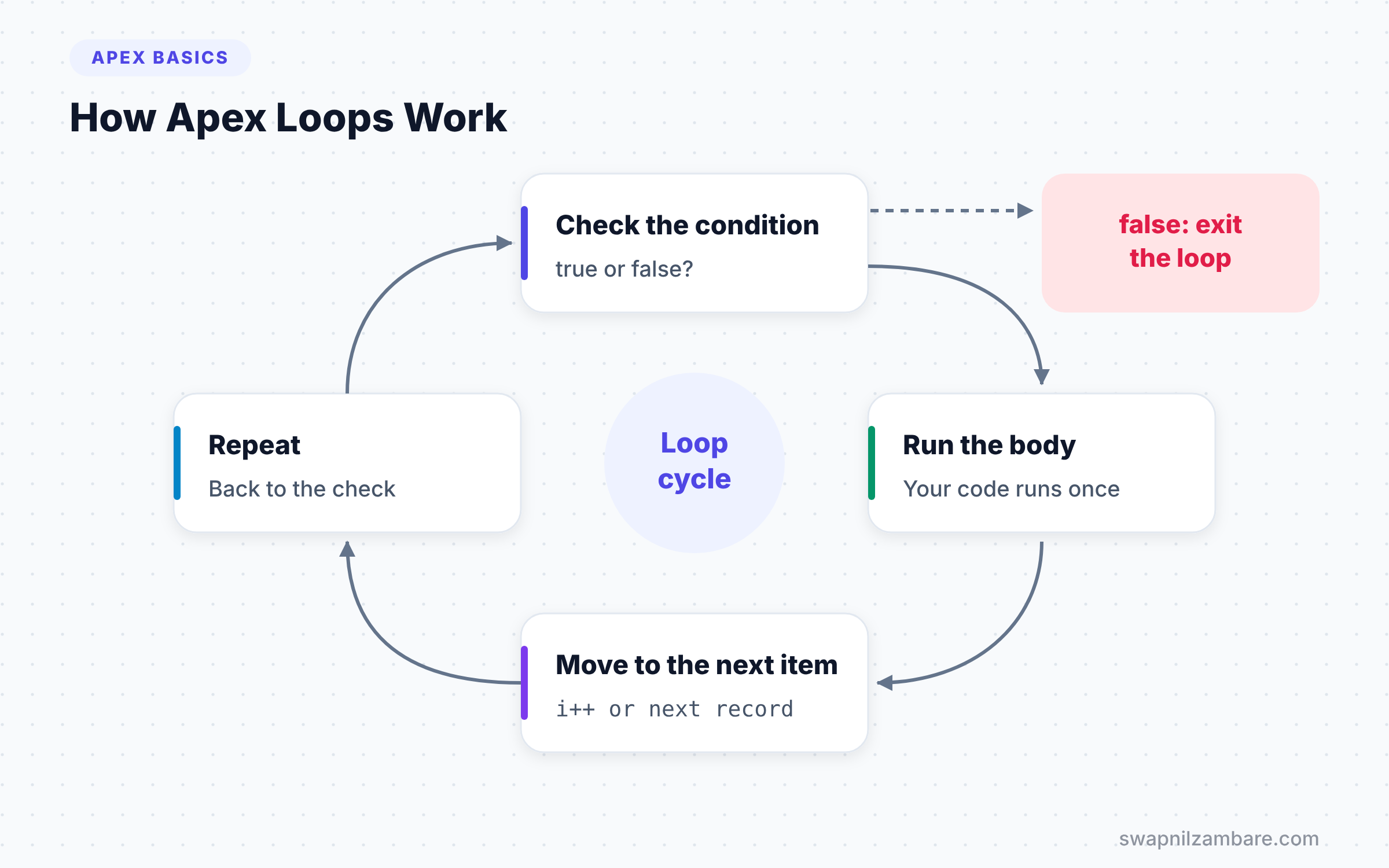
Each type of loop simply handles these steps in a different way. Some count with a number, some walk through a list, and some run until a condition changes.
Types of Apex Loops
Apex gives you five kinds of Apex Loops to repeat work. The table below gives a quick summary before we look at each one.
| Loop | Best for | Runs at least once |
|---|---|---|
| Traditional for | Counting a known number of times | No |
| List or set iteration for | Going through every item in a collection | No |
| SOQL for | Processing large query results in chunks | No |
| while | Repeating until a condition changes | No |
| do-while | Repeating at least once, then checking | Yes |
The Traditional for Loop
This loop uses a counter. It has three parts inside the brackets: a starting value, a condition and an update step.
for (Integer i = 1; i <= 3; i++) {
    System.debug('Reminder number ' + i);
}
The counter i starts at 1. Before each run, Apex checks i <= 3. After each run, i++ adds 1. So the loop prints three reminders and then stops.
The List Iteration for Loop
This is the loop you will use most in Salesforce. It walks through every item in a list or set. You do not need a counter at all.
List<String> courses = new List<String>{'Apex Basics', 'LWC Basics', 'SOQL Basics'};

for (String name : courses) {
    System.debug('Course: ' + name);
}
Read the colon as “in”. So the line means “for each name in courses”. Apex hands you one item per iteration until the list ends.
The SOQL for Loop
This loop runs a query and processes the results in batches of 200 records. It helps when a query may return a lot of data, because it uses less heap memory.
for (Course__c c : [SELECT Name, Fee__c FROM Course__c WHERE Is_Online__c = true]) {
    System.debug(c.Name + ' costs ' + c.Fee__c);
}
The query sits right inside the loop header. Salesforce fetches the records in chunks behind the scenes, so you can handle large result sets safely.
The while Loop
A while loop checks its condition before every run. It keeps going as long as the condition is true. Use it when you do not know in advance how many times you need to repeat.
The do-while Loop
A do-while loop runs the body first and checks the condition after. So the body always runs at least once. This suits retry logic, where you always make the first attempt.
break and continue
Two keywords give you extra control. break stops the loop at once and jumps past it. continue skips the rest of the current iteration and moves to the next one. Both work in every type of loop.
for vs while vs do-while
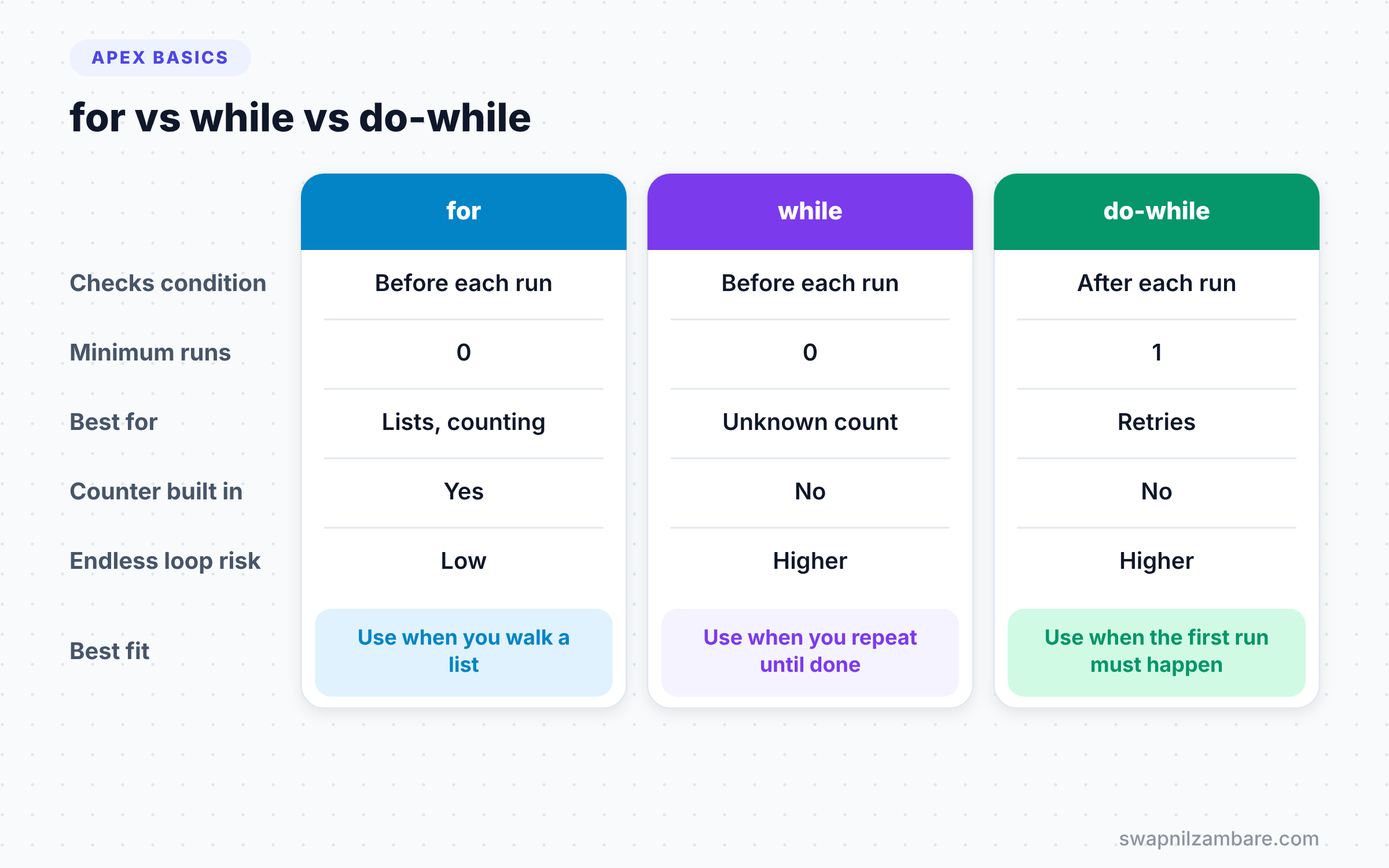
These three loops can often do the same job, but each one fits a different case. The table below compares them.
| Feature | for | while | do-while |
|---|---|---|---|
| Checks condition | Before each run | Before each run | After each run |
| Minimum runs | 0 | 0 | 1 |
| Best for | Lists and counting | Unknown repeat count | Retry and first-try logic |
| Counter built in | Yes, in traditional for | No | No |
| Risk of endless loop | Low | Higher | Higher |
When to use which is fairly simple. Use for for collections and counting, while for “repeat until”, and do-while when the first run must always happen.
A Real Apex Loops Example
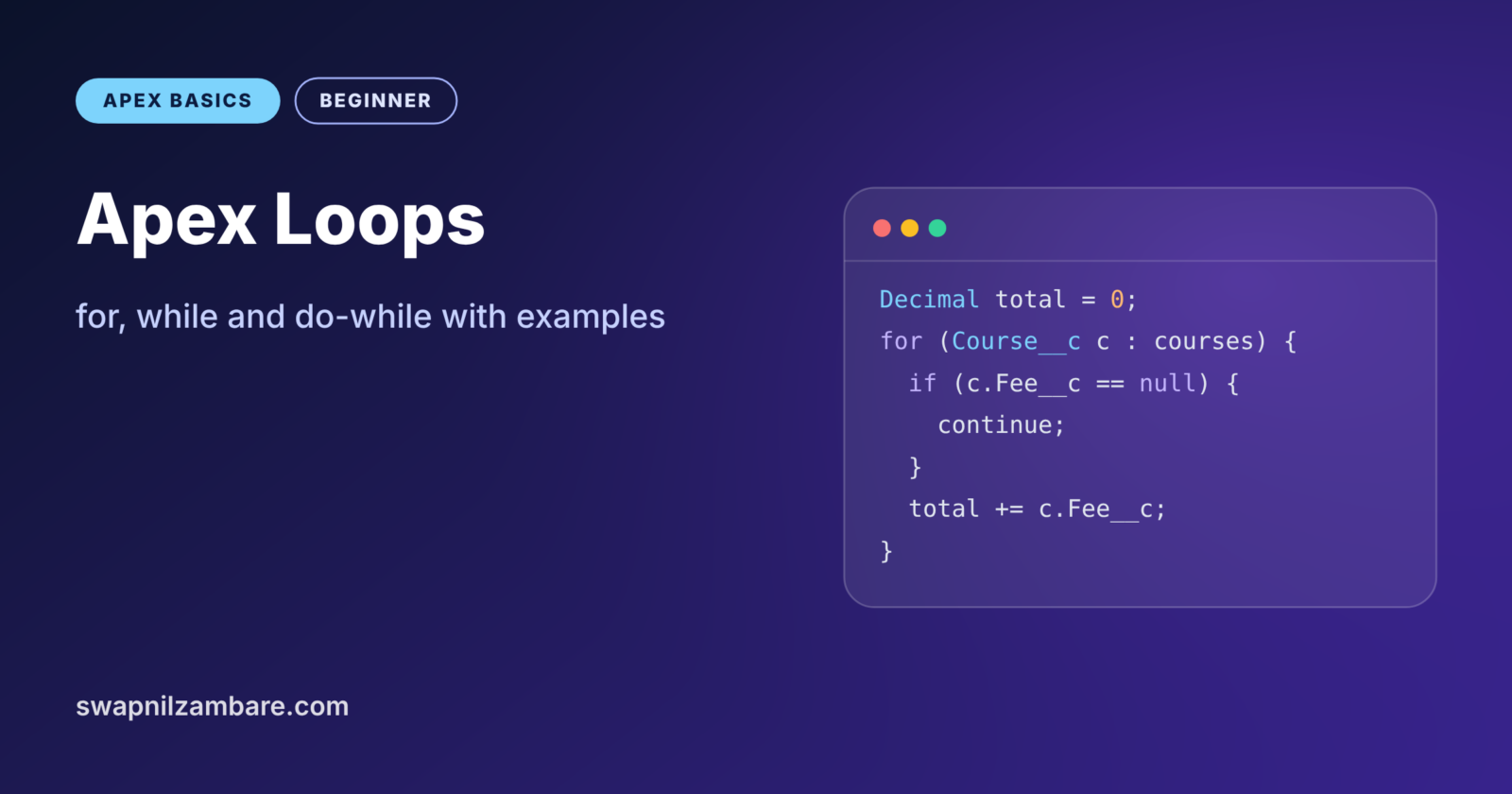
Let’s use Apex Loops to write a small report for Bright Path Tutors. We want the total fees and the count of online courses. Also, we want the name of the most expensive course. Any course with no fee gets skipped.
List<Course__c> courses = [
    SELECT Name, Fee__c, Is_Online__c
    FROM Course__c
    LIMIT 200
];

Decimal totalFees = 0;
Integer onlineCount = 0;
Course__c topCourse = null;

for (Course__c c : courses) {
    if (c.Fee__c == null) {
        continue; // skip courses with no fee
    }
    if (c.Is_Online__c) {
        totalFees += c.Fee__c;
        onlineCount++;
    }
    if (topCourse == null || c.Fee__c > topCourse.Fee__c) {
        topCourse = c;
    }
}

System.debug('Online courses: ' + onlineCount);
System.debug('Online fees: ' + totalFees);
System.debug('Top course: ' + topCourse?.Name);
The query runs once, before the loop, and stores up to 200 courses in a list. Inside the loop, continue skips records with an empty fee. Then the code adds online fees with += and counts them with ++. Finally, it keeps track of the most expensive course so far. The log might show this.
USER_DEBUG [24]|DEBUG|Online courses: 4
USER_DEBUG [25]|DEBUG|Online fees: 21500.00
USER_DEBUG [26]|DEBUG|Top course: Salesforce Architect Prep
A while Loop Example for Retries
Sometimes you want to repeat until something works, with a safe upper limit. Here we try to reserve a seat up to three times.
Integer attempts = 0;
Boolean reserved = false;

while (!reserved && attempts < 3) {
    attempts++;
    // In real code, this would call a service
    reserved = (attempts == 2);
    System.debug('Attempt ' + attempts + ': ' + reserved);
}
The loop runs while the seat is not reserved and fewer than 3 attempts have happened. Here the second attempt succeeds, so the loop stops after two runs. The attempts < 3 check is your safety net against an endless loop.
Looping Through a Map with Apex Loops
You cannot loop over a Map directly. Instead, you loop over its keys or its values. The keySet() method gives you the keys, and values() gives you the values.
Map<String, Decimal> feeByCourse = new Map<String, Decimal>{
    'Apex Basics' => 4500,
    'LWC Basics' => 6000
};

for (String name : feeByCourse.keySet()) {
    System.debug(name + ' = ' + feeByCourse.get(name));
}
The loop walks through each course name in the key set. Then get(name) looks up the matching fee. We will cover maps fully in the next post, because they are the secret to bulk-safe Apex Loops.
Nested Apex Loops
A nested loop is a loop inside another loop. For example, you might loop over courses and, inside, loop over the students in each course. This works, but the cost grows fast.
If the outer loop has 200 items and the inner loop also has 200, the inner body runs 40,000 times. That can hit the CPU time limit. So whenever you see nested Apex Loops over large lists, ask if a Map lookup could replace the inner loop.
Apex Loops and Governor Limits
This is the most important section in this post. Never put a SOQL query or a DML statement inside a loop. Each query inside a loop uses up one of your 100 allowed queries. With 200 records, the code fails fast.
Here is the wrong way and the right way side by side. First, the bad version runs one query per course.
// Bad: one query for every course in the trigger
for (Course__c c : Trigger.new) {
    Integer count = [SELECT COUNT() FROM Course__c WHERE Level__c = :c.Level__c];
}
The good version collects what it needs first, runs one query, and then loops over the results in memory. We will learn the full pattern with maps in the next post on collections. For now, remember one simple rule: queries and DML go outside loops, while logic goes inside.
Common Mistakes with Apex Loops
- Running SOQL or DML inside a loop. Move them outside and work with collections.
- Writing a
whileloop with no exit. Always change the condition inside the body or add a counter limit. - Changing a list while looping over it. Apex throws an error, so build a new list instead.
- Using a traditional
forwith an index when a list iteration loop would be simpler. - Forgetting null checks inside the loop, which crashes the whole transaction on one bad record.
Best Practices for Apex Loops
- Prefer the list iteration
forloop for records. It is short and hard to get wrong. - Use a SOQL
forloop when a query may return thousands of rows. - Add a maximum count to every
whileloop as a safety net. - Use
continueto skip bad records early, so the main logic stays flat. - Keep heavy work out of nested loops, because 200 times 200 is 40,000 runs.
Practice Task
Write anonymous Apex that loops from 1 to 20 and prints only the even numbers. Then stop the loop as soon as it reaches 14. Hint: use Math.mod(i, 2) == 0 to find even numbers, and break to stop.
Official Resources
- Apex Developer Guide: Loops
- Apex Developer Guide: SOQL For Loops
- Trailhead: Apex Basics and Database
Quick Recap
- Apex Loops repeat a block of code until a condition says stop.
- The list iteration
forloop is the one you will use most with records. - A SOQL
forloop processes large query results in chunks of 200. do-whilealways runs at least once, whileforandwhilemay run zero times.- Never put SOQL or DML inside a loop, because it breaks governor limits.
What’s Next?
Loops work best with collections of data. Next, read Apex collections: List, Set and Map to learn the bulk-safe way to handle many records.