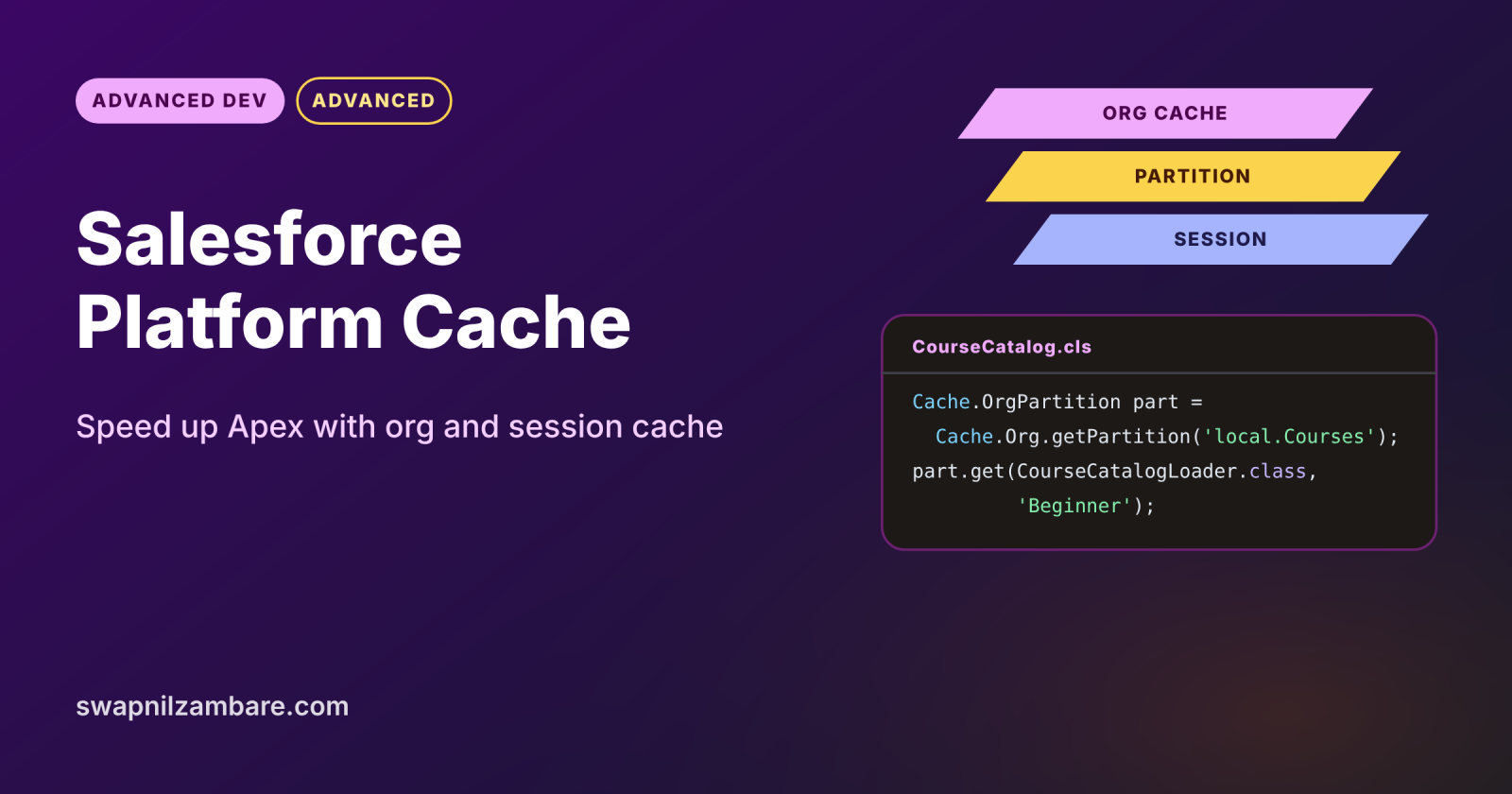
Salesforce Platform Cache is fast, in-memory storage where Apex can keep data it reads often, such as exchange rates or a course catalogue. Reading from the cache avoids repeated SOQL queries and callouts, so pages and APIs respond faster. It is temporary storage, though, so your code must always handle a cache miss.
In this post, you will learn org cache and session cache, partitions, time-to-live and the CacheBuilder interface, with real Apex code. It builds on Large Data Volumes, LWC performance and Apex REST callouts.
What is Salesforce Platform Cache?
Salesforce Platform Cache is a memory layer that stores key and value pairs for a limited time. It has two types: org cache, shared by all users, and session cache, tied to one user’s session. Admins split the cache into partitions, and Apex reads and writes values through the Cache namespace.
Think of a whiteboard by the office coffee machine. Everyone writes the day’s exchange rate there, so nobody needs to look it up again. The board gets wiped now and then, and anyone who finds it blank simply looks up the rate and writes it back.
Why Salesforce Platform Cache Matters
Repeated work wastes limits and time. Here is why Salesforce Platform Cache matters at Bright Path Tutors.
- First, every course page loads the same 50-row course catalogue.
- Also, the fee calculator calls a currency API for each overseas student.
- Next, a busy LWC dashboard runs the same aggregate queries all day.
- Each saved query or callout leaves more governor limits for real work.
- Finally, users see faster pages without any extra servers.
So Salesforce Platform Cache, used on the right data, makes the whole org feel quicker.
How Salesforce Platform Cache Works
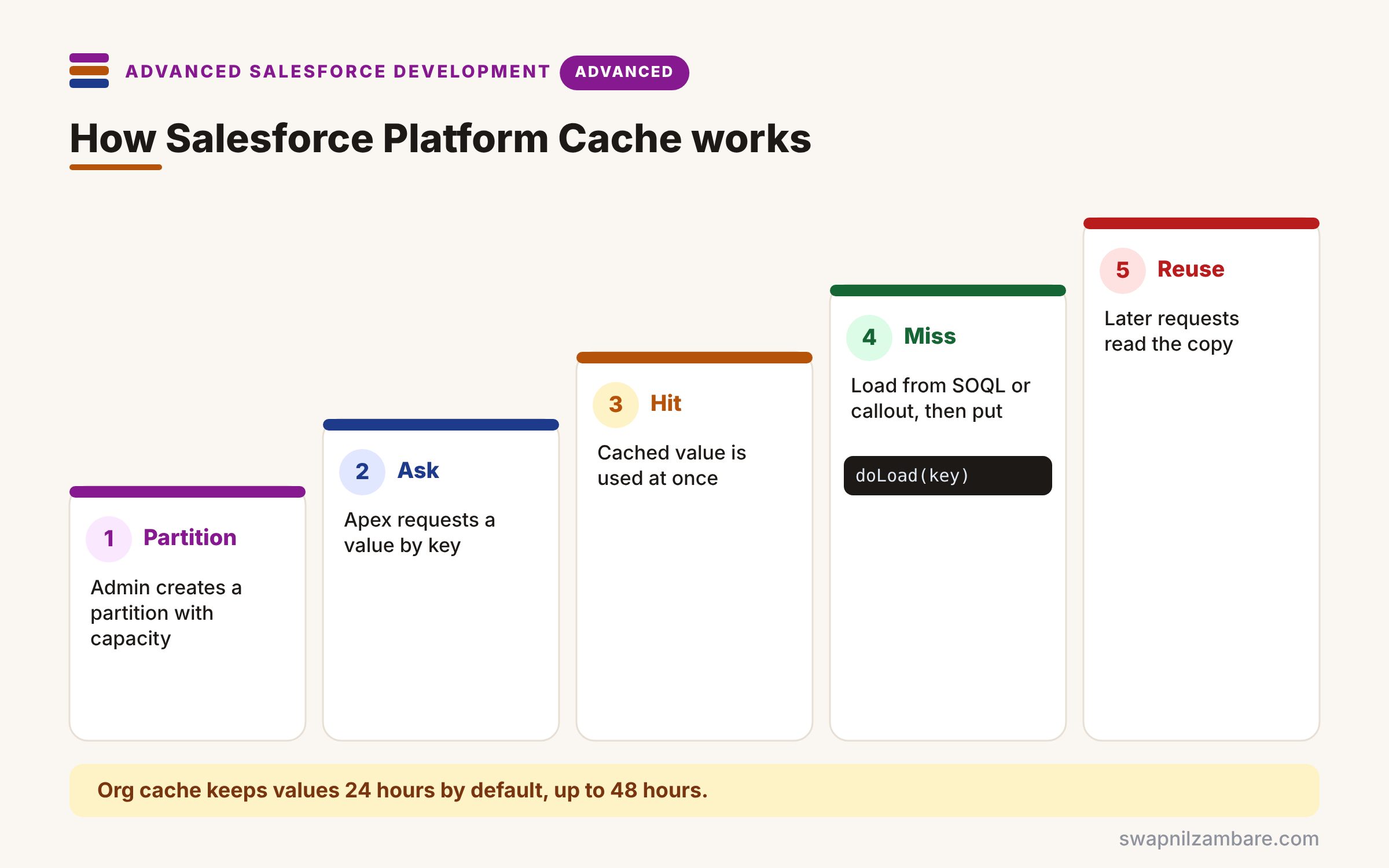
Salesforce Platform Cache follows a read-through habit. First, an admin creates a partition in Setup and gives it org or session capacity. Next, Apex asks the cache for a value by key. Then, on a hit, the code uses the cached value straight away. After that, on a miss, the code loads the data from SOQL or a callout and puts it in the cache with a time-to-live. Finally, later requests read the cached copy until it expires or is evicted.
Org Cache
Org cache is shared across all users and requests. So it suits data that is the same for everyone, such as a course catalogue.
Session Cache
Session cache belongs to one user session. Use it for per-user data, such as a student’s last search filters.
Partitions
A partition reserves part of your cache for one app, such as local.Courses. Partitions keep one feature from pushing out another’s data.
Time-to-Live
Org cache keeps values for 24 hours by default, and you can set up to 48 hours. Session cache keeps values for up to 8 hours.
CacheBuilder
The Cache.CacheBuilder interface has one method, doLoad, that loads a value on a miss. Then Cache.Org.get(MyLoader.class, key) handles the hit or miss for you.
Platform Cache Limits at a Glance
The table below lists the limits you will meet most often.
| Limit | Value |
|---|---|
| Default org cache time-to-live | 24 hours |
| Maximum org cache time-to-live | 48 hours |
| Maximum session cache time-to-live | 8 hours |
| Enterprise Edition cache size | 10 MB |
| Partition allocation | Zero, or 5 MB or more |
Org Cache vs Session Cache
The table below compares the two cache types.
| Feature | Org cache | Session cache |
|---|---|---|
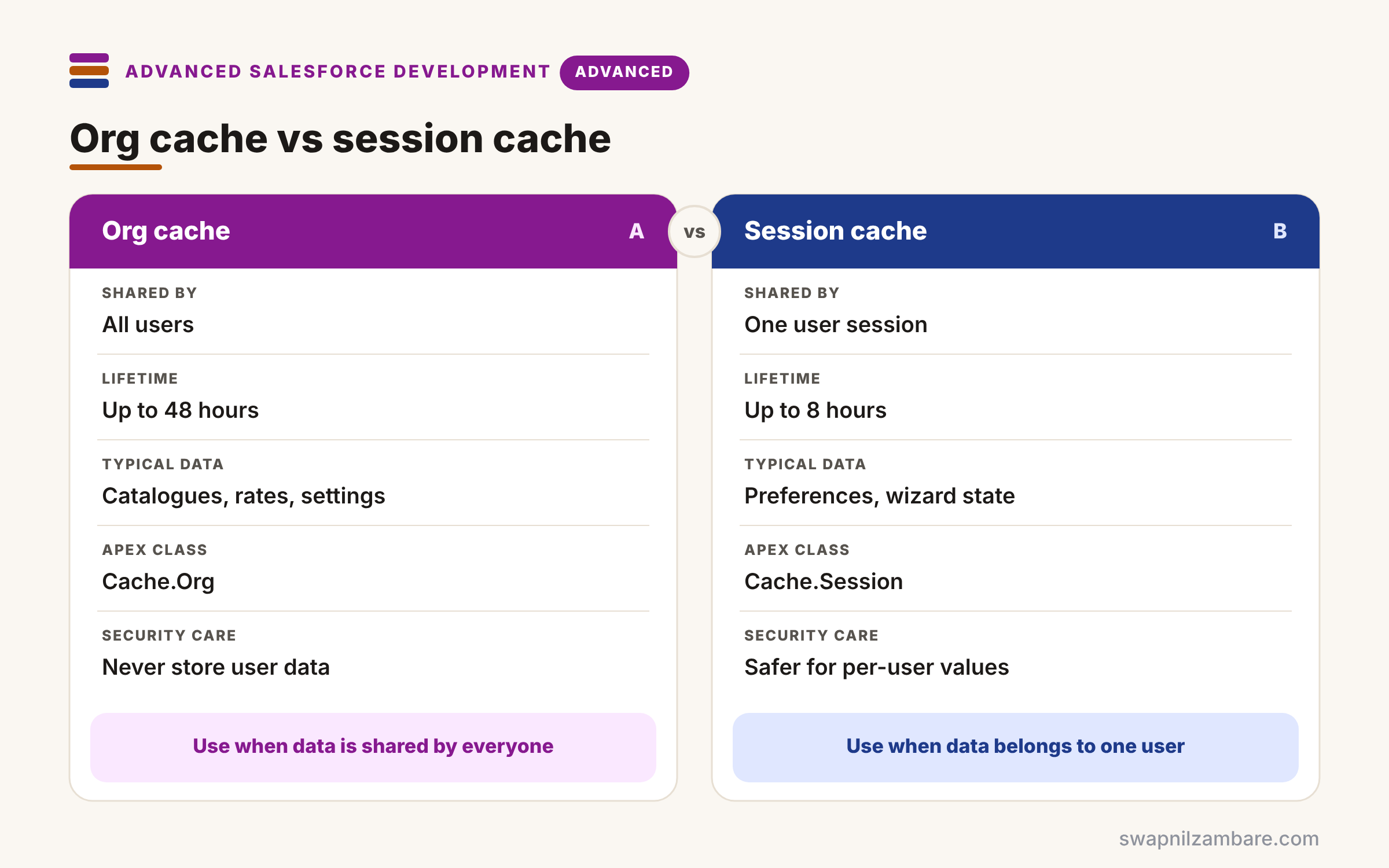
| Shared by | All users | One user session |
| Lifetime | Up to 48 hours | Up to 8 hours or session end |
| Typical data | Catalogues, rates, settings | User preferences, wizard state |
| Apex class | Cache.Org | Cache.Session |
| Security care | Never store user-specific data | Safer for per-user values |
When to use which follows the data owner. Use org cache for shared data that everyone sees. Use session cache for one user’s temporary data.
A Real Salesforce Platform Cache Example
Let’s use Salesforce Platform Cache for the course catalogue at Bright Path Tutors. An admin has created a partition called Courses with 5 MB of org cache.
Step 1: A CacheBuilder Loader
public with sharing class CourseCatalogLoader implements Cache.CacheBuilder {
    public Object doLoad(String level) {
        List<Map<String, Object>> rows = new List<Map<String, Object>>();
        for (Course__c c : [SELECT Name, Fee__c FROM Course__c
                            WHERE Level__c = :level AND Status__c = 'Open'
                            WITH SYSTEM_MODE ORDER BY Name LIMIT 50]) {
            rows.add(new Map<String, Object>{ 'name' => c.Name, 'fee' => c.Fee__c });
        }
        return rows;   // stored in the cache on a miss
    }
}
doLoad runs only on a cache miss and returns plain maps, which are safe to share. Because the catalogue is public information, the query runs in system mode on purpose.
Step 2: Read Through the Cache
public with sharing class CourseCatalog {
    private static final Cache.OrgPartition PART = Cache.Org.getPartition('local.Courses');

    public static List<Object> forLevel(String level) {
        // Keys must be alphanumeric, so 'Beginner' works, 'Begin-ner' does not
        return (List<Object>) PART.get(CourseCatalogLoader.class, level);
    }

    public static void refresh(String level) {
        PART.remove(CourseCatalogLoader.class, level);
    }
}
The first call for Beginner runs the query and stores the result. Then every later call, from any user, reads the cached list until it expires or refresh() removes it.
Step 3: See the Result
Here is a debug log from two calls in different requests.
Request 1: CourseCatalog.forLevel('Beginner')  cache MISS  SOQL queries: 1
Request 2: CourseCatalog.forLevel('Beginner')  cache HIT   SOQL queries: 0
The second request skips the query entirely. So pages and agents reading the catalogue get faster and use fewer limits.
Salesforce Platform Cache and Cache Misses
The cache can drop values at any time, for example when it fills up. So code must always work on a miss, and it should never store data that exists only in the cache. Treat it as a speed-up, never as storage.
Common Mistakes with Salesforce Platform Cache
- Assuming a value is always in the cache.
- Storing user-specific or private data in org cache.
- Using keys with spaces or symbols, which are not allowed.
- Caching data that changes every few seconds.
- Forgetting to clear the cache when the source data changes.
Best Practices for Salesforce Platform Cache
- Use CacheBuilder for clean read-through code.
- Create one partition per feature or app.
- Cache shared, slow-to-load, rarely changing data.
- Clear or refresh keys when the source records change.
- Measure hit rates in Setup to size partitions.
Practice Task
Cache the currency rates from an external API for six hours. Hint: write a CacheBuilder that calls the API with a Named Credential and use put with a time-to-live of 21600 seconds.
Most Asked Interview Questions on Salesforce Platform Cache
Caching questions often appear in senior interviews. Here are the 21 questions asked most about Salesforce Platform Cache.
Basic Questions on Salesforce Platform Cache
Q1: What is Platform Cache?
It is in-memory storage where Apex keeps frequently used data for a limited time.
Q2: What are the two cache types?
Org cache, shared by all users, and session cache, tied to one session.
Q3: What is a partition?
It is a named share of cache capacity, so features do not push each other out.
Q4: What is the default org cache time-to-live?
24 hours, and you can set up to 48 hours.
Q5: How long can session cache keep values?
Up to 8 hours, or until the session ends.
Q6: What is a cache miss?
The key is not in the cache, so the code must load the data itself.
Q7: Which Apex classes access the cache?
Cache.Org, Cache.Session and their partition classes.
Code and Scenario Questions on Salesforce Platform Cache
Q8: What does CacheBuilder do?
Its doLoad method loads a value on a miss, so the get call handles both cases.
Q9: How do you name a key?
Use alphanumeric characters only, such as Beginner or rates2026.
Q10: How do you remove a cached value?
Call remove on the partition with the key or the builder class and key.
Q11: Where should you never store private data?
In org cache, because every user can read it.
Q12: How do you set a custom time-to-live?
Pass the seconds as the third argument to put.
Q13: How do you keep cached data fresh?
Remove the key when the source changes, or use a short time-to-live.
Q14: How do you test code that uses the cache?
Write tests that pass on a miss, because tests cannot rely on cached values.
Advanced Questions on Salesforce Platform Cache
Q15: Why must code always handle a miss?
Because the cache can evict values at any time, for example when it is full.
Q16: When is caching a bad idea?
When data changes very often or must always be exact.
Q17: How does caching help governor limits?
It skips repeated SOQL queries and callouts within and across transactions.
Q18: How is Platform Cache different from a static variable?
Static variables last one transaction, while cache values last across transactions.
Q19: How is it different from Lightning Data Service caching?
LDS caches records in the browser, while Platform Cache stores data on the server.
Q20: How do you size a partition?
Check usage and hit rates in Setup, then adjust capacity.
Q21: What should you cache from callouts?
Slow, shared responses, such as currency rates, with a sensible time-to-live.
Official Resources
Quick Recap
- Salesforce Platform Cache stores hot data in memory.
- Org cache is shared, and session cache is per user.
- Partitions split capacity between features.
- CacheBuilder makes read-through code simple.
- Always handle misses, because values can disappear.
What’s Next?
Clean code needs a clean way to ship it. Next, read our guide to unlocked packages and second-generation packaging.


