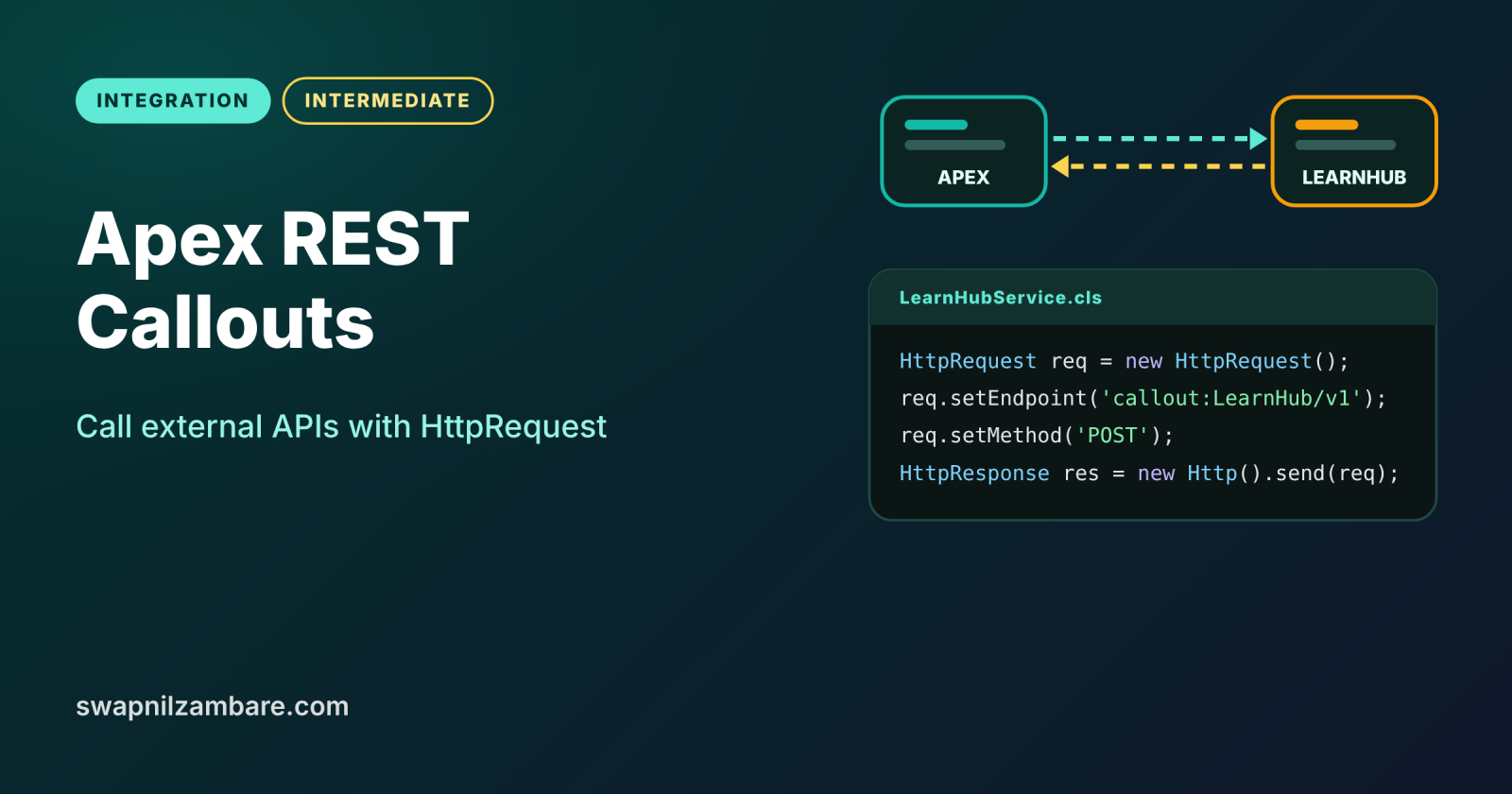
Apex REST Callouts let your Apex code call an outside web service, send JSON and read the reply, all inside Salesforce. You use three classes: Http, HttpRequest and HttpResponse. Once you know them, you can connect Salesforce to payment gateways, shipping services, learning platforms and almost any modern API.
In this post, you will build GET and POST callouts, read JSON responses, call out safely from triggers, and stay inside the callout limits. It builds on the Salesforce REST API with Postman, Queueable Apex and Apex governor limits.
What are Apex REST Callouts?
Apex REST Callouts are HTTP requests that Apex sends to an external endpoint. You build an HttpRequest with a URL, a method, headers and a body. Then Http.send() sends it and returns an HttpResponse with a status code and body.
Think of sending a letter through a courier. HttpRequest is the envelope with the address and the letter inside. Http is the courier who carries it. HttpResponse is the reply letter that comes back, with a stamp that says whether things went well.
Why Apex REST Callouts Matter
Many business steps need data that lives outside Salesforce. Here is why Apex REST Callouts matter at Bright Path Tutors.
- First, the PayQuick gateway confirms payments for enrolments.
- Also, the LearnHub platform creates a student account for each new learner.
- Next, a currency service converts fees for overseas students.
- Callouts let Apex add logic, such as retries and mapping, that Flow cannot easily do.
- Finally, the same skills apply to every REST service you meet.
So callouts are one of the most used skills in integration work.
How Apex REST Callouts Work
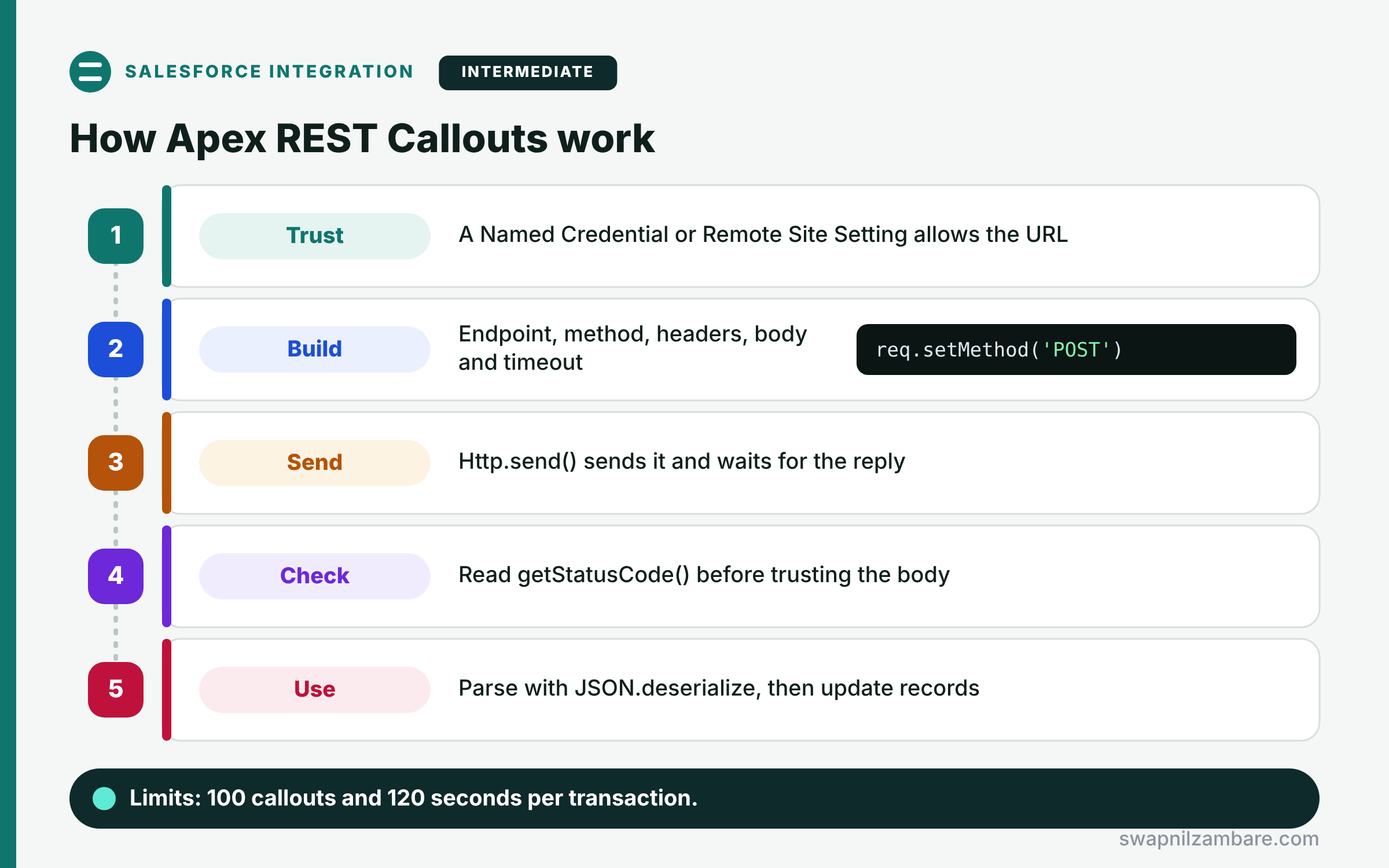
Apex REST Callouts follow a fixed sequence. First, Salesforce must trust the endpoint, through a Named Credential or a Remote Site Setting. Next, your code creates an HttpRequest and sets the endpoint, method, headers, body and timeout. Then Http.send() sends the request and waits for the reply. After that, the code checks the status code on the HttpResponse. Finally, it reads the body, often with JSON.deserialize, and updates records.
Http, HttpRequest and HttpResponse
Http sends requests. HttpRequest holds what you send, and HttpResponse holds what comes back, through getStatusCode() and getBody().
Endpoint Trust
Salesforce blocks unknown endpoints. So you add a Named Credential, which is the recommended way, or an older Remote Site Setting.
Headers and Body
Use setHeader for values like Content-Type: application/json. Then use setBody with a JSON string for POST, PUT and PATCH.
Timeouts
The default timeout is 10 seconds. You can raise it with setTimeout up to 120,000 milliseconds, but shorter is usually better.
Callouts and Triggers
Triggers cannot call out directly, because the user’s transaction must not wait on outside systems. So a trigger enqueues a Queueable or calls a future method with callout=true.
Callout Limits at a Glance
The table below lists the limits that matter most for Apex REST Callouts.
| Limit | Value |
|---|---|
| Callouts per transaction | 100 |
| Cumulative callout timeout per transaction | 120 seconds |
| Default timeout per callout | 10 seconds |
| Request or response size, synchronous | 6 MB |
| Request or response size, asynchronous | 12 MB |
Synchronous Callout vs Asynchronous Callout
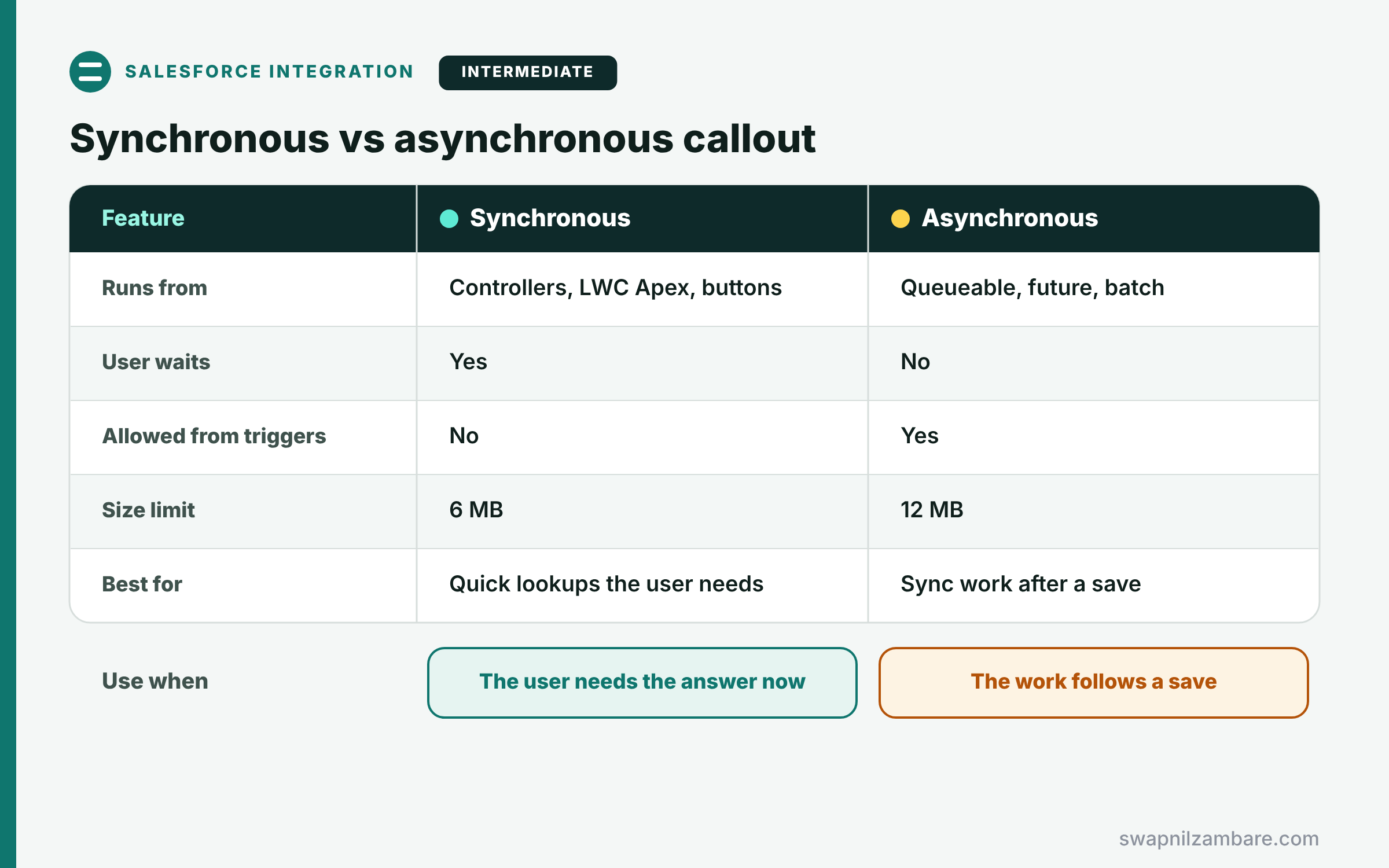
The table below compares callouts that run now with callouts that run later.
| Feature | Synchronous callout | Asynchronous callout |
|---|---|---|
| Runs from | Controllers, LWC Apex, buttons | Queueable, future, batch |
| User waits | Yes | No |
| Allowed from triggers | No | Yes |
| Size limit | 6 MB | 12 MB |
| Best for | Quick lookups the user needs | Sync work after a save |
When to use which follows the user. Call out synchronously only when the user needs the answer now. Otherwise, move the callout to async Apex.
A Real Apex REST Callouts Example
Let’s build Apex REST Callouts at Bright Path Tutors. When a student enrols, Salesforce creates their account in LearnHub and saves the returned LearnHub Id.
Step 1: A Reusable Callout Service
public with sharing class LearnHubService {
    public class StudentResponse {
        public String id;
        public String status;
    }

    public static StudentResponse createStudent(String name, String email) {
        HttpRequest req = new HttpRequest();
        req.setEndpoint('callout:LearnHub/v1/students');   // Named Credential
        req.setMethod('POST');
        req.setHeader('Content-Type', 'application/json');
        req.setBody(JSON.serialize(new Map<String, Object>{ 'name' => name, 'email' => email }));
        req.setTimeout(15000);

        HttpResponse res = new Http().send(req);
        if (res.getStatusCode() != 201) {
            throw new CalloutException('LearnHub error ' + res.getStatusCode() + ': ' + res.getBody());
        }
        return (StudentResponse) JSON.deserialize(res.getBody(), StudentResponse.class);
    }
}
The service builds a POST with a JSON body and a 15-second timeout. Then it checks for 201 Created and turns the JSON reply into a small Apex class.
Step 2: Call It from a Queueable
public with sharing class LearnHubSyncJob implements Queueable, Database.AllowsCallouts {
    private Id enrolmentId;
    public LearnHubSyncJob(Id enrolmentId) { this.enrolmentId = enrolmentId; }

    public void execute(QueueableContext ctx) {
        Enrolment__c e = [SELECT Id, Student__r.Name, Student__r.Email
                          FROM Enrolment__c WHERE Id = :enrolmentId WITH USER_MODE];
        LearnHubService.StudentResponse r =
            LearnHubService.createStudent(e.Student__r.Name, e.Student__r.Email);
        e.LearnHub_Id__c = r.id;
        update as user e;
    }
}
The trigger enqueues this job, so the save never waits. Database.AllowsCallouts permits the callout, and the job saves LearnHub’s Id after the reply. For many enrolments, pass a list of Ids instead of one.
Step 3: See the Result
Here is the debug log and the updated record after one enrolment.
CALLOUT_REQUEST  POST callout:LearnHub/v1/students
CALLOUT_RESPONSE 201 {"id":"LH-20931","status":"active"}
Enrolment E-0043: LearnHub_Id__c = LH-20931
The student’s LearnHub account exists, and Salesforce keeps its Id for later calls.
Apex REST Callouts and Uncommitted Work
You cannot call out after DML in the same transaction. Otherwise, Salesforce throws “You have uncommitted work pending”. So make callouts first and DML after, or move the callout to a separate async job.
Common Mistakes with Apex REST Callouts
- Calling out directly from a trigger.
- Hard-coding URLs and API keys instead of using Named Credentials.
- Doing DML before a callout in the same transaction.
- Ignoring non-200 status codes and saving bad data.
- Forgetting tests, which need a mock because tests cannot call real endpoints.
Best Practices for Apex REST Callouts
- Keep callout code in one service class per external system.
- Use Named Credentials for endpoints and authentication.
- Set a sensible timeout and handle every error status.
- Run callouts in async Apex after a save.
- Test with HttpCalloutMock for success and failure.
- Log failures so support can retry them.
Practice Task
Add a GET method to LearnHubService that reads a student’s progress by LearnHub Id. Hint: build the URL with the Id, use GET, and deserialize into a new inner class.
Most Asked Interview Questions on Apex REST Callouts
Callout questions appear in nearly every developer interview. Here are the 22 questions asked most about Apex REST Callouts.
Basic Questions on Apex REST Callouts
Q1: What is an Apex callout?
A call from Apex to an external web service over HTTP or SOAP.
Q2: Which classes do you use for REST callouts?
Http, HttpRequest and HttpResponse.
Q3: Why does Salesforce need a Remote Site Setting or Named Credential?
Because it blocks unknown endpoints, so you must declare the ones you trust.
Q4: How do you read the response?
Call getStatusCode() for the status and getBody() for the content.
Q5: What is the default callout timeout?
10 seconds, and you can set up to 120 seconds with setTimeout.
Q6: How many callouts can one transaction make?
100 callouts, with a 120-second cumulative timeout.
Q7: How do you send JSON?
Set the Content-Type header and pass JSON.serialize output to setBody.
Code and Scenario Questions on Apex REST Callouts
Q8: How do you call out from a trigger?
Enqueue a Queueable that implements Database.AllowsCallouts, or call a future method with callout=true.
Q9: What causes “You have uncommitted work pending”?
DML ran before the callout in the same transaction, so reorder the code or go async.
Q10: How do you test a callout?
Implement HttpCalloutMock and register it with Test.setMock before calling the code.
Q11: How do you handle a 500 error from the service?
Check the status code, log the body, and retry later or show a clear message.
Q12: How do you parse a JSON reply into Apex?
Use JSON.deserialize with a matching Apex class, or deserializeUntyped for flexible data.
Q13: How do you call out from Batch Apex?
Implement Database.AllowsCallouts on the batch class and keep calls within limits per execute.
Q14: Can an LWC trigger a callout?
Yes, so it calls an @AuraEnabled Apex method that makes a synchronous callout.
Advanced Questions on Apex REST Callouts
Q15: Why prefer Named Credentials over Remote Site Settings?
They store the URL and authentication together, so code holds no secrets.
Q16: How do you call out for 1,000 records?
Batch the work, group records per call where the API allows, and use Batch Apex or chained Queueables.
Q17: What is a Continuation?
An async callout pattern for long requests started from Visualforce, Aura or LWC, so server threads are not held.
Q18: How do you add retries safely?
Use a Queueable finalizer or scheduled retry, with a counter so it stops after a few tries.
Q19: What is the response size limit?
6 MB in synchronous Apex and 12 MB in asynchronous Apex.
Q20: How do you make callouts idempotent?
Send a unique request key, so the service ignores repeated requests.
Q21: How do you keep callout code testable?
Put all HTTP logic in one service class and mock it with HttpCalloutMock.
Q22: When should Flow make the callout instead of Apex?
When the call is simple and admins own the process, Flow HTTP callouts are enough.
Official Resources
Quick Recap
- Apex REST Callouts use Http, HttpRequest and HttpResponse.
- Endpoints must be trusted through a Named Credential or Remote Site Setting.
- Check the status code before trusting the body.
- Call out from async Apex after a save, never directly from triggers.
- Stay within 100 callouts and 120 seconds per transaction.
What’s Next?
Hard-coded URLs and keys are a security risk. Next, read our guide to Named Credentials in Apex.


