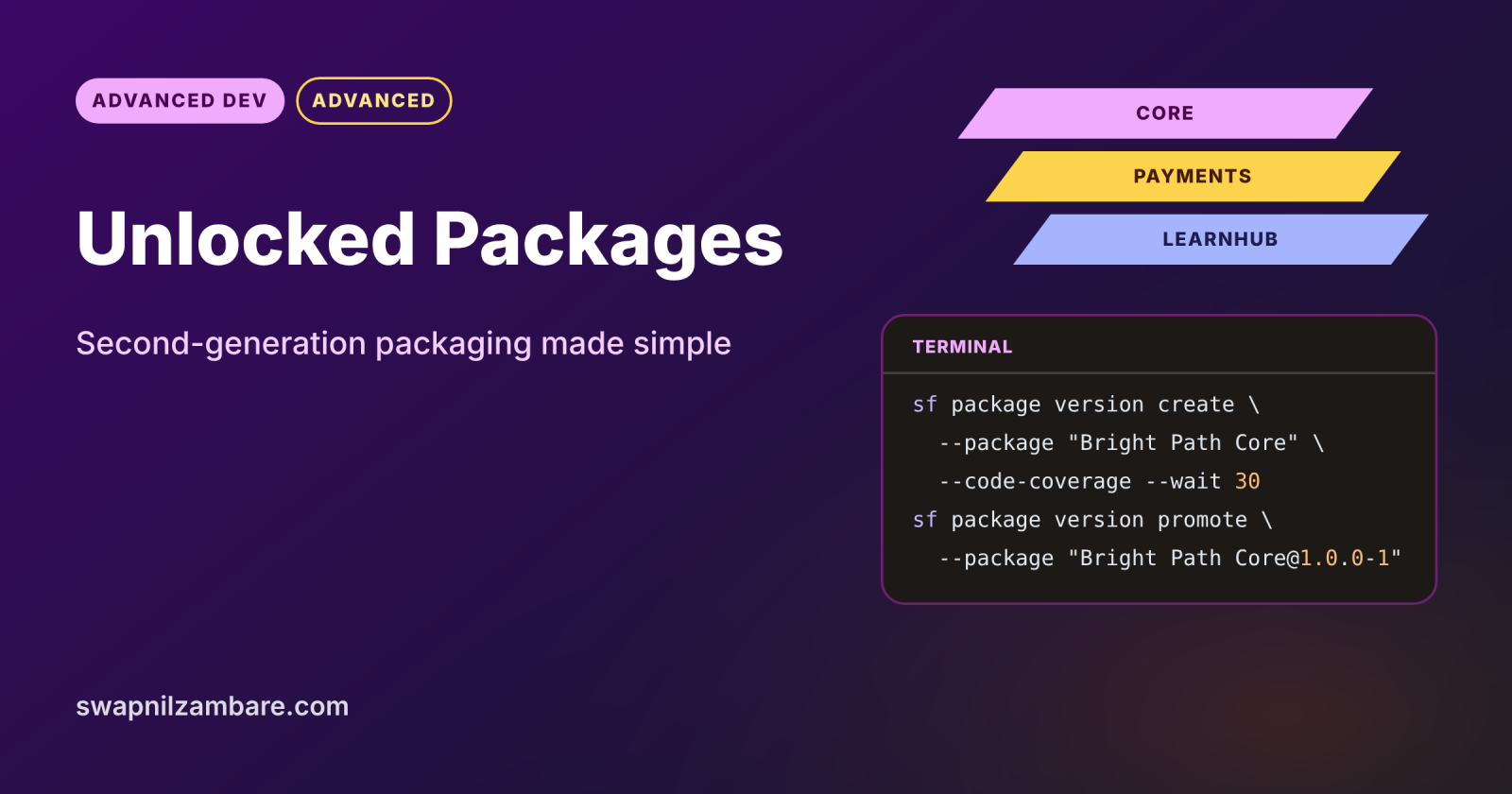
Unlocked Packages let you group related metadata, such as Apex, LWC and objects, into a versioned package you can install in any org. They are part of second-generation packaging (2GP), which is built from source control with the Salesforce CLI. Instead of one huge org full of mixed changes, you ship small, clear modules with version numbers.
In this post, you will set up a Dev Hub, define a package in sfdx-project.json, create and promote a version and install it. It builds on Salesforce CLI deploy and retrieve, scratch orgs vs sandboxes and Git for Salesforce developers.
What are Unlocked Packages?
A package is a container of metadata that installs as one unit. Unlocked Packages are 2GP packages meant mainly for your own orgs, where admins can still edit the installed metadata if needed. Each version is immutable, so version 1.2.0 always contains exactly the same code.
Think of moving house with labelled boxes instead of loose items. Each box (package) holds one room’s things, has a number on it (version), and can be unpacked in any new house (org). If a box breaks, you know exactly what was inside.
Why Unlocked Packages Matter
Large orgs without modules become tangled. Here is why Unlocked Packages matter at Bright Path Tutors.
- First, the course app, the payments app and the LearnHub integration are separate teams.
- Also, change sets keep missing components.
- Next, the team wants to roll back to the last good version quickly.
- Packages make dependencies between modules visible.
- Finally, each version runs Apex tests before it can be promoted.
So packages bring order, traceability and safer releases.
How Unlocked Packages Work
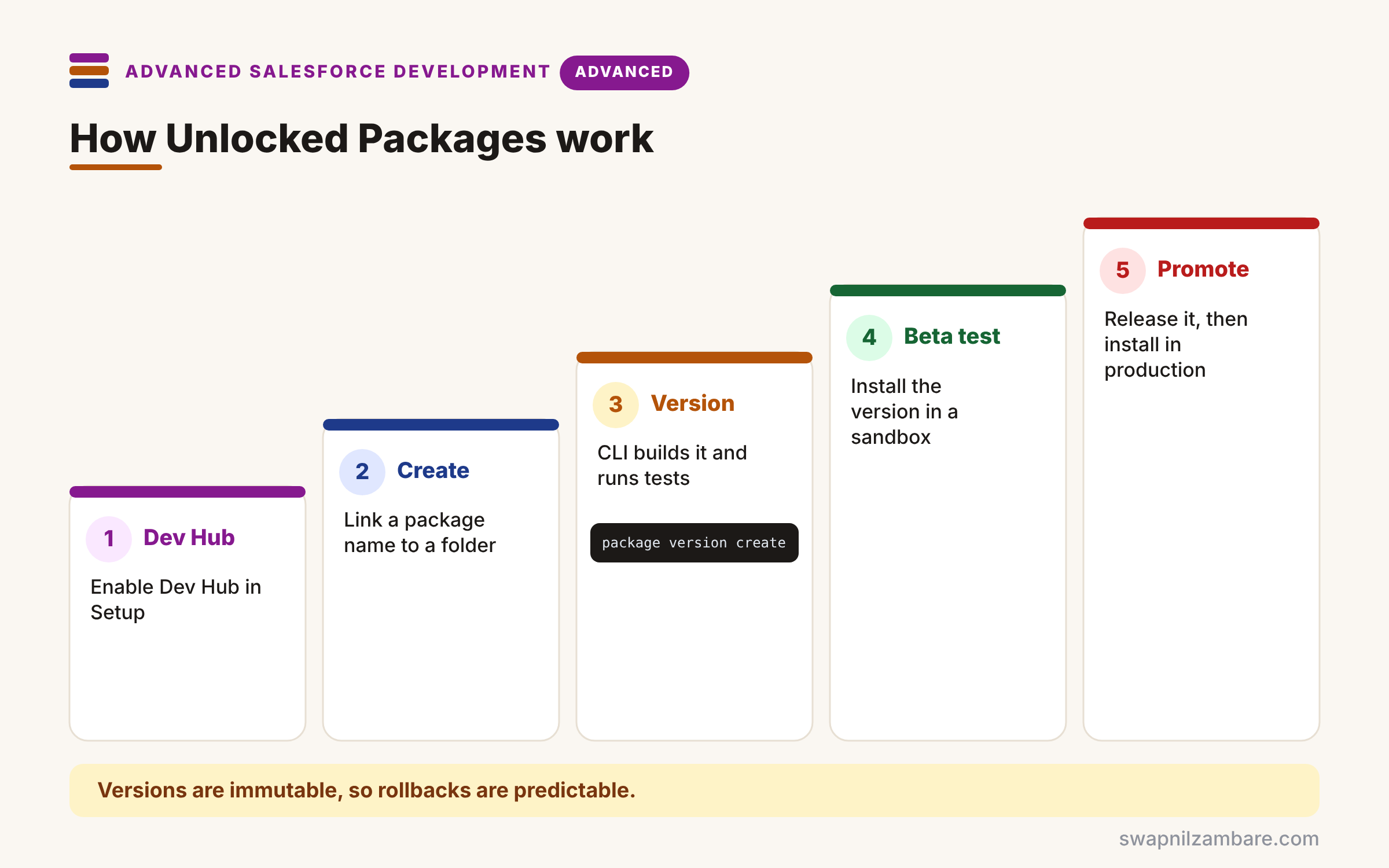
Unlocked Packages follow a short lifecycle. First, you enable Dev Hub in a production or Developer Edition org. Next, you create the package once, which links a name to a folder in sfdx-project.json. Then you create a package version, and the CLI builds it in a temporary org and runs your tests. After that, you install the beta version in a sandbox to check it. Finally, you promote the version to released and install it in production.
Dev Hub
The Dev Hub org owns your packages and scratch orgs. Enable it in Setup > Dev Hub.
sfdx-project.json
This file lists package directories, package names, version numbers and aliases. So the CLI knows which folder belongs to which package.
Package Versions
Each version gets an ID starting with 04t. Versions are immutable, which makes rollbacks predictable.
Promote
New versions start as beta. You must promote a version before installing it in production.
Dependencies
One package can depend on another, such as Payments depending on Core. So the CLI installs dependencies in the right order.
Unlocked Package Commands at a Glance
The table below lists the main CLI commands.
| Task | Command |
|---|---|
| Create the package once | sf package create |
| Build a new version | sf package version create |
| List versions | sf package version list |
| Release a version | sf package version promote |
| Install in an org | sf package install |
Unlocked Packages vs 2GP Managed Packages
The table below compares the two kinds of 2GP package.
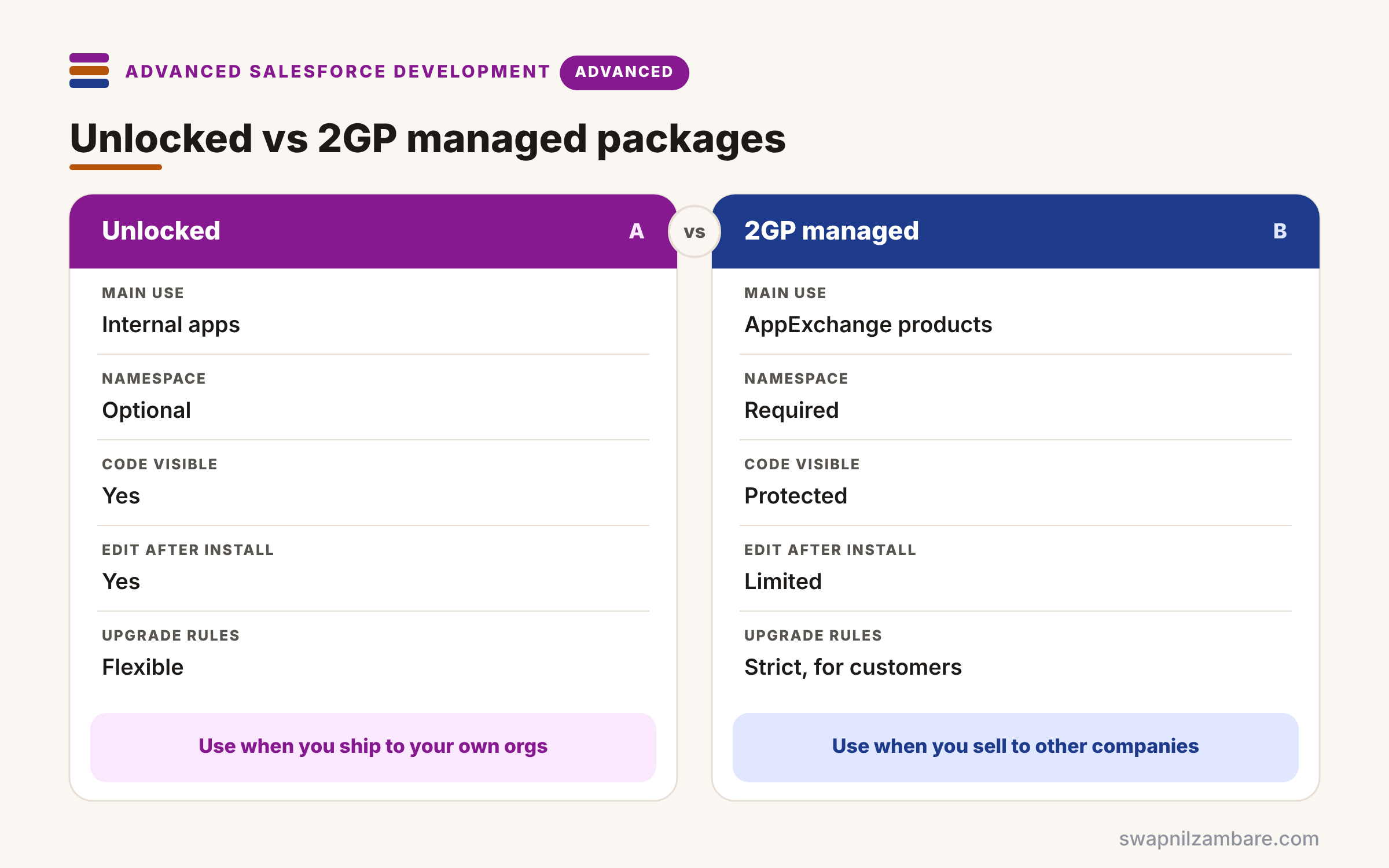
| Feature | Unlocked package | 2GP managed package |
|---|---|---|
| Main use | Internal apps | AppExchange products |
| Namespace | Optional | Required |
| Code visible to subscriber | Yes | Protected |
| Edit metadata after install | Yes | Limited |
| Upgrade rules | Flexible | Strict, for customers |
When to use which is clear. Use unlocked packages for your company’s own orgs. Use managed packages when you sell or share apps with other companies.
A Real Unlocked Packages Example
Let’s build Unlocked Packages at Bright Path Tutors. The Bright Path Core package holds Course__c, its Apex and its LWC.
Step 1: Define the Package
{
  "packageDirectories": [
    {
      "path": "force-app",
      "default": true,
      "package": "Bright Path Core",
      "versionName": "Autumn Release",
      "versionNumber": "1.0.0.NEXT"
    }
  ],
  "sourceApiVersion": "67.0",
  "packageAliases": {
    "Bright Path Core": "0HoKj0000004CzaKAE"
  }
}
In this file, the force-app folder belongs to Bright Path Core, and NEXT lets the CLI number builds automatically. The alias maps the name to the package ID that sf package create returned.
Step 2: Create, Promote and Install
# one time only
sf package create --name "Bright Path Core" --package-type Unlocked \
  --path force-app --no-namespace --target-dev-hub DevHub

# build a version and run Apex tests for coverage
sf package version create --package "Bright Path Core" \
  --installation-key-bypass --code-coverage --wait 30 --target-dev-hub DevHub

# test in a sandbox, then release and install in production
sf package install --package "Bright Path Core@1.0.0-1" --target-org uat --wait 15
sf package version promote --package "Bright Path Core@1.0.0-1" --target-dev-hub DevHub
sf package install --package "Bright Path Core@1.0.0-1" --target-org prod --wait 15
–code-coverage runs your Apex tests during the build, which promotion requires. Then the beta install in UAT lets testers check the version before promote.
Here is the shortened output of the version create step.
Successfully created the package version [08cKj0000004E1bIAE].
Subscriber Package Version Id: 04tKj000000Xq9WIAS
Package Installation URL: https://login.salesforce.com/packaging/installPackage.apexp?p0=04tKj000000Xq9WIAS
Code Coverage: 86%
Unlocked Packages and Org-Dependent Packages
Old orgs often have metadata that is hard to split cleanly. So org-dependent unlocked packages, created with –org-dependent, can reference metadata already in the org. They are a useful first step before full modular packages.
Common Mistakes with Unlocked Packages
- Putting the whole org into one giant package.
- Forgetting –code-coverage, so the version cannot be promoted.
- Installing beta versions in production.
- Creating circular dependencies between packages.
- Changing package directory paths after versions exist.
Best Practices for Unlocked Packages
- Split packages by business domain, such as Core and Payments.
- Keep each package in its own folder in Git.
- Build versions in CI, not on laptops.
- Install every version in a sandbox before promoting.
- Use clear version names and semantic version numbers.
Practice Task
Create a second package called Bright Path Payments that depends on Core. Hint: add a dependencies array with “package”: “Bright Path Core” and “versionNumber”: “1.0.0.LATEST”.
Most Asked Interview Questions on Unlocked Packages
Packaging questions appear in most DevOps-focused interviews. Here are the 21 questions asked most about Unlocked Packages.
Basic Questions on Unlocked Packages
Q1: What is an unlocked package?
It is a 2GP package of metadata, mainly for internal orgs, that installs as one unit.
Q2: What is 2GP?
Second-generation packaging, which builds packages from source with the Salesforce CLI.
Q3: What is the Dev Hub?
The org that owns your packages and scratch orgs.
Q4: What does a package version ID start with?
04t, which is the subscriber package version ID.
Q5: Why are versions immutable?
So the same version always installs the same metadata, which makes rollbacks safe.
Q6: What does promote do?
It marks a beta version as released, so it can install in production.
Q7: Do unlocked packages need a namespace?
No, a namespace is optional for unlocked packages.
Code and Scenario Questions on Unlocked Packages
Q8: Which file defines package folders?
sfdx-project.json, through packageDirectories.
Q9: What does NEXT do in versionNumber?
It tells the CLI to assign the next build number automatically.
Q10: Why use –code-coverage?
Because it runs tests during the build, and promotion needs at least 75% coverage.
Q11: How do you install a version in a sandbox?
Run sf package install with the version alias or 04t ID and the target org.
Q12: How do you declare a dependency?
Add a dependencies array in the package directory in sfdx-project.json.
Q13: How do you roll back a bad release?
Install the previous version, because each version is a fixed snapshot.
Q14: What is an org-dependent unlocked package?
A package that can reference metadata already in the target org.
Advanced Questions on Unlocked Packages
Q15: How do unlocked and managed 2GP packages differ?
Unlocked packages suit internal use and allow edits, while managed ones protect code for customers.
Q16: How do packages help team ownership?
Each team owns a package with clear boundaries and versions.
Q17: Why avoid circular dependencies?
Because the CLI cannot decide the install order, so builds fail.
Q18: Can you delete metadata through a new version?
Yes, removed components can be deleted or deprecated on upgrade, depending on settings.
Q19: Where should package versions be built?
In CI, so builds are repeatable and use the right Dev Hub.
Q20: How do packages relate to change sets?
They replace manual change sets with versioned, scripted releases.
Q21: How do you start packaging a legacy org?
Pick one clean module, use an org-dependent package if needed, and grow from there.
Official Resources
- Create New Versions of an Unlocked Package (Salesforce DX Developer Guide)
- Unlocked Packages (Trailhead)
Quick Recap
- Unlocked Packages group metadata into versioned modules.
- They belong to 2GP and use the Salesforce CLI.
- Versions are immutable and must be promoted before production.
- Dependencies make module order clear.
- Build versions in CI with code coverage.
What’s Next?
Packages are easiest to ship with automation. Next, read our guide to Salesforce CI/CD with GitHub Actions.


