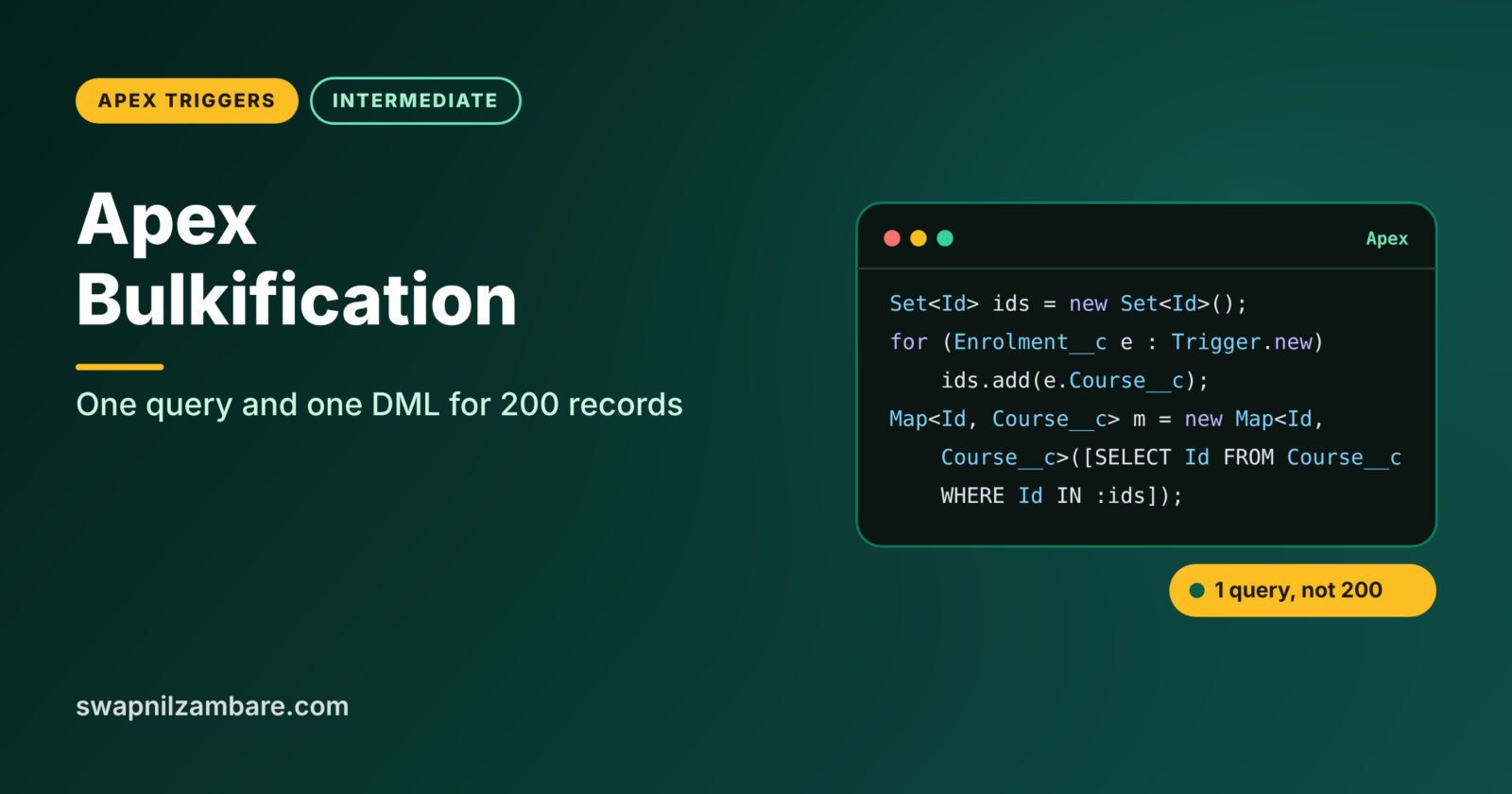
Apex Bulkification means writing code that works just as well for 200 records as it does for one. Triggers, classes and flows can receive many records at once from Data Loader, the API or a mass update. Code that handles one record at a time works in a demo and fails in production.
In this post, you will learn the four bulkification patterns, fix a real non-bulk trigger step by step, and test it with 200 records. This is the most important habit in Apex. It builds directly on Apex Governor Limits, before vs after triggers and Apex collections: List, Set and Map.
What is Apex Bulkification?
Apex Bulkification is the practice of processing records as a group. Instead of running a query or DML statement for each record, bulk code collects what it needs, runs one query per object, processes everything in memory and saves with one DML statement per object.
Think of a school canteen at lunch time. A bad system cooks one plate, walks it to one student, then goes back to cook the next. A good system cooks a big pot, serves the whole line, then washes up once. Bulk code is the big pot.
Why Apex Bulkification Matters
Salesforce sends records to triggers in chunks of up to 200. Here is why Apex Bulkification matters at Bright Path Tutors.
- First, the training team imports 1,000 enrolments every Monday with Data Loader.
- Also, a fee change on a course updates 300 enrolments through a flow.
- Next, an integration sends enrolments in batches of 200 through the API.
- A mass update from a list view changes 50 courses in one click.
- Finally, non-bulk code hits governor limits and fails the whole batch.
So every trigger and class must assume many records, not one.
How Apex Bulkification Works
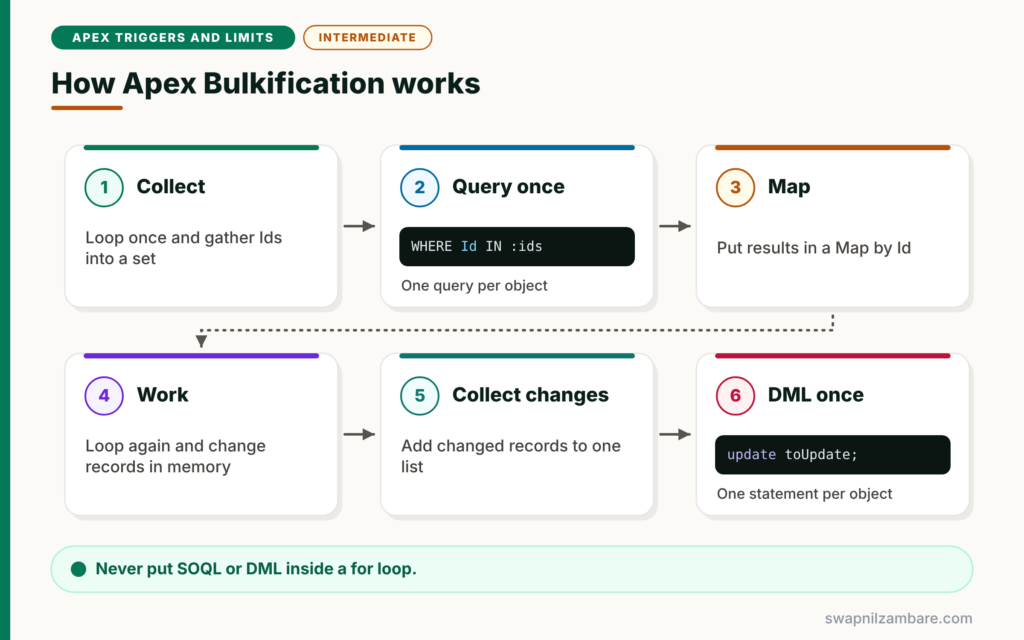
Apex Bulkification follows four steps. First, loop once over the records and collect the Ids or values you need into sets. Next, run one query per object using those sets. Then put the results into maps for fast lookups. After that, loop again and do the work in memory, adding changed records to a list. Finally, run one DML statement per object on that list.
Collect with Sets
A set stores unique values, such as course Ids. Even if 200 enrolments share 3 courses, the set holds just 3 Ids.
Query Once with IN
One query with WHERE Id IN :courseIds replaces hundreds of single-record queries.
Look Up with Maps
A map gives instant access to a record by Id. So inside the loop, courseMap.get(e.Course__c) replaces a query.
Save Once with Lists
Add every changed record to one list, then run one update. This uses one DML statement, however many records change.
The Four Bulkification Patterns
The table below summarises the patterns and the limits they protect.
| Pattern | Code shape | Protects |
|---|---|---|
| Collect with a set | ids.add(r.Lookup__c) | Query count |
| Query once | WHERE Id IN :ids | 100 SOQL limit |
| Look up with a map | map.get(r.Lookup__c) | CPU time and queries |
| Save once | update changedList | 150 DML limit |
Non-Bulk Code vs Apex Bulkification
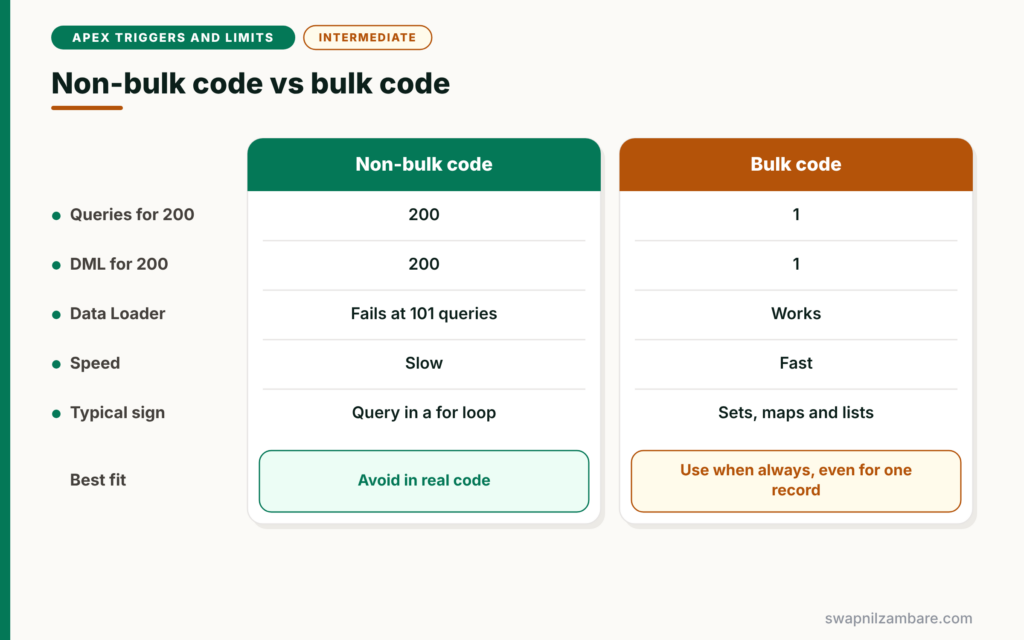
The table below compares the two styles.
| Feature | Non-bulk code | Bulk code |
|---|---|---|
| Queries for 200 records | 200 | 1 |
| DML statements for 200 records | 200 | 1 |
| Works with Data Loader | No, fails at 101 queries | Yes |
| Speed | Slow | Fast |
| Typical sign | Query or DML inside a for loop | Sets, maps and lists |
When to use which is not a real choice. Always write bulk code, even when you expect only one record today.
A Real Apex Bulkification Example
Let’s fix a real trigger at Bright Path Tutors. When a course fee changes, every active enrolment on that course must get the new Amount Due.
Step 1: The Non-Bulk Version
// BAD: query and DML inside the loop
trigger CourseTrigger on Course__c (after update) {
    for (Course__c c : Trigger.new) {
        if (c.Fee__c != Trigger.oldMap.get(c.Id).Fee__c) {
            List<Enrolment__c> rows = [SELECT Id FROM Enrolment__c
                WHERE Course__c = :c.Id AND Status__c = 'Active'];
            for (Enrolment__c e : rows) {
                e.Amount_Due__c = c.Fee__c;
            }
            update rows;
        }
    }
}
This works when one course changes. However, a mass update of 120 courses runs 120 queries and 120 updates. It fails at query number 101.
Step 2: The Bulk Version
trigger CourseTrigger on Course__c (after update) {

    // 1. Collect courses whose fee changed
    Map<Id, Decimal> newFeeByCourse = new Map<Id, Decimal>();
    for (Course__c c : Trigger.new) {
        if (c.Fee__c != Trigger.oldMap.get(c.Id).Fee__c) {
            newFeeByCourse.put(c.Id, c.Fee__c);
        }
    }
    if (newFeeByCourse.isEmpty()) {
        return;
    }

    // 2. One query for all affected enrolments
    List<Enrolment__c> toUpdate = new List<Enrolment__c>();
    for (Enrolment__c e : [SELECT Id, Course__c FROM Enrolment__c
                           WHERE Course__c IN :newFeeByCourse.keySet()
                           AND Status__c = 'Active']) {
        // 3. Work in memory with the map
        e.Amount_Due__c = newFeeByCourse.get(e.Course__c);
        toUpdate.add(e);
    }

    // 4. One DML statement
    update toUpdate;
}
The first loop collects only changed courses and their new fees in a map. If nothing changed, the trigger stops early. Then one query loads all active enrolments for those courses. The map gives each enrolment its new fee, and one update saves them all.
Step 3: Test with 200 Records
@IsTest
private class CourseTriggerTest {
    @IsTest
    static void updatesEnrolmentsInBulk() {
        List<Course__c> courses = new List<Course__c>();
        for (Integer i = 0; i < 200; i++) {
            courses.add(new Course__c(Name = 'Course ' + i, Fee__c = 1000));
        }
        insert courses;

        List<Enrolment__c> rows = new List<Enrolment__c>();
        for (Course__c c : courses) {
            rows.add(new Enrolment__c(Course__c = c.Id, Status__c = 'Active'));
        }
        insert rows;

        for (Course__c c : courses) { c.Fee__c = 2000; }
        Test.startTest();
        update courses;
        Test.stopTest();

        Integer updated = [SELECT COUNT() FROM Enrolment__c WHERE Amount_Due__c = 2000];
        System.assertEquals(200, updated, 'All enrolments should have the new fee');
    }
}
The test inserts 200 courses and 200 enrolments, then changes every fee in one update. If the trigger were not bulk-safe, it would fail with a limit error. We will cover test classes fully in Level 5.
Step 4: Read the Result
In the Developer Console Tests tab, the run shows a pass like this.
CourseTriggerTest.updatesEnrolmentsInBulk PassApex Bulkification Beyond Triggers
Apex Bulkification applies everywhere, not only in triggers. Invocable methods called from flows receive a list of inputs. Batch Apex receives a list in each execute call. Even a simple utility method should accept a list rather than one record. So design every method to take collections.
Avoiding Nested Loops
Nested loops over two large lists can hit the CPU time limit. For example, comparing 200 enrolments with 2,000 courses in two loops means 400,000 checks. A map lookup turns that into 200 checks. So whenever you see a loop inside a loop, ask if a map would work instead.
Common Mistakes with Apex Bulkification
- Writing queries or DML inside for loops.
- Using Trigger.new[0] and ignoring the other records.
- Testing with one record only.
- Using nested loops instead of maps.
- Updating records that did not change, which wastes DML rows.
Best Practices for Apex Bulkification
- Collect Ids in sets and query once with IN.
- Use maps for lookups inside loops.
- Save changes with one DML statement per object.
- Process only records whose relevant fields changed.
- Always test with at least 200 records.
Practice Task
Write a bulk after insert trigger on Enrolment__c that adds 1 to each course’s Seats_Booked__c field. Hint: count new enrolments per course in a Map of Id to Integer, query those courses once, then update them in one statement.
Most Asked Interview Questions on Apex Bulkification
Apex Bulkification is the most tested Apex skill in coding rounds. Here are the 21 questions asked most about Apex Bulkification.
Basic Questions on Apex Bulkification
Q1: What is bulkification?
It means writing code that handles many records at once, using one query and one DML statement per object.
Q2: Why is bulkification needed?
Triggers and methods can receive up to 200 records at once. So code that queries per record hits governor limits.
Q3: How many records does a trigger receive at once?
Up to 200 records per chunk. Larger saves are split into several chunks.
Q4: Which collection removes duplicate Ids?
A Set, because it stores only unique values.
Q5: Why use a Map in bulk code?
It lets you find a record by Id instantly, without another query.
Q6: What is the clearest sign of non-bulk code?
A SOQL query or DML statement inside a for loop.
Q7: How do you save many records with one DML statement?
Add them to a list and run one insert or update on the list.
Code and Scenario Questions on Apex Bulkification
Q8: How do you get parent data for 200 child records?
Collect parent Ids in a set, query the parents once with IN, and store them in a map.
Q9: How do you skip records that did not change?
Compare each record with Trigger.oldMap and only process records whose fields changed.
Q10: How do you test bulkification?
Write a test that inserts or updates at least 200 records in one DML statement and asserts the results.
Q11: What error appears when code is not bulkified?
Usually System.LimitException: Too many SOQL queries: 101, or Too many DML statements: 151.
Q12: How do you count child records per parent in bulk?
Use an aggregate query with GROUP BY on the parent Id, or a Map of Id to Integer.
Q13: Should a utility method accept one record or a list?
A list. It can then handle one or many records with the same code.
Q14: How do you bulkify an invocable method for flows?
Accept a List of inputs and process them together, because flows send many interviews at once.
Advanced Questions on Apex Bulkification
Q15: How do nested loops affect limits?
They multiply the work and can hit the CPU time limit. Maps usually replace the inner loop.
Q16: How does bulkification help with the 10,000 DML row limit?
It does not raise the limit. However, skipping unchanged records reduces the rows you use.
Q17: How would you handle 50,000 records?
Use Batch Apex, which splits records into smaller transactions, each processed in bulk.
Q18: What is a SOQL for loop and why use it?
It loops directly over a query and fetches records in chunks, which saves heap memory for large results.
Q19: Can a bulk trigger still fail for one bad record?
Yes. Plain DML fails the whole list. Database methods with allOrNone false can save the rest.
Q20: How do you avoid running the same query in many classes in one transaction?
Cache results in a static map, so later calls reuse the data instead of querying again.
Q21: Is bulkification only for triggers?
No. It applies to all Apex, including flows calling Apex, batch jobs, services and integrations.
Official Resources
Quick Recap
- Apex Bulkification means handling many records together.
- Collect with sets, query once, look up with maps and save once.
- Never put SOQL or DML inside loops.
- Process only records that changed.
- Test every trigger with at least 200 records.
What’s Next?
Bulk code is easier to manage when it lives in classes. Next, read our guide to the Apex trigger handler pattern.


