Async Apex Types each solve a different problem, and picking the wrong one causes limit errors, lost jobs or code that is hard to change. Future methods, Queueable, Batch and Scheduled Apex, platform events and Change Data Capture all run code later. The skill is knowing which one fits the job in front of you.
In this post, you will compare all six options side by side, follow a simple decision guide, and see how real Bright Path Tutors jobs combine them. It wraps up Level 7 and builds on the Asynchronous Apex overview, Queueable Apex, Batch Apex and Salesforce Platform Events.
What are Async Apex Types?
Async Apex Types are the different ways Salesforce lets code run outside the user’s transaction. Four are job-based: future methods, Queueable Apex, Batch Apex and Scheduled Apex. Two are event-based: platform events and Change Data Capture, where code reacts when an event arrives.
Think of a toolbox. A screwdriver, a hammer and a drill all fix things, but each suits a different task. For example, using a hammer on a screw works badly. In the same way, each async type is a tool with one job it does best.
Why Choosing Async Apex Types Matters
This is because the choice shapes limits, tracking and future changes. Here is why choosing between Async Apex Types matters at Bright Path Tutors.
- First, a Queueable job for 2 million records will hit limits, while Batch Apex will not.
- Also, a future method gives no job Id, so failures are harder to track.
- Next, a nightly task needs a schedule, not a user action.
- Integrations break less when systems talk through events.
- Finally, each type uses the shared daily async allowance differently.
So a quick, deliberate choice saves a lot of rework later.
How to Choose Between Async Apex Types
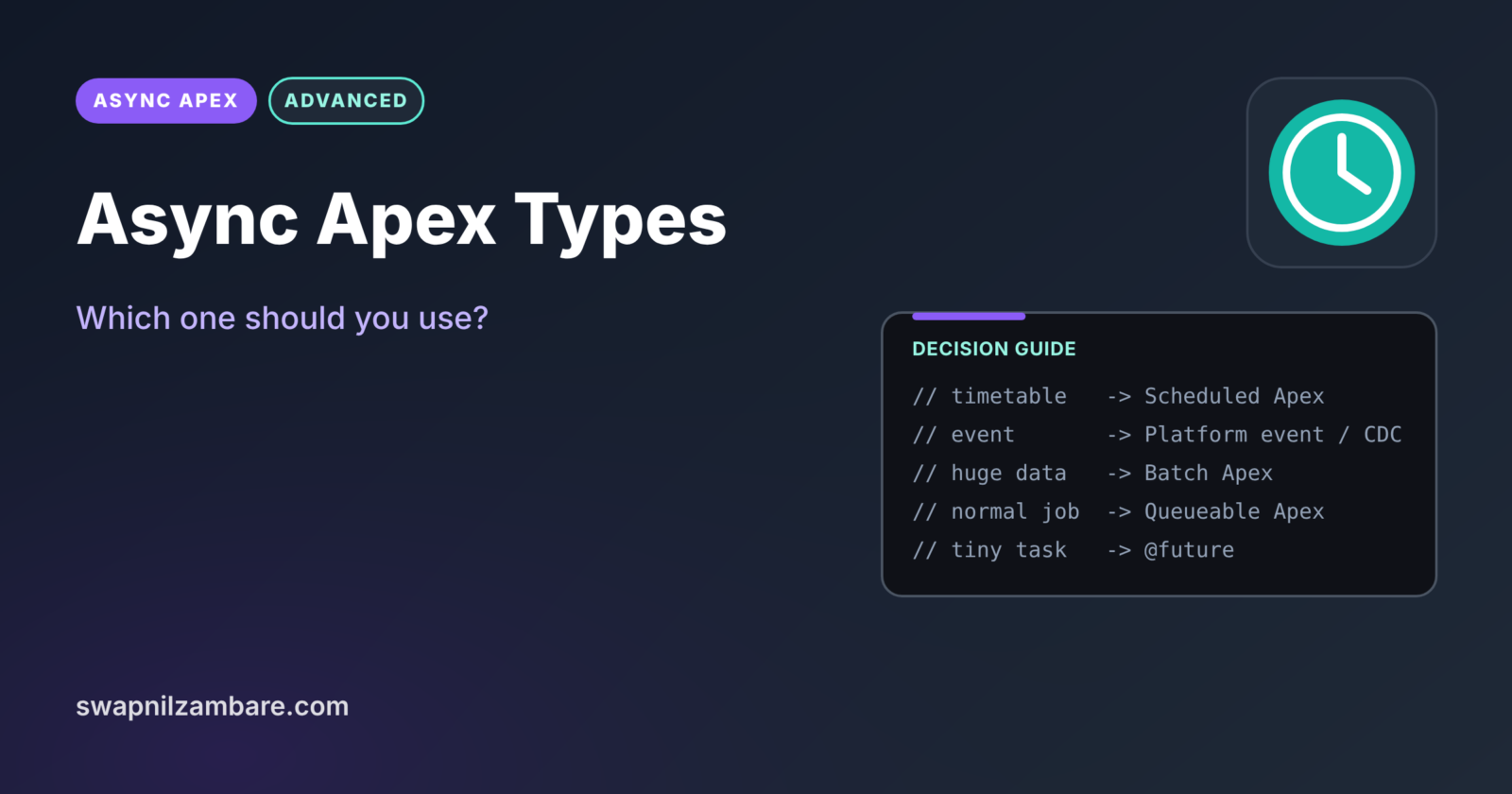
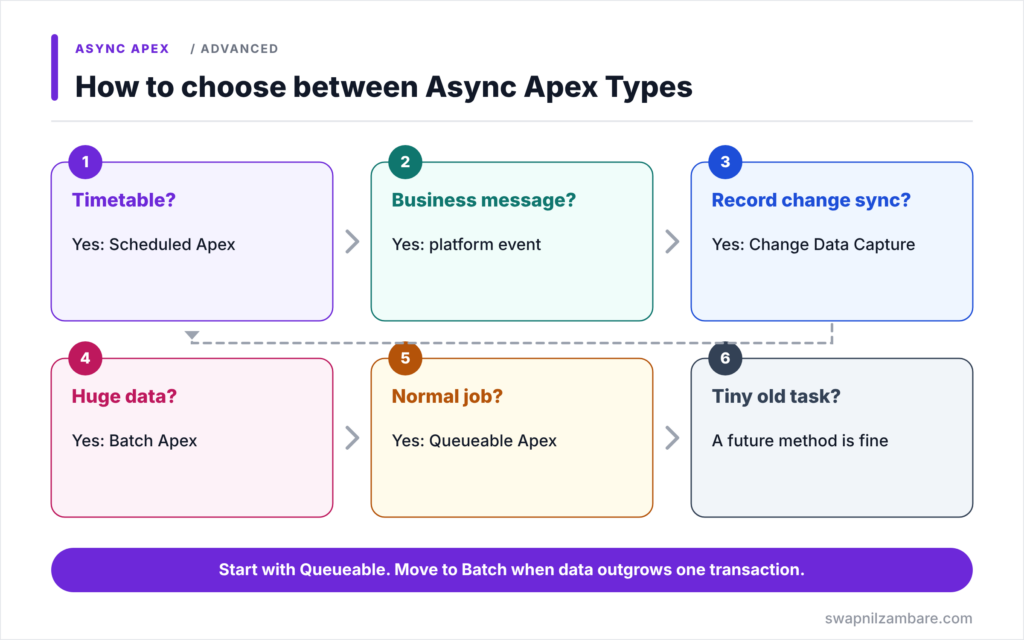
Choosing between Async Apex Types follows a few questions. First, ask whether the work should run at a set time. If yes, use Scheduled Apex. Next, ask whether it reacts to a business message or record change. If yes, use platform events or Change Data Capture. Then ask how much data it touches. If it is more than one transaction can handle, use Batch Apex. After that, for normal-sized work, use Queueable Apex. Finally, keep future methods for tiny, existing or very simple cases.
Future Methods
Future methods are best for a tiny callout or mixed DML fix where you need no tracking. However, for new code, Queueable is usually better.
Queueable Apex
Queueable is the default for most background jobs, because it takes any data, returns a job Id, chains steps and supports finalizers.
Batch Apex
Batch Apex is the tool for huge record sets. As a result, each chunk gets fresh limits, and a QueryLocator can return up to 50 million records.
Scheduled Apex
Scheduled Apex is the tool for timetables. So keep execute light and start a Batch or Queueable job from it.
Platform Events
Platform events carry business messages between parts of a system, such as “payment received”. Because of this, publishers and subscribers stay independent.
Change Data Capture
Change Data Capture is the tool for syncing or auditing record changes automatically, so you write no publishing code.
All Async Apex Types Compared
Next, the table below compares the six options.
| Type | Starts by | Data size | Job Id | Best for |
|---|---|---|---|---|
| Future method | Calling @future method | Small | No | Tiny callouts, mixed DML |
| Queueable Apex | System.enqueueJob | Medium | Yes | Most background work |
| Batch Apex | Database.executeBatch | Millions | Yes | Huge record sets |
| Scheduled Apex | System.schedule | Starts other jobs | CronTrigger Id | Timetables |
| Platform events | EventBus.publish | Per event batch | ReplayId | Business messages |
| Change Data Capture | Record changes | Per change event | ReplayId | Sync and audit |
Queueable Apex vs Batch Apex
The table below compares the two choices people debate most.
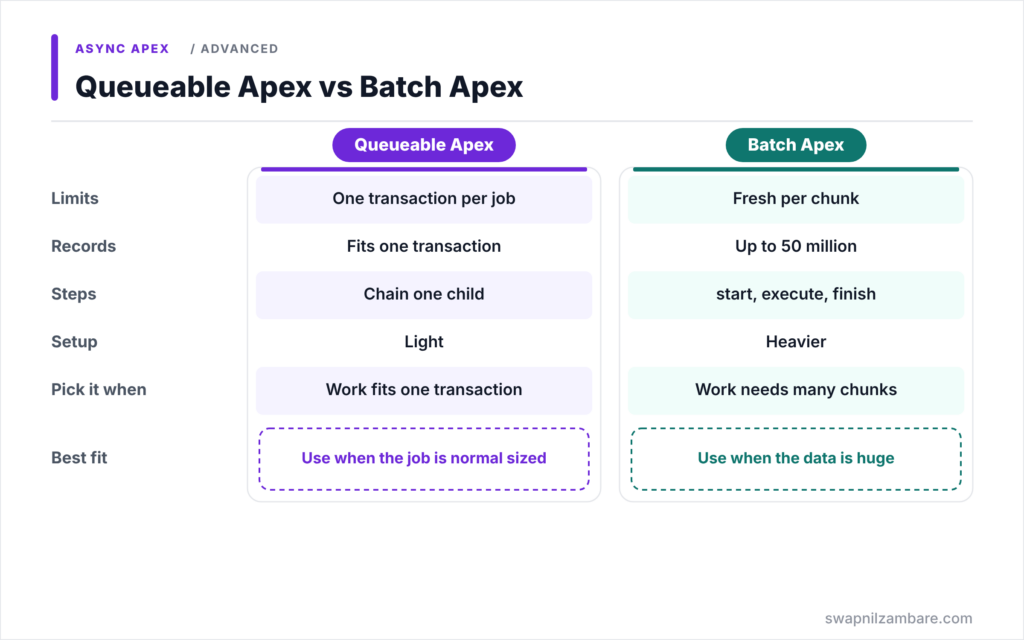
| Feature | Queueable Apex | Batch Apex |
|---|---|---|
| Limits | One async transaction per job | Fresh limits per chunk |
| Records | What fits in one transaction | Up to 50 million |
| Steps | Chain one child job | start, execute, finish |
| Setup | Light | Heavier |
| Pick it when | Work fits one transaction | Work needs many chunks |
When to use which is a question of size. So start with Queueable. Then move to Batch Apex the moment the data cannot fit inside one transaction’s limits.
Real Scenarios for Async Apex Types
Let’s map real Bright Path Tutors jobs to Async Apex Types.
| Scenario | Best type | Why |
|---|---|---|
| Send a receipt request after payment | Queueable | Callout, needs a job Id |
| Raise all course fees by 5% each year | Batch | Hundreds of thousands of records |
| Start the fee batch every night | Scheduled | Runs on a timetable |
| Partner says a payment arrived | Platform event | Business message from outside |
| Website must show fee changes | Change Data Capture | Automatic record change sync |
| Activate a tutor user after a course update | Future or Queueable | Separate transaction for mixed DML |
Combining Async Apex Types
Real processes often chain several types. Here, a scheduler starts a batch, and the batch’s finish method queues a follow-up job.
Step 1: Scheduler Starts the Batch
public with sharing class NightlyFeeScheduler implements Schedulable {
    public void execute(SchedulableContext sc) {
        Database.executeBatch(new CourseFeeIncreaseBatch(), 200);
    }
}
The scheduler runs at 2 AM and only starts the batch. So the heavy work gets batch limits.
Step 2: Batch finish Queues the Follow-Up
public void finish(Database.BatchableContext bc) {
    // After all fees change, sync unpaid enrolments in one Queueable job
    Map<Id, Decimal> fees = new Map<Id, Decimal>();
    for (Course__c c : [SELECT Id, Fee__c FROM Course__c
                        WHERE LastModifiedDate = TODAY LIMIT 10000]) {
        fees.put(c.Id, c.Fee__c);
    }
    if (!fees.isEmpty()) {
        System.enqueueJob(new FeeSyncJob(fees));
    }
}
When the batch ends, finish collects the changed fees and queues FeeSyncJob from the Queueable post. In short, each step uses the type that fits it best.
Step 3: Check the Chain
Here is what Setup > Apex Jobs shows the next morning.
NightlyFeeScheduler      Scheduled Apex   Completed
CourseFeeIncreaseBatch   Batch Apex       Completed   1500 of 1500 batches
FeeSyncJob               Queueable        Completed
Three Async Apex Types worked together, and each appears as its own job.
Common Mistakes When Choosing Async Apex Types
- Using a future method where you need a job Id or complex data.
- Using Queueable for data sets that need Batch Apex.
- Putting heavy logic directly inside Scheduled Apex.
- Building custom events when Change Data Capture already covers record changes.
- Queuing one job per record instead of one job per batch of records.
Best Practices for Async Apex Types
- Start with Queueable for new background work.
- Switch to Batch Apex when data outgrows one transaction.
- Use Scheduled Apex only to start jobs on a timetable.
- Use events to decouple systems, not to replace simple calls.
- Monitor every type through Setup > Apex Jobs and AsyncApexJob.
Practice Task
List five background tasks in your own org and choose an async type for each using the decision guide. Hint: answer the timing, event and data size questions in that order.
Most Asked Interview Questions on Async Apex Types
Interviewers love “which would you choose” questions. Here are the 21 questions asked most about Async Apex Types.
Basic Questions on Async Apex Types
Q1: Which async types does Apex offer?
Future methods, Queueable Apex, Batch Apex and Scheduled Apex, plus event-driven platform events and Change Data Capture.
Q2: Which type is the default for new background work?
Queueable Apex.
Q3: Which type handles millions of records?
Batch Apex.
Q4: Which type runs on a timetable?
Scheduled Apex.
Q5: Which types return a job Id?
Queueable and Batch Apex. Scheduled Apex returns a CronTrigger Id.
Q6: Which type reacts to record changes automatically?
Change Data Capture.
Q7: Which type sends custom business messages?
Platform events.
Code and Scenario Questions on Async Apex Types
Q8: Which type fits a callout after a trigger?
Queueable with Database.AllowsCallouts, or a @future(callout=true) method for a very simple case.
Q9: Which types fit a nightly update of 5 million records?
Scheduled Apex to start a Batch Apex job.
Q10: Which type lets a partner system react to a new payment?
A platform event, so the partner can subscribe.
Q11: Which type fits three steps that must run in order?
Queueable Apex with chaining.
Q12: Which type fixes a mixed DML error?
A future method or a Queueable job.
Q13: How do you start a Queueable from a batch?
Call System.enqueueJob in the batch’s finish method.
Q14: Can a future method be called from a batch?
No, so use Queueable instead.
Advanced Questions on Async Apex Types
Q15: Why not use Queueable for everything?
It runs in one transaction per job, so very large data sets need Batch Apex.
Q16: Why not use Batch Apex for small jobs?
Because it has more setup and uses more async executions than a single Queueable job.
Q17: When is CDC better than a platform event?
When the need is to sync or audit record changes, not to send a custom message.
Q18: How do all async types share limits?
Because they all draw on the org’s daily asynchronous execution allowance, heavy use of one type reduces what is left for the others.
Q19: How do you make async processes reliable?
Use job Ids, finalizers, logging, idempotent logic and monitoring.
Q20: How do you avoid flooding the async queue?
Group records into one job, use batch sizes wisely and avoid jobs inside loops.
Q21: How would you explain your async choice in a design review?
Describe the timing, data size, tracking needs and coupling, then show why the chosen type fits each.
Official Resources
Quick Recap
- Async Apex Types include future, Queueable, Batch and Scheduled Apex, plus events.
- Queueable is the default for most new background work.
- Batch Apex handles data that is too large for one transaction.
- Scheduled Apex starts jobs on a timetable.
- Platform events and CDC let systems react to messages and record changes.
What’s Next?
You have finished Level 7: Async Apex. Coming soon: Level 8, starting with what Lightning Web Components are and how LWC compares with Aura.