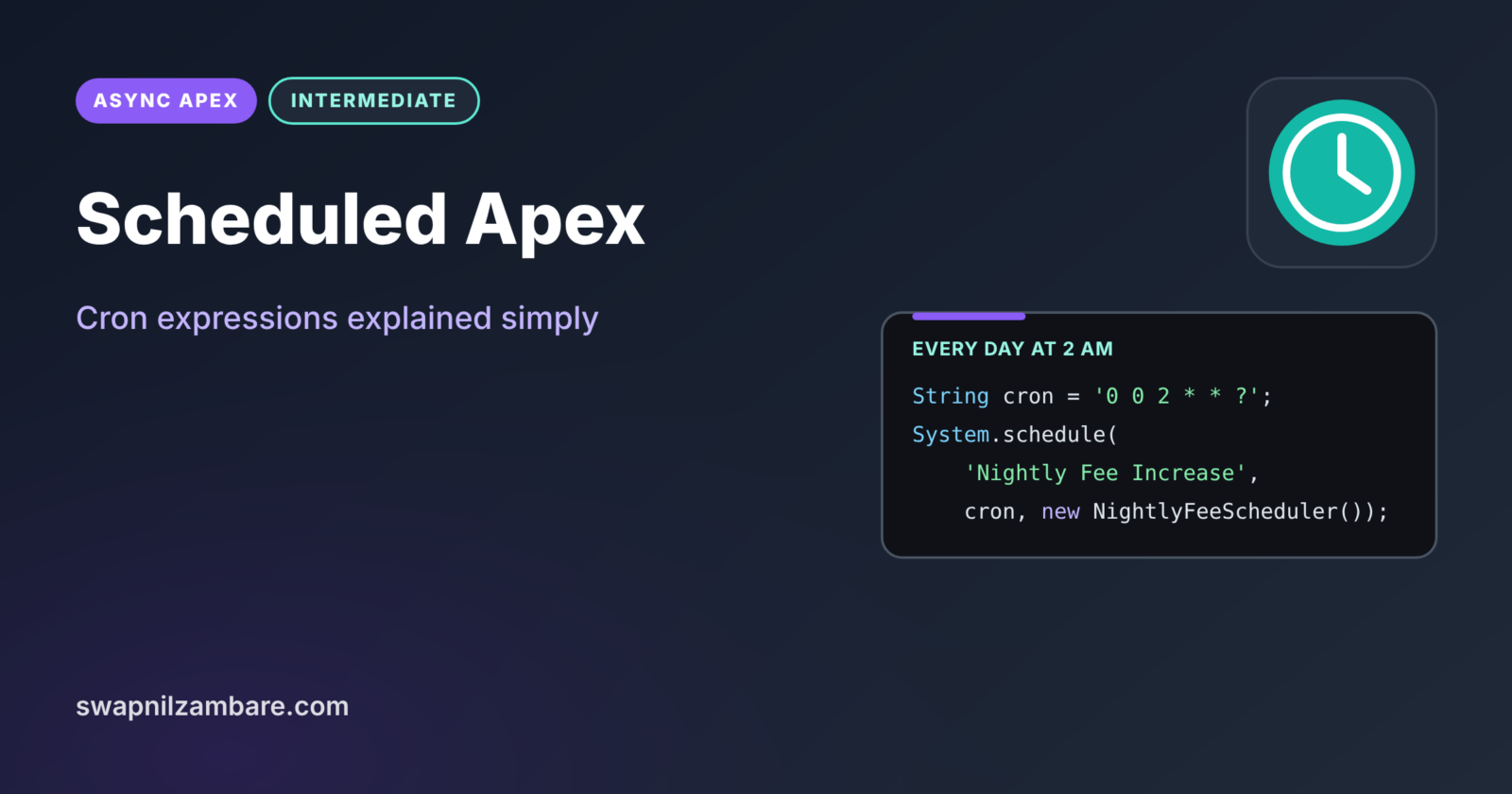
Scheduled Apex runs an Apex class automatically at times you choose, such as every night at 2 AM or every Monday at 8:30. Nobody needs to click a button. It is how most nightly batch jobs, weekly reports and monthly clean-ups start in Salesforce.
In this post, you will learn the Schedulable interface, how to schedule a job from code or Setup, how to read and write cron expressions, and the rules for callouts and limits. It builds on Batch Apex, Queueable Apex and Asynchronous Apex.
What is Scheduled Apex?
Scheduled Apex is a class that implements the Schedulable interface and its execute method. You register it with a name and a timetable, and Salesforce calls execute at each scheduled time. The job runs as the user who scheduled it.
Think of an alarm clock. You set it once for 6 AM on weekdays, and it rings every morning without you touching it again. A cron expression is the alarm setting, and the Schedulable class is what happens when it rings.
Why Scheduled Apex Matters
Many business tasks follow the calendar, not a user’s click. Here is why Scheduled Apex matters at Bright Path Tutors.
- First, the fee increase batch must run every night at 2 AM.
- Also, tutors need a reminder list every weekday at 8:30.
- Next, old enrolments must be archived on the first day of each month.
- Scheduled jobs run even when nobody is logged in.
- Finally, times and frequency stay in one place, easy to change.
So scheduled jobs turn repeating chores into reliable automation.
How Scheduled Apex Works
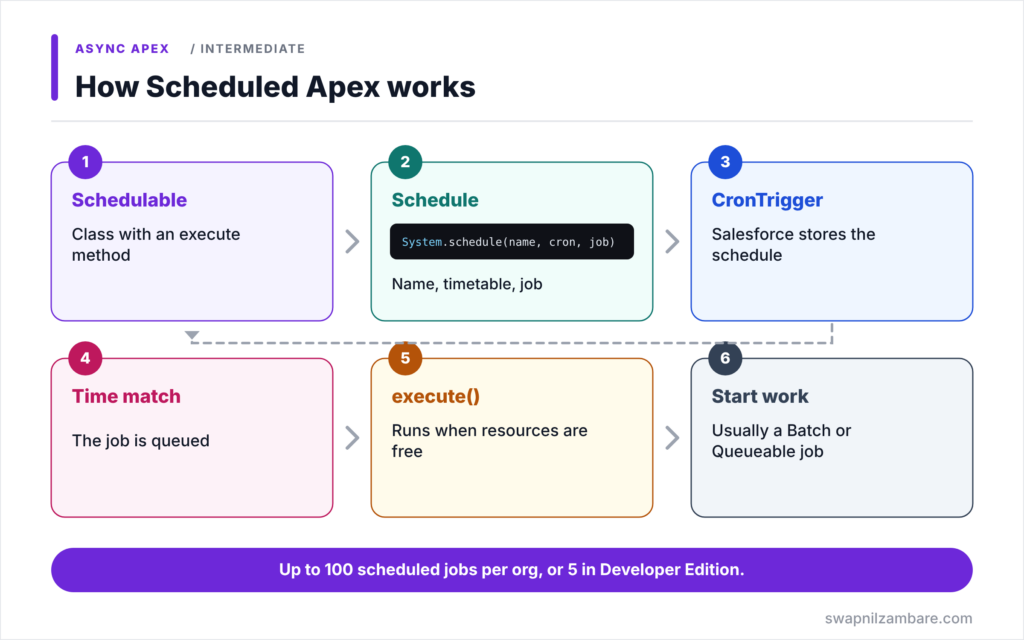
Scheduled Apex follows a simple flow. First, you write a class that implements Schedulable. Next, you call System.schedule with a job name, a cron expression and an instance of the class. Then Salesforce stores the schedule as a CronTrigger record and returns its Id. After that, at each matching time, Salesforce queues the job and calls execute when resources are free. Finally, execute does the work, often by starting a Batch or Queueable job.
The Schedulable Interface
A Schedulable class implements one method, execute(SchedulableContext sc). Keep it short. Usually it just starts a batch or a Queueable job.
System.schedule
System.schedule(jobName, cronExpression, job) creates the schedule. The job name must be unique in the org.
Cron Expressions
A Salesforce cron expression has six or seven parts: seconds, minutes, hours, day of month, month, day of week and an optional year. Use ? in either day of month or day of week, because you cannot set both.
Scheduling from Setup
Admins can also schedule a class from Setup > Apex Classes > Schedule Apex. This screen supports weekly or monthly runs at a preferred hour, but not every pattern a cron expression allows.
Callouts
Scheduled Apex cannot make synchronous callouts in execute. So start a Queueable or batch job with Database.AllowsCallouts, or call a @future(callout=true) method.
Limits
An org can have up to 100 scheduled Apex jobs at once, or 5 in Developer Edition. Jobs may start a little late when the server is busy.
Cron Expression Examples
The table below shows common schedules.
| Cron expression | Runs |
|---|---|
| 0 0 2 * * ? | Every day at 2:00 AM |
| 0 30 8 ? * MON-FRI | Weekdays at 8:30 AM |
| 0 0 9 1 * ? | First day of each month at 9:00 AM |
| 0 0 18 ? * 6L | Last Friday of each month at 6:00 PM |
| 0 0 0,12 * * ? | Every day at midnight and noon |
System.schedule vs the Setup Screen
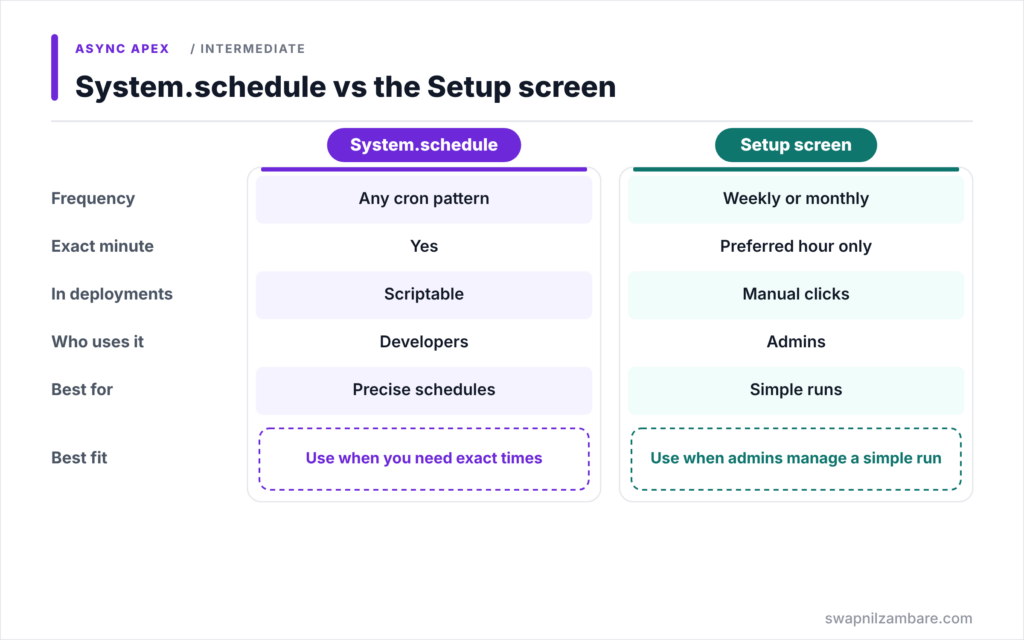
The table below compares the two ways to schedule a class.
| Feature | System.schedule in code | Setup > Schedule Apex |
|---|---|---|
| Frequency options | Any cron pattern | Weekly or monthly |
| Exact minute | Yes | Preferred hour only |
| Repeatable in deployments | Yes, with a script | Manual clicks |
| Who uses it | Developers | Admins |
| Best for | Precise or complex schedules | Simple daily or weekly runs |
When to use which depends on precision. Use System.schedule for exact times and complex patterns. Use the Setup screen for simple runs that admins manage.
A Real Scheduled Apex Example
Let’s use Scheduled Apex at Bright Path Tutors to start the fee increase batch every night at 2 AM.
Step 1: The Schedulable Class
public with sharing class NightlyFeeScheduler implements Schedulable {

    public void execute(SchedulableContext sc) {
        // Keep execute light: just start the batch job
        Database.executeBatch(new CourseFeeIncreaseBatch(), 200);
    }
}
The class does one thing: it starts CourseFeeIncreaseBatch from the Batch Apex post. So the heavy work runs in chunks with fresh limits, not inside the scheduler.
Step 2: Schedule It
String cron = '0 0 2 * * ?';   // every day at 2:00 AM
Id cronId = System.schedule('Nightly Fee Increase', cron, new NightlyFeeScheduler());
System.debug('Scheduled job: ' + cronId);
Run this once in anonymous Apex. The cron expression means second 0, minute 0, hour 2, any day of the month, any month, no specific day of the week.
Step 3: Check the Schedule
SELECT Id, CronJobDetail.Name, CronExpression, NextFireTime, State
FROM CronTrigger
WHERE CronJobDetail.Name = 'Nightly Fee Increase'
Here is what the query returns after scheduling.
CronExpression: 0 0 2 * * ? NextFireTime: 2026-09-11 02:00:00 State: WAITINGYou can also see the job in Setup > Scheduled Jobs, where you can delete it.
Step 4: Stop the Job
System.abortJob(cronId);System.abortJob removes the schedule, so the job stops running. Use it before deleting or heavily changing the class.
Scheduled Apex and Deployments
By default, you cannot deploy changes to a class that has active scheduled jobs. So either abort the jobs first and reschedule after, or turn on the deployment setting that allows changes while Apex jobs are pending.
Common Mistakes with Scheduled Apex
- Putting heavy logic directly in execute instead of starting a batch.
- Making synchronous callouts from execute.
- Setting both day of month and day of week instead of using ?.
- Forgetting the 100 job limit, or 5 in Developer Edition.
- Expecting the job to start at the exact second.
Best Practices for Scheduled Apex
- Keep execute short and start Batch or Queueable jobs from it.
- Give every job a clear, unique name.
- Store cron expressions in custom metadata so admins can change them.
- Check Setup > Scheduled Jobs after each deployment.
- Use System.scheduleBatch for one-time delayed batch runs.
Practice Task
Schedule a job that runs a tutor reminder class every weekday at 8:30 AM. Hint: use the cron expression 0 30 8 ? * MON-FRI and a unique job name.
Most Asked Interview Questions on Scheduled Apex
Scheduling questions are common in practical interviews. Here are the 21 questions asked most about Scheduled Apex.
Basic Questions on Scheduled Apex
Q1: What is Scheduled Apex?
An Apex class that implements Schedulable and runs at set times.
Q2: Which method must a Schedulable class implement?
execute(SchedulableContext sc).
Q3: How do you schedule a class in code?
Call System.schedule with a job name, a cron expression and an instance of the class.
Q4: What does System.schedule return?
The Id of the CronTrigger record.
Q5: How do you schedule a class without code?
Use Setup > Apex Classes > Schedule Apex.
Q6: Where can you see scheduled jobs?
In Setup > Scheduled Jobs, or by querying CronTrigger.
Q7: How many scheduled Apex jobs can an org have?
Up to 100 at once, or 5 in Developer Edition.
Code and Scenario Questions on Scheduled Apex
Q8: What are the parts of a Salesforce cron expression?
Seconds, minutes, hours, day of month, month, day of week and an optional year.
Q9: Why use ? in a cron expression?
You must leave either day of month or day of week unspecified, and ? does that.
Q10: What cron runs every day at 2 AM?
0 0 2 * * ?
Q11: Can Scheduled Apex make callouts?
Not synchronously in execute. Start an async job that allows callouts instead.
Q12: How do you stop a scheduled job?
Call System.abortJob with the job Id, or delete it in Setup > Scheduled Jobs.
Q13: How do you run a batch once after a delay?
Use System.scheduleBatch with the number of minutes to wait.
Q14: Which user does a scheduled job run as?
The user who scheduled it.
Advanced Questions on Scheduled Apex
Q15: Why keep execute light?
So the scheduler only starts work, while Batch or Queueable handles limits and volume.
Q16: Why can’t you deploy a class with active scheduled jobs?
Salesforce protects running schedules, unless you enable deployments with pending Apex jobs.
Q17: How do you test Scheduled Apex?
Call System.schedule between startTest and stopTest, check CronTrigger, then assert the results.
Q18: Does a scheduled job run at the exact second?
No. It is queued at that time and runs when resources are free.
Q19: What does 6L mean in day of week?
The last Friday of the month, because 6 means Friday.
Q20: How can admins change the schedule without code?
Store the cron expression in custom metadata and reschedule with a small script or setup action.
Q21: When should you use a scheduled flow instead?
When the logic is simple and admins should own it without Apex.
Official Resources
Quick Recap
- Scheduled Apex runs a Schedulable class at set times.
- System.schedule takes a job name, a cron expression and the job.
- Cron expressions use seconds, minutes, hours, day, month and weekday.
- Keep execute light and start Batch or Queueable work from it.
- An org can have up to 100 scheduled Apex jobs.
What’s Next?
Not every job runs on a clock. Some react to events. Next, read our guide to Salesforce Platform Events in Apex.


