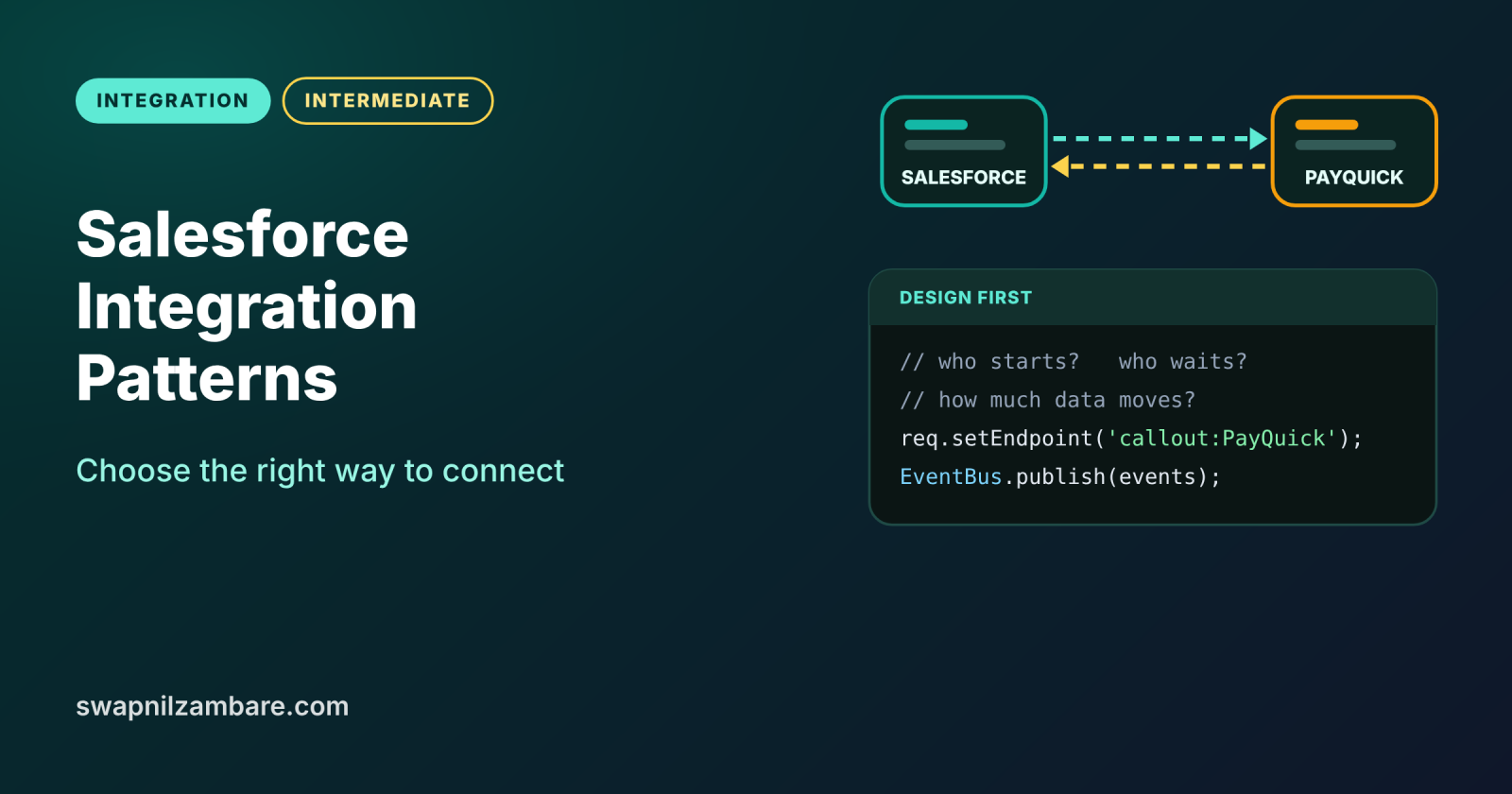
Salesforce Integration Patterns are the standard ways to connect Salesforce with other systems, such as a payment gateway, a website or an ERP. Each pattern answers three simple questions: who starts the conversation, does someone wait for the answer, and how much data moves. Pick the right pattern first, and the code becomes much easier.
In this post, you will learn the six main patterns, how to choose between them, and how each one maps to Apex, APIs and events. It builds on asynchronous Apex, platform events and Named Credentials for admins. This is the first post of Level 9: Integration.
What are Salesforce Integration Patterns?
Salesforce Integration Patterns are proven designs, published by Salesforce architects, for moving data or actions between Salesforce and another system. A pattern is not code. Instead, it is a plan that tells you the direction, the timing and the tools to use. So two developers who know the patterns can agree on a design in minutes.
Think of how a shop talks to its suppliers. Sometimes the shop calls and waits on the line for a price. Sometimes it sends an order and hangs up. At night, a truck brings a full load of stock. Each of these is a different pattern, and each fits a different need.
Why Salesforce Integration Patterns Matter
Integrations fail most often because of a wrong design, not wrong code. Here is why Salesforce Integration Patterns matter at Bright Path Tutors.
- First, the enrolment page must check a payment with PayQuick and show the result at once.
- Also, a welcome email in the LearnHub system can be sent later, without making the user wait.
- Next, the finance system needs all paid enrolments every night.
- The company website must create leads inside Salesforce.
- Finally, the support app must react when a course status changes.
So each need above maps to a different pattern, and choosing well saves weeks of rework.
How Salesforce Integration Patterns Work
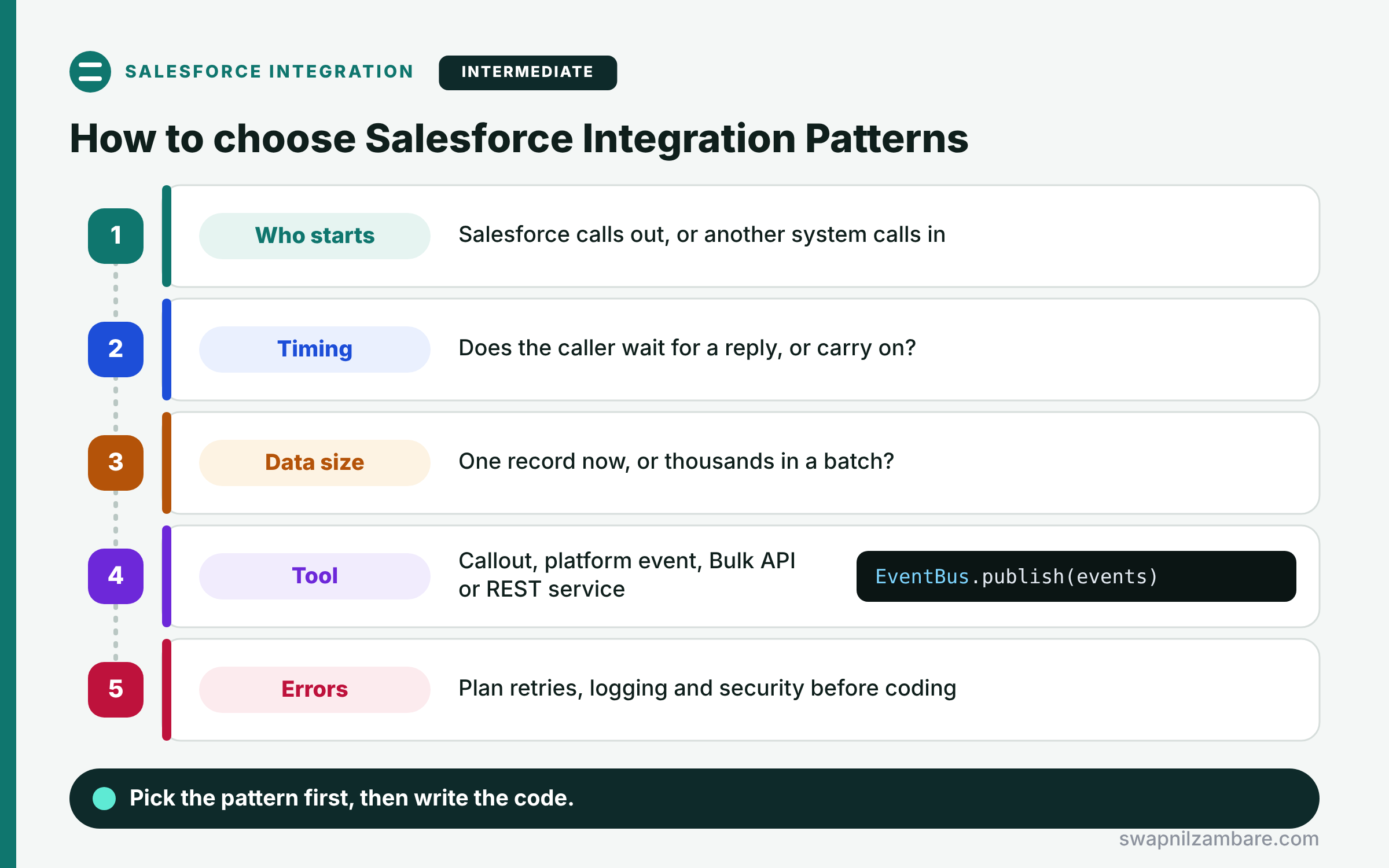
Choosing among Salesforce Integration Patterns follows a short set of questions. First, decide who starts: Salesforce calling out, or another system calling in. Next, decide on timing: does the caller wait for a reply, or carry on? Then estimate the data size: one record now, or thousands in a batch? After that, pick the tool: an Apex callout, a platform event, Bulk API or a REST service. Finally, plan for errors, retries and security before you write any code.
Remote Process Invocation: Request and Reply
Salesforce calls another system and waits for the answer. For example, an Apex callout checks a payment and shows “Paid” on the screen.
Remote Process Invocation: Fire and Forget
Salesforce sends a message and does not wait. For example, a platform event or a Queueable callout tells LearnHub to send a welcome email.
Batch Data Synchronization
Large sets of data move on a schedule. For example, a nightly Bulk API job sends paid enrolments to the finance system.
Remote Call-In
Another system calls Salesforce to read or change data. For example, the website uses the REST API to create leads.
UI Update Based on Data Changes
The screen updates when data changes, without a page refresh. For example, an LWC listens to a change event and refreshes the course status.
Data Virtualization
Salesforce shows outside data without copying it. For example, Salesforce Connect and external objects display invoices that stay in the ERP.
Patterns and Their Usual Tools
The table below maps each pattern to the Salesforce tools that usually implement it.
| Pattern | Who starts | Common tools |
|---|---|---|
| Request and Reply | Salesforce | Apex callout, Flow HTTP callout |
| Fire and Forget | Salesforce | Platform event, Queueable callout |
| Batch Data Synchronization | Either side | Bulk API 2.0, Batch Apex |
| Remote Call-In | Other system | REST API, SOAP API, Apex REST |
| UI Update on Data Changes | Salesforce | Change Data Capture, Pub/Sub API |
| Data Virtualization | Salesforce | Salesforce Connect |
Request and Reply vs Fire and Forget
The table below compares the two most common outbound patterns.
| Feature | Request and Reply | Fire and Forget |
|---|---|---|
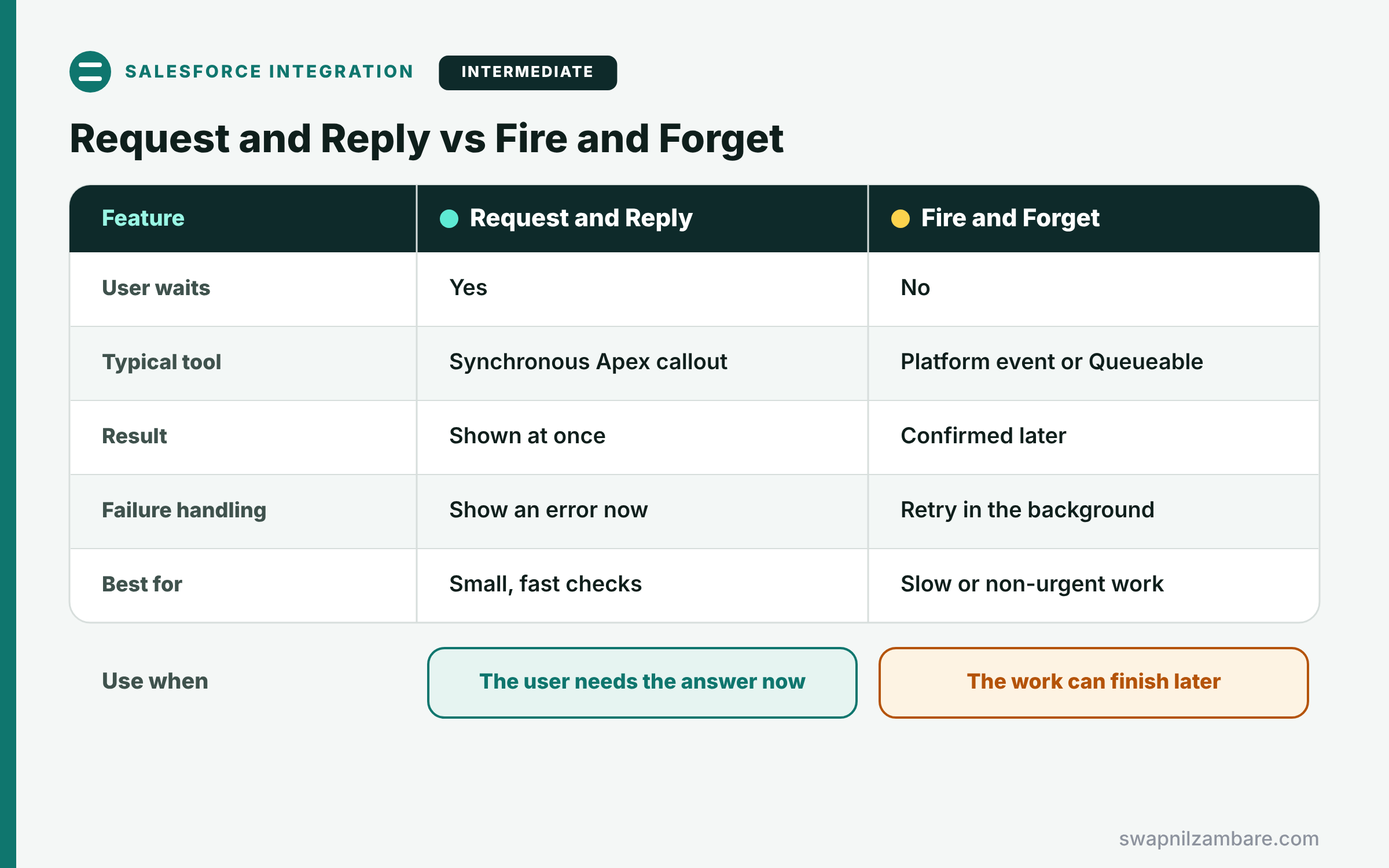
| User waits | Yes | No |
| Typical tool | Synchronous Apex callout | Platform event or Queueable |
| Result | Shown at once | Confirmed later |
| Failure handling | Show an error now | Retry in the background |
| Best for | Small, fast checks | Slow or non-urgent work |
When to use which is simple. Use request and reply when the user needs the answer to continue. Use fire and forget when the work can finish later.
A Real Salesforce Integration Patterns Example
Let’s apply Salesforce Integration Patterns to one feature at Bright Path Tutors. When an enrolment is saved, PayQuick checks the payment, and LearnHub sends a welcome email later.
Step 1: Request and Reply for the Payment Check
public with sharing class PaymentCheckService {
    public static String checkPayment(String paymentRef) {
        HttpRequest req = new HttpRequest();
        req.setEndpoint('callout:PayQuick/payments/' + paymentRef);
        req.setMethod('GET');
        req.setTimeout(10000);   // wait up to 10 seconds
        HttpResponse res = new Http().send(req);
        return res.getStatusCode() == 200 ? 'Paid' : 'Not paid';
    }
}
The user waits for this short call, so the screen can show “Paid” straight away. The callout: prefix uses a Named Credential, which we cover later in this level.
Step 2: Fire and Forget for the Welcome Email
public with sharing class EnrolmentNotifier {
    public static void announce(List<Enrolment__c> enrolments) {
        List<Enrolment_Created__e> events = new List<Enrolment_Created__e>();
        for (Enrolment__c e : enrolments) {
            events.add(new Enrolment_Created__e(Enrolment_Id__c = e.Id));
        }
        EventBus.publish(events);   // no waiting for LearnHub
    }
}
This method publishes one event per enrolment and carries on. Then a subscriber, such as LearnHub through the Pub/Sub API, sends the email in its own time.
Step 3: See the Result
Here is what Asha Mehta sees after saving an enrolment.
Enrolment E-0042 saved
Payment status: Paid               (request and reply, 0.6 s)
Welcome email: queued for LearnHub (fire and forget)
The user gets the payment answer at once, while the email never slows the save.
Salesforce Integration Patterns and Middleware
When many systems talk to each other, point-to-point links become hard to manage. So larger companies add middleware, such as MuleSoft, between systems. Middleware handles mapping, retries and logging in one place, and Salesforce makes fewer, simpler calls. The same Salesforce Integration Patterns still apply, with the middleware as the other system.
Common Mistakes with Salesforce Integration Patterns
- Using request and reply for slow work, so users wait and calls time out.
- Copying huge data sets with record-by-record REST calls instead of Bulk API.
- Hard-coding endpoints and passwords instead of using Named Credentials.
- Ignoring errors and retries in fire-and-forget designs.
- Copying data that could simply stay outside with Data Virtualization.
Best Practices for Salesforce Integration Patterns
- Choose the pattern before writing any code.
- Keep synchronous callouts short and set a timeout.
- Use events or async Apex for anything slow.
- Store endpoints and secrets in Named and External Credentials.
- Log every failure, so support can retry it.
- Prefer one integration user with only the access it needs.
Practice Task
List three integrations your own org has, and name the pattern for each. Hint: ask who starts, whether anyone waits, and how many records move.
Most Asked Interview Questions on Salesforce Integration Patterns
Integration design is a favourite topic in developer interviews. Here are the 22 questions asked most about Salesforce Integration Patterns.
Basic Questions on Salesforce Integration Patterns
Q1: What is an integration pattern?
A proven design that tells you the direction, timing and tools for connecting two systems.
Q2: What does Remote Process Invocation mean?
Salesforce calls another system to run a process there, either waiting for a reply or not.
Q3: What is the difference between request and reply and fire and forget?
In request and reply the caller waits for the answer, while in fire and forget it carries on at once.
Q4: What is Remote Call-In?
Another system calls into Salesforce, usually through the REST or SOAP API, to read or change data.
Q5: When do you use Batch Data Synchronization?
When large volumes of data move on a schedule, such as a nightly load to finance.
Q6: What is Data Virtualization?
Showing outside data in Salesforce without copying it, for example with Salesforce Connect.
Q7: Which pattern updates the screen when data changes?
UI Update Based on Data Changes, usually built with Change Data Capture or platform events.
Code and Scenario Questions on Salesforce Integration Patterns
Q8: A user must see a credit check result before saving. Which pattern fits?
Request and reply, because the user needs the answer to continue.
Q9: An order must go to a warehouse, but the user should not wait. Which pattern fits?
Fire and forget, using a platform event or a Queueable callout.
Q10: How do you send 500,000 records to a data warehouse every night?
Use Batch Data Synchronization with Bulk API 2.0 or an ETL tool, not single REST calls.
Q11: A website must create leads in Salesforce. Which pattern is this?
Remote Call-In, so the website calls the REST API or a custom Apex REST service.
Q12: Can you make a callout directly from a trigger?
No, so you call out from async Apex, such as a Queueable or future method with callout=true.
Q13: Where should you store the endpoint and credentials?
In a Named Credential with an External Credential, never in code or custom settings.
Q14: How do you handle a failed fire-and-forget call?
Log it, then retry with a scheduled job, a finalizer or the middleware’s retry rules.
Q15: How does an LWC show live status changes from another system?
The other system updates Salesforce, then the component listens to a change event and refreshes.
Advanced Questions on Salesforce Integration Patterns
Q16: When should you add middleware?
When many systems connect, because middleware centralises mapping, retries and monitoring.
Q17: What is the main risk of synchronous callouts?
They add wait time and can hit the 120-second cumulative callout limit per transaction.
Q18: How do you avoid duplicate records in Remote Call-In?
Use an external ID field and upsert, so a repeated call updates instead of inserting.
Q19: How do platform events help integrations?
They decouple systems, so publishers and subscribers can change without breaking each other.
Q20: When is Data Virtualization a poor choice?
When users need reports, heavy searches or offline access, because data stays outside.
Q21: How do you secure an inbound integration?
Use OAuth with a dedicated integration user, least-privilege permission sets and IP rules where possible.
Q22: How do you choose between Change Data Capture and platform events?
Use Change Data Capture for record changes, and platform events for custom business messages.
Official Resources
Quick Recap
- Salesforce Integration Patterns answer who starts, who waits and how much data moves.
- Request and reply waits, while fire and forget carries on.
- Batch sync moves large volumes on a schedule.
- Remote Call-In lets other systems call Salesforce.
- Events and Data Virtualization cover live updates and outside data.
What’s Next?
Before writing callouts, it helps to try the APIs by hand. Next, read our guide to the Salesforce REST API with Postman.


