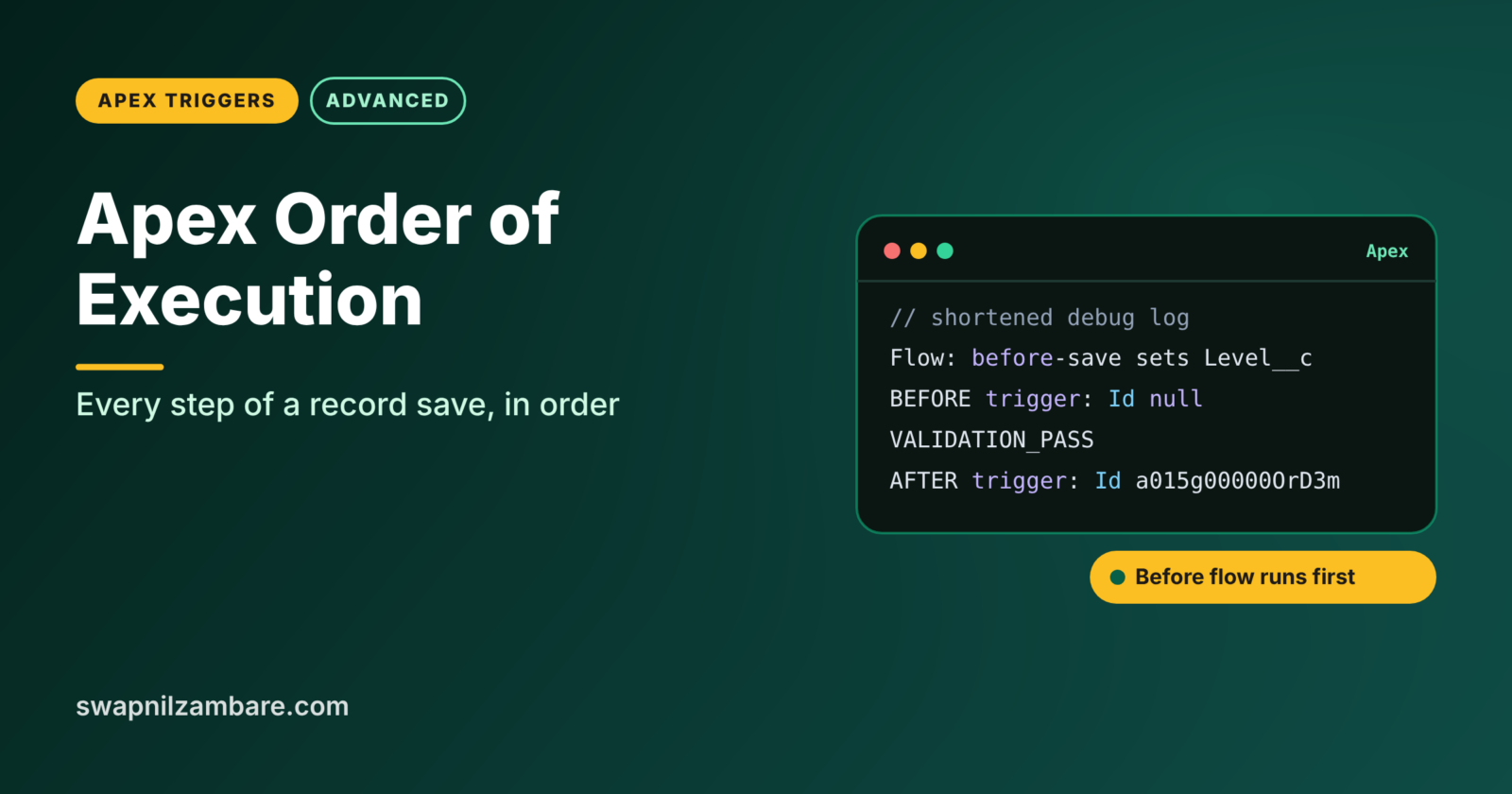
The Apex Order of Execution is the exact sequence Salesforce follows when a record is saved, from loading the record to committing it and starting background jobs. Developers need it to understand why a field has an unexpected value, why a trigger ran twice, or why an email went out even though the user saw an error.
In this post, you will walk through every step of the save, see which ones run code you wrote, and use a debug log to watch the order happen. Admins can read our simpler Salesforce order of execution guide. This developer version builds on before vs after triggers, Apex Trigger vs Flow and Apex trigger recursion.
What is the Apex Order of Execution?
The Apex Order of Execution is the fixed list of steps Salesforce runs for every insert, update or upsert. It includes before-save flows, before triggers, validation rules, duplicate rules, after triggers, assignment rules, workflow, after-save flows, roll-up summaries, sharing and finally the commit. The same order applies whether the save comes from the UI, the API, Apex or a flow.
Think of an airport check-in. You show your ticket, then your bag is weighed, then security scans it, then it is loaded, and only when the plane takes off is the trip final. If security finds a problem, everything stops, and your bag never leaves. The save works the same way, and the commit is the take-off.
Why the Apex Order of Execution Matters
Most confusing bugs come from automation running in an order the developer did not expect. Here is why the Apex Order of Execution matters at Bright Path Tutors.
- First, a before-save flow sets a field, then a before trigger changes it again.
- Also, a validation rule checks a value that a trigger has already corrected.
- Next, a workflow field update makes update triggers run a second time.
- A roll-up summary on Course re-runs the course triggers after an enrolment save.
- Finally, a future method should not start if the transaction fails.
So knowing the order turns mystery bugs into simple fixes.
How the Apex Order of Execution Works
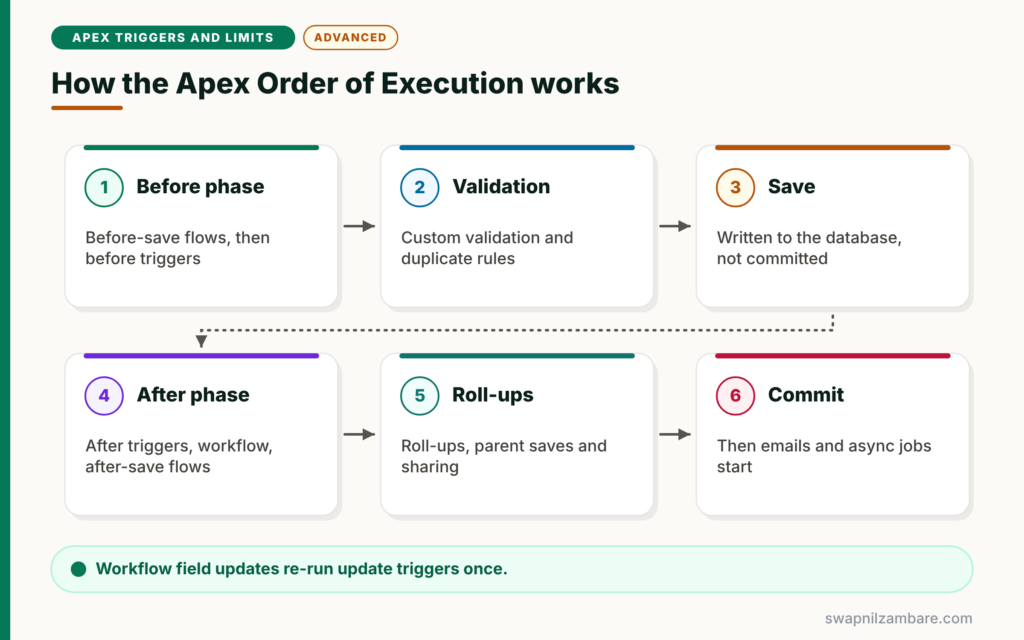
The Apex Order of Execution has three big phases. First, the before phase prepares and checks the record, with before-save flows, before triggers and validation. Next, the save phase writes the record to the database without committing. Then the after phase runs after triggers, workflow, after-save flows, roll-ups and sharing. After that, Salesforce commits everything in one go. Finally, post-commit work, such as emails and async jobs, starts.
Phase 1: Before the Save
Salesforce loads the record, applies new values and runs system validation. Then before-save flows run, followed by before triggers. Next, system validation runs again with custom validation rules, then duplicate rules.
Phase 2: The Save
Salesforce saves the record to the database but does not commit yet. The record now has an Id, so after triggers can use it.
Phase 3: After the Save
After triggers run first. Then assignment, auto-response and workflow rules run. Workflow field updates cause update triggers to run once more. Next, escalation rules and after-save flows run, then entitlement rules, roll-up summaries and sharing.
Commit and Post-Commit
Salesforce commits all changes. Only then does it send emails and run queued async jobs, such as future methods and Queueable jobs.
The Apex Order of Execution Step by Step
The table below lists the main steps in order.
| Step | What runs | Your code? |
|---|---|---|
| 1 | Load record and new values, system validation | No |
| 2 | Before-save record-triggered flows | Flow |
| 3 | Before triggers | Apex |
| 4 | System validation again and custom validation rules | Rules |
| 5 | Duplicate rules | Rules |
| 6 | Save to database, not committed | No |
| 7 | After triggers | Apex |
| 8 | Assignment and auto-response rules | Rules |
| 9 | Workflow rules, with one re-run of update triggers on field updates | Rules and Apex |
| 10 | Escalation rules and older process automation | Rules |
| 11 | After-save record-triggered flows | Flow |
| 12 | Entitlement rules | Rules |
| 13 | Roll-up summaries, parent and grandparent saves | Parent automation |
| 14 | Criteria-based sharing | No |
| 15 | Commit | No |
| 16 | Post-commit: emails and async Apex | Apex |
Before Phase vs After Phase
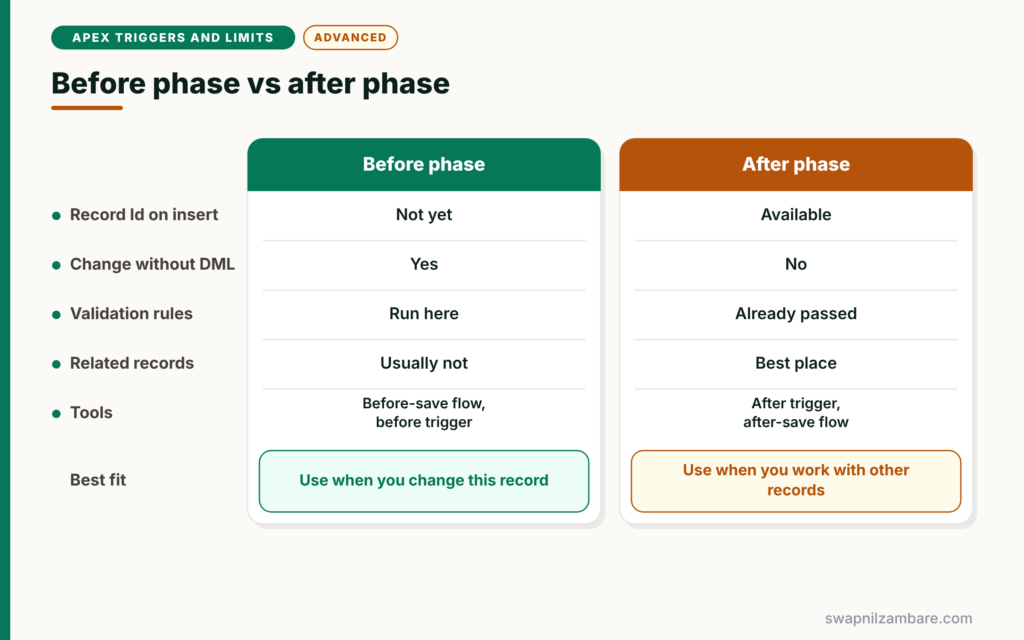
The table below compares the two halves of the save.
| Feature | Before phase | After phase |
|---|---|---|
| Record Id on insert | Not yet | Available |
| Change this record without DML | Yes | No |
| Validation rules | Run here | Already passed |
| Related records | Usually not | Best place |
| Tools | Before-save flows, before triggers | After triggers, after-save flows, workflow |
When to use which phase is the same rule as for triggers. Change this record in the before phase. Work with other records in the after phase.
A Real Apex Order of Execution Example
Let’s watch the Apex Order of Execution at Bright Path Tutors. Course__c has a before-save flow that sets Level__c, a trigger with before and after branches, and a validation rule on Fee__c.
Step 1: Add Debug Statements
trigger CourseTrigger on Course__c (before insert, after insert) {
    if (Trigger.isBefore) {
        System.debug('BEFORE trigger sees Level: ' + Trigger.new[0].Level__c
            + ', Id: ' + Trigger.new[0].Id);
    }
    if (Trigger.isAfter) {
        System.debug('AFTER trigger sees Level: ' + Trigger.new[0].Level__c
            + ', Id: ' + Trigger.new[0].Id);
    }
}
These debug lines show what each trigger sees for the first record only. We use Trigger.new[0] here just to make the log easy to read. Real logic must still handle every record.
Step 2: Insert a Course
insert new Course__c(Name = 'Order Demo', Fee__c = 5000, Duration_in_Weeks__c = 16);The before-save flow sets Level to Advanced because the course runs 16 weeks. Then the triggers run.
Step 3: Read the Debug Log
Here is a shortened and simplified debug log, in the order the events appear.
CODE_UNIT_STARTED|Flow:Course__c  (before-save flow sets Level__c = Advanced)
USER_DEBUG|BEFORE trigger sees Level: Advanced, Id: null
VALIDATION_RULE|Fee_Must_Be_Positive
VALIDATION_PASS
USER_DEBUG|AFTER trigger sees Level: Advanced, Id: a015g00000OrD3mAAF
The before-save flow ran first, so the before trigger already sees Level as Advanced. Also, the Id is null in the before trigger and filled in the after trigger. The validation rule ran between them, after the before trigger.
Workflow Re-Runs and Roll-Ups
Two steps surprise developers most in the Apex Order of Execution. First, a workflow field update runs before update and after update triggers one more time, even on an insert. Second, a roll-up summary field on a parent makes the parent go through its own save, so the parent’s triggers and flows run too. So an enrolment insert can run the course triggers as well.
Async Work Waits for the Commit
Future methods, Queueable jobs and emails start only after the commit. So if the transaction fails, they never run. This is why you should send emails and make callouts through async Apex or after-save automation, not before the save is complete.
Common Mistakes with the Apex Order of Execution
- Setting the same field in a before-save flow and a before trigger.
- Expecting validation rules to run before before triggers.
- Forgetting that workflow field updates re-run update triggers.
- Ignoring parent triggers that run because of roll-up summaries.
- Assuming async jobs run even when the transaction fails.
Best Practices for the Apex Order of Execution
- Keep one owner per field across flows and triggers.
- Use debug logs to confirm the real order in your org.
- Check changed fields to handle trigger re-runs safely.
- Remember parent saves caused by roll-ups when planning logic.
- Put emails and callouts in after-commit or async work.
Practice Task
Add a workflow-style field update, or an after-save flow that updates the same course, and watch your trigger in the debug log. Hint: count how many times the BEFORE and AFTER lines appear.
Most Asked Interview Questions on the Apex Order of Execution
The Apex Order of Execution is one of the top interview topics for developers. Here are the 21 questions asked most.
Basic Questions on the Apex Order of Execution
Q1: What is the order of execution?
It is the fixed sequence Salesforce follows when saving a record, from loading it to committing it.
Q2: Which runs first, before-save flows or before triggers?
Before-save flows run first, then before triggers.
Q3: Do validation rules run before or after before triggers?
After. Custom validation rules run after before triggers.
Q4: When do after triggers run?
After the record is saved to the database but before the transaction commits.
Q5: When do after-save flows run?
After after triggers and workflow, later in the save, before the commit.
Q6: When are emails actually sent?
After the commit, as part of post-commit work.
Q7: When do future and Queueable jobs start?
After the transaction commits. If it fails, they do not run.
Code and Scenario Questions on the Apex Order of Execution
Q8: Why does my trigger run twice on one save?
Often a workflow field update or an automation re-saves the record, which runs update triggers again.
Q9: Why does the before trigger see a value I did not set?
A before-save flow probably set it, because those flows run first.
Q10: Does a child save run parent triggers?
Yes, if the parent has a roll-up summary field. The parent goes through its own save.
Q11: Can a validation rule see values set in a before trigger?
Yes. Validation rules run after before triggers, so they check the updated values.
Q12: Where do duplicate rules run?
After validation rules and before the record is saved.
Q13: How can you see the real order in your org?
Use a debug log and read the code units, validation lines and debug statements in order.
Q14: Why should a callout not run in a before trigger?
Callouts are not allowed while DML is pending, and the transaction may still fail. So use async Apex or an after-save async path.
Advanced Questions on the Apex Order of Execution
Q15: How many times can workflow re-run update triggers?
Once per workflow field update cycle. Validation and duplicate rules do not run again in that re-run.
Q16: Does the order differ for the API?
The main steps are the same. However, some UI-only system validation, such as page layout checks, applies only to UI saves.
Q17: When does criteria-based sharing run?
Near the end, after roll-ups and before the commit.
Q18: What happens if any step fails?
The whole transaction rolls back, including earlier steps, unless you used partial success methods.
Q19: How do grandparent roll-ups work?
If a parent update changes a roll-up on the grandparent, the grandparent also goes through its save.
Q20: Is the order between multiple triggers on one object fixed?
No. That is why you should keep one trigger per object.
Q21: How would you debug a field that keeps changing?
Turn on a debug log, list every flow, trigger and rule that touches the field, and follow the order to find the last writer.
Official Resources
- Triggers and Order of Execution (Apex Developer Guide)
- Record-Triggered Automation Decision Guide (Salesforce Architects)
Quick Recap
- The Apex Order of Execution runs before-save flows, before triggers, validation, save, after triggers and more.
- Workflow field updates re-run update triggers once.
- Roll-up summaries make parents go through their own save.
- Emails and async jobs run only after the commit.
- Use debug logs to see the real order in your org.
What’s Next?
When something fails, your code must react well. Next, read our guide to Apex exception handling and custom exceptions.


