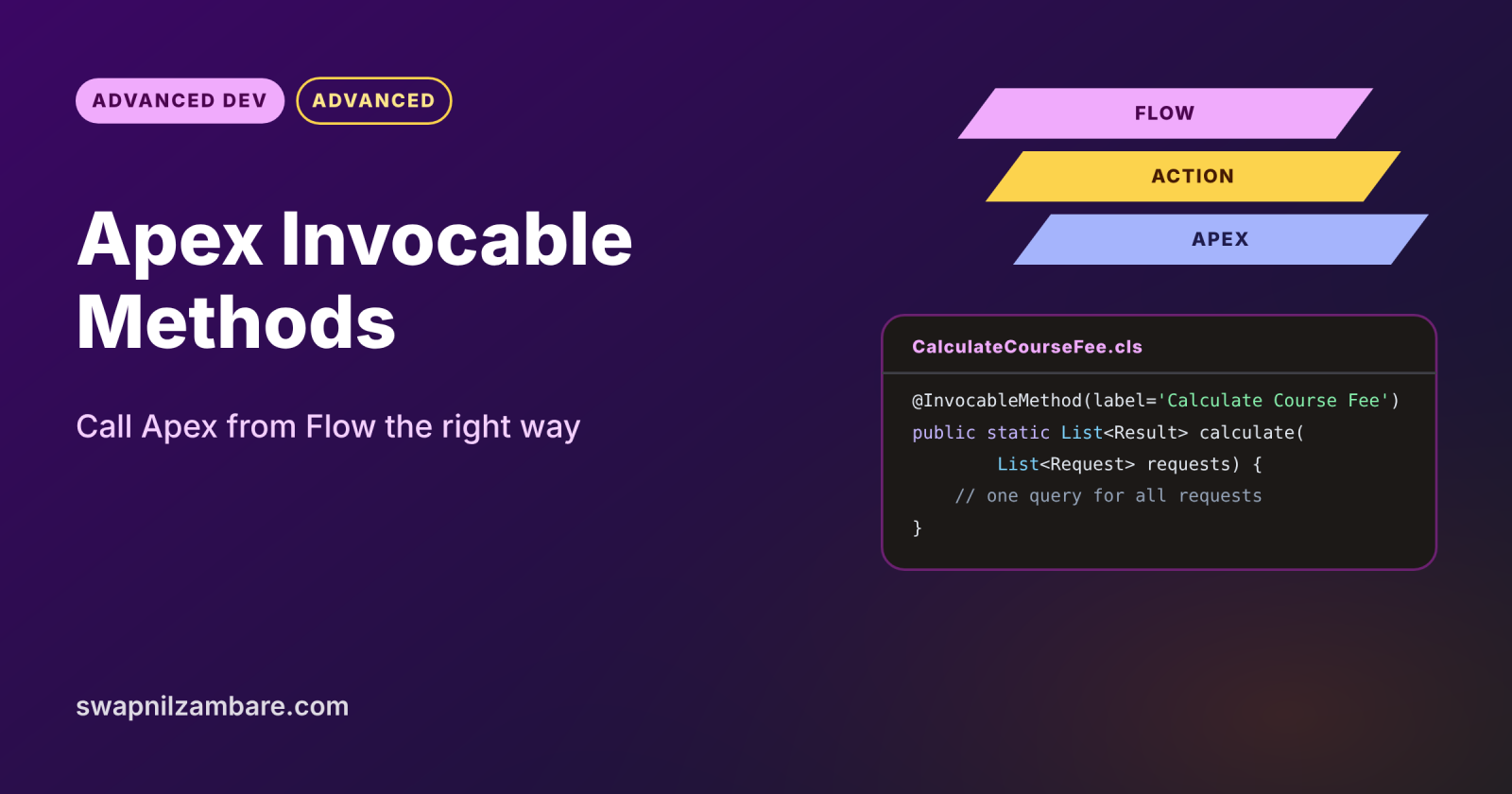
Apex Invocable Methods let admins call your Apex code from Flow, as if it were a standard action. You mark one static method with @InvocableMethod, and it appears in Flow Builder under the Action element. This is the cleanest bridge between low-code automation and code, so it shows up in almost every modern org.
In this post, you will build an invocable method with request and response classes, make it bulk-safe, call it from a flow and test it. It builds on Apex trigger vs flow, Apex methods, parameters and return types and Apex bulkification.
What are Apex Invocable Methods?
An invocable method is a static Apex method annotated with @InvocableMethod. It takes a list of inputs and returns a list of outputs, so one call can serve many flow interviews at once. Apex Invocable Methods also power Agentforce actions and the REST invocable actions resource.
Think of a power socket in a wall. The electrician (developer) builds the wiring once, behind the wall. Then anyone in the house (the admin) can plug in a lamp without knowing how the wiring works.
Why Apex Invocable Methods Matter
Flow is powerful, but some jobs need code. Here is why Apex Invocable Methods matter at Bright Path Tutors.
- First, a flow needs a complex fee calculation with several rules.
- Also, the enrolment flow must call LearnHub, which needs a callout.
- Next, admins want to reuse one tested Apex action in many flows.
- Agentforce agents use the same invocable methods as actions.
- Finally, the work stays bulk-safe when hundreds of records trigger the flow.
So invocable methods let admins and developers work together without conflict.
How Apex Invocable Methods Work
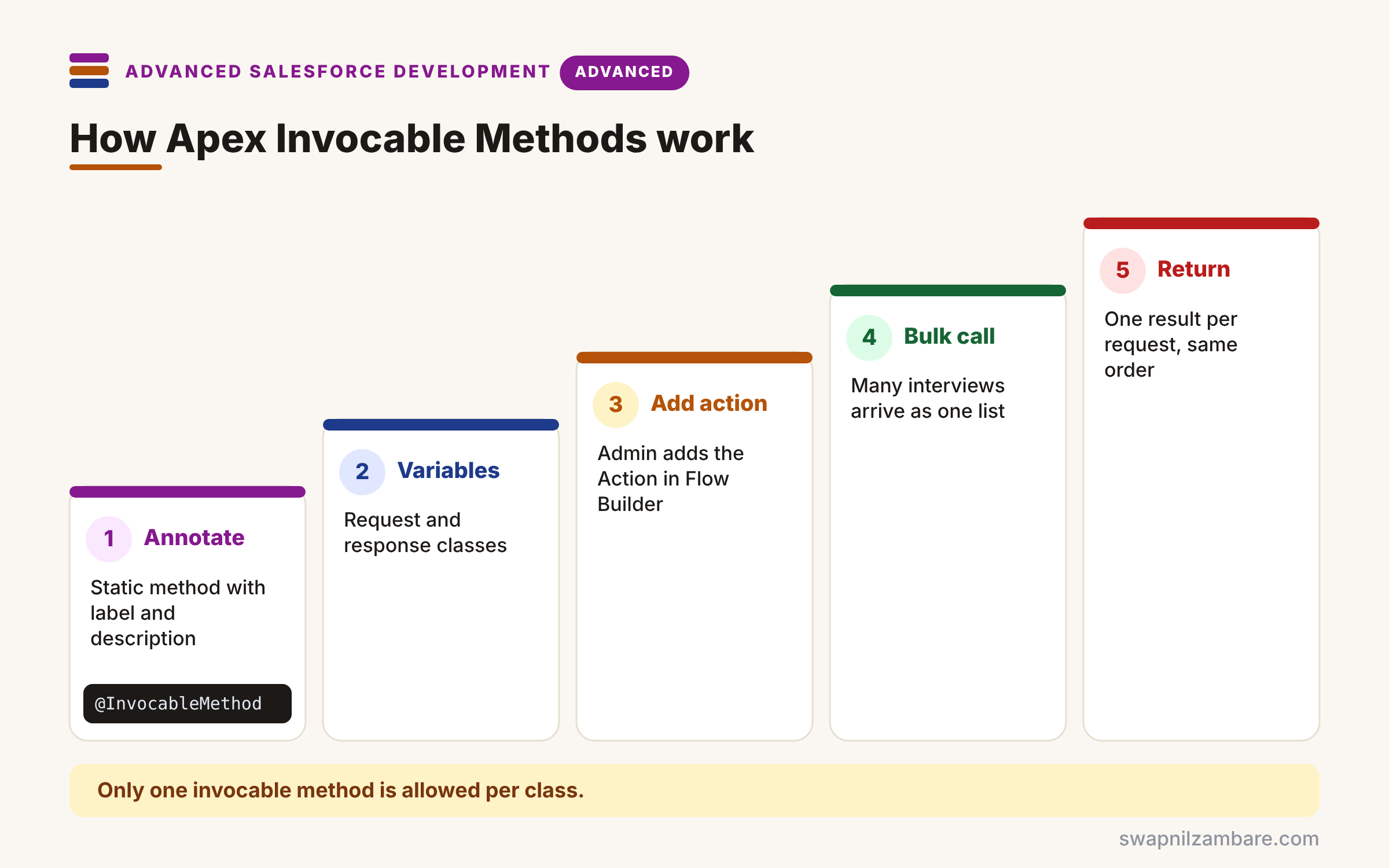
Apex Invocable Methods run through a clear path. First, you write a static method with @InvocableMethod, a label and a description. Next, you define inputs and outputs, usually as classes with @InvocableVariable fields. Then the admin adds an Action element in Flow Builder and maps flow variables to the inputs. After that, Salesforce groups many flow interviews into one call with a list of requests. Finally, your method returns one result per request, in the same order.
The @InvocableMethod Annotation
It takes options such as label, description, category and callout=true. Only one invocable method is allowed per class.
Request and Response Classes
Inner classes with @InvocableVariable fields become the action’s inputs and outputs. Also, required=true makes an input mandatory in Flow Builder.
Lists In, Lists Out
The method receives a List of requests and returns a List of results. So the order of results must match the order of requests.
Callouts
Set callout=true when the method makes HTTP callouts. Then Flow knows how to handle the transaction safely.
Errors
Throwing an exception sends the flow down its fault path. So write clear messages that admins can show or log.
@InvocableMethod Options at a Glance
The table below lists the most used options.
| Option | What it does |
|---|---|
| label | Name shown in Flow Builder |
| description | Help text for admins and agents |
| category | Groups the action in the list |
| callout=true | Declares that the method calls out |
| required=true (variable) | Makes an input mandatory |
Invocable Apex vs Flow-Only Logic
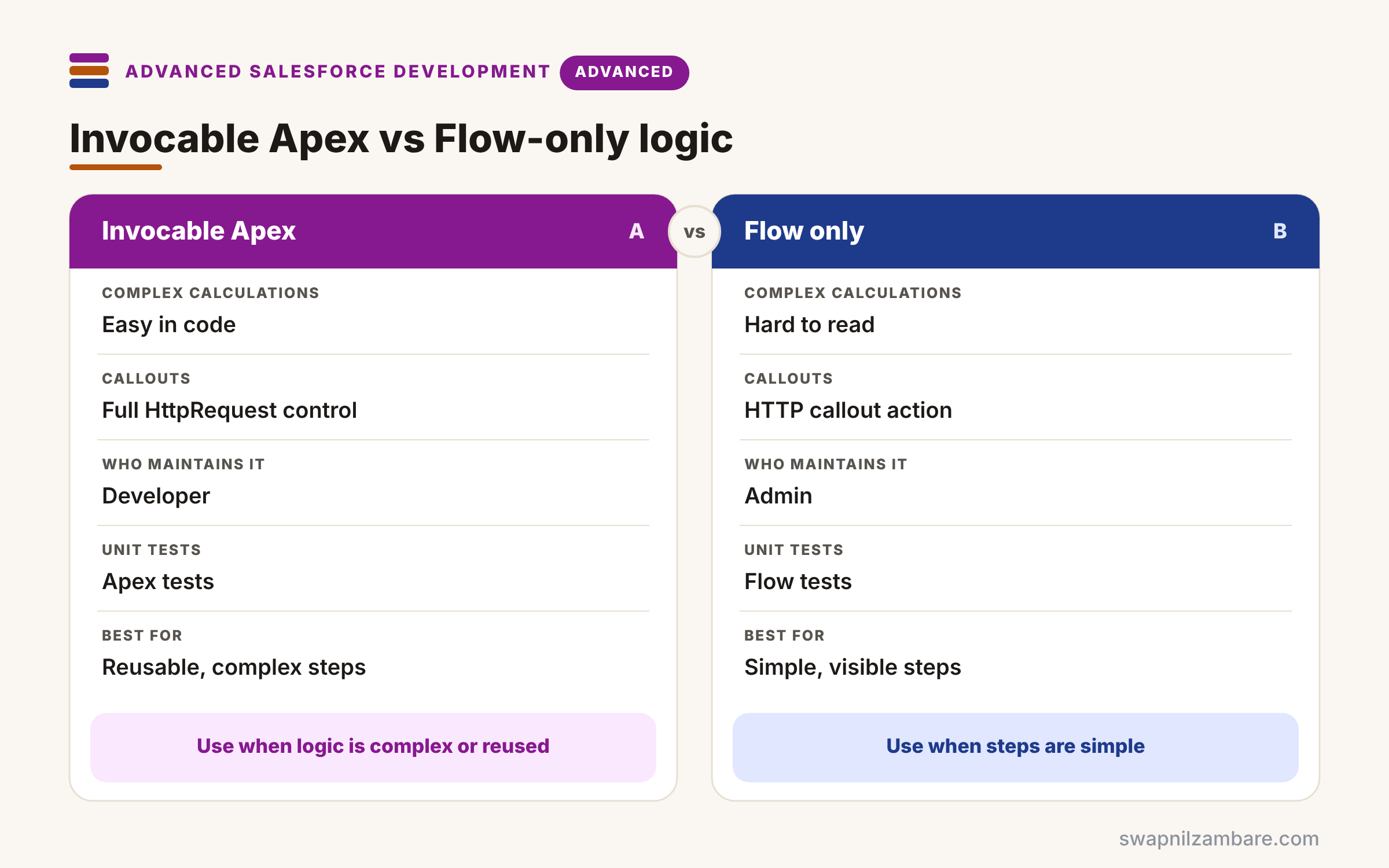
The table below compares putting logic in Apex with building it only in Flow.
| Feature | Invocable Apex | Flow only |
|---|---|---|
| Complex calculations | Easy in code | Hard to read |
| Callouts | Full HttpRequest control | HTTP callout action |
| Who maintains it | Developer | Admin |
| Unit tests | Apex tests | Flow tests |
| Best for | Reusable, complex steps | Simple, visible steps |
When to use which depends on complexity. Keep simple steps in Flow. Move complex or reusable steps into Apex Invocable Methods.
A Real Apex Invocable Methods Example
Let’s build Apex Invocable Methods at Bright Path Tutors. A flow sends a course Id and coupon code, and Apex returns the final fee.
Step 1: The Invocable Class
public with sharing class CalculateCourseFee {
    public class Request {
        @InvocableVariable(label='Course Id' required=true)
        public Id courseId;
        @InvocableVariable(label='Coupon Code')
        public String couponCode;
    }
    public class Result {
        @InvocableVariable(label='Final Fee')
        public Decimal finalFee;
    }

    @InvocableMethod(label='Calculate Course Fee'
        description='Returns the course fee after any valid coupon'
        category='Bright Path')
    public static List<Result> calculate(List<Request> requests) {
        Set<Id> ids = new Set<Id>();
        for (Request r : requests) { ids.add(r.courseId); }
        Map<Id, Course__c> courses = new Map<Id, Course__c>(
            [SELECT Id, Fee__c FROM Course__c WHERE Id IN :ids WITH USER_MODE]);

        List<Result> results = new List<Result>();
        for (Request r : requests) {
            Result res = new Result();
            Decimal fee = courses.get(r.courseId).Fee__c;
            res.finalFee = (r.couponCode == 'TERM10') ? (fee * 0.9).setScale(2) : fee;
            results.add(res);
        }
        return results;
    }
}
The method collects all course Ids first and runs one query for every request. Then it builds one result per request, in the same order.
Step 2: Use It in Flow
- In Flow Builder, add an Action element and search for Calculate Course Fee.
- Set Course Id to {!$Record.Course__c} and Coupon Code to {!couponInput}.
- Store Final Fee in a number variable, such as finalFee.
- Add a Fault path that shows the error message to the user.
Step 3: Test It
@IsTest
private class CalculateCourseFeeTest {
    @IsTest
    static void appliesCouponInBulk() {
        Course__c c = new Course__c(Name = 'Apex Basics', Fee__c = 5000);
        insert c;
        List<CalculateCourseFee.Request> reqs = new List<CalculateCourseFee.Request>();
        for (Integer i = 0; i < 200; i++) {
            CalculateCourseFee.Request r = new CalculateCourseFee.Request();
            r.courseId = c.Id; r.couponCode = 'TERM10';
            reqs.add(r);
        }
        List<CalculateCourseFee.Result> res = CalculateCourseFee.calculate(reqs);
        Assert.areEqual(200, res.size());
        Assert.areEqual(4500.00, res[0].finalFee);
    }
}
The test sends 200 requests, like a bulk flow run, and checks one query is enough. Here is the result.
CalculateCourseFeeTest.appliesCouponInBulk  Pass  (45 ms)
SOQL queries used: 1 of 100
Apex Invocable Methods and Agentforce
Agentforce custom actions use the same annotation. So clear labels and descriptions help both admins in Flow Builder and the agent’s reasoning engine. We build one in the next post.
Common Mistakes with Apex Invocable Methods
- Querying inside the loop over requests.
- Returning results in a different order from the requests.
- Adding two invocable methods to one class.
- Forgetting callout=true when the method calls out.
- Writing vague labels that admins cannot understand.
Best Practices for Apex Invocable Methods
- Use request and response classes, not bare primitives.
- Bulkify with one query and one DML for all requests.
- Write labels and descriptions for admins, not developers.
- Throw clear exceptions so flows can use fault paths.
- Test with 200 requests to match bulk flow runs.
Practice Task
Add an Is Valid output that tells the flow whether the coupon was accepted. Hint: add a Boolean @InvocableVariable to Result and set it in the loop.
Most Asked Interview Questions on Apex Invocable Methods
Flow and Apex questions appear in almost every developer interview. Here are the 21 questions asked most about Apex Invocable Methods.
Basic Questions on Apex Invocable Methods
Q1: What is an invocable method?
It is a static Apex method marked @InvocableMethod, so Flow can call it as an action.
Q2: How many invocable methods can one class have?
Only one, so create separate classes for separate actions.
Q3: What must the method signature look like?
It must be static, public or global, and take and return lists.
Q4: What is @InvocableVariable?
It marks fields in request or response classes as action inputs and outputs.
Q5: Why does the method take a list?
Because Salesforce bundles many flow interviews into one call for bulk safety.
Q6: Where does the action appear in Flow Builder?
Under the Action element, grouped by its category.
Q7: What does callout=true do?
It declares that the method makes callouts, so the transaction is handled correctly.
Code and Scenario Questions on Apex Invocable Methods
Q8: How do you make an input required?
Set required=true on its @InvocableVariable.
Q9: How do you return several values to a flow?
Use a response class with several @InvocableVariable fields.
Q10: How do you keep results in the right order?
Loop over requests in order and add one result for each.
Q11: How does a flow handle an exception from the method?
It follows the action’s fault path, so the admin can show or log the message.
Q12: How do you avoid hitting SOQL limits?
Collect all Ids first and run one query for all requests.
Q13: Can invocable methods do DML?
Yes, but bulkify it, so one DML statement covers all requests.
Q14: How do you test an invocable method?
Call the static method directly with a list of requests and assert the results.
Advanced Questions on Apex Invocable Methods
Q15: How do invocable methods relate to Agentforce?
Agentforce custom Apex actions are invocable methods, so descriptions guide the agent.
Q16: Can you call an invocable method through REST?
Yes, through the Actions REST resource for custom invocable actions.
Q17: Why are good descriptions important?
Admins and AI agents choose actions by reading them.
Q18: How do you handle partial failures?
Return an error field per result instead of throwing, so other requests still succeed.
Q19: What types can @InvocableVariable fields use?
Primitives, sObjects, lists of those, and Apex-defined types used in flows.
Q20: When should logic stay in Flow instead?
When it is simple and admins need to see and change it.
Q21: How do invocable methods run with sharing?
They follow the class sharing keyword, so use with sharing and user mode queries.
Official Resources
- InvocableMethod Annotation (Apex Developer Guide)
- InvocableVariable Annotation (Apex Developer Guide)
Quick Recap
- Apex Invocable Methods expose Apex as Flow actions.
- One invocable method per class, taking and returning lists.
- Use request and response classes with @InvocableVariable.
- Bulkify with one query for all requests.
- Clear labels help admins and Agentforce agents.
What’s Next?
The same methods can power AI agents. Next, read our guide to Agentforce Apex actions.


