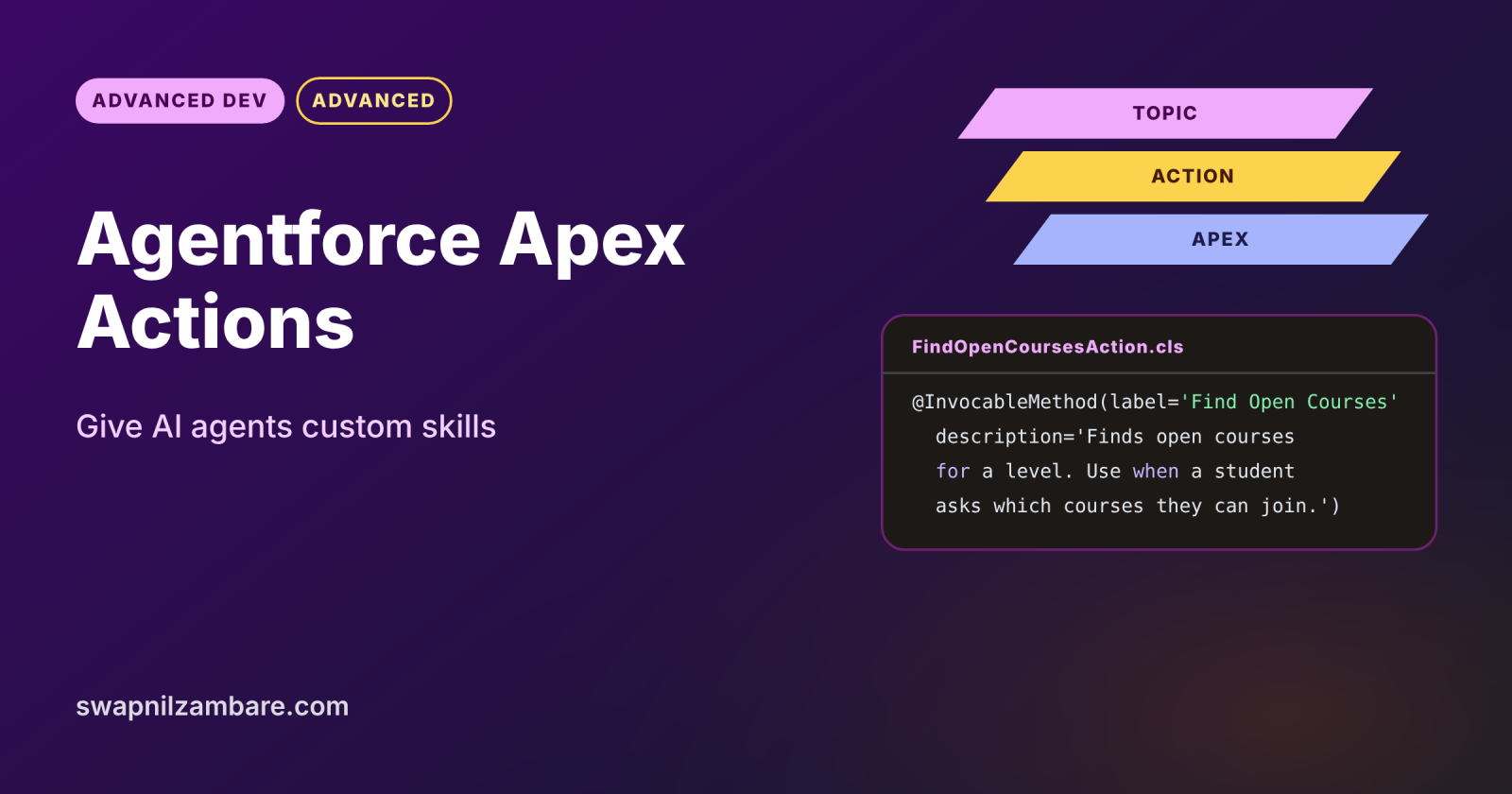
Agentforce Apex Actions let an AI agent run your own Apex code, so it can look up data, apply business rules or call other systems while chatting with users. Under the hood, each action is an Apex invocable method. The agent reads the action’s labels and descriptions to decide when to use it and what to pass in.
In this post, you will build a course finder action, write descriptions the agent understands, add it to a topic and test it. It builds on Apex invocable methods, Agentforce Agent Builder and Agentforce Testing Center.
What are Agentforce Apex Actions?
An agent action is a task an Agentforce agent can perform, such as answering with data or updating a record. Agentforce Apex Actions are actions whose logic lives in an @InvocableMethod. The agent’s reasoning engine picks the action from the topic, fills the inputs from the conversation and reads the outputs to form its reply.
Think of a new receptionist with a binder of procedures. Each page has a clear title and a short “use this when” note. The receptionist (the agent) reads those notes to choose the right page, while the procedure itself (your Apex) does the real work.
Why Agentforce Apex Actions Matter
Standard actions cover common tasks, but every business has its own rules. Here is why Agentforce Apex Actions matter at Bright Path Tutors.
- First, students ask, “Which beginner courses start this month?”
- Also, the answer needs filtering rules that live in Apex.
- Next, the agent must check seats before suggesting a course.
- The same invocable code already serves Flow, so it is reused.
- Finally, Apex enforces sharing and field access, which keeps answers safe.
So Apex actions give agents accurate, governed skills.
How Agentforce Apex Actions Work
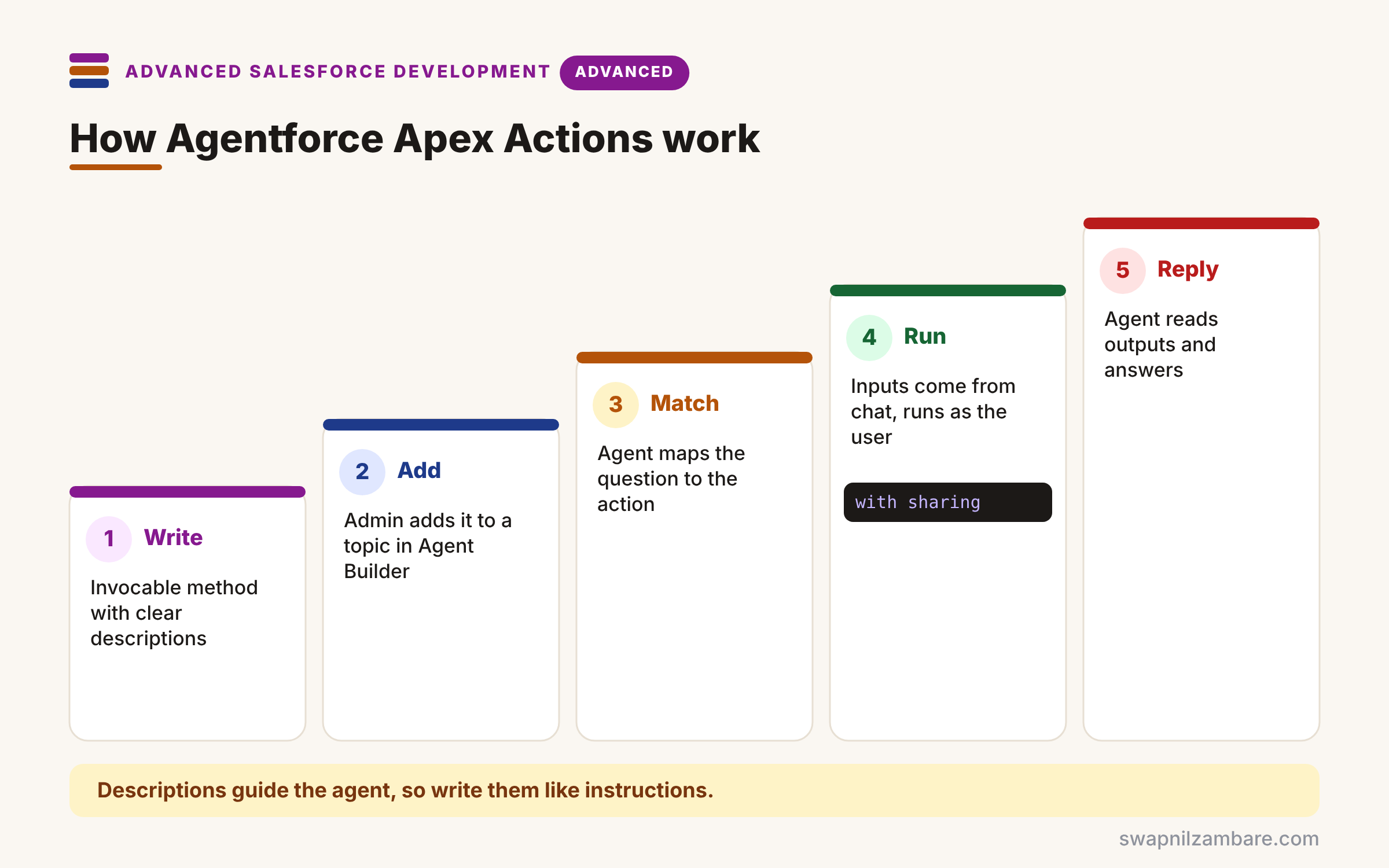
Agentforce Apex Actions follow a clear flow. First, you write an invocable method with a precise label, description and input descriptions. Next, an admin adds it as an action in a topic in Agent Builder. Then a user asks a question, and the reasoning engine matches it to the topic and action. After that, the agent fills the inputs from the conversation and runs the method as the user. Finally, it reads the output fields and writes a natural reply.
Labels and Descriptions
The agent reads the method description and every @InvocableVariable description. So write them like instructions: what the action does, and when to use it.
Inputs
Inputs come from the conversation, such as a level or a date. Mark them required when the action cannot run without them.
Outputs
Outputs should be simple and named clearly, such as courseSummary. The agent uses them to answer, so avoid raw Ids alone.
Running User and Security
Actions run with the permissions of the user talking to the agent. So use with sharing and user mode queries, just like any user-facing code.
Confirmation for Changes
For actions that change data, admins can require user confirmation before the action runs. This stops accidental updates.
Agent Action Settings at a Glance
The table below lists the main settings an admin sees when adding an Apex action.
| Setting | Purpose |
|---|---|
| Agent Action Label | Name the agent and admins see |
| Agent Action Instructions | When the agent should use it |
| Require Input | Input must be collected first |
| Show in Conversation | Output can appear in the chat |
| Require User Confirmation | User approves before it runs |
Apex Action vs Flow Action
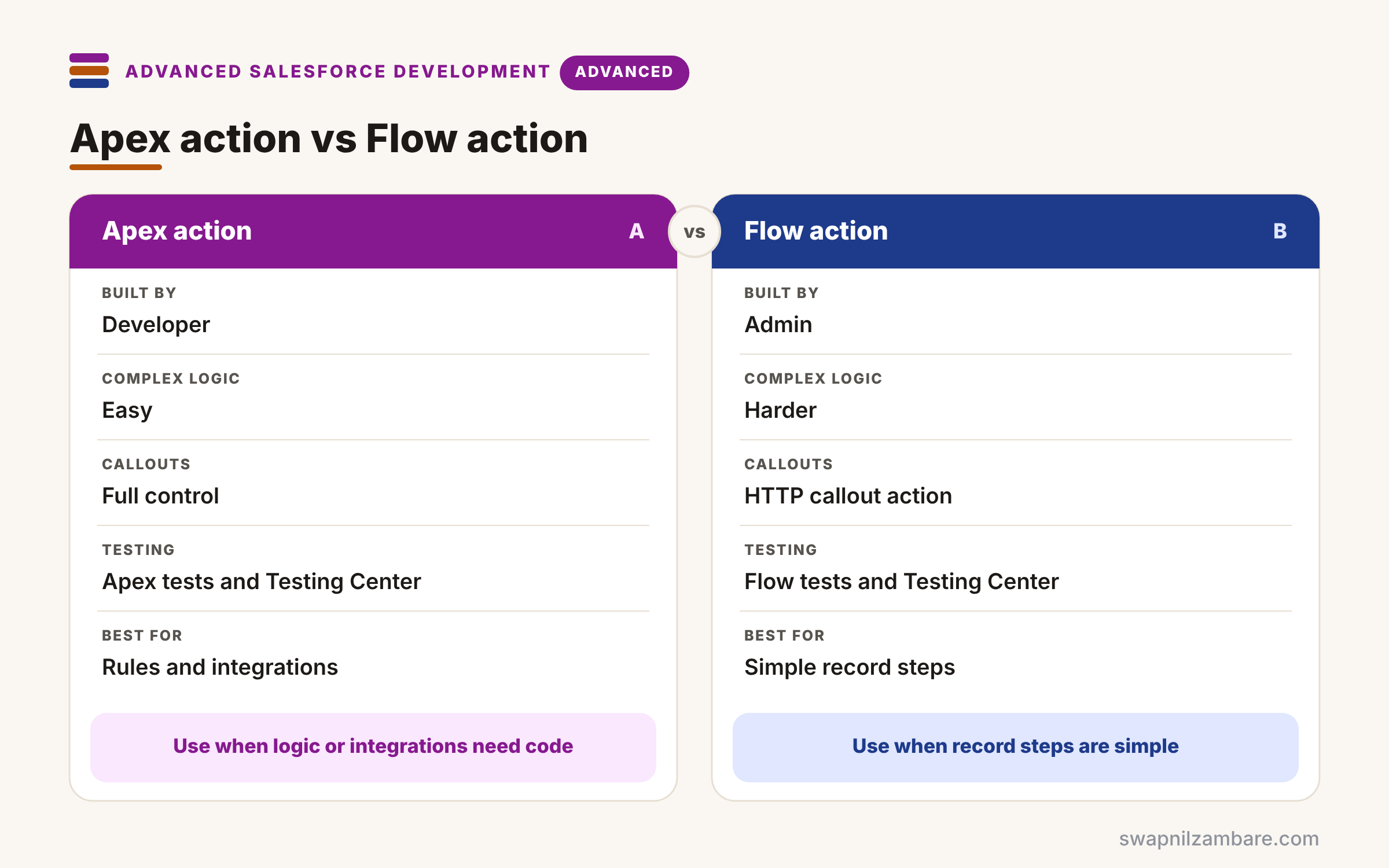
The table below compares the two most common custom action types.
| Feature | Apex action | Flow action |
|---|---|---|
| Built by | Developer | Admin |
| Complex logic | Easy | Harder |
| Callouts | Full control | HTTP callout action |
| Testing | Apex tests plus Testing Center | Flow tests plus Testing Center |
| Best for | Rules, calculations, integrations | Simple record steps |
When to use which is simple. Use Flow actions for straightforward record work. Use Apex actions when logic, performance or integrations need code.
A Real Agentforce Apex Actions Example
Let’s build Agentforce Apex Actions at Bright Path Tutors. The agent finds open courses by level and start month.
Step 1: The Invocable Action
public with sharing class FindOpenCoursesAction {
    public class Request {
        @InvocableVariable(label='Course Level' required=true
            description='Course level the student wants: Beginner, Intermediate or Advanced')
        public String level;
        @InvocableVariable(label='Start Month'
            description='Month number 1 to 12 when the course should start, if the student said one')
        public Integer startMonth;
    }
    public class Response {
        @InvocableVariable(label='Course Summary'
            description='Short list of open courses with name, start date, fee and seats left')
        public String courseSummary;
    }

    @InvocableMethod(label='Find Open Courses'
        description='Finds open Bright Path courses for a level and optional start month. Use when a student asks which courses they can join.')
    public static List<Response> find(List<Request> requests) {
        List<Response> out = new List<Response>();
        for (Request r : requests) {
            Response res = new Response();
            res.courseSummary = CourseFinder.summarise(r.level, r.startMonth);
            out.add(res);
        }
        return out;
    }
}
The descriptions tell the agent what each input means and when to use the action. Then the logic sits in a separate CourseFinder class, so Flow and LWC can reuse it.
Step 2: The Reusable Logic
public with sharing class CourseFinder {
    public static String summarise(String level, Integer startMonth) {
        List<String> lines = new List<String>();
        for (Course__c c : [SELECT Name, Start_Date__c, Fee__c, Seats_Left__c
                            FROM Course__c
                            WHERE Level__c = :level AND Seats_Left__c > 0
                            WITH USER_MODE ORDER BY Start_Date__c LIMIT 5]) {
            if (startMonth == null || c.Start_Date__c.month() == startMonth) {
                lines.add(c.Name + ' starts ' + c.Start_Date__c.format()
                    + ', fee ' + c.Fee__c + ', seats left ' + c.Seats_Left__c);
            }
        }
        return lines.isEmpty() ? 'No open courses match.' : String.join(lines, '\n');
    }
}
The query returns at most five open courses, as the student is allowed to see them. Also, the summary is plain text, so the agent can turn it into a friendly reply.
Step 3: Add It to a Topic and Test
- In Setup, open Agentforce Agents and open the student agent in Agent Builder.
- Open the Course Advice topic, then This Topic’s Actions, and click New.
- Choose Create New Action, reference type Apex, and select Find Open Courses.
- Mark Course Level as Require Input and Course Summary as Show in Conversation.
- In the Conversation Preview, ask “Any beginner courses in October?”
Here is a typical preview result.
User: Any beginner courses in October?
Action: Find Open Courses (level=Beginner, startMonth=10)
Agent: Two beginner courses start in October: Apex Basics on 6 Oct
       (fee 5000, 8 seats left) and SOQL Basics on 20 Oct (fee 4800, 3 seats left).
Agentforce Apex Actions and Testing
Write normal Apex tests for the logic class first. Then use Testing Center to run many sample prompts and check that the agent picks the right action. Together, these catch both code bugs and poor descriptions.
Common Mistakes with Agentforce Apex Actions
- Writing vague descriptions like “Gets data”.
- Returning only Ids that the agent cannot explain.
- Running queries in system mode and leaking data.
- Making one giant action that does many jobs.
- Skipping user confirmation on actions that change records.
Best Practices for Agentforce Apex Actions
- Describe what the action does and when to use it.
- Keep each action focused on one task.
- Return short, readable outputs.
- Bulkify the method, since Flow may reuse it.
- Test logic with Apex and behaviour with Testing Center.
Practice Task
Build an Enrol Student action that creates an enrolment for a course and email. Hint: require both inputs, require user confirmation, and return a clear success or error message.
Most Asked Interview Questions on Agentforce Apex Actions
Agentforce questions are now common in developer interviews. Here are the 21 questions asked most about Agentforce Apex Actions.
Basic Questions on Agentforce Apex Actions
Q1: What is an agent action?
It is a task an Agentforce agent can run, such as reading or updating data.
Q2: How do you build an Apex action?
Write an @InvocableMethod, then add it to a topic in Agent Builder.
Q3: Why do descriptions matter so much?
Because the reasoning engine reads them to choose the action and fill inputs.
Q4: Whose permissions does an action use?
The user talking to the agent, so sharing and field access apply.
Q5: What is a topic?
It is a group of related actions and instructions for one kind of job.
Q6: Can Flow and Agentforce share one invocable method?
Yes, so you write the logic once and reuse it.
Q7: What does Require User Confirmation do?
It asks the user to approve before the action runs.
Code and Scenario Questions on Agentforce Apex Actions
Q8: How do you describe an input for the agent?
Use the description attribute on @InvocableVariable with clear, plain words.
Q9: Why keep logic in a separate class?
So Flow, LWC and tests can reuse it without the action wrapper.
Q10: What should the output look like?
It should be short and readable, so the agent can explain it.
Q11: How do you stop the agent from showing private data?
Use with sharing, user mode queries and least-privilege permissions.
Q12: The agent never picks your action. What do you check?
Check the topic, the action instructions and the method description.
Q13: How do you test the agent’s choice of action?
Use the Conversation Preview and Testing Center with many prompts.
Q14: Can an Apex action make callouts?
Yes, so set callout=true and use Named Credentials.
Advanced Questions on Agentforce Apex Actions
Q15: Why should actions be small and focused?
Because the agent chooses better among clear, single-purpose actions.
Q16: How do you handle errors in an action?
Return a clear message in an output field, so the agent can explain the problem.
Q17: Why bulkify an agent action?
Because the same method may run in Flow with many records.
Q18: How do you limit which users can use an action?
Control access to the agent and the Apex class with permission sets.
Q19: How do Apex actions differ from prompt template actions?
Apex runs logic and returns data, while prompt templates ask the model to generate text.
Q20: How do you version an action safely?
Add a new method class for breaking changes and keep the old one until topics move.
Q21: What makes a good action description?
It says what the action does, when to use it and what each input means.
Official Resources
- Create Custom Actions Using Apex InvocableMethod (Agentforce Developer Guide)
- Best Practices for Building Agentforce Apex Actions (Salesforce Developers Blog)
Quick Recap
- Agentforce Apex Actions are invocable methods used by agents.
- Labels and descriptions guide the reasoning engine.
- Actions run as the user, so security applies.
- Keep actions small and outputs readable.
- Test logic in Apex and behaviour in Testing Center.
What’s Next?
Agents and apps both slow down on huge tables. Next, read our guide to large data volumes and query optimization.


