Agentforce Testing Center lets you test an AI agent with many questions at once and check whether it picks the right subagent, calls the right action and gives a good answer. Agents behave differently from flows, because the same question can be worded in a hundred ways. So batch testing and monitoring matter more than ever.
In this post, you will learn how the Agentforce Testing Center works, how to build a test suite for the Course Helper agent, and how to monitor agents after go-live. This builds on Agentforce Agent Builder and the Einstein Trust Layer. It also follows the same testing habits as Salesforce Flow testing and debugging.
What is Agentforce Testing Center?
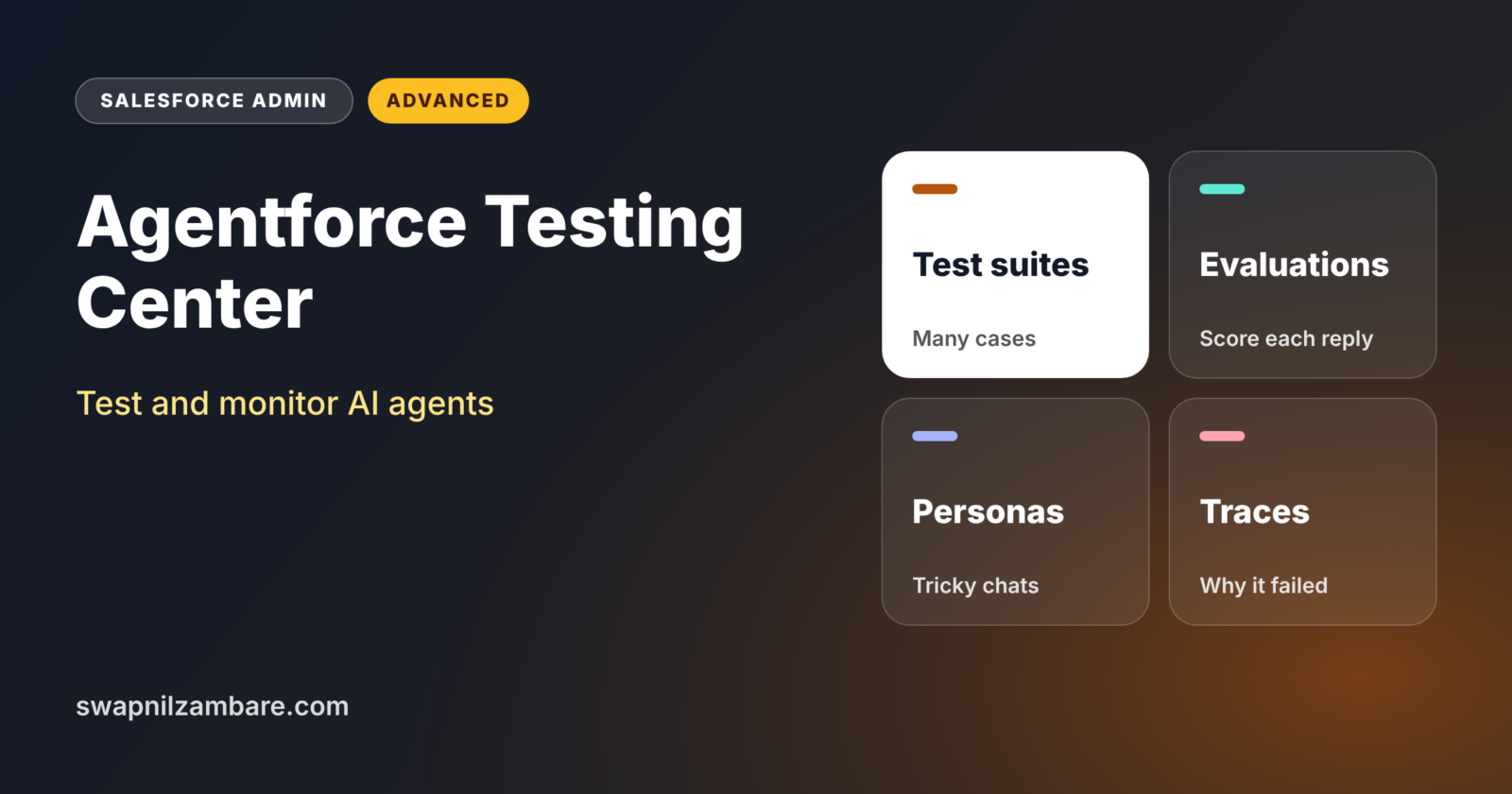
Agentforce Testing Center is a testing tool for AI agents in Agentforce Studio. It sits next to the agent builder and an observability area. You create a test suite with many test cases. Each test case has an utterance, which is the user’s message, plus the expected subagent, action and outcome.
Think of a driving test centre. The examiner does not ask the learner to drive once around the block. Instead, they check parking, turns, signals and emergency stops, and they score each one. Testing Center checks an agent in the same organised way.
Why Agentforce Testing Center Matters
One good chat in the preview window does not prove an agent is ready. Real users ask strange, short or angry questions. Here is why Agentforce Testing Center matters at Bright Path Tutors.
- First, the Course Helper agent must answer start dates for 40 courses correctly.
- Also, it must never share fees for courses that are not public.
- Next, angry messages should go to a human, not to a sales flow.
- Small changes to instructions can change which subagent is picked.
- Finally, leaders want proof that the agent works before launch.
So structured tests turn “it seems fine” into real evidence.
How Agentforce Testing Center Works
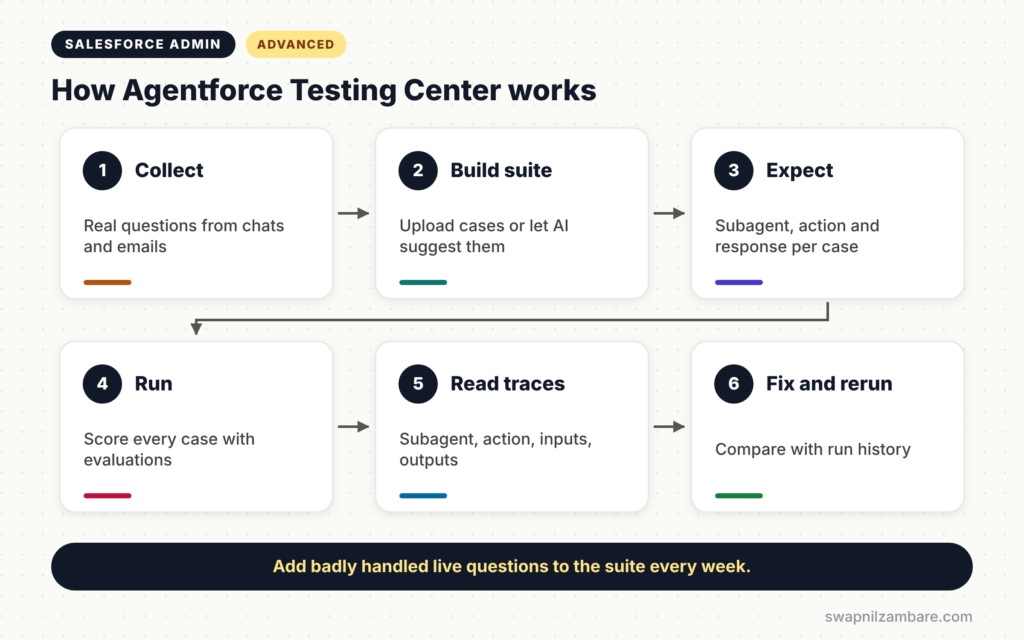
Agentforce Testing Center follows a simple cycle. First, you create a test suite and add test cases, either by uploading a file or by letting AI suggest them. Next, you set the expected subagent, action and response for each case. Then you run the suite against the agent. After that, Testing Center scores each case and shows the execution trace. Finally, you fix the agent, run the suite again and compare results over time.
Test Cases
Each test case has a user utterance and expected results. For example, “When does Apex Basics start?” should use the Course Information subagent and the Get Course Details action.
Built-In and Custom Evaluations
Built-in evaluations check subagent selection, the action called and whether the task was resolved. You can also write custom evaluations in plain language, such as “Rate politeness from 0 to 5”, with a pass or fail threshold.
Conversation-Level Testing
Some tests run a full conversation over several turns. You can pick personas, such as a frustrated customer or a distracted user, to see how the agent copes.
Execution Trace
For each case, you can see the subagent selected, the action called, its inputs and outputs, and the time taken. This makes failures easy to understand.
Preview Testing vs Agentforce Testing Center
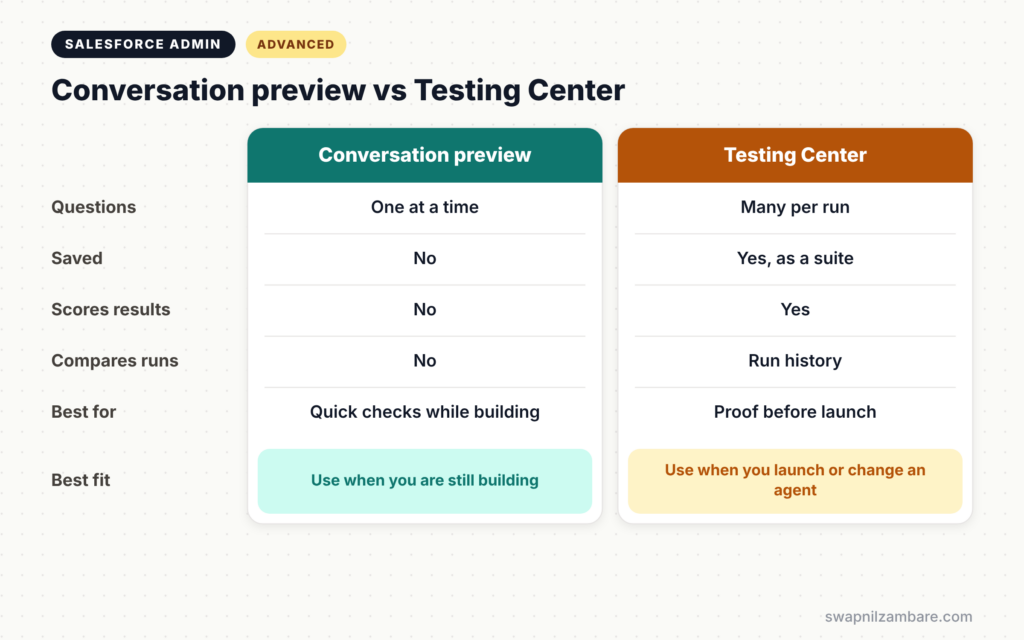
The table below compares quick preview checks with full test suites.
| Feature | Conversation preview | Testing Center |
|---|---|---|
| Number of questions | One at a time | Many in one run |
| Saved for later | No | Yes, as a test suite |
| Scores results | No | Yes, with evaluations |
| Compares runs over time | No | Yes, with run history |
| Best for | Quick checks while building | Proof before launch and after changes |
When to use which is simple. Use the preview while you build. Use Testing Center before every launch and after every change.
How to Use Agentforce Testing Center Step by Step
Let’s use Agentforce Testing Center for the Course Helper agent at Bright Path Tutors. Test it in a sandbox first.
Step 1: Collect Real Questions
- Export 50 real questions from past website chats and emails.
- Next, remove any personal data.
- Then group them by subagent, such as Course Information and Enrolment Enquiry.
Step 2: Build the Test Suite
- Open Agentforce Studio and go to Testing Center.
- Create a new test suite for the Course Helper agent.
- Next, upload your questions or let AI suggest extra cases.
- Then edit the expected results directly in the grid.
The table below shows sample test cases.
| Utterance | Expected subagent | Expected action |
|---|---|---|
| When does Apex Basics start? | Course Information | Get Course Details |
| I want someone to call me | Enrolment Enquiry | Create Enquiry Lead |
| This is useless, get me a person | Escalation | Hand off to a human |
| Fee for the internal staff course? | Course Information | None, decline politely |
Step 3: Add a Custom Evaluation
Add a custom evaluation called “Politeness”. Describe it in plain words, such as “Score 5 if the reply is friendly and clear, 0 if rude”. Then set the pass mark at 4.
Step 4: Run and Read the Results
- Run the suite.
- Next, sort by failed cases.
- Then open each trace to see which subagent and action were used.
Step 5: Fix and Rerun
- Improve the subagent descriptions or instructions for failed cases.
- Next, run the suite again.
- Then compare the new run with the last one in run history.
Monitoring Agents After Launch
Testing does not stop at launch. Use the observability area to review real sessions, failed actions and slow responses. Each week, add new real questions that the agent handled badly to your test suite. As a result, the suite grows and the agent keeps improving.
Developers can also run tests from the Salesforce CLI, for example with the sf agent run test command. So teams can add agent tests to their release pipelines, just like Apex tests.
Common Mistakes with Agentforce Testing Center
- Testing with only a few perfect, well-worded questions.
- Forgetting negative tests, such as questions the agent must refuse.
- Changing instructions without rerunning the suite.
- Using real personal data in test cases.
- Ignoring the execution trace and guessing why tests failed.
Best Practices for Agentforce Testing Center
- Build test cases from real user questions.
- Include angry, short, misspelled and off-topic messages.
- Add custom evaluations for tone and safety.
- Rerun the full suite after every change.
- Add badly handled live questions to the suite each week.
Practice Task
Write ten test cases for an agent that answers questions about course batches. Include two questions the agent should refuse. Hint: list the utterance, the expected subagent and the expected action for each one.
Most Asked Interview Questions on Agentforce Testing Center
Questions on agent testing are common now that many companies have agents in production. Here are the ones asked most.
Basic Questions on Agentforce Testing Center
Q1. What is Agentforce Testing Center?
It is a tool in Agentforce Studio for testing agents with many test cases and scoring the results.
Q2. What does a test case contain?
A user utterance plus the expected subagent, action and response.
Q3. What are custom evaluations?
They are scoring rules written in plain language, such as politeness from 0 to 5, with a pass or fail threshold.
Q4. What is an execution trace?
It shows the subagent selected, the action called, its inputs and outputs, and the time taken for a test case.
Practical Questions on Agentforce Testing Center
Q5. An agent picks the wrong subagent for some questions. What do you do?
Check the failed traces, improve the subagent descriptions or instructions, then rerun the full suite and compare.
Q6. How do you test that an agent refuses unsafe requests?
Add negative test cases with requests it must decline, and check that no action runs for them.
Q7. How do you keep testing after launch?
Review sessions in the observability area and add badly handled real questions to the test suite every week.
Q8. Can agent tests run in a release pipeline?
Yes. Tests can run from the Salesforce CLI, so teams can add them to CI/CD pipelines.
Official Resources
Quick Recap
- Agentforce Testing Center runs many test cases against an agent and scores them.
- Test cases check the subagent, action and response.
- Custom evaluations and personas test tone and tricky conversations.
- Execution traces explain every failure.
- Keep testing after launch with real questions and run history.
What’s Next?
Agents, flows and fields pile up over time. Next, read our guide to Salesforce technical debt and org clean-up.