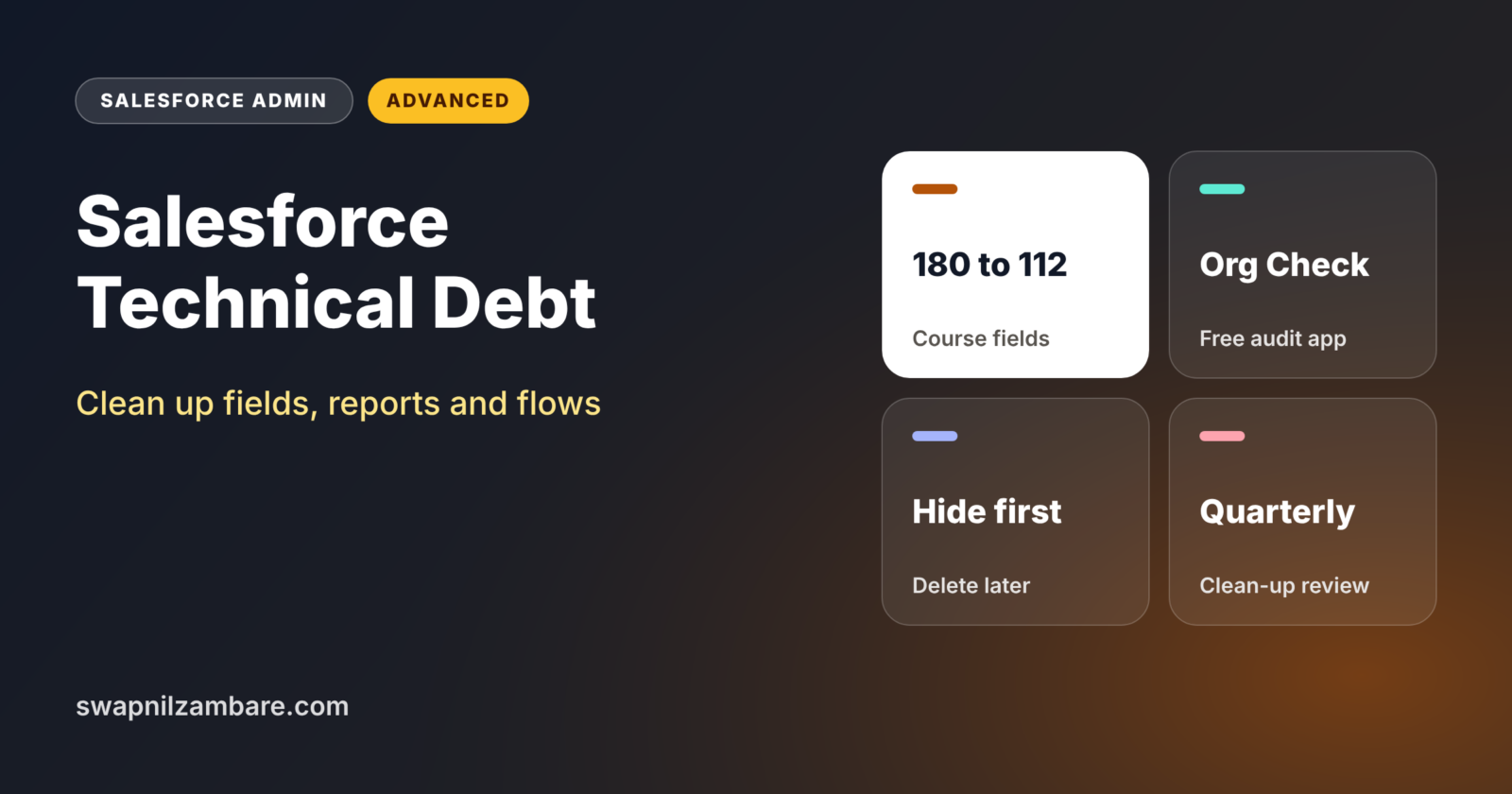
Salesforce Technical Debt is the pile of old fields, reports, flows, permissions and code that nobody uses but nobody removes. It slows down users, confuses new admins and makes every change riskier. Salesforce Technical Debt is one of the biggest admin themes in 2026.
In this post, you will learn where technical debt hides, which tools find it, and how to clean up an org safely step by step. Salesforce Optimizer has been retired, so we will use Org Check, SOQL and built-in features instead. This builds on Salesforce Data Classification, new Flow features in Winter ’27 and sandboxes and change sets.
What is Salesforce Technical Debt?
Technical debt is the future cost of quick or old decisions. Every unused field, duplicate report and forgotten flow adds a little. Like money debt, it grows if you ignore it. In Salesforce, it shows up as cluttered page layouts, slow pages, confusing picklists and automation nobody understands.
Think of a family kitchen. Every year, a few new gadgets arrive, and old ones never leave. Soon, nobody can find the knife they need. Cleaning the kitchen is not glamorous, but cooking becomes much faster afterwards.
Why Salesforce Technical Debt Matters
Bright Path Tutors has run Salesforce for six years. Many admins have come and gone. Here is how Salesforce Technical Debt hurts the org today.
- First, the Course object has 180 custom fields, but users fill fewer than 70.
- Also, 1,200 reports exist, and many have not run in years.
- Next, three old flows still run on Course, and nobody knows why.
- Twenty permission sets have no users assigned.
- Finally, new admins take weeks to understand the org.
So clean-up saves time, reduces risk and makes the org easier to change.
How Salesforce Technical Debt Clean-Up Works
A safe Salesforce Technical Debt clean-up follows five steps. First, you take an inventory of fields, reports, flows, permissions and code. Next, you check usage and dependencies. Then you agree with owners on what to remove. After that, you remove items in a sandbox, test and deploy. Finally, you add rules so new debt does not build up again.
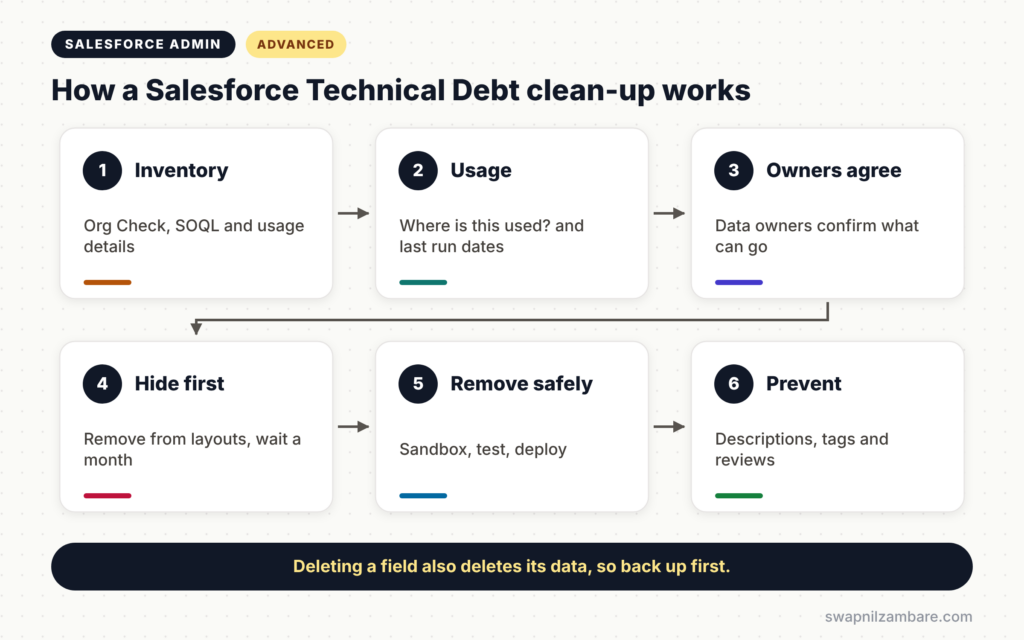
Inventory
List what exists, with dates and owners. Org Check, a free open-source app from Salesforce Labs, gives a quick view of metadata, permissions and automation.
Usage
Check whether each item is used. For fields, use the Winter ’27 custom field usage details and “Where is this used?”. For reports, check the last run date.
Owner Agreement
Never delete without asking. Data owners, often recorded in data classification, confirm what can go.
Safe Removal
Hide first, delete later. For example, remove a field from layouts for a month before deleting it.
Prevention
Add simple rules, such as a description on every new field and a quarterly review.
Salesforce Optimizer vs Org Check
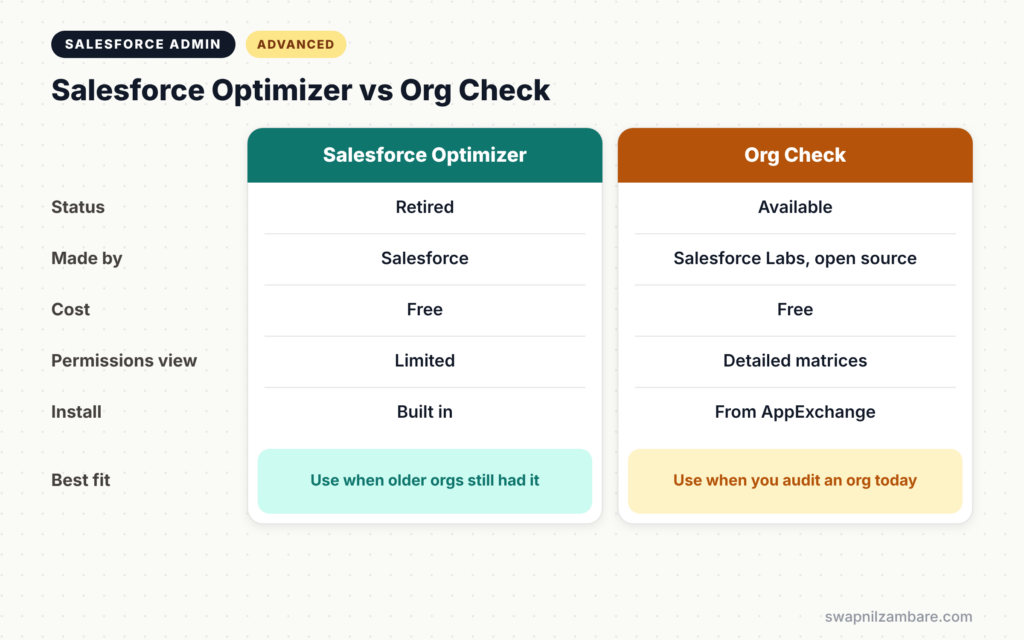
Salesforce Optimizer used to be the built-in health tool. The table below compares it with Org Check.
| Feature | Salesforce Optimizer | Org Check |
|---|---|---|
| Status | Retired | Available |
| Made by | Salesforce | Salesforce Labs, open source |
| Cost | Free | Free |
| Shows permissions | Limited | Detailed matrices |
| Shows automations | Yes | Yes |
| Install | Built in | From AppExchange |
When to use which is now simple. Optimizer is gone, so use Org Check together with built-in tools and SOQL.
How to Clean Up Salesforce Technical Debt Step by Step
Let’s clean up Salesforce Technical Debt at Bright Path Tutors, starting with the Course object.
Step 1: Run Org Check in a Sandbox
- Install Org Check from AppExchange in a full sandbox.
- Next, open it and review the data model, automation and permission sections.
- Then export the lists you want to work on.
Step 2: Find Old Reports
Run this query in the Developer Console to list reports not run in a year.
SELECT Name, FolderName, LastRunDate, LastModifiedDate
FROM Report
WHERE LastRunDate < LAST_N_DAYS:365 OR LastRunDate = null
ORDER BY LastRunDate
Share the list with report owners. Then move agreed reports into an “Archive” folder for one month before deleting them.
Step 3: Find Inactive Flows
SELECT ApiName, Label, IsActive, LastModifiedDate
FROM FlowDefinitionView
WHERE IsActive = false
ORDER BY LastModifiedDate
This lists flows that are not active. Old inactive flows can usually be deleted after a quick review.
Step 4: Review Course Fields
- Open the field usage details for Course.
- Next, click “Where is this used?” on each low-usage field.
- Then mark agreed fields with Field Usage set to Deprecate Candidate.
- Finally, remove them from page layouts and wait one month.
The table below shows the clean-up results for Course.
| Item | Before | After |
|---|---|---|
| Custom fields | 180 | 112 |
| Active flows | 9 | 4 |
| Page layouts | 7 | 3 |
| Unused permission sets | 20 | 0 |
Step 5: Deploy and Communicate
- Test the changes in the sandbox with real users.
- Next, deploy with your normal release process.
- Then tell users what changed and where to find help.
Preventing New Technical Debt
Good habits stop Salesforce Technical Debt from growing again. Ask builders to add a description to every field, flow and permission set. Use flow tags and data owners. Then run a light clean-up review every quarter and a deeper one every year.
Common Mistakes with Salesforce Technical Debt
- Deleting fields without checking where they are used.
- Cleaning up in production instead of a sandbox.
- Removing reports without asking their owners.
- Doing one big clean-up and never reviewing again.
- Forgetting that deleted fields can also delete data.
Best Practices for Salesforce Technical Debt
- Hide items first, then delete them after a waiting period.
- Back up data and metadata before removing fields.
- Record every removal in your admin log.
- Require descriptions on new metadata.
- Schedule quarterly clean-up reviews.
Practice Task
Run the inactive flows query in your Developer Edition org. Then pick one old flow, check where it is used and decide whether to delete it. Hint: open the flow’s version history before deciding.
Most Asked Interview Questions on Salesforce Technical Debt
Questions on Salesforce Technical Debt are common for senior admin and consultant roles. Here are the ones asked most.
Basic Questions on Salesforce Technical Debt
Q1. What is technical debt in Salesforce?
It is the build-up of unused or outdated fields, reports, automation, permissions and code that makes the org harder to change.
Q2. What replaced Salesforce Optimizer?
Optimizer was retired. Org Check, a free open-source app from Salesforce Labs, is a common replacement.
Q3. How do you check where a field is used?
Click “Where is this used?” on the field in Object Manager.
Q4. Why not delete unused fields straight away?
Deleting a field also deletes its data. So hide it first, confirm nobody needs it, back it up, then delete.
Practical Questions on Salesforce Technical Debt
Q5. How do you find reports nobody runs?
Query the Report object for LastRunDate older than a year, then review the list with owners.
Q6. How would you plan a large clean-up?
First, take an inventory. Next, check usage and dependencies. Then agree with owners, clean up in a sandbox and deploy in phases.
Q7. How do you stop technical debt from returning?
Require descriptions, use tags and owners, and run regular clean-up reviews.
Q8. Which items create the most risk?
Old active automation and unused permissions, because they can change data or give access nobody expects.
Official Resources
Quick Recap
- Salesforce Technical Debt is unused or outdated metadata that slows the org down.
- Optimizer is retired, so use Org Check, SOQL and built-in usage tools.
- Check usage and owners before removing anything.
- Hide first, delete later, and always work in a sandbox.
- Prevent new debt with descriptions, tags and regular reviews.
What’s Next?
You have finished this set of trending admin topics. Coming soon: more Salesforce Developer posts, starting with SOQL basics.