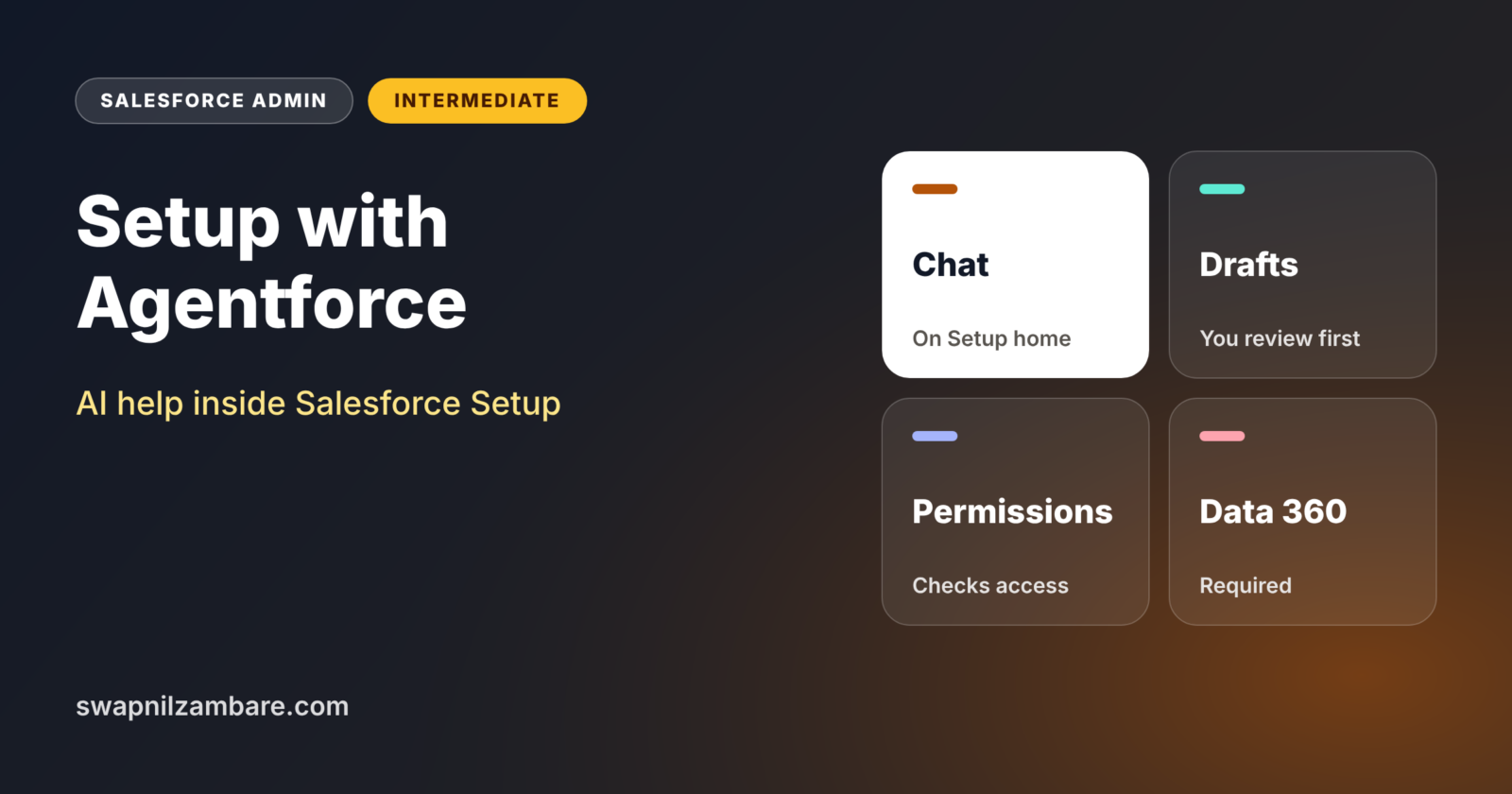
Setup with Agentforce is an AI assistant that lives inside Salesforce Setup and helps admins with everyday tasks through chat. You can ask it to design a custom object, suggest a report type, check who has a risky permission or explain a formula. It prepares drafts, and you review them before anything changes.
In this post, you will learn what Setup with Agentforce can do, what it needs, and how to use it safely with a real example. It became generally available in 2026 and gained more abilities in Winter ’27. This builds on Agentforce for admins, the Einstein Trust Layer and Data 360 basics, because it runs on those foundations.
What is Setup with Agentforce?
Setup with Agentforce is an AI helper for admins. It appears on Setup home and can be opened from any Setup page. Inside, you get a chat window, suggested conversations and org health tiles. The agent uses your org’s metadata and Salesforce documentation to answer questions and prepare changes.
Think of a helpful senior admin sitting next to you. You say, “I need a place to store training batches,” and they sketch the object, fields and relationships. You check the sketch, then they build it. Setup with Agentforce plays that role inside Setup.
Why Setup with Agentforce Matters
Admins spend a lot of time on repeat tasks and searching documentation. Setup with Agentforce cuts that time. Here is how it helps at Bright Path Tutors.
- First, the admin designs a new Batch object with fields in minutes.
- Also, it suggests an existing report type before creating a new one.
- Next, it lists users who have Modify All Data or Customize Application.
- It explains a long validation rule formula in plain words.
- Finally, it summarises recent Setup Audit Trail changes on request.
So admins spend less time clicking and more time on design and users.
How Setup with Agentforce Works
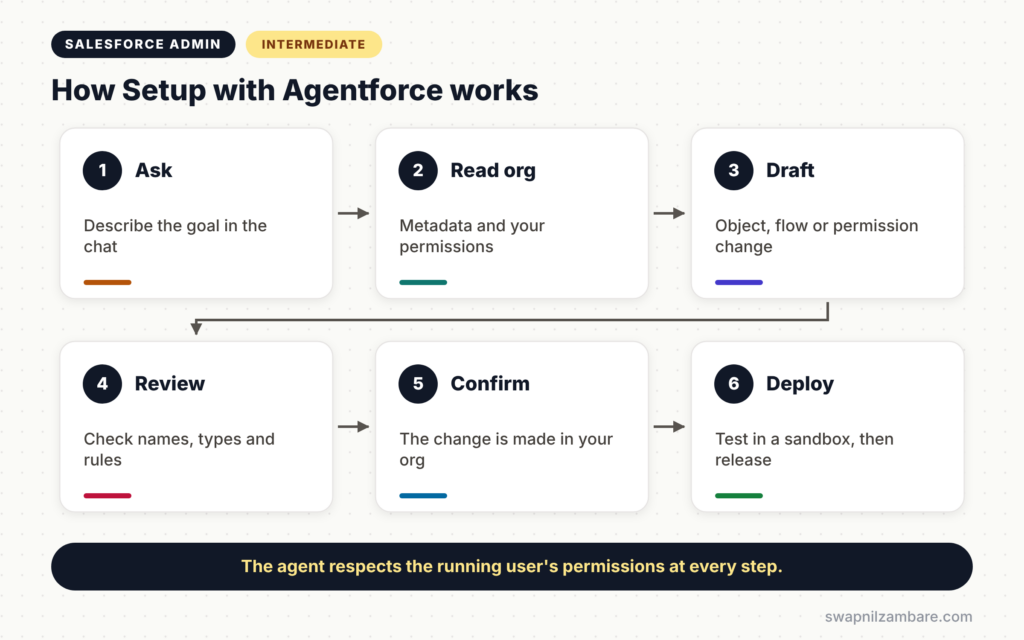
Setup with Agentforce follows a review-first pattern. First, you type a request in the chat on Setup home. Next, the agent reads your org metadata and the running user’s permissions. Then it prepares a draft, such as a proposed object, flow or permission set change. After that, you review and adjust the draft. Finally, you confirm, and the change is made in your org.
Requirements
Setup with Agentforce needs Data 360, Einstein generative AI and Agentforce turned on in your org. Salesforce Ben reports that it uses Data 360 credits rather than Agentforce credits, so check usage with your account team.
Permissions
The person who enables it needs Customize Application and Data Cloud user permissions. Users need the Use Setup with Agentforce and Execute Prompt Template permissions, plus permission for the tasks they ask about. The agent always respects the running user’s own access.
What It Can Help With
It can design custom objects, fields and relationships. It also helps create custom report types, explain formulas, check object and field permissions, edit permission sets and create flows. When it cannot do a task directly, it links to the right Setup page and documentation.
Winter ’27 Additions
Winter ’27 added help with dynamic actions on mobile, related list enrichments and a customisable Org Health and Usage dashboard.
Manual Setup vs Setup with Agentforce
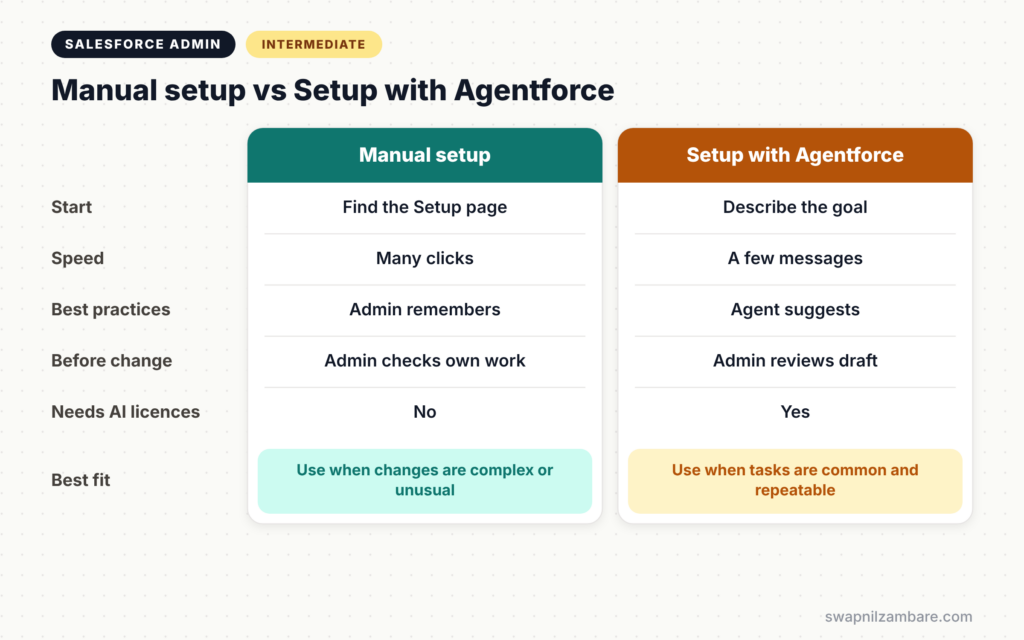
The table below compares doing a task by hand with using the agent.
| Feature | Manual setup | Setup with Agentforce |
|---|---|---|
| Starting point | Find the right Setup page | Describe the goal in chat |
| Speed for common tasks | Many clicks | A few messages |
| Best practice checks | Admin must remember | Agent suggests them |
| Review before change | Admin checks own work | Admin reviews the draft |
| Works without AI licences | Yes | No |
| Best for | Complex or unusual changes | Common, repeatable tasks |
When to use which is simple. Use the agent for common tasks and first drafts. Use manual setup for complex changes and anything the agent cannot do yet.
How to Use Setup with Agentforce Step by Step
Let’s use Setup with Agentforce at Bright Path Tutors in a full sandbox.
Step 1: Enable It
- Confirm Data 360, Einstein generative AI and Agentforce are on.
- Next, go to Setup home and follow the prompt, or open the Setup with Agentforce page.
- Then switch the toggle on and assign the user permissions.
- If your org used the older Agent for Setup, remove it first, as Salesforce requires.
Step 2: Design an Object
Type this request in the chat.
Create a custom object called Batch to store training batches.
Each batch belongs to one Course and has a start date,
an end date, a trainer and a maximum number of seats.
The agent proposes an object, fields and a lookup to Course. Review the names and types, then confirm.
Step 3: Ask for a Report Type
Next, ask “Create a report type for Courses with Batches.” The agent checks for a matching report type first. However, this action may not be available in Developer Edition orgs, so use a sandbox.
Step 4: Check Risky Permissions
Ask “Which users have Modify All Data?” The table below shows the kind of answer you might get.
| User | Source | Suggested action |
|---|---|---|
| Asha Mehta | Sales Ops permission set | Review with manager |
| Integration User | Profile | Reduce to needed objects |
| Admin Team | System Administrator | Keep |
Step 5: Explain a Formula
Paste a long validation rule and ask the agent to explain it in plain English. This is helpful when you inherit an old org.
Using Setup with Agentforce Safely
Always review drafts carefully before you confirm. The agent follows best practices, but it does not know every business rule. So test changes in a sandbox, then deploy them as usual. Also keep using the Principle of Least Privilege when the agent suggests permission changes.
Current Limits
Some actions are not available in every org type, such as report types in Developer Edition. The custom Address field type is not supported. The agent can help write formulas, but formula fields are created through the Formula Assistant rather than directly in chat. Check the release notes each season, because these limits change quickly.
Common Mistakes with Setup with Agentforce
- Confirming drafts without reading them.
- Using it first in production instead of a sandbox.
- Forgetting the Data 360 and permission requirements.
- Expecting it to know business rules it was never told.
- Giving every user access to it without a plan.
Best Practices for Setup with Agentforce
- Write clear requests with names, relationships and rules.
- Review every draft and adjust names to your standards.
- Try it in a sandbox and deploy changes the normal way.
- Limit access to admins and trained builders.
- Track credit usage with your account team.
Practice Task
In a sandbox, ask Setup with Agentforce to design an object for storing course feedback with a rating from 1 to 5. Then compare its draft with how you would build it. Hint: check the field types and the relationship to Course.
Most Asked Interview Questions on Setup with Agentforce
Questions on Setup with Agentforce are new in admin interviews, but they are growing fast. Here are the ones asked most.
Basic Questions on Setup with Agentforce
Q1. What is Setup with Agentforce?
It is an AI assistant in Salesforce Setup that helps admins with tasks through chat, such as designing objects and checking permissions.
Q2. What does it need to work?
Data 360, Einstein generative AI and Agentforce must be on, and users need the right permissions.
Q3. Does it bypass user permissions?
No. It respects the running user’s permissions, so it can only do what that user can do.
Q4. Does it change the org straight away?
No. It prepares drafts, and the admin reviews and confirms them before changes are made.
Practical Questions on Setup with Agentforce
Q5. How would you use it to design a new object?
Describe the object, its fields and relationships in plain words. Then review the proposed design, adjust it and confirm.
Q6. Can it check who has risky permissions?
Yes. You can ask which users have permissions such as Modify All Data, and it will list them.
Q7. What would you do before rolling it out to a team?
Test it in a sandbox, check the requirements and costs, limit access and agree on a review process.
Q8. Name a current limit.
For example, the custom Address field type is not supported, and some actions are not available in Developer Edition orgs.
Official Resources
Quick Recap
- Setup with Agentforce is an AI assistant inside Salesforce Setup.
- It drafts objects, report types, flows and permission changes for review.
- You need Data 360, Einstein generative AI, Agentforce and user permissions.
- The agent respects the running user’s access.
- Test in a sandbox and review every draft.
What’s Next?
Agents need testing just like flows. Next, read our guide to the Agentforce Testing Center and agent monitoring.