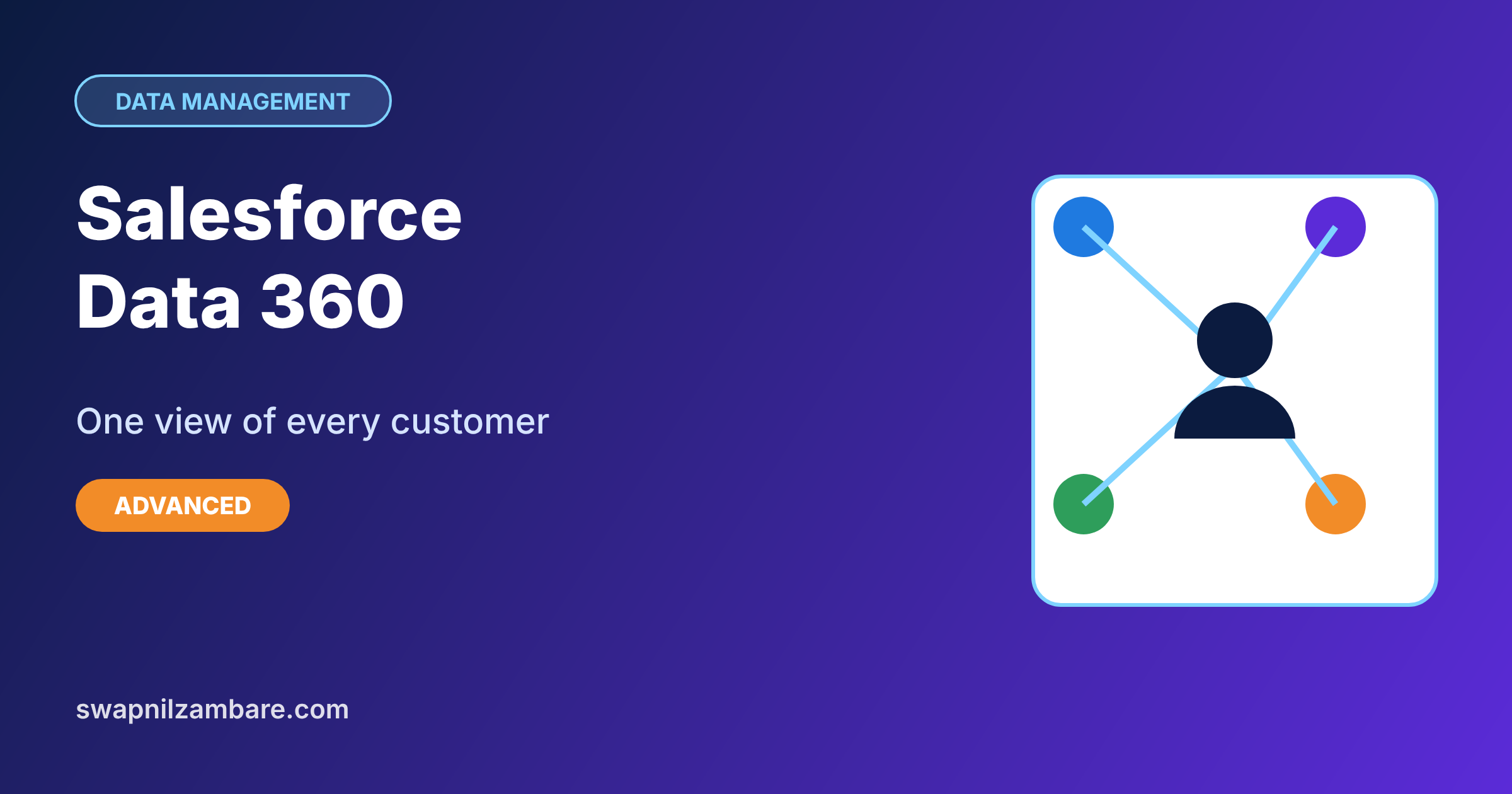
Salesforce Data 360, formerly called Data Cloud, brings customer data from many systems into one place, matches records that belong to the same person, and makes that unified data available across Salesforce. Salesforce renamed Data Cloud to Data 360 in late 2025, so you will see both names in older help pages. In our Salesforce Connect guide, you viewed outside data live. In our data migration guide, you copied data in. Data 360 takes a third approach built for large volumes and analytics.
In this post, you will learn the main building blocks of Data 360: data streams, data lake objects, data model objects, identity resolution, calculated insights, segments and activations. Then you will plan a small Data 360 setup for Bright Path Tutors that unifies parents from Salesforce and the website. This is an introduction for admins, so we focus on ideas and setup steps rather than every advanced option.
What is Salesforce Data 360?
Data 360 is a data platform that runs alongside your Salesforce org. It ingests data from sources such as Sales Cloud, Service Cloud, websites, apps and cloud storage. Then it maps that data to a common model, matches duplicates into unified profiles, and lets you use the result in segments, insights, flows and AI agents.
Here is a simple analogy. Think of a school that keeps parent details in four registers: admissions, fees, transport and the website. The same parent appears in each register with small differences. Data 360 is the office clerk who copies all four registers into one master file and links the entries for the same parent.
Why Salesforce Data 360 Matters
Most companies keep customer data in many systems. As a result, no team sees the full picture of a customer. Sales sees deals, support sees cases, and marketing sees clicks, but nobody sees the parent as one person. That gap leads to repeated questions, wrong offers and frustrated customers.
Here are some real situations at Bright Path Tutors.
- A parent is a contact in Salesforce, a user on the website and a payer in the billing system.
- Marketing wants to target parents who browsed robotics pages but never enrolled.
- Support agents want to see website activity next to the parent’s cases.
- An AI agent needs trusted, unified data to answer parent questions.
So Data 360 gives every team and every AI tool the same complete view of each customer.
How Salesforce Data 360 Works
Data moves through a clear pipeline. First, data streams bring data in from sources like Salesforce objects or website events. Next, each stream lands in a data lake object, which stores the raw data. Then you map those fields to data model objects, such as Individual and Contact Point Email. After that, identity resolution matches records that belong to the same person and creates unified profiles. Finally, you use the unified data in calculated insights, segments and activations, or in Salesforce through related lists, flows and Agentforce.
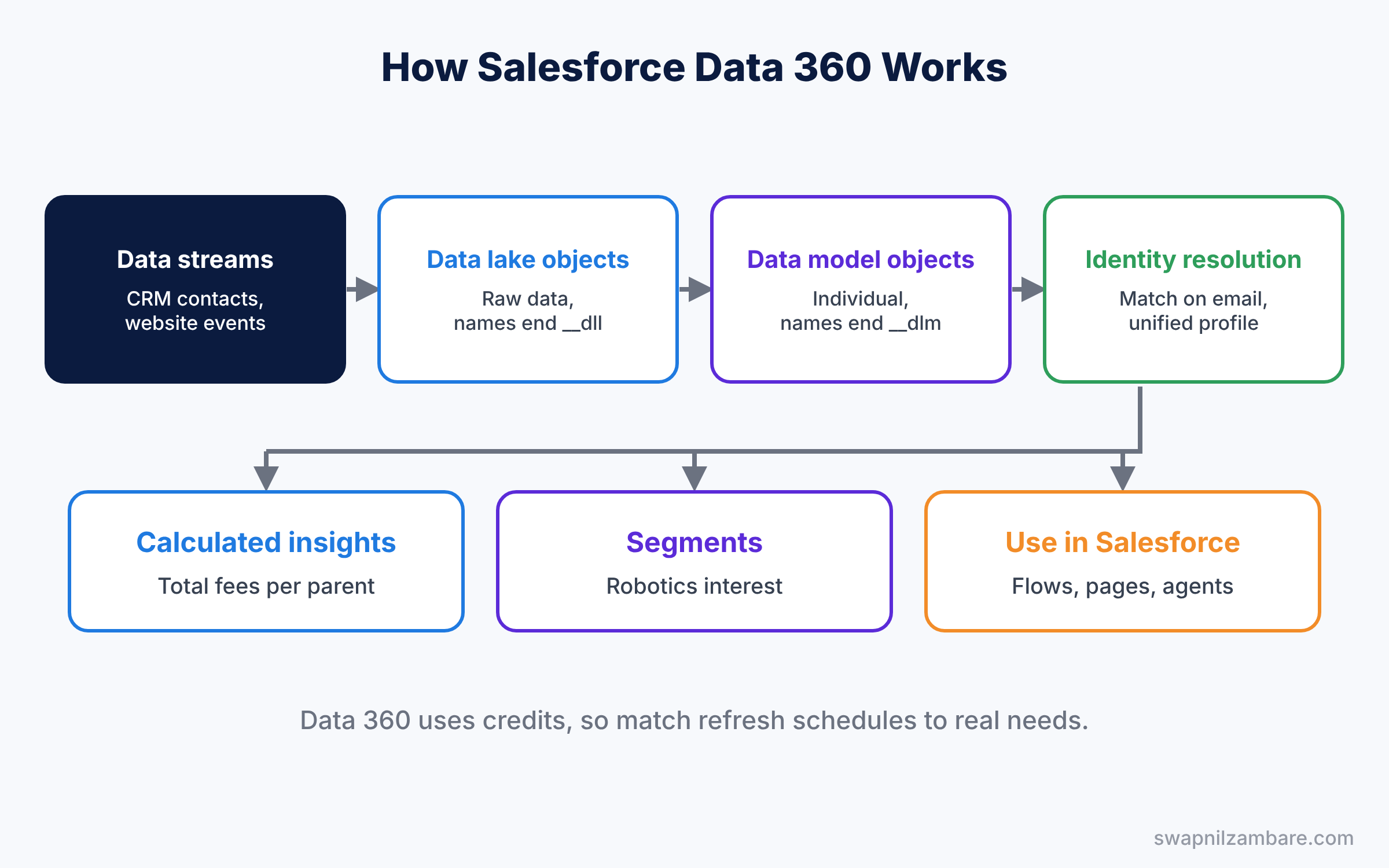
Data 360 uses consumption-based pricing, so each job uses credits. Plan streams and refresh schedules with that in mind. For example, a website event stream that refreshes every few minutes uses far more credits than a contact stream that refreshes once a day. So match each refresh schedule to how fresh the data really needs to be.
Key Parts of Salesforce Data 360
Data streams
First, a data stream is a connection that brings data in on a schedule or in near real time. Sources include the Salesforce CRM connector, cloud storage files and website or app events.
Data lake objects and data model objects
Next, a data lake object holds raw data from a stream, and its API name ends in __dll. A data model object is part of the common data model, and its API name ends in __dlm. Mapping connects the two, for example a CRM Contact to the Individual object.
Identity resolution
Then identity resolution uses match rules, such as same email or same phone, to find records for the same person. Reconciliation rules decide which value wins when sources disagree. The result is a unified individual profile. For example, if the website has a newer phone number than the CRM, a “most recent” rule keeps the website value.
Calculated insights and segments
Calculated insights are metrics, such as total fees paid per parent. Segments are groups of profiles, such as “parents who viewed robotics pages in 30 days”.
Activations and use in Salesforce
Finally, activations send segments to targets like marketing tools. Inside Salesforce, admins can show unified data on record pages, use it in flows, and ground Agentforce answers with it.
The table below shows our planned setup.
| Building block | Bright Path Tutors example |
|---|---|
| Data stream | Salesforce CRM Contacts and website events |
| Data model object | Individual, Contact Point Email |
| Match rule | Same email address |
| Calculated insight | Total fees paid per parent |
| Segment | Parents interested in robotics, not enrolled |
Data 360 vs Salesforce Connect
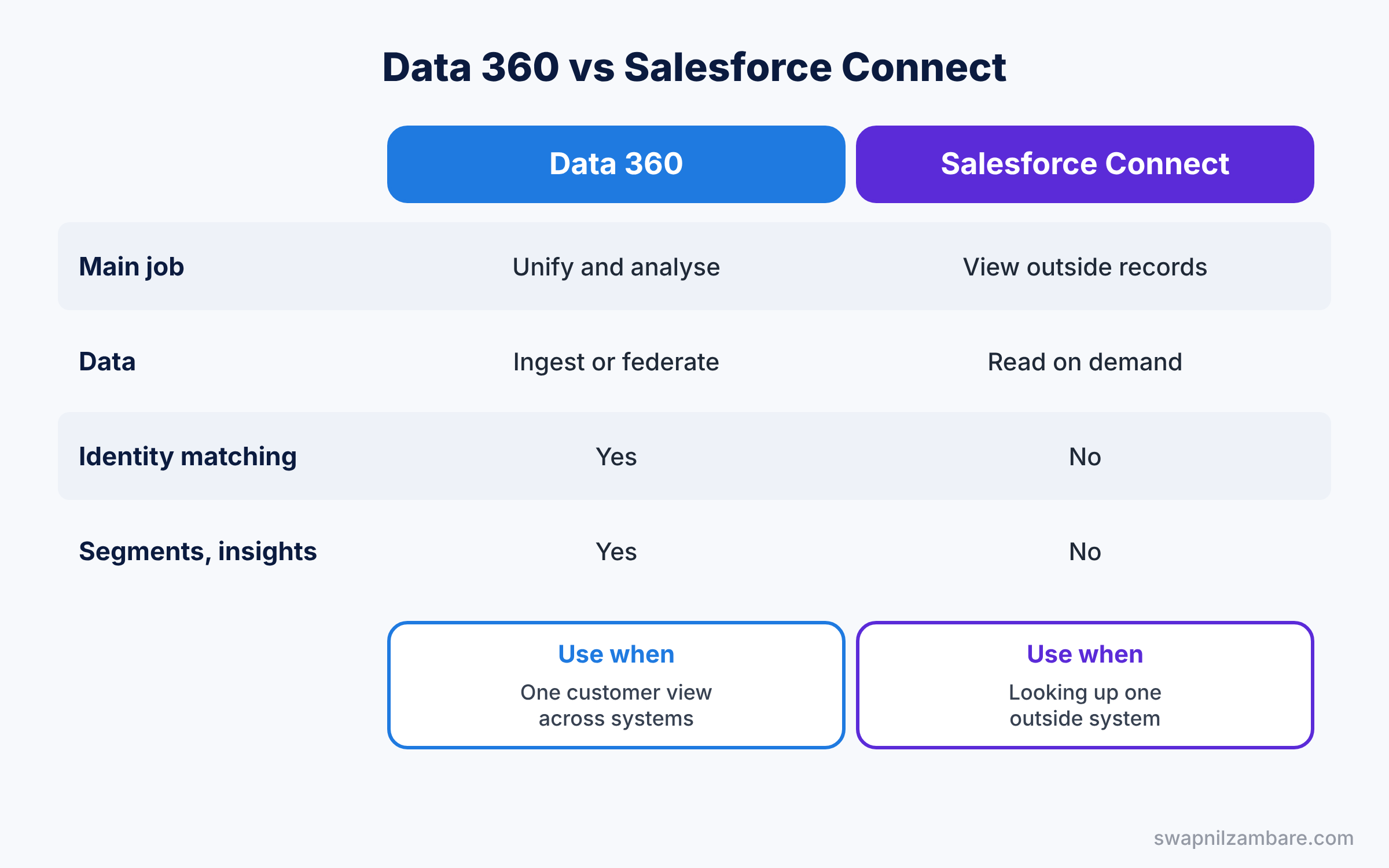
Both bring outside data closer to users, so it helps to compare them. The table below shows the differences.
| Feature | Data 360 | Salesforce Connect |
|---|---|---|
| Main job | Unify and analyse customer data | View outside records live |
| Data handling | Ingests or federates large volumes | Reads one system on demand |
| Identity matching | Yes, unified profiles | No |
| Segments and insights | Yes | No |
| Best for | One customer view across systems | Looking up one outside system |
In short, use Salesforce Connect to look up records in one outside system. Use Salesforce Data 360 when you need unified customer profiles, insights and segments across many sources.
Hands-on Example: Salesforce Data 360 for Parent Profiles
Let’s plan a first setup. You need an org with Data 360 turned on, such as a Developer Edition created with Data 360. Menu names change often here, so follow the current Help steps when labels differ.
Step 1: Set up Data 360
- Open Data 360 Setup and complete the guided setup.
- Assign the Data 360 permission sets to the admin and the marketing user.
Step 2: Connect the CRM data
- Create a data stream from the Salesforce CRM connector.
- Pick the Contact object and choose the starter data bundle, so mappings to Individual and Contact Point Email are created for you.
Step 3: Add identity resolution
- Create an identity resolution ruleset for Individual.
- Add a match rule on exact normalised email, then run the ruleset.
- Check the number of unified profiles against the number of contacts. If 3,000 contacts become 2,700 profiles, about 300 parents had duplicate records, which is useful to know on its own.
Step 4: Build an insight and a segment
- Create a calculated insight for total fees paid per parent.
- Create a segment of parents with no enrollment and recent robotics page views.
Step 5: Query the unified data
Data 360 uses SQL, not SOQL, in its Query Editor. This query lists unified profiles by first name.
SELECT ssot__Id__c, ssot__FirstName__c, ssot__LastName__c
FROM ssot__Individual__dlm
LIMIT 10
The ssot__ prefix marks standard data model objects and fields. So when you see __dlm, you know you are querying the unified model, not the raw stream.
Common Mistakes with Salesforce Data 360
- Ingesting everything. Extra streams use credits without adding value.
- Loose match rules. Matching on name alone merges different parents.
- Skipping mapping checks. Wrong mappings spread bad data everywhere.
- No owner for credits. Costs grow quietly without monitoring.
- Expecting it to replace the CRM. Data 360 adds a unified view; it does not replace records.
Best Practices for Salesforce Data 360
- Start with one use case. For example, unify parents for one marketing segment, then grow from there.
- Use starter bundles. They create standard mappings for common objects.
- Match on strong keys. Email and phone beat names.
- Monitor usage. Review credit consumption every month with the business owner.
- Involve security early. Decide who can see unified data before you build.
Practice Task
Add a second data stream from a CSV file of website sign-ups, map it to Individual and Contact Point Email, and rerun identity resolution. Then compare the unified profile count.
Hint: use the same normalised email match rule so website sign-ups join existing parents.
Salesforce Data 360 FAQ
Is Data 360 the same as Data Cloud?
Yes. Salesforce renamed Data Cloud to Data 360 in 2025.
Does Data 360 copy all data?
Not always. Some sources can be federated with zero copy, while others are ingested.
Do admins need SQL?
Basic SQL helps for checking data, but most setup uses clicks.
Official Resources
Quick Recap
- Salesforce Data 360, formerly Data Cloud, unifies customer data from many sources.
- Data streams land in data lake objects, then map to data model objects.
- Identity resolution creates unified profiles with match and reconciliation rules.
- Calculated insights and segments turn data into action.
- Plan credits and start with one clear use case.
What’s Next?
You now have a single view of each customer. Next, we move to security and learn how users log in with one company password through single sign-on. Read Salesforce Single Sign-On and My Domain.