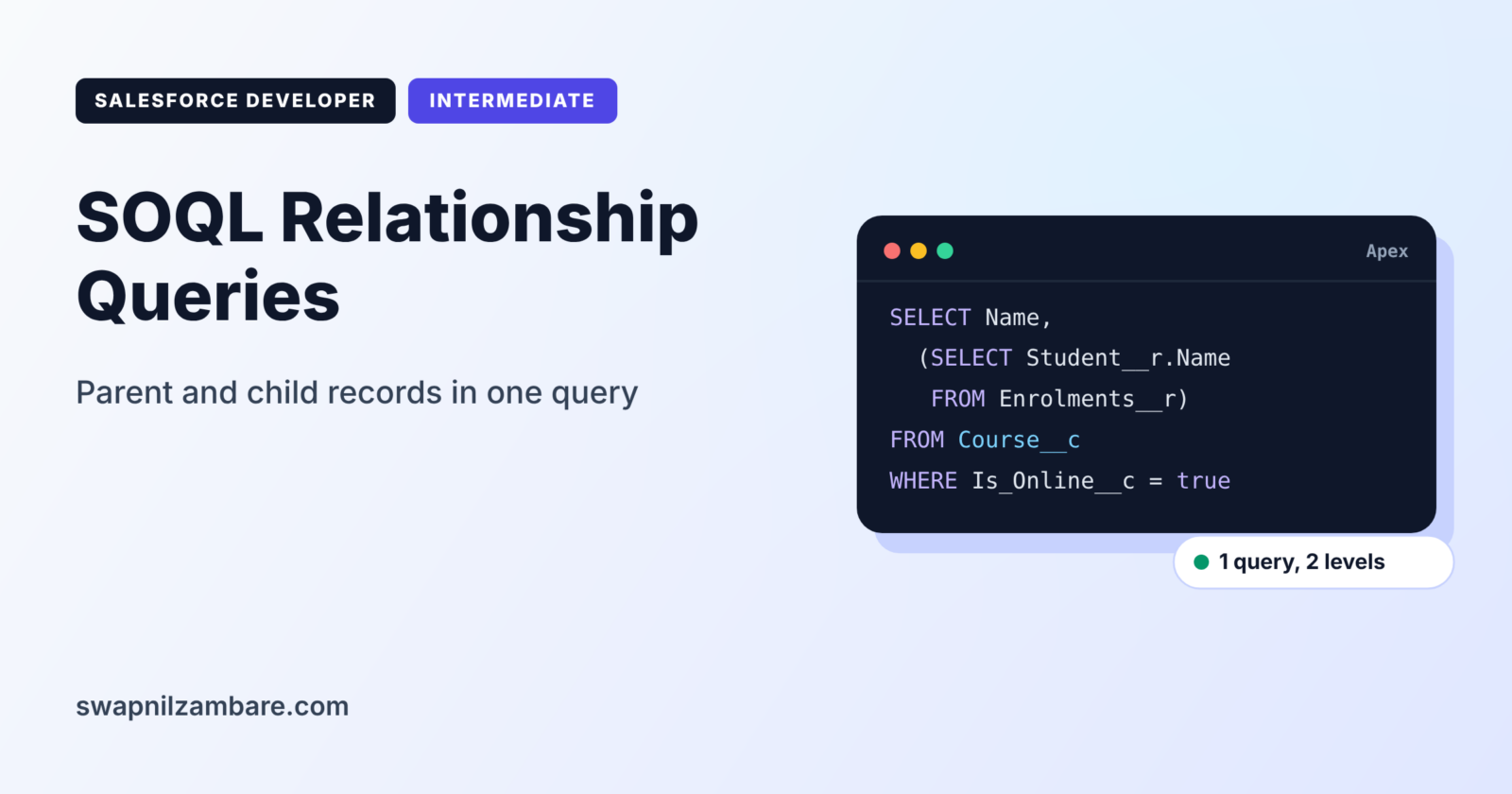
SOQL Relationship Queries let you read related records in one query, such as each enrolment with its course name, or each course with all its enrolments. Instead of running two queries and matching results by hand, you follow the relationship inside the query itself.
In this post, you will learn both directions of relationship queries, how relationship names work, and how semi-joins filter by related data. It builds on the Salesforce data model and master-detail vs lookup relationships. It also continues from the SOQL WHERE clause guide.
What are SOQL Relationship Queries?
SOQL Relationship Queries read fields from related objects in a single query. There are two directions. Child-to-parent queries read fields from a parent, such as the course of an enrolment. Parent-to-child queries read a list of children, such as all enrolments of a course.
Think of a school register. From a student’s row, you can read the class teacher’s name, which is child to parent. From the class page, you can read every student in the class, which is parent to child. Both views use the same link between student and class.
Why SOQL Relationship Queries Matter
Every extra query uses one of your 100 allowed queries. SOQL Relationship Queries reduce that count and keep code simple. Here is how they help at Bright Path Tutors.
- First, the enrolment email needs the course name and start date.
- Also, the trainer dashboard lists each course with its active students.
- Next, a class must find courses that have no enrolments yet.
- A report shows each enrolment with the student’s account name.
- Finally, triggers must read parent data without a query per record.
So one well-written query often replaces two or three simple ones.
How SOQL Relationship Queries Work
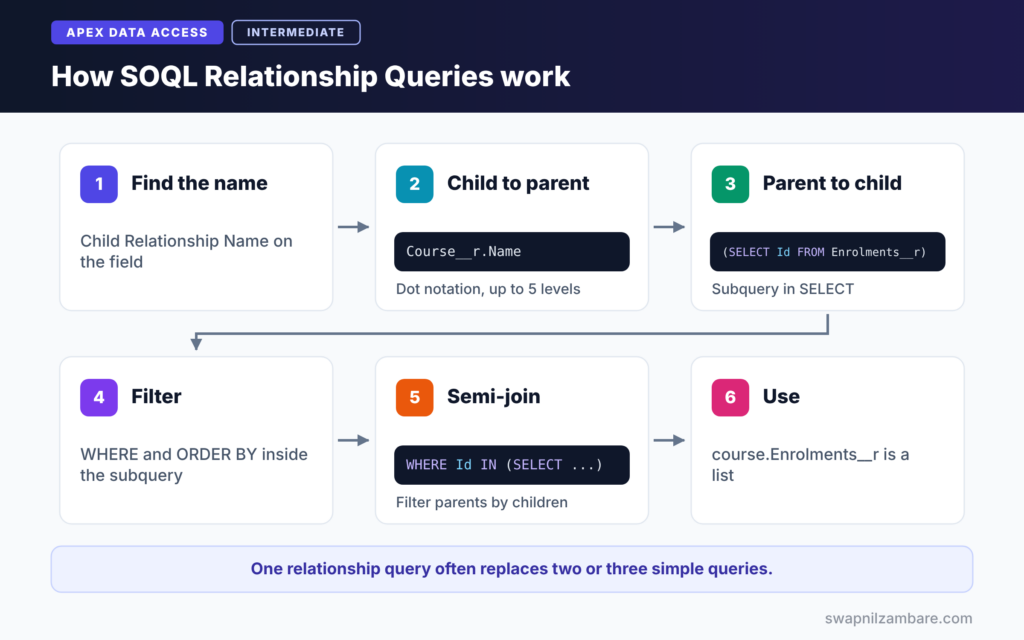
SOQL Relationship Queries use relationship names. First, you find the relationship name on the lookup or master-detail field. Next, for child-to-parent, you use dot notation, such as Course__r.Name. Then, for parent-to-child, you write a subquery in brackets using the child relationship name, such as Enrolments__r. Finally, Apex returns parent records with their related fields or child lists attached.
Child-to-Parent with Dot Notation
On a custom lookup field named Course__c, the relationship name is Course__r. So Course__r.Name reads the parent course name. For standard fields, you drop the suffix, such as Account.Name on Contact. You can go up to five levels, such as Course__r.Trainer__r.Name.
Parent-to-Child with Subqueries
A subquery sits inside the SELECT list, in brackets. It uses the child relationship name, which is usually plural, such as Enrolments__r or Contacts. Each parent record then carries a list of its children.
Finding Relationship Names
Open Object Manager, then the child object, then the lookup field. The field details show the Child Relationship Name, such as “Enrolments”. In SOQL, custom names add __r, so it becomes Enrolments__r.
Semi-Joins and Anti-Joins
A semi-join filters parents by their children, such as WHERE Id IN (SELECT Course__c FROM Enrolment__c). An anti-join uses NOT IN to find parents with no matching children.
Relationship Names at a Glance
The table below shows how names change between fields and queries.
| Field or relationship | API name | Name in SOQL |
|---|---|---|
| Custom lookup on Enrolment | Course__c | Course__r.Name |
| Lookup on Course to a user | Trainer__c | Trainer__r.Name |
| Standard lookup on Contact | AccountId | Account.Name |
| Custom child list on Course | Enrolments | Enrolments__r |
| Standard child list on Account | Contacts | Contacts |
Child-to-Parent vs Parent-to-Child
The table below compares the two directions of SOQL Relationship Queries.
| Feature | Child-to-parent | Parent-to-child |
|---|---|---|
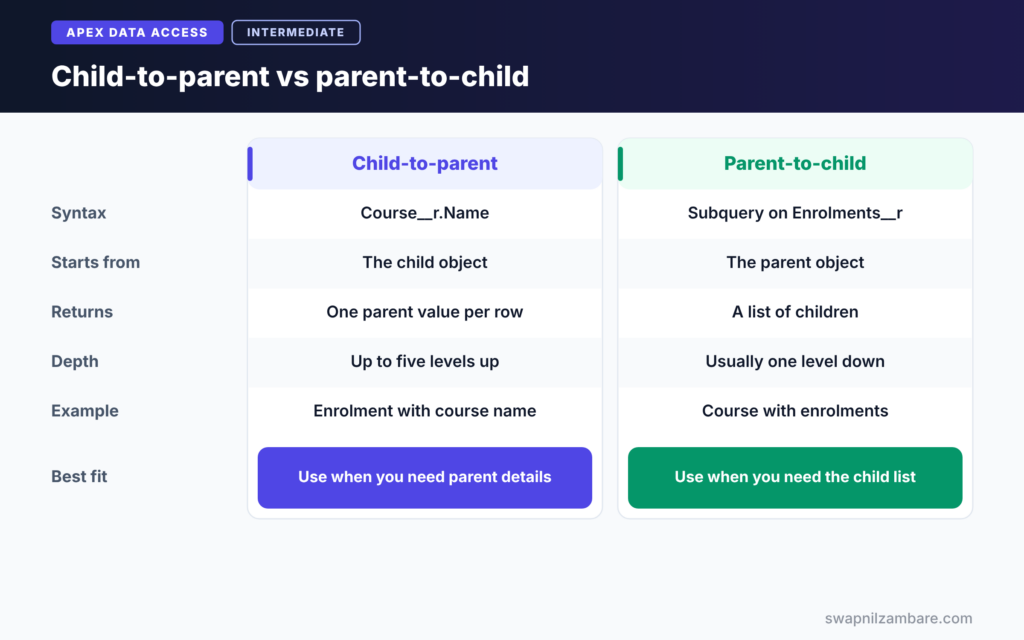
| Syntax | Dot notation, Course__r.Name | Subquery, (SELECT … FROM Enrolments__r) |
| Starts from | The child object | The parent object |
| Returns | One parent value per row | A list of children per row |
| Depth | Up to five levels up | Usually one level down in Apex |
| Example | Enrolment with course name | Course with its enrolments |
When to use which depends on your starting point. Start from the child when you need parent details. Start from the parent when you need its list of children.
A Real SOQL Relationship Queries Example in Apex
Let’s build two queries for Bright Path Tutors. The Enrolment__c object has a lookup to Course__c and a lookup to Contact called Student__c.
Step 1: Child-to-Parent Query
List<Enrolment__c> enrolments = [
    SELECT Id, Status__c,
           Student__r.Name,
           Course__r.Name, Course__r.Start_Date__c,
           Course__r.Trainer__r.Name
    FROM Enrolment__c
    WHERE Status__c = 'Active'
    LIMIT 5
];

for (Enrolment__c e : enrolments) {
    System.debug(e.Student__r.Name + ' joined ' + e.Course__r.Name
        + ' with trainer ' + e.Course__r.Trainer__r.Name);
}
The query starts from Enrolment__c. Dot notation reads the student name, the course name and start date, and even the trainer name two levels up. Inside the loop, we read those fields with the same dot notation.
Step 2: Parent-to-Child Query
List<Course__c> courses = [
    SELECT Id, Name,
           (SELECT Id, Student__r.Name, Status__c
            FROM Enrolments__r
            WHERE Status__c = 'Active'
            ORDER BY CreatedDate)
    FROM Course__c
    WHERE Is_Online__c = true
];

for (Course__c c : courses) {
    System.debug(c.Name + ' has ' + c.Enrolments__r.size() + ' active students');
}
The subquery returns each course’s active enrolments. In Apex, c.Enrolments__r is a list, so size() counts the students. The subquery can have its own WHERE and ORDER BY.
Step 3: Read the Output
Here is an example of the debug log for Step 2.
USER_DEBUG [12]|DEBUG|Apex Basics has 18 active students
USER_DEBUG [12]|DEBUG|SOQL Basics has 0 active students
USER_DEBUG [12]|DEBUG|LWC Basics has 7 active students
Step 4: Find Courses with No Enrolments
List<Course__c> emptyCourses = [
    SELECT Id, Name
    FROM Course__c
    WHERE Id NOT IN (SELECT Course__c FROM Enrolment__c)
];
System.debug('Courses without enrolments: ' + emptyCourses.size());
This anti-join is one of the most useful SOQL Relationship Queries. It returns courses that no enrolment points to. Also, it is one query, with no loops or maps needed.
SOQL Relationship Queries and Limits
SOQL Relationship Queries still count as one query each. However, the rows inside subqueries count toward the 50,000 row limit. So keep subqueries filtered. Also, when a parent has very many children, loop over the child list with a for loop rather than copying it into a new list.
Common Mistakes with SOQL Relationship Queries
- Using
Course__c.Nameinstead ofCourse__r.Name. - Guessing the child relationship name instead of checking the field.
- Reading a parent field that was not selected, which throws an error.
- Forgetting that a parent lookup can be blank, which gives a null value.
- Returning thousands of children in a subquery without a filter.
Best Practices for SOQL Relationship Queries
- Check relationship names in Object Manager before writing queries.
- Use child-to-parent dot notation to avoid extra queries in triggers.
- Filter subqueries with WHERE and limit them when possible.
- Check for null before reading parent fields from optional lookups.
- Use semi-joins and anti-joins instead of loops that compare lists.
Practice Task
Write a query on Contact that returns each student with the names of their active courses. Hint: use a subquery on the child relationship from Contact to Enrolment__c, then read Course__r.Name inside it.
Most Asked Interview Questions on SOQL Relationship Queries
SOQL Relationship Queries are among the most tested topics in interviews. Here are the 20 questions asked most, with short answers.
Basic Questions on SOQL Relationship Queries
Q1: What is a relationship query?
It reads fields from related objects in one SOQL query, so you avoid running separate queries.
Q2: What are the two types of relationship queries?
Child-to-parent, which uses dot notation, and parent-to-child, which uses a subquery.
Q3: What does __r mean?
It marks a custom relationship name. For example, the field Course__c has the relationship name Course__r.
Q4: How do you read a standard parent field?
Use the relationship name without a suffix. For example, Contact uses Account.Name.
Q5: How many levels can child-to-parent queries go?
Up to five levels, for example Course__r.Trainer__r.Manager.Name.
Q6: Where do you find the child relationship name?
On the lookup or master-detail field in Object Manager, under Child Relationship Name.
Q7: What does a subquery return in Apex?
A list of child records on each parent record, such as course.Enrolments__r.
Code and Scenario Questions on SOQL Relationship Queries
Q8: Write a query for accounts with their contacts.
For example, use SELECT Name, (SELECT LastName FROM Contacts) FROM Account.
Q9: How do you find accounts with no contacts?
Use an anti-join, such as WHERE Id NOT IN (SELECT AccountId FROM Contact).
Q10: How do you find courses with active enrolments only?
Use a semi-join, such as WHERE Id IN (SELECT Course__c FROM Enrolment__c WHERE Status__c = ‘Active’).
Q11: Can a subquery have its own WHERE and ORDER BY?
Yes. A subquery can use WHERE, ORDER BY and LIMIT.
Q12: What happens if a lookup is blank?
The parent reference is null, so reading a field on it gives null. Check for null before using it.
Q13: How do relationship queries help in triggers?
They let you read parent data for all records in one query, so you avoid queries inside loops.
Q14: Do subquery rows count toward limits?
Yes. Child rows count toward the 50,000 row limit, so filter subqueries.
Advanced Questions on SOQL Relationship Queries
Q15: What is a polymorphic relationship?
It is a lookup that can point to different objects, such as WhatId on Task. You can use TYPEOF in SOQL to read fields by type.
Q16: Can you filter parents by a child field without a semi-join?
No. To filter parents by children, use a semi-join. A subquery alone only returns children, it does not filter parents.
Q17: Why might parent-to-child subqueries with many children cause problems?
Large child lists use heap and row limits. So filter them, or query children separately in batches.
Q18: How do you query fields from a master-detail parent?
The same way as a lookup, with the relationship name and dot notation.
Q19: What is the difference between a semi-join and a subquery in SELECT?
A semi-join filters parent records in the WHERE clause. A subquery in SELECT returns child records.
Q20: How would you reduce three queries into one?
Use child-to-parent dot notation for parent fields and a subquery for children, so one query returns all three levels of data.
Official Resources
Quick Recap
- SOQL Relationship Queries read related records in one query.
- Child-to-parent uses dot notation, such as Course__r.Name.
- Parent-to-child uses a subquery with the child relationship name.
- Semi-joins and anti-joins filter parents by their children.
- Check relationship names and filter subqueries to stay within limits.
What’s Next?
Relationship queries return records. Sometimes you need totals instead. Next, read our guide to SOQL aggregate functions and GROUP BY.


