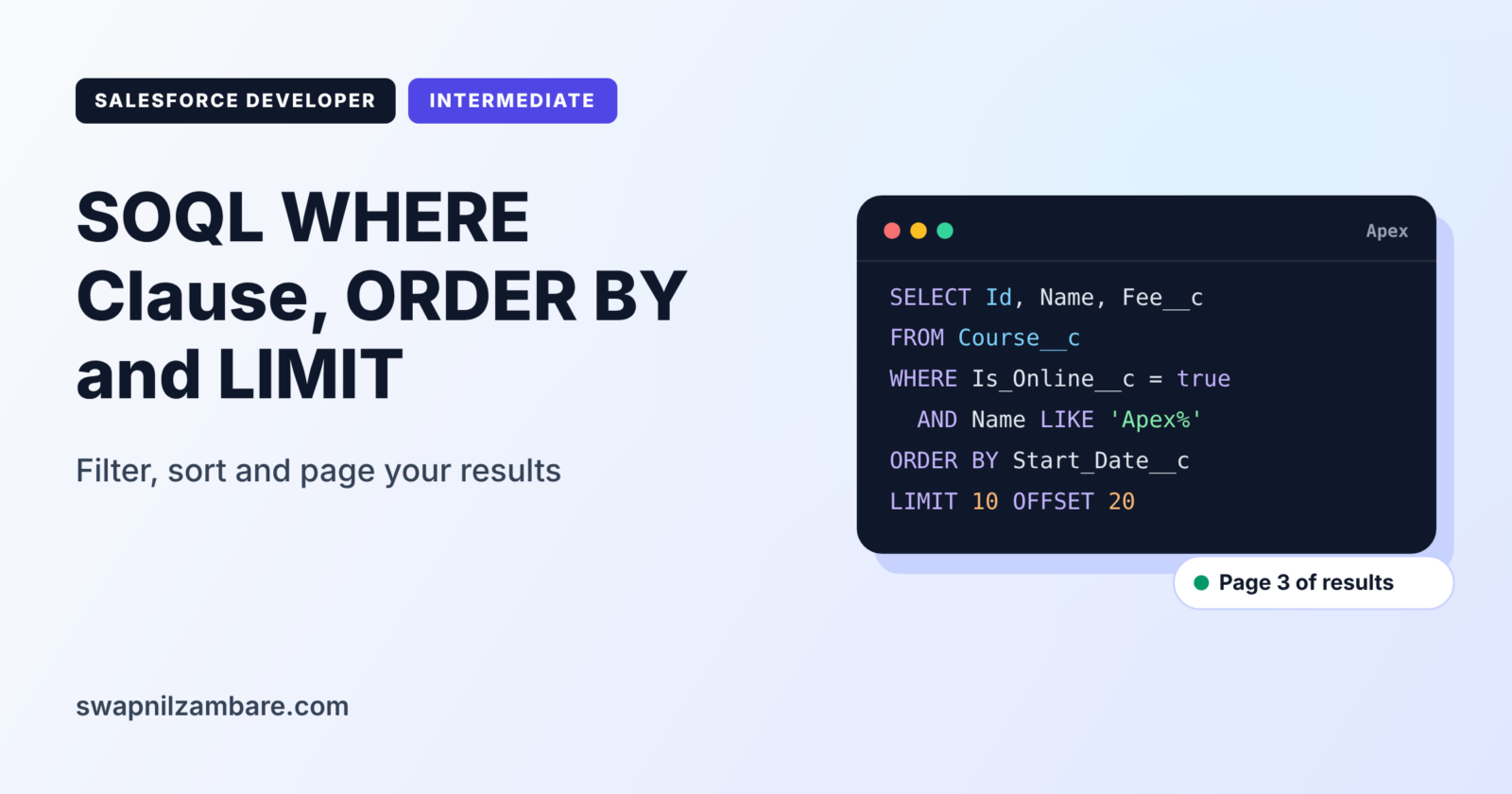
The SOQL WHERE Clause decides which records your query returns. ORDER BY decides their order, LIMIT decides how many come back, and OFFSET skips rows for paging. So together, these four keywords turn a broad query into a precise one.
In this post, you will learn every common filter operator, how to combine conditions, and how to sort and page results safely. It continues from SOQL Basics and uses the Apex operators and conditional statements you already know. As before, we will keep using the Course__c object from Bright Path Tutors.
What is the SOQL WHERE Clause?
The SOQL WHERE Clause is the part of a query that filters records. It contains one or more conditions, such as Fee__c > 5000. As a result, only records that match every rule come back. However, without a WHERE clause, the query returns every record the user can see.
Think of a school notice: “Students of Class 8, Section B, with attendance below 75%, must meet the principal.” Each part narrows the group. In the same way, a SOQL WHERE Clause narrows records.
Why the SOQL WHERE Clause Matters
Good filters keep queries fast, and they also keep code within limits. Here is why the SOQL WHERE Clause matters at Bright Path Tutors.
- First, the reminder job needs only courses that start next week.
- Also, the website shows online beginner courses under 5,000 rupees.
- Next, the course list page shows 20 courses at a time, newest first.
- Also, a report class must skip cancelled enrolments.
- Finally, unfiltered queries can return 50,000 rows and break the transaction.
So clear filters give correct results and protect your limits.
How the SOQL WHERE Clause Works with ORDER BY, LIMIT and OFFSET
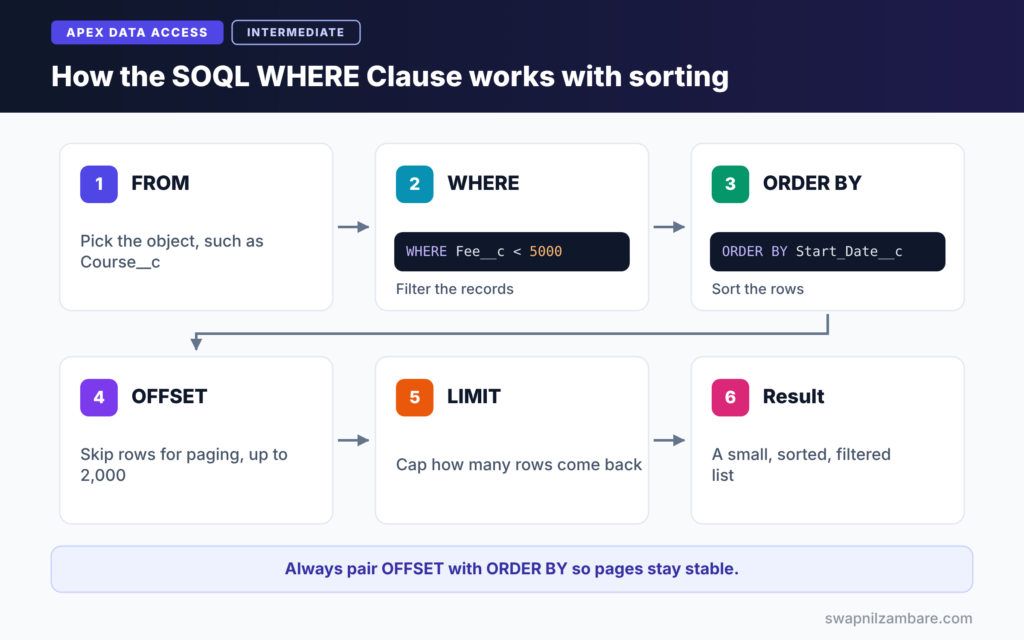
Salesforce runs these clauses in a set order, so the SOQL WHERE Clause always runs before sorting. First, FROM picks the object. Next, the SOQL WHERE Clause filters the records. Then ORDER BY sorts the remaining rows. After that, OFFSET skips a number of rows. Finally, LIMIT caps how many rows come back.
Comparison Operators
The basic operators are =, !=, <, <=, > and >=. Text comparisons are not case sensitive, so Name = 'apex basics' matches “Apex Basics”.
LIKE
LIKE matches text patterns, for example course names. The % sign matches any number of characters, and _ matches exactly one. For example, Name LIKE 'Apex%' finds names that start with Apex.
IN and NOT IN
IN checks a value against a list, such as Level__c IN ('Beginner', 'Intermediate'). In Apex, you can also pass a list or set with a bind variable.
AND, OR and NOT
AND needs both conditions to be true, and OR needs at least one. Use brackets when you mix them, so the meaning is clear.
Null Checks
Use Fee__c = null to find blank values and Fee__c != null to find filled ones. However, SOQL does not use IS NULL.
SOQL WHERE Clause Operators at a Glance
The table below lists the operators you will use most.
| Operator | Example | Meaning |
|---|---|---|
| = | Level__c = ‘Beginner’ | Equal to |
| != | Level__c != ‘Advanced’ | Not equal to |
| > and < | Fee__c > 5000 | Greater or less than |
| LIKE | Name LIKE ‘Apex%’ | Text pattern |
| IN | Level__c IN (‘Beginner’, ‘Intermediate’) | Matches any value in a list |
| INCLUDES | Topics__c INCLUDES (‘Apex’) | Multi-select picklist contains a value |
| = null | Start_Date__c = null | Field is blank |
OFFSET Paging vs Keyset Paging
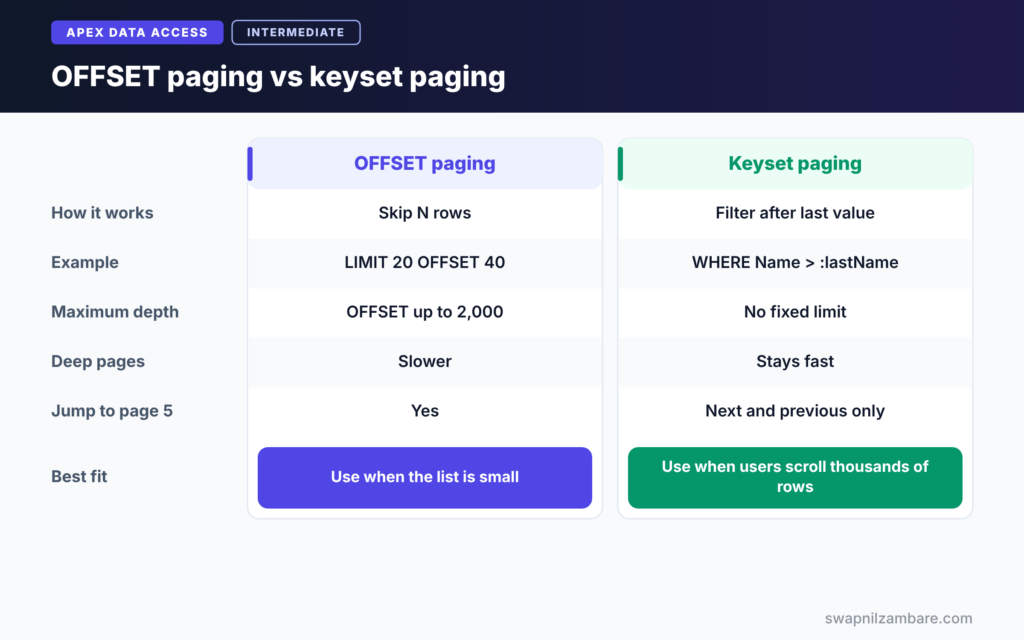
Paging means showing results page by page, for example 20 rows at a time. The table below compares two common approaches.
| Feature | OFFSET paging | Keyset paging |
|---|---|---|
| How it works | Skip N rows with OFFSET | Filter after the last seen value |
| Example | LIMIT 20 OFFSET 40 | WHERE Name > :lastName LIMIT 20 |
| Maximum depth | OFFSET up to 2,000 | No fixed depth limit |
| Speed on deep pages | Slower | Stays fast |
| Easy to jump to page 5 | Yes | No, only next and previous |
When to use which depends on the data size. So use OFFSET for small lists. Use keyset paging when users may scroll through thousands of records.
A Real SOQL WHERE Clause Example in Apex
Let’s build filters for the Bright Path Tutors course catalogue. The website needs affordable online courses for beginners, sorted by start date, 10 per page.
Step 1: Combine Filters
List<Course__c> catalogue = [
    SELECT Id, Name, Fee__c, Level__c, Start_Date__c
    FROM Course__c
    WHERE Is_Online__c = true
    AND Level__c IN ('Beginner', 'Intermediate')
    AND (Fee__c < 5000 OR Name LIKE '%Basics%')
    ORDER BY Start_Date__c ASC NULLS LAST
    LIMIT 10
];
System.debug('Courses on page 1: ' + catalogue.size());
First, the query keeps online courses at two levels. Then the bracketed OR keeps cheap courses or any “Basics” course. ORDER BY sorts by start date, and NULLS LAST puts undated courses at the end. LIMIT 10 returns only the first page.
Step 2: Add Paging with OFFSET
Integer pageSize = 10;
Integer pageNumber = 3;
Integer offsetRows = (pageNumber - 1) * pageSize;

List<Course__c> page3 = [
    SELECT Id, Name, Start_Date__c
    FROM Course__c
    WHERE Is_Online__c = true
    ORDER BY Start_Date__c ASC, Name ASC
    LIMIT :pageSize
    OFFSET :offsetRows
];
System.debug('Page 3 first course: ' + (page3.isEmpty() ? 'none' : page3[0].Name));
The colon starts a bind variable, which inserts an Apex value into the query. Here offsetRows is 20, so OFFSET skips the first 20 rows and we get page 3. Sorting by start date and then name keeps the order stable between pages.
Step 3: Read the Output
Here is an example of the debug log for these two blocks.
USER_DEBUG [10]|DEBUG|Courses on page 1: 10
USER_DEBUG [13]|DEBUG|Page 3 first course: Data Loader Basics
Dates and Booleans in the SOQL WHERE Clause
However, some values never use quotes. Booleans are true or false. Dates use the format 2026-09-15, and date times use 2026-09-15T09:00:00Z. In contrast, text values always need single quotes. In the next topics, you will also use date literals such as NEXT_N_DAYS:7.
Common Mistakes with the SOQL WHERE Clause
- Putting quotes around numbers, booleans or dates.
- Mixing AND and OR without brackets, which changes the meaning.
- Using OFFSET without ORDER BY, so pages overlap or skip records.
- Using OFFSET beyond 2,000, which throws an error.
- Starting LIKE patterns with %, which can make large queries slow.
Best Practices for the SOQL WHERE Clause
- Filter on indexed fields, such as Id, Name, lookups and external IDs.
- Always pair OFFSET with ORDER BY.
- Use bind variables instead of joining strings.
- Add LIMIT whenever you need only a few rows.
- Use keyset paging for large or deep result sets.
Practice Task
Write a query that returns the 5 most expensive advanced courses that are not online. Hint: combine Level__c, Is_Online__c, ORDER BY Fee__c DESC and LIMIT 5.
Most Asked Interview Questions on the SOQL WHERE Clause
Questions on the SOQL WHERE Clause and paging come up in nearly every developer interview. Here are the 20 most asked questions, with short answers.
Basic Questions on the SOQL WHERE Clause
Q1: What does the WHERE clause do in SOQL?
It filters records, so the query returns only rows that match the conditions.
Q2: Are text comparisons in SOQL case sensitive?
No. So text comparisons with = and LIKE match any case.
Q3: What wildcards does LIKE support?
The % sign matches any number of characters, and _ matches exactly one character.
Q4: How do you check for blank values?
Use = null for blank and != null for filled values, because SOQL does not support IS NULL.
Q5: How do you filter a multi-select picklist?
Use INCLUDES or EXCLUDES, such as Topics__c INCLUDES (‘Apex’).
Q6: Do booleans and dates need quotes?
No. For example, booleans are true or false, and dates use YYYY-MM-DD without quotes. Only text needs single quotes.
Q7: What does ORDER BY NULLS LAST do?
It puts rows with blank values in the sort field at the end of the results.
Code and Scenario Questions on the SOQL WHERE Clause
Q8: How do you filter by a list of values from Apex?
Use IN with a bind variable, such as WHERE Id IN :courseIds.
Q9: What is the maximum OFFSET value?
The limit is 2,000, so a larger OFFSET throws an error.
Q10: Why should OFFSET always be used with ORDER BY?
Without a fixed order, the database may return rows in a different order each time, so pages can overlap or skip records.
Q11: How do you get the newest five courses?
For example, use ORDER BY CreatedDate DESC LIMIT 5.
Q12: What happens if you mix AND and OR without brackets?
AND is evaluated before OR, which can give unexpected results. So brackets make the intent clear.
Q13: How do you sort by more than one field?
List the fields after ORDER BY, separated by commas, such as ORDER BY Level__c ASC, Fee__c DESC.
Q14: How would you show page 4 of a 25-row list?
For example, use LIMIT 25 OFFSET 75 with a stable ORDER BY.
Advanced Questions on the SOQL WHERE Clause
Q15: What is keyset paging?
It filters after the last value seen on the previous page, such as WHERE Name > :lastName ORDER BY Name. As a result, it stays fast on deep pages.
Q16: Which fields are indexed by default?
For example, common ones include Id, Name, OwnerId, CreatedDate, SystemModstamp, lookup and master-detail fields, and external ID or unique fields.
Q17: Why can a LIKE filter starting with % be slow?
A leading wildcard cannot use an index, so Salesforce may scan many more rows.
Q18: What is a selective query?
It is a query whose filters use indexes and return a small share of the records. Because of this, selective queries stay fast on large objects.
Q19: Can you use a formula field in a WHERE clause?
Often yes, but formula fields are usually not indexed, so filtering on them can be slow on large objects.
Q20: How do you avoid hitting the 50,000 row limit?
First, use tight filters and LIMIT. Then process large data in Batch Apex, and avoid queries without a WHERE clause on big objects.
Official Resources
Quick Recap
- The SOQL WHERE Clause filters records with operators, LIKE, IN and null checks.
- ORDER BY sorts results, and NULLS FIRST or LAST controls blank values.
- Also, LIMIT caps the number of rows returned.
- OFFSET pages results up to 2,000 rows, always with ORDER BY.
- Use keyset paging and indexed filters for large data.
What’s Next?
So far, we have queried one object at a time. Next, learn to read parent and child records together in our guide to SOQL relationship queries.


