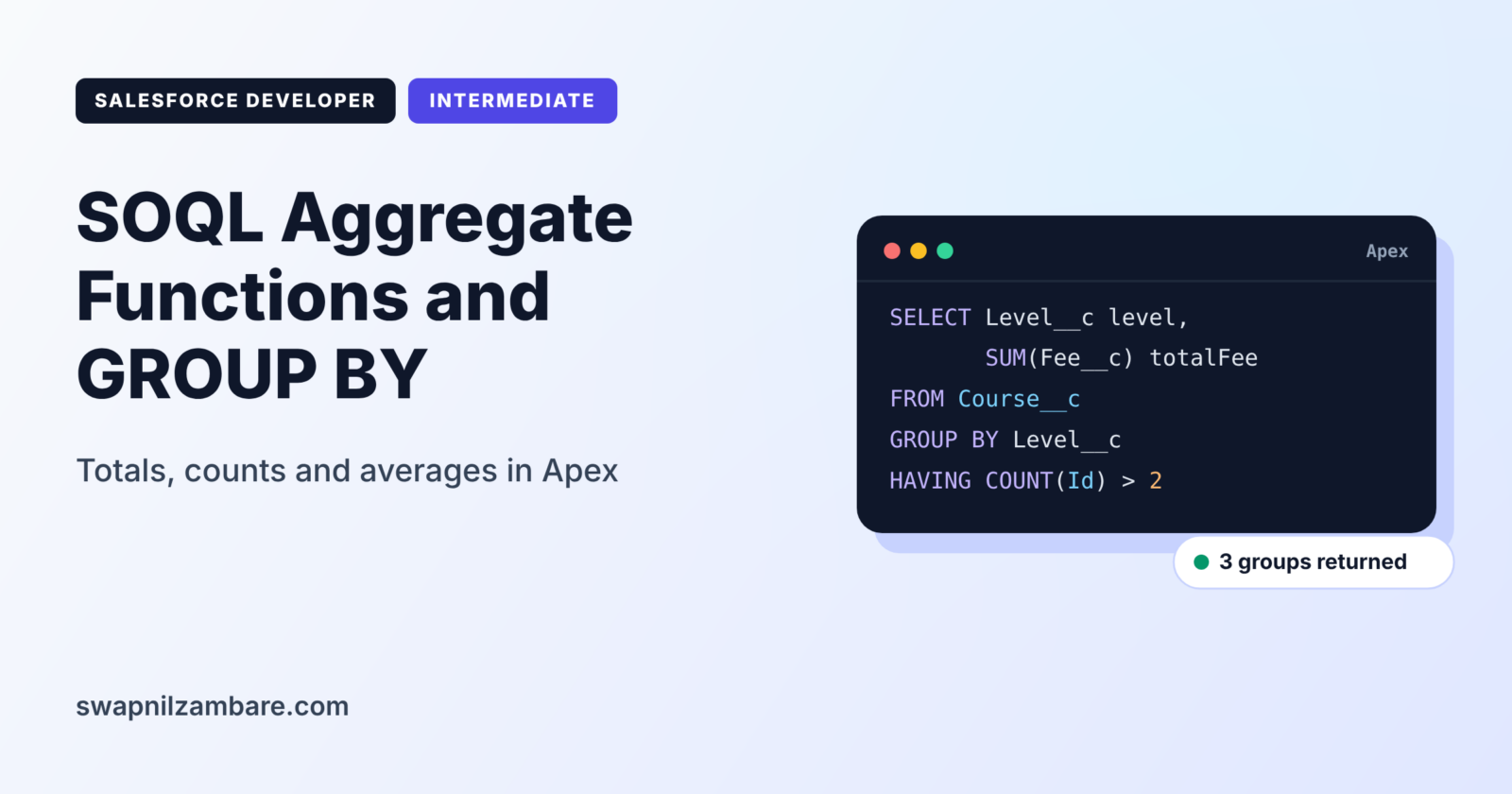
SOQL Aggregate Functions calculate totals, averages, counts and other summary values directly in the database. Instead of loading 5,000 records and adding fees in a loop, you ask Salesforce for the total, and it returns one number. GROUP BY then splits those totals by level, trainer or month.
In this post, you will learn each aggregate function, read results with AggregateResult, and filter groups with HAVING. It continues from SOQL relationship queries and SOQL Basics. If you have built summary formulas in reports, you will see the same ideas, now in code.
What are SOQL Aggregate Functions?
SOQL Aggregate Functions are functions that summarise many rows into one value. The main ones are COUNT, COUNT_DISTINCT, SUM, AVG, MIN and MAX. When you add GROUP BY, you get one summary row per group instead of one for the whole object.
Think of a class teacher with a marks register. Instead of reading every mark aloud, she reports the class average, the highest mark and the number of students who passed. Aggregate functions give your code those same summary numbers.
Why SOQL Aggregate Functions Matter
Summaries are needed everywhere, from dashboards to validation logic. Here is why SOQL Aggregate Functions matter at Bright Path Tutors.
- First, the finance page needs total course fees by level.
- Also, the trainer page shows how many students each course has.
- Next, a class must block new enrolments when a course reaches 30 students.
- Leaders want the average fee of online and offline courses.
- Finally, adding values in Apex loops wastes CPU time and heap.
So aggregates are faster, shorter and lighter than looping over records.
How SOQL Aggregate Functions Work
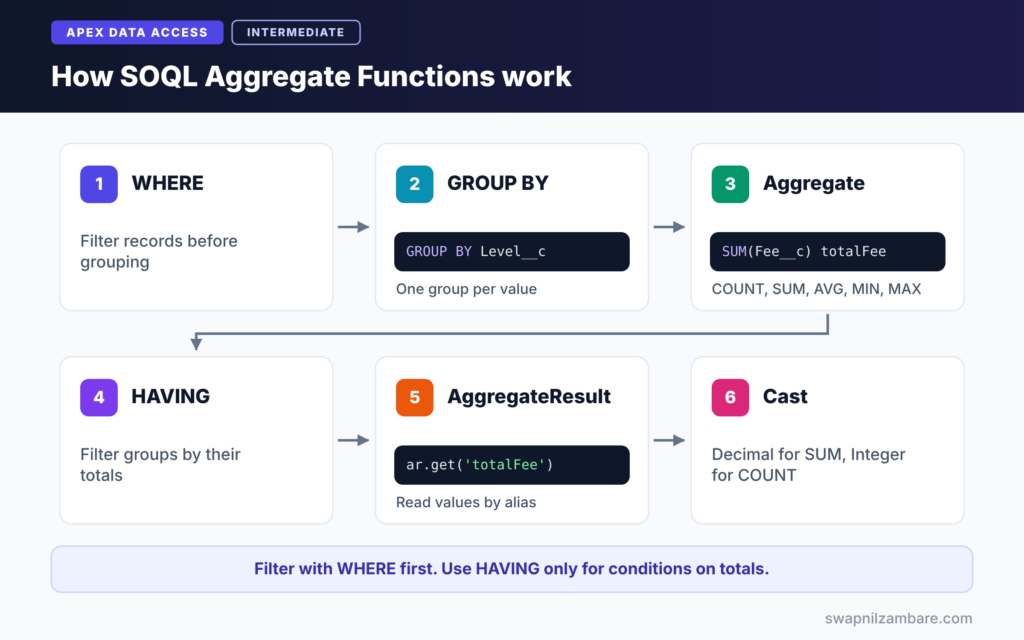
SOQL Aggregate Functions follow a clear order. First, the WHERE clause filters records. Next, GROUP BY splits the remaining records into groups. Then each aggregate function calculates a value per group. After that, HAVING filters the groups. Finally, Apex receives a list of AggregateResult rows.
COUNT and COUNT_DISTINCT
COUNT() returns the number of rows as an Integer. In contrast, COUNT(field) counts rows where the field is not blank. Finally, COUNT_DISTINCT(field) counts unique values.
SUM and AVG
For money, SUM(Fee__c) adds values, and AVG(Fee__c) returns the average. They work on number, currency and percent fields.
MIN and MAX
MIN and MAX return the smallest and largest values. They also work on dates, such as the earliest start date.
GROUP BY and HAVING
GROUP BY creates one row per value, such as per level. HAVING filters those groups, much like WHERE filters records.
AggregateResult
Grouped results come back as AggregateResult rows. You read values with get('alias'), then cast them, because get returns a generic Object.
SOQL Aggregate Functions at a Glance
The table below lists each function and what it returns.
| Function | Example | Returns |
|---|---|---|
| COUNT() | SELECT COUNT() FROM Course__c | Integer count of rows |
| COUNT(field) | COUNT(Fee__c) | Rows where field is filled |
| COUNT_DISTINCT(field) | COUNT_DISTINCT(Level__c) | Number of unique values |
| SUM(field) | SUM(Fee__c) totalFee | Total of the values |
| AVG(field) | AVG(Fee__c) avgFee | Average value |
| MIN and MAX | MIN(Start_Date__c) | Smallest or largest value |
WHERE vs HAVING
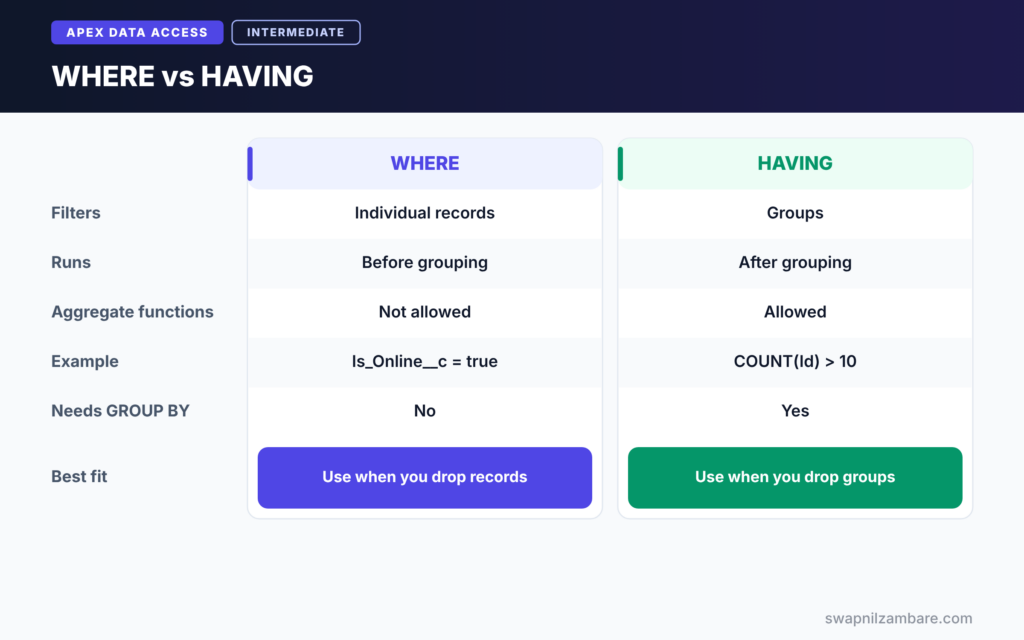
The table below compares the two filters in aggregate queries.
| Feature | WHERE | HAVING |
|---|---|---|
| Filters | Individual records | Groups |
| Runs | Before grouping | After grouping |
| Can use aggregate functions | No | Yes |
| Example | WHERE Is_Online__c = true | HAVING COUNT(Id) > 10 |
| Needs GROUP BY | No | Yes |
When to use which is simple. Use WHERE to drop records before grouping. Use HAVING to drop groups after the totals are calculated.
A Real SOQL Aggregate Functions Example in Apex
Let’s build a small reporting service for Bright Path Tutors.
Step 1: Count All Courses
Integer totalCourses = [SELECT COUNT() FROM Course__c];
System.debug('Total courses: ' + totalCourses);
COUNT() with no field returns a plain Integer. So you assign it straight to a number, with no list involved.
Step 2: Total and Average Fee by Level
List<AggregateResult> rows = [
    SELECT Level__c level, COUNT(Id) courses,
           SUM(Fee__c) totalFee, AVG(Fee__c) avgFee
    FROM Course__c
    WHERE Is_Online__c = true
    GROUP BY Level__c
    ORDER BY SUM(Fee__c) DESC
];

for (AggregateResult ar : rows) {
    String level = (String) ar.get('level');
    Integer courses = (Integer) ar.get('courses');
    Decimal total = (Decimal) ar.get('totalFee');
    Decimal avg = (Decimal) ar.get('avgFee');
    System.debug(level + ': ' + courses + ' courses, total ' + total + ', average ' + avg.setScale(0));
}
Each function has an alias, such as totalFee, which makes get easy to read. GROUP BY returns one row per level, and ORDER BY sorts levels by total fee. Inside the loop, we cast each value to the right type.
Step 3: Read the Output
Here is an example of the debug log for Step 2.
USER_DEBUG [13]|DEBUG|Intermediate: 6 courses, total 34800, average 5800
USER_DEBUG [13]|DEBUG|Beginner: 8 courses, total 33600, average 4200
USER_DEBUG [13]|DEBUG|Advanced: 3 courses, total 24000, average 8000
Step 4: Find Full Courses with HAVING
List<AggregateResult> fullCourses = [
    SELECT Course__c courseId, COUNT(Id) students
    FROM Enrolment__c
    WHERE Status__c = 'Active'
    GROUP BY Course__c
    HAVING COUNT(Id) >= 30
];
System.debug('Full courses: ' + fullCourses.size());
WHERE keeps only active enrolments. GROUP BY counts students per course, and HAVING keeps only courses with 30 or more. A trigger could use this result to block new enrolments.
Step 5: Group by Month
for (AggregateResult ar : [
        SELECT CALENDAR_MONTH(Start_Date__c) month, COUNT(Id) courses
        FROM Course__c
        WHERE Start_Date__c = THIS_YEAR
        GROUP BY CALENDAR_MONTH(Start_Date__c)
    ]) {
    System.debug('Month ' + ar.get('month') + ': ' + ar.get('courses'));
}
Date functions such as CALENDAR_MONTH group records by month. This is ideal for simple charts in a Lightning component.
SOQL Aggregate Functions and Limits
SOQL Aggregate Functions run as one SOQL query. However, most aggregate functions count every record they process toward the 50,000 row limit, even though only a few rows come back. So filter with WHERE before you group, especially on large objects.
Common Mistakes with SOQL Aggregate Functions
- Mixing COUNT() with other fields, which is not allowed.
- Selecting a field that is not in GROUP BY or inside a function.
- Forgetting aliases, so values come back as expr0 and expr1.
- Casting a SUM result to Integer instead of Decimal.
- Using WHERE with an aggregate function instead of HAVING.
Best Practices for SOQL Aggregate Functions
- Give every aggregate an alias that describes the value.
- Filter with WHERE first, then group.
- Use HAVING only for conditions on totals.
- Cast results carefully: Decimal for SUM and AVG, Integer for COUNT.
- Prefer aggregates over Apex loops that add values.
Practice Task
Write a query that shows the number of active enrolments per student, but only for students in more than two courses. Hint: group Enrolment__c by Student__c and use HAVING COUNT(Id) > 2.
Most Asked Interview Questions on SOQL Aggregate Functions
SOQL Aggregate Functions are a favourite interview topic, because they test both SOQL and Apex skills. Here are the 20 questions asked most.
Basic Questions on SOQL Aggregate Functions
Q1: What are aggregate functions in SOQL?
They summarise many rows into one value. The main ones are COUNT, COUNT_DISTINCT, SUM, AVG, MIN and MAX.
Q2: What does COUNT() return?
It returns an Integer with the number of rows, so you assign it to a number, not a list.
Q3: What is the difference between COUNT() and COUNT(field)?
COUNT() counts all rows. In contrast, COUNT(field) counts only rows where that field is not blank.
Q4: What is AggregateResult?
It is the Apex type for rows returned by grouped or aggregate queries. You read values with get().
Q5: What is an alias in an aggregate query?
It is a name after the function, such as SUM(Fee__c) totalFee. Then you read it with ar.get(‘totalFee’).
Q6: What happens if you do not use an alias?
Salesforce names values expr0, expr1 and so on, which makes code harder to read.
Q7: What does GROUP BY do?
It creates one result row for each unique value of the grouped field, such as one row per level.
Code and Scenario Questions on SOQL Aggregate Functions
Q8: What is the difference between WHERE and HAVING?
WHERE filters records before grouping. HAVING, however, filters groups after the totals are calculated.
Q9: How do you find courses with more than 30 students?
Group enrolments by course and add HAVING COUNT(Id) > 30.
Q10: Which type do you cast SUM and AVG results to?
Usually Decimal, because they can return decimal values.
Q11: Can you use COUNT() with other fields in the SELECT?
No. COUNT() must be used alone. Instead, use COUNT(Id) with other fields and GROUP BY.
Q12: How do you group records by month?
Use a date function, such as GROUP BY CALENDAR_MONTH(Start_Date__c).
Q13: Can you ORDER BY an aggregate value?
Yes. For example, ORDER BY SUM(Fee__c) DESC sorts groups by total.
Q14: How do you count unique values?
Use COUNT_DISTINCT(field), for example COUNT_DISTINCT(Level__c).
Advanced Questions on SOQL Aggregate Functions
Q15: Do aggregate queries help with governor limits?
They use one query, and they save CPU and heap. However, most functions still count processed records toward the 50,000 row limit.
Q16: What is GROUP BY ROLLUP?
It adds subtotal rows for each group level and a grand total, similar to report subtotals.
Q17: Can you use aggregate functions in a SOQL for loop?
Yes. A for loop over an aggregate query is a clean way to process grouped rows.
Q18: Why might an aggregate query be slow on large objects?
It may scan many records. So add selective WHERE filters on indexed fields before grouping.
Q19: Can you group by a relationship field?
Yes. For example, you can group enrolments by Course__c, then read course names in another query or with a relationship field in the group.
Q20: When would you use Apex loops instead of aggregates?
Only when the calculation is too complex for SOQL, such as custom business rules per record. Otherwise, aggregates are faster and simpler.
Official Resources
- Aggregate Functions (Salesforce Developers)
- Working with SOQL Aggregate Functions (Apex Developer Guide)
Quick Recap
- SOQL Aggregate Functions summarise records into counts, totals, averages and ranges.
- GROUP BY gives one summary row per value.
- HAVING filters groups, while WHERE filters records.
- Read results with AggregateResult, aliases and careful casting.
- Filter before grouping to stay within row limits.
What’s Next?
Many filters use dates and Apex values. Next, read our guide to SOQL date literals and bind variables.


