Salesforce Consent Management helps you record what each person has agreed to. For example, a person may accept marketing emails but refuse website tracking. Privacy laws like GDPR in Europe and the DPDP Act in India expect companies to respect these choices. Salesforce gives admins standard objects and fields to store them in one clear place.
In this post, you will learn about the Individual object, its privacy fields and the main consent objects. You will also build a simple consent setup for Bright Path Tutors. This builds on accounts and contacts and on person accounts, because consent belongs to people. Our guide to field-level security also matters, because privacy data needs protection. Please remember that this post explains Salesforce features, not legal advice.
What is Salesforce Consent Management?
Consent management means storing and respecting each person’s privacy choices. In Salesforce, the main tool is the Individual object. It holds a person’s privacy preferences, and you link it to their Contact, Lead or person account. Salesforce also offers consent objects for more detailed, channel-by-channel choices.
Think of a school’s permission slip system. Each parent signs slips that say “yes to photos in the newsletter” or “no to field trips”. The school keeps the slips in one file per student and checks them before every event. Salesforce Consent Management is that file for your customers.
Why Salesforce Consent Management Matters
With Salesforce Consent Management, privacy becomes a clear process, and that matters because privacy is not optional anymore. Customers expect control over their data, and regulators can fine companies that ignore it. Here is why it matters at Bright Path Tutors.
- The Digital Personal Data Protection Act, 2023 covers students in India.
- Also, GDPR covers students from Europe.
- Marketing must not email people who opted out.
- A student may ask the company to delete or export their data.
- Different channels, such as email and phone, may have different consent.
So a clear consent setup protects both customers and the company.
How Salesforce Consent Management Works
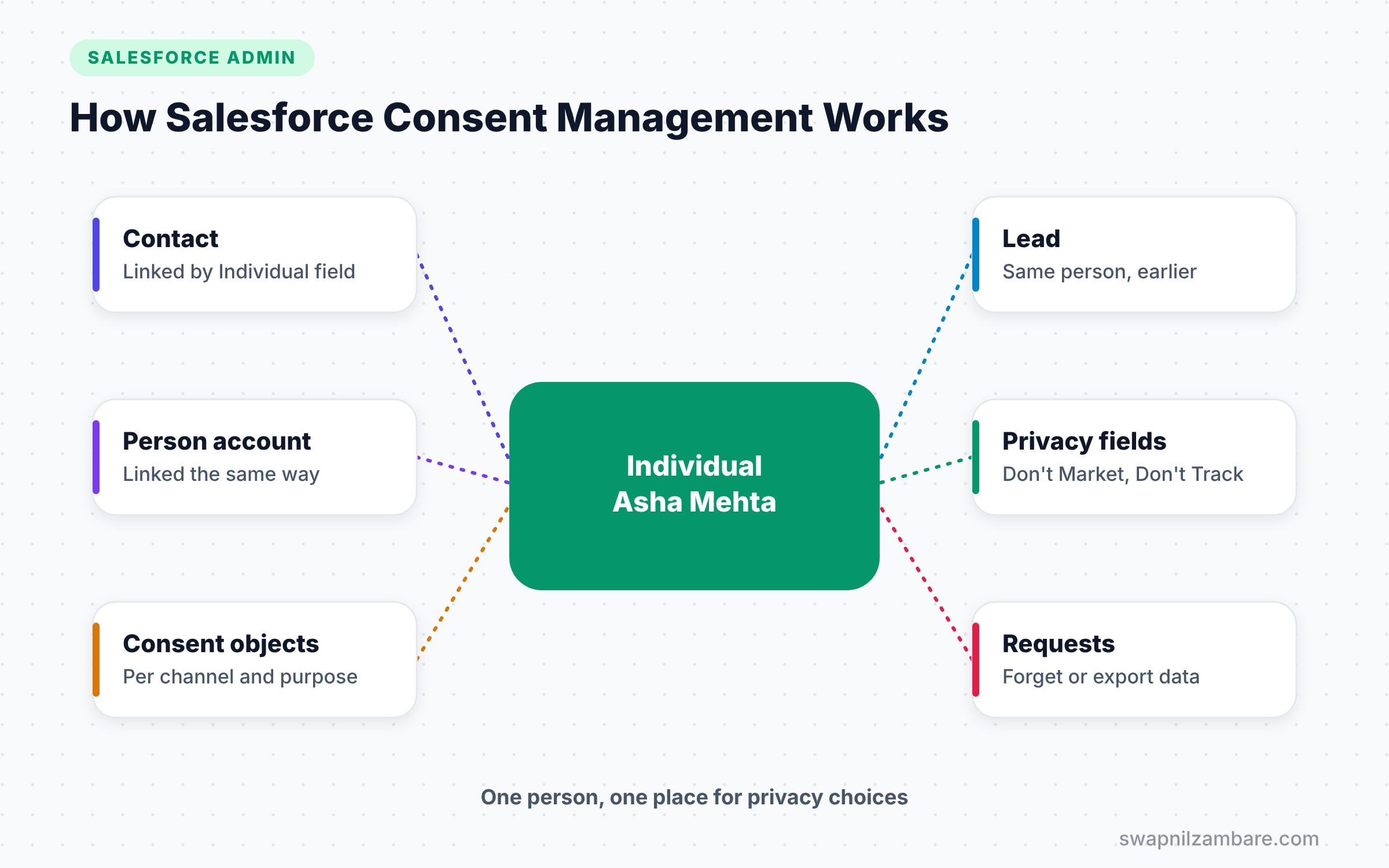
Salesforce Consent Management starts in Setup. First, you turn on the data protection feature. This makes the Individual object available. Next, you link each Contact, Lead or person account to an Individual record. Then you store privacy choices on the Individual. Finally, your processes, such as marketing sends, check those choices before acting.
The Individual Object
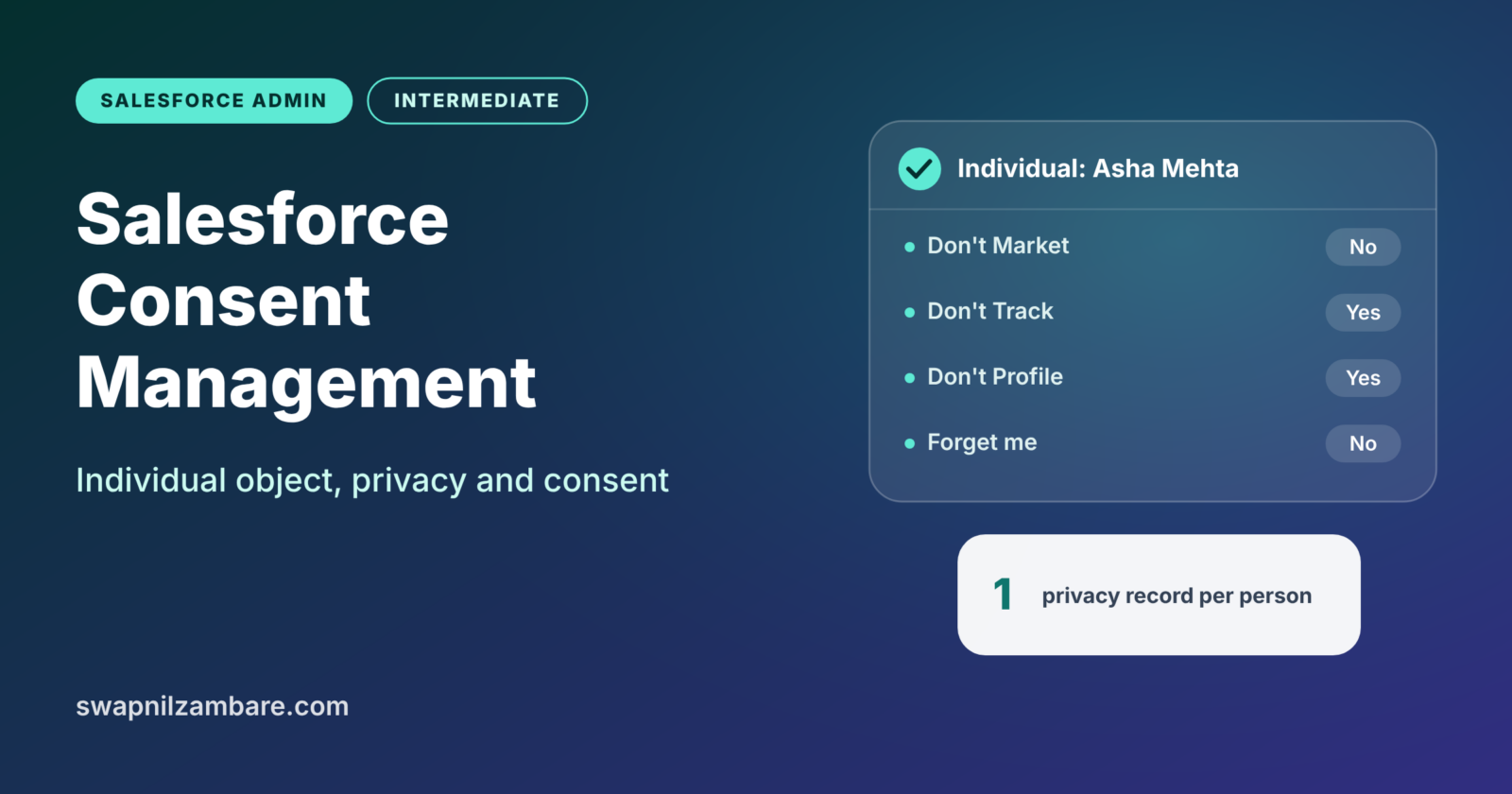
The Individual object stores a person’s privacy preferences. One person might appear as a lead today and a contact tomorrow. Both records can point to the same Individual, so their choices stay in one place.
Key Privacy Fields
The table below lists the main privacy fields on the Individual object.
| Field | What it means |
|---|---|
| Don’t Process | Do not process this person’s data |
| Don’t Market | Do not send marketing |
| Don’t Track | Do not track behaviour, such as web visits |
| Don’t Profile | Do not build profiles or predictions about them |
| Forget this Individual | The person asked for their data to be deleted |
| Export Individual’s Data | The person asked for a copy of their data |
Consent Objects
For more detail, Salesforce offers consent objects. Data Use Purpose describes why you use data, such as “Course Updates”. Contact Point Email and Contact Point Phone store each email address or phone number. Contact Point Type Consent records consent for a channel type, such as email, for a specific purpose. Authorization Form objects can track which terms a person accepted.
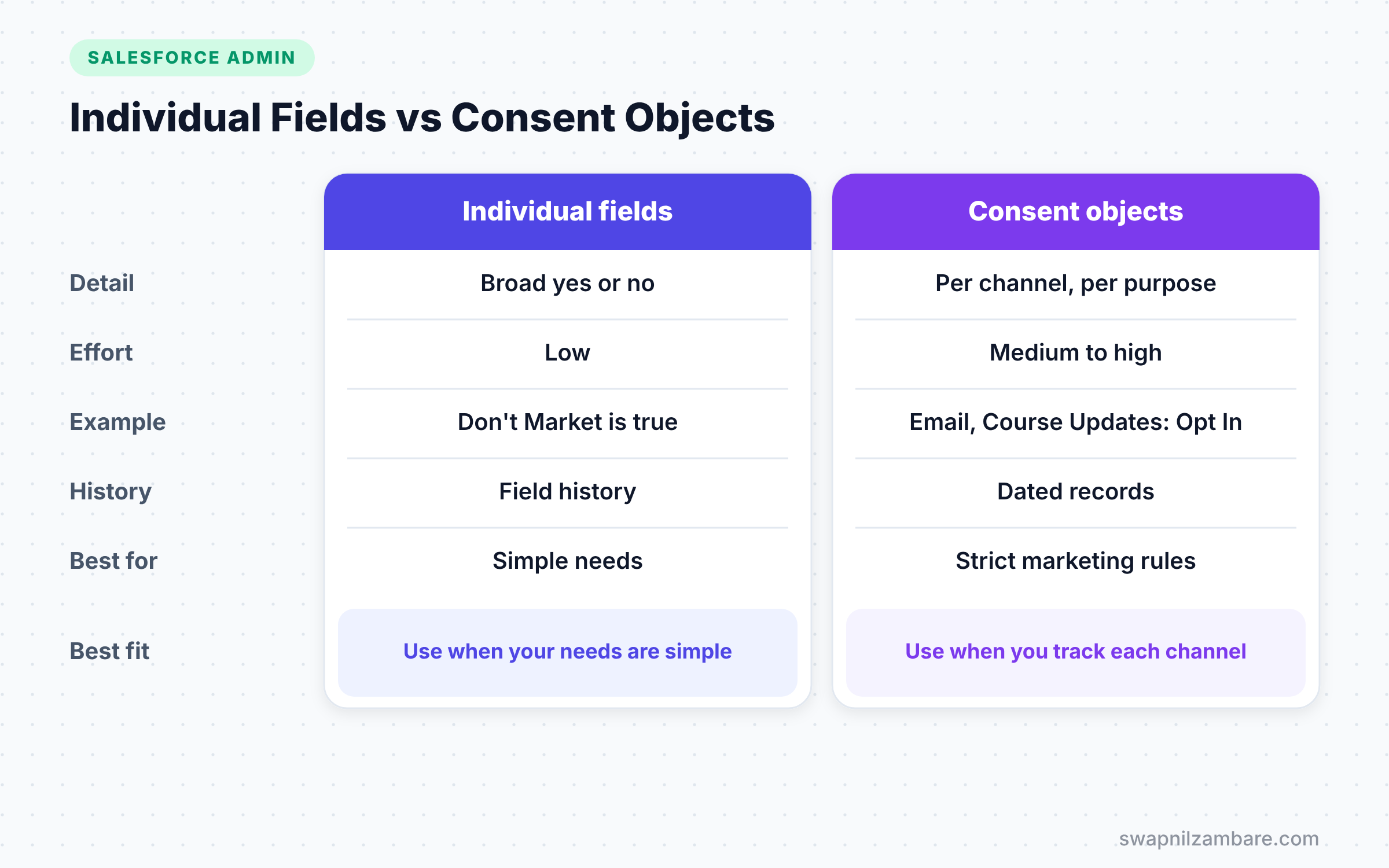
Individual Fields vs Consent Objects
The table below compares the simple approach with the detailed approach.
| Feature | Individual privacy fields | Consent objects |
|---|---|---|
| Detail level | Broad yes or no choices | Per channel and per purpose |
| Setup effort | Low | Medium to high |
| Example | Don’t Market is true | Email consent for Course Updates is Opt In |
| History of changes | Field history if enabled | Records with dates and sources |
| Best for | Small orgs, simple needs | Marketing-heavy orgs, strict rules |
When to use which depends on your needs. Start with Individual fields for simple choices. Add consent objects when you must track consent per channel and purpose.
How to Set Up Salesforce Consent Management Step by Step
Let’s set up simple Salesforce Consent Management for Bright Path Tutors.
Step 1: Turn On Data Protection
- Go to Setup and type “Data Protection and Privacy” in Quick Find.
- Click Edit.
- Next, tick “Make data protection details available in records”.
- Then click Save.
Step 2: Add the Individual Field to Layouts
- Go to Object Manager > Contact > Page Layouts.
- Then add the Individual lookup field to the layout.
- Next, do the same for Lead and the person account layout.
Step 3: Create an Individual for a Student
- Open the contact for Asha Mehta.
- In the Individual field, click New Individual.
- Enter her name and set the privacy fields from the table below.
- Finally, click Save.
The table below shows Asha’s privacy choices.
| Field | Value |
|---|---|
| Don’t Market | Unchecked |
| Don’t Track | Checked |
| Don’t Profile | Checked |
| Forget this Individual | Unchecked |
Step 4: Respect the Choice in Marketing
Salesforce Consent Management only works if processes respect these fields. For example, a report for a marketing email list should exclude contacts where the Individual’s Don’t Market field is true. A flow that sends course promotions should check the same field first.
You can also preview the data with a SOQL query in the Developer Console.
SELECT Name, Email, Individual.HasOptedOutSolicit, Individual.HasOptedOutTracking
FROM Contact
WHERE Individual.HasOptedOutSolicit = false
LIMIT 20
This query lists contacts who have not opted out of solicitation. Each Individual field has an API name, such as HasOptedOutTracking for Don’t Track.
Handling Delete and Export Requests
Under GDPR and the DPDP Act, people can ask for their data. A simple process helps your team answer on time.
- Record the request by ticking Export Individual’s Data or Forget this Individual.
- Then a report shows all open requests to the privacy team.
- Next, the team exports or deletes the data using Data Loader or a flow.
- Finally, they record the date they completed the request.
Large companies may also use a paid tool such as Privacy Center to automate retention and deletion. However, the standard fields are enough to start.
Capturing Consent at the Source
Consent is most reliable when you capture it at the moment people share their data. For Bright Path Tutors, that moment is the course enquiry form on the website. The form should show clear checkboxes, such as “Send me course updates by email”.
Then Web-to-Lead or an integration creates the lead and its Individual record with those choices. A small flow can also create a Contact Point Type Consent record for email with the purpose “Course Updates”. As a result, every new lead arrives with its consent already stored.
Also keep the wording of each checkbox. If a regulator asks what a person agreed to, you can show the exact text. Authorization Form objects can store that text and the version the person accepted.
Salesforce Consent Management and Other Tools
Consent data must flow to every tool that contacts customers. If your marketing team uses an email platform outside Salesforce, sync the opt-outs to it. Otherwise, a person might unsubscribe in one place and still receive emails from another.
So list every system that sends emails, SMS or calls. Then check how each one reads consent from Salesforce. This simple map prevents the most common privacy complaints.
Common Mistakes with Salesforce Consent Management
- Turning on the feature but never linking Individuals to contacts and leads.
- Storing consent only in free-text notes, which reports cannot use.
- Forgetting to check consent in flows and marketing tools.
- Giving every user edit access to privacy fields.
- Treating Salesforce setup as legal advice instead of asking your legal team.
Best Practices for Salesforce Consent Management
- Agree on the consent model with your legal and marketing teams first.
- Link every person record to an Individual as part of lead and contact creation.
- Use consent objects when you need per-channel and per-purpose detail.
- Protect privacy fields with field-level security.
- Track changes with field history so you can show when consent changed.
Practice Task
Turn on data protection in your Developer Edition org and create Individuals for three contacts. Then build a report that shows only contacts who allow marketing. Hint: use a contact report type that includes the Individual lookup fields.
Most Asked Interview Questions on Salesforce Consent Management
Questions on Salesforce Consent Management are increasingly common, especially for companies with European or Indian customers. Here are the ones asked most often.
Basic Questions on Salesforce Consent Management
Q1. What is the Individual object?
It stores a person’s privacy preferences. You link it to Contact, Lead or person account records, so choices stay in one place.
Q2. How do you enable the Individual object?
Go to Setup > Data Protection and Privacy and turn on “Make data protection details available in records”.
Q3. Name some privacy fields on the Individual object.
Don’t Process, Don’t Market, Don’t Track, Don’t Profile, Forget this Individual and Export Individual’s Data.
Q4. What are consent objects?
They store detailed consent, such as email consent for a specific purpose. Examples include Data Use Purpose, Contact Point Email and Contact Point Type Consent.
Practical Questions on Salesforce Consent Management
Q5. How do you make sure marketing respects opt-outs?
Check the Individual’s Don’t Market field, or the related consent records, in every list, report and flow that sends marketing.
Q6. Why link several records to one Individual?
The same person can exist as a lead and later a contact. Linking both to one Individual keeps their privacy choices consistent.
Q7. A student asks for all their data. What do you do?
First, record the request on the Individual. Next, gather the data from related records with reports or Data Loader. Then send it within the legal time limit. Then record when you completed it.
Q8. Is enabling the Individual object enough to comply with GDPR or DPDP?
No. It gives you tools to store choices. You still need clear processes, legal guidance and checks in every system that uses personal data.
Official Resources
- Respect Your Customers’ Data Privacy Preferences (Salesforce Help)
- Consent Management Objects (Salesforce Help)
Quick Recap
- Salesforce Consent Management stores each person’s privacy choices.
- The Individual object holds privacy fields such as Don’t Market and Don’t Track.
- Consent objects track consent per channel and purpose.
- Link contacts, leads and person accounts to one Individual per person.
- Salesforce provides tools, but legal teams decide the rules.
What’s Next?
Privacy also means protecting data from loss. Next, read our guide to Salesforce Backup and Recover to keep your data safe.