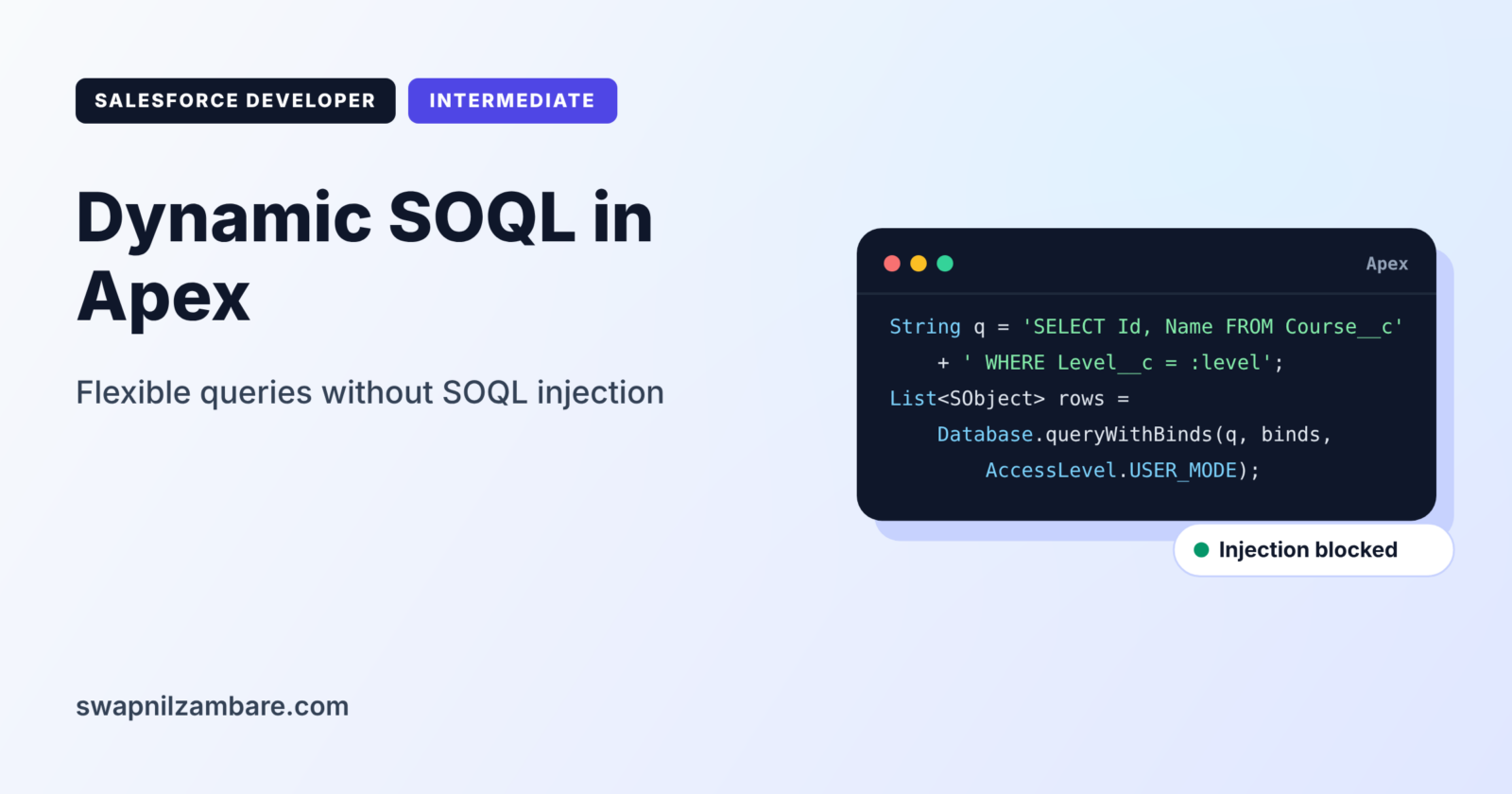
Dynamic SOQL in Apex lets you build a query as a text string while the code runs, then execute it. This is useful when users choose the filters, the sort order or even the object at run time. However, it brings a serious risk called SOQL injection, where a user changes your query by typing special text.
In this post, you will learn Database.query and Database.queryWithBinds, build a safe search with user filters, and stop injection attacks. This is the last topic of Level 3. It builds on SOQL date literals and bind variables, the SOQL WHERE clause and Apex String methods.
What is Dynamic SOQL in Apex?
You write static SOQL in square brackets, and Salesforce checks it when you save the class. In contrast, Dynamic SOQL in Apex is a query stored in a String and run with Database.query or Database.queryWithBinds. Because your code builds the text at run time, the compiler cannot check it, so mistakes appear only when the code runs.
Think of a restaurant order. A fixed menu combo is static SOQL: the kitchen knows it in advance. A custom order written on a slip is dynamic SOQL: flexible, but the chef must read it carefully, because a strange note on the slip could cause trouble.
Why Dynamic SOQL in Apex Matters
You cannot build some features with fixed queries. Here is why Dynamic SOQL in Apex matters at Bright Path Tutors.
- First, the course search page lets users filter by level, fee and online status, in any mix.
- Also, users choose the sort column and direction.
- Next, a reusable class must query any object passed to it.
- An admin tool reads the field list from custom metadata.
- Finally, careless string joining lets attackers read data they should not see.
So dynamic queries give flexibility, and safe coding keeps them secure.
How Dynamic SOQL in Apex Works
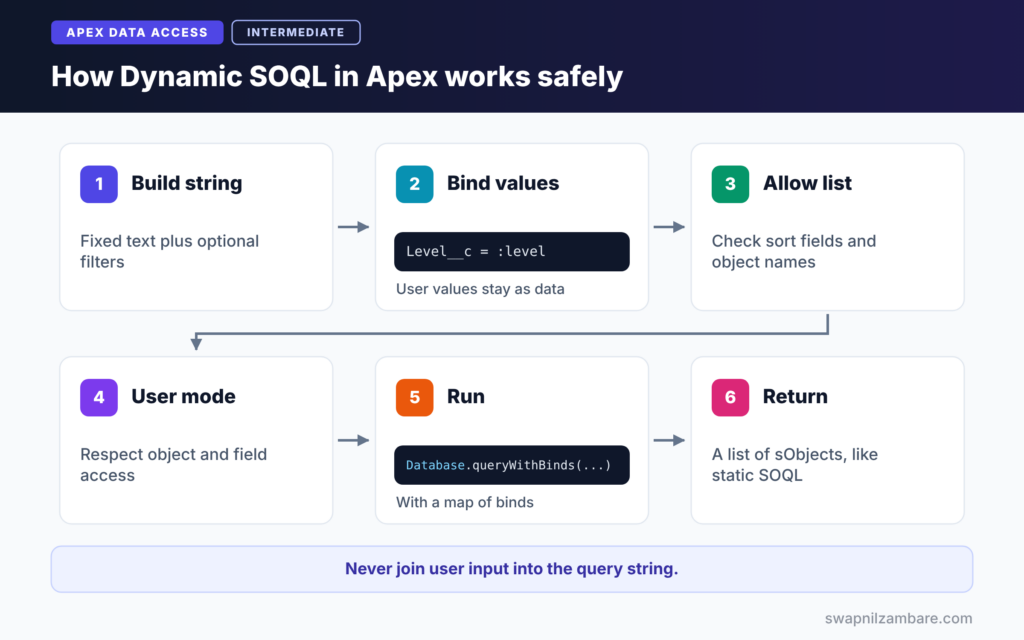
Dynamic SOQL in Apex follows a clear path. First, your code builds the query string from fixed text and safe values. Next, it binds user values, such as the search term, with bind variables. Then it checks any field or object names against an allow list. After that, Database.queryWithBinds runs the query. Finally, Apex returns a list of sObjects, just like static SOQL.
Database.query
Database.query(String) runs a query string and returns a list of sObjects. Simple bind variables, such as :level, work if the variable is in scope.
Database.queryWithBinds
Database.queryWithBinds takes the query string, a map of bind values and an access level. It is the clearest and safest way to pass values, and it works even when variables are not in local scope.
Database.countQuery
Database.countQuery runs a COUNT() query string and returns an Integer.
String.escapeSingleQuotes
This method adds a backslash before every single quote in user text. It helps when you must put text directly into a query, but binding is still the better choice.
Allow Lists for Field and Object Names
Bind variables only work for values, not for field or object names. So when users choose a sort field, compare it with a fixed list of allowed names before you add it to the query.
What is SOQL Injection?
SOQL injection is the main risk of Dynamic SOQL in Apex. It happens when user input changes the meaning of your query. For example, a search box joins user text into WHERE Name = ' + input + '. If the user types x' OR Name != ', the query now returns every course. Attackers use this trick to read data they should never see.
Static SOQL vs Dynamic SOQL in Apex
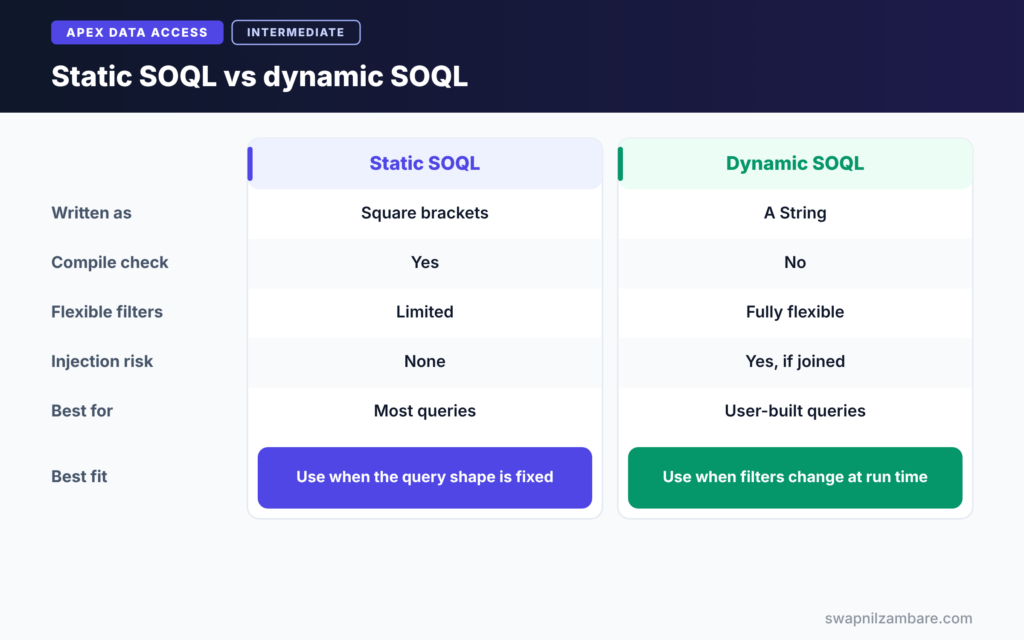
The table below compares the two approaches.
| Feature | Static SOQL | Dynamic SOQL |
|---|---|---|
| Written as | Square brackets | A String at run time |
| Checked at compile time | Yes | No |
| Flexible filters and fields | Limited | Fully flexible |
| Injection risk | None | Yes, if strings are joined |
| Bind expressions | Variables and expressions | Simple variables or a bind map |
| Best for | Most queries | User-built or generic queries |
When to use which is clear. Use static SOQL whenever you can. Use dynamic SOQL only when the query shape truly changes at run time, and then follow the safety rules.
Unsafe vs Safe Dynamic SOQL in Apex
The table below shows the safe pattern for each part of a query.
| Query part | Unsafe pattern | Safe pattern |
|---|---|---|
| Text value | ‘…’ + input + ‘…’ | Bind with :term |
| List of values | Joined strings | Bind a Set or List |
| Sort field | Any user text | Allow list check |
| Object name | Any user text | Schema describe check |
| Access | System mode by default | AccessLevel.USER_MODE |
A Real Dynamic SOQL in Apex Example
Let’s build a safe course search for Bright Path Tutors. Users can filter by name, level and maximum fee, and choose the sort field.
Step 1: Build the Query Safely
public with sharing class CourseFinder {

    private static final Set<String> SORTABLE = new Set<String>{
        'Name', 'Fee__c', 'Start_Date__c', 'Level__c'
    };

    public static List<Course__c> find(String nameText, String level,
                                       Decimal maxFee, String sortField) {
        String soql = 'SELECT Id, Name, Level__c, Fee__c, Start_Date__c FROM Course__c';
        List<String> filters = new List<String>();
        Map<String, Object> binds = new Map<String, Object>();

        if (String.isNotBlank(nameText)) {
            filters.add('Name LIKE :nameLike');
            binds.put('nameLike', '%' + nameText.trim() + '%');
        }
        if (String.isNotBlank(level)) {
            filters.add('Level__c = :level');
            binds.put('level', level);
        }
        if (maxFee != null) {
            filters.add('Fee__c <= :maxFee');
            binds.put('maxFee', maxFee);
        }
        if (!filters.isEmpty()) {
            soql += ' WHERE ' + String.join(filters, ' AND ');
        }

        String orderBy = SORTABLE.contains(sortField) ? sortField : 'Name';
        soql += ' ORDER BY ' + orderBy + ' LIMIT 50';

        return Database.queryWithBinds(soql, binds, AccessLevel.USER_MODE);
    }
}
The code adds each filter only when the user fills it in. User values never enter the string. Instead, they go into the binds map, which keeps them as pure data. The sort field must be in the SORTABLE allow list, otherwise we fall back to Name. Finally, USER_MODE makes the query respect the user’s object and field access.
Step 2: Try It
List<Course__c> results = CourseFinder.find('Basics', 'Beginner', 5000, 'Fee__c');
System.debug('Matches: ' + results.size());

// An injection attempt is treated as plain text, so nothing extra is returned
List<Course__c> attack = CourseFinder.find('x\' OR Name != \'', null, null, 'Name; DELETE');
System.debug('Injection attempt matches: ' + attack.size());
First, the call returns beginner courses with “Basics” in the name, under 5,000, sorted by fee. Next, the second call tries an injection in both the name and the sort field. The name is bound, so it is just searched as text, and the sort field fails the allow list.
Step 3: Read the Output
Here is an example of the debug log.
USER_DEBUG [2]|DEBUG|Matches: 3
USER_DEBUG [6]|DEBUG|Injection attempt matches: 0
Step 4: Check an Object Name Safely
String objectName = 'Course__c';
Schema.SObjectType t = Schema.getGlobalDescribe().get(objectName);
if (t != null && t.getDescribe().isAccessible()) {
    Integer total = Database.countQuery('SELECT COUNT() FROM ' + t.getDescribe().getName());
    System.debug(objectName + ' records: ' + total);
}
When the object name itself is dynamic, check it with Schema first. Then use the name from the describe result, not the raw input. This way, the code queries only real objects the user can access.
Dynamic SOQL in Apex and Limits
Dynamic SOQL in Apex counts toward the same limits as static queries: 100 queries and 50,000 rows per synchronous transaction. They also run the same speed rules, so filter on indexed fields and add LIMIT.
Common Mistakes with Dynamic SOQL in Apex
- Joining user input straight into the query string.
- Trusting user input for field, object or sort names.
- Forgetting spaces between joined parts, such as “FROM Course__cWHERE”.
- Using dynamic SOQL when a static query would work.
- Running queries in system mode when user mode is required.
Best Practices for Dynamic SOQL in Apex
- Prefer static SOQL, and use dynamic SOQL only when needed.
- Bind every user value with Database.queryWithBinds.
- Check field and object names against an allow list or Schema.
- Use AccessLevel.USER_MODE for user-facing queries.
- Log the final query string during testing to spot mistakes quickly.
Practice Task
Add an “online only” checkbox filter to CourseFinder. Hint: add Is_Online__c = :onlineOnly to filters and put a Boolean into the binds map only when the box is ticked.
Most Asked Interview Questions on Dynamic SOQL in Apex
Dynamic SOQL in Apex and injection are favourite topics for security-minded interviewers. Here are the 20 questions asked most.
Basic Questions on Dynamic SOQL in Apex
Q1: What is dynamic SOQL?
It is a SOQL query built as a String at run time and executed with Database.query or Database.queryWithBinds.
Q2: How is it different from static SOQL?
Static SOQL is written in brackets and checked at compile time. In contrast, dynamic SOQL is checked only when it runs.
Q3: Which method runs a dynamic query?
Database.query, or the newer Database.queryWithBinds with a map of bind values.
Q4: How do you run a dynamic COUNT query?
Use Database.countQuery, which returns an Integer.
Q5: What is SOQL injection?
It is an attack where user input changes the meaning of a query, for example to return extra records.
Q6: What does String.escapeSingleQuotes do?
It adds a backslash before single quotes in user text, so the text cannot close the quoted value early.
Q7: Can you use bind variables in dynamic SOQL?
Yes. Simple variables in scope work with Database.query, and Database.queryWithBinds accepts a map of names and values.
Code and Scenario Questions on Dynamic SOQL in Apex
Q8: How do you prevent SOQL injection?
First, bind user values instead of joining them. Next, check field and object names against an allow list. Then use user mode.
Q9: Can you bind a field name?
No. Binds only work for values. So check field names against a fixed allow list or Schema describe.
Q10: How do you let users choose the sort order safely?
Compare the chosen field with an allow list, and accept only ASC or DESC for the direction.
Q11: How do you enforce user permissions in dynamic SOQL?
Pass AccessLevel.USER_MODE to Database.queryWithBinds, or add WITH USER_MODE to the query string.
Q12: Why should you use static SOQL when possible?
The compiler checks it, it has no injection risk and it is easier to read.
Q13: How do you build optional filters?
Collect filter strings in a list, add each only when its value is set, then join them with AND.
Q14: How do you query an object whose name comes from input?
Look it up with Schema.getGlobalDescribe(). Then use the describe name only if the object exists and is accessible.
Advanced Questions on Dynamic SOQL in Apex
Q15: Why can bind expressions fail in Database.query?
Database.query supports only simple variable binds, not method calls or field expressions. So assign values to simple variables, or use a bind map.
Q16: Is escapeSingleQuotes enough to stop all injection?
It helps for quoted text values, but not for field names, numbers or sort clauses. Binding and allow lists are safer.
Q17: How do you test dynamic SOQL?
Write tests for each filter combination and an injection attempt, and assert the expected record counts.
Q18: What does the security scanner check for in dynamic SOQL?
Tools such as Code Analyzer flag user input joined into query strings without binding or escaping.
Q19: When would a generic class need dynamic SOQL?
For example, a utility that queries any object passed to it, such as a record cloner or an export tool.
Q20: How do you debug a failing dynamic query?
Log the final query string with System.debug, then copy it into the Developer Console Query Editor to find the error.
Official Resources
Quick Recap
- Dynamic SOQL in Apex builds and runs queries at run time.
- Database.queryWithBinds keeps user values as safe bind data.
- Check field and object names with allow lists or Schema.
- Use AccessLevel.USER_MODE for user-facing queries.
- Prefer static SOQL whenever the query shape is fixed.
What’s Next?
You have finished Level 3: Data Access. Coming soon: Level 4, starting with Governor Limits in Apex.


