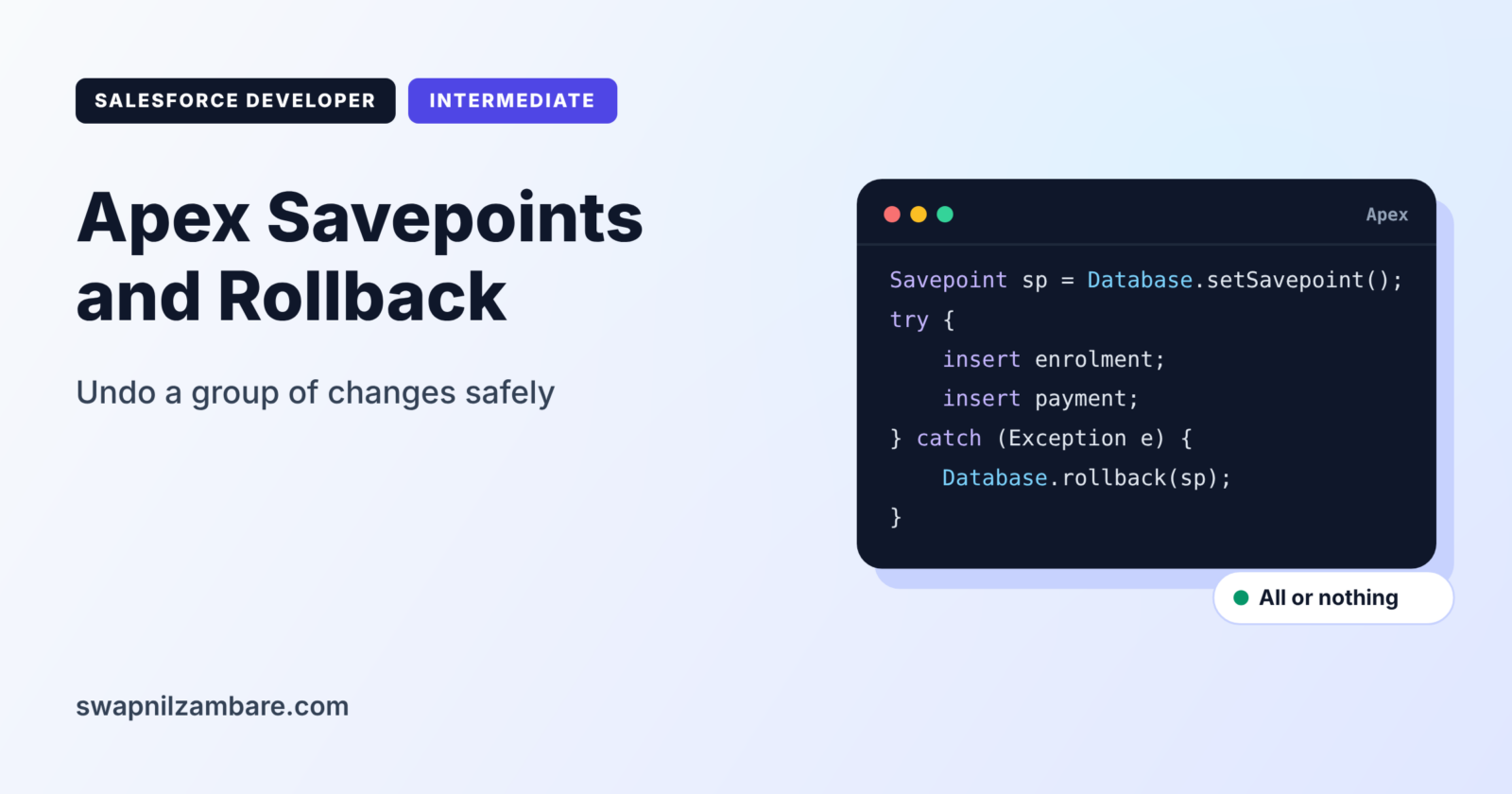
Apex Savepoints and Rollback let you mark a point in your transaction and undo every database change made after it. If step three of a five-step process fails, you can return the data to exactly how it was before step one. Nothing half-finished is left behind.
In this post, you will learn how savepoints work, how to use them with try and catch, and the surprising details that trip up developers. It builds on DML operations in Apex and the Apex Database class. We will also use the idea of static and instance members, because static variables behave differently after a rollback.
What are Apex Savepoints and Rollback?
A savepoint is a marker in the current transaction, created with Database.setSavepoint(). A rollback, done with Database.rollback(sp), undoes every DML change made after that marker. Changes made before the savepoint stay as they are.
Think of a video game save point before a hard level. If you fail the level, you go back to the save point, not to the start of the game. Everything you did after the save point is undone.
Why Apex Savepoints and Rollback Matter
Many business actions involve several records that must change together, which is exactly where Apex Savepoints and Rollback help. Here is why Apex Savepoints and Rollback matter at Bright Path Tutors.
- First, enrolling a student creates an enrolment, a payment and a seat update.
- Also, if the payment fails, the enrolment must not stay behind.
- Next, a course transfer cancels one enrolment and creates another.
- An import must undo everything if more than 10% of rows fail.
- Finally, half-saved data confuses users and breaks reports.
So savepoints keep related changes all together or not at all.
How Apex Savepoints and Rollback Work
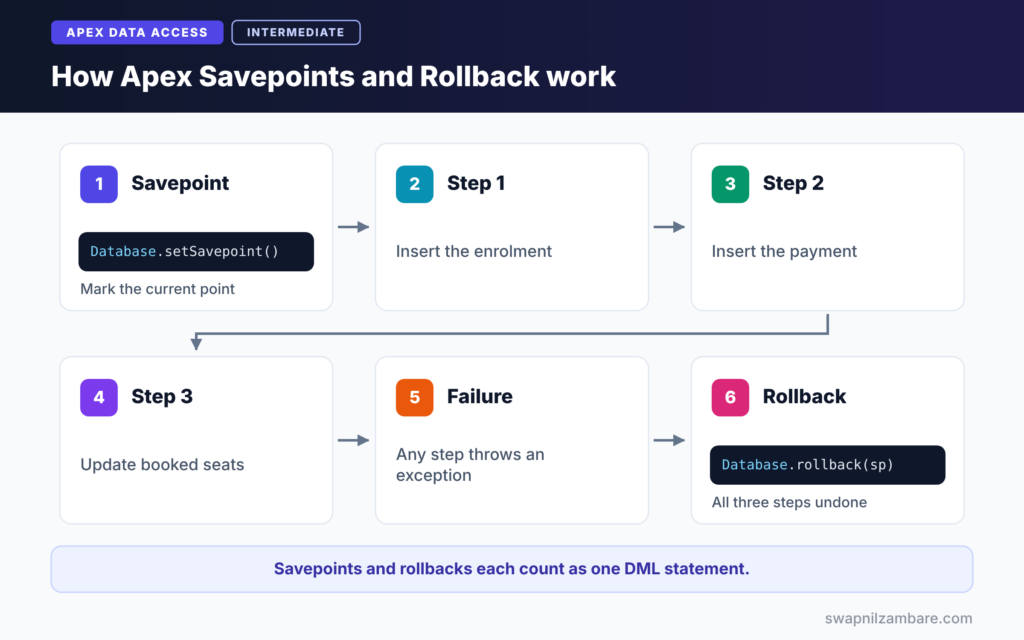
Apex Savepoints and Rollback follow a simple pattern. First, you call Database.setSavepoint() before the risky steps. Next, you run your DML statements inside a try block. Then, if anything fails, the catch block calls Database.rollback with the savepoint. After that, all changes made after the savepoint disappear. Finally, you can show an error or log what happened.
Database.setSavepoint()
This method returns a Savepoint object. You can create several savepoints in one transaction, each marking a different point.
Database.rollback(sp)
This method undoes all DML after the given savepoint. If you roll back to an early savepoint, any later savepoints become invalid.
Savepoints and Limits
Each setSavepoint call and each rollback call counts as one DML statement against the limit of 150. So do not create savepoints inside loops.
What a Rollback Does Not Undo
Apex Savepoints and Rollback undo database changes only. Static and instance variables in Apex keep their values. Also, a record inserted after the savepoint keeps its Id in memory, even though the database row is gone.
Savepoint Behaviour at a Glance
The table below shows what changes after a rollback.
| Item | After rollback |
|---|---|
| Records inserted after the savepoint | Removed from the database |
| Records updated after the savepoint | Back to earlier values |
| Id field on inserted sObjects in memory | Still filled, not cleared |
| Apex static and instance variables | Keep their values |
| Later savepoints | No longer valid |
Savepoint Rollback vs Partial Success
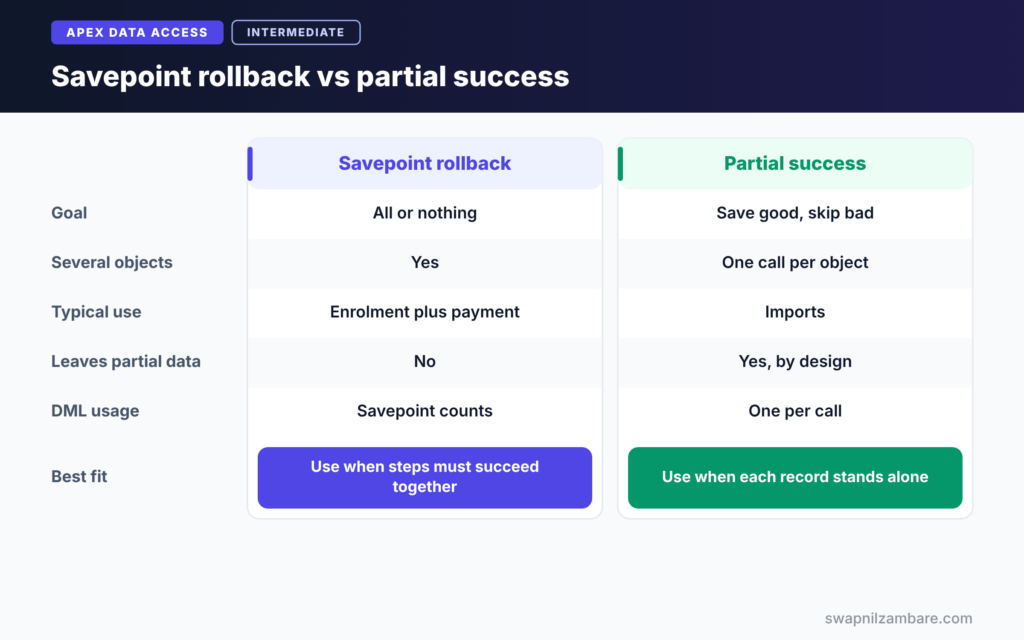
The table below compares two ways to handle failures.
| Feature | Savepoint and rollback | Database class partial success |
|---|---|---|
| Goal | All or nothing for a group of steps | Save good records, skip bad ones |
| Works across several objects | Yes | One call per object |
| Typical use | Enrolment plus payment | Imports and integrations |
| Uses DML statements | Yes, savepoint and rollback count | Yes, one per call |
| Leaves partial data | No | Yes, by design |
When to use which depends on the business rule. Use a savepoint when steps must succeed together. Use partial success when each record stands alone.
A Real Apex Savepoints and Rollback Example
Let’s build an enrolment service for Bright Path Tutors. It creates an enrolment and a payment, then updates the course’s booked seats. If any step fails, everything is undone.
Step 1: Write the Service
public with sharing class EnrolmentService {

    public static Id enrol(Id courseId, Id studentId, Decimal amount) {
        Savepoint sp = Database.setSavepoint();
        try {
            Enrolment__c e = new Enrolment__c(
                Course__c = courseId, Student__c = studentId, Status__c = 'Active');
            insert e;

            insert new Payment__c(Enrolment__c = e.Id, Amount__c = amount);

            Course__c c = [SELECT Id, Seats_Booked__c FROM Course__c WHERE Id = :courseId];
            c.Seats_Booked__c = (c.Seats_Booked__c == null ? 0 : c.Seats_Booked__c) + 1;
            update c;

            return e.Id;
        } catch (Exception ex) {
            Database.rollback(sp);
            throw new AuraHandledException('Enrolment failed: ' + ex.getMessage());
        }
    }
}
The savepoint is set before any change. Inside the try block, three DML steps run in order. If any of them throws an exception, the catch block rolls back all three. Then it throws an AuraHandledException, which a Lightning component can show to the user.
Step 2: Test the Failure Path
try {
    // A zero amount fails a validation rule on Payment__c
    EnrolmentService.enrol(courseId, studentId, 0);
} catch (AuraHandledException ex) {
    System.debug('Caught: ' + ex.getMessage());
}
Integer left = [SELECT COUNT() FROM Enrolment__c WHERE Student__c = :studentId AND Course__c = :courseId];
System.debug('Enrolments left behind: ' + left);
This test shows Apex Savepoints and Rollback at work. The payment fails, so the enrolment created before it is rolled back too. The count query proves that no enrolment was left behind. Use real Ids from your org for courseId and studentId.
Step 3: Read the Output
Here is an example of the debug log.
USER_DEBUG [5]|DEBUG|Caught: Script-thrown exception
USER_DEBUG [8]|DEBUG|Enrolments left behind: 0
AuraHandledException hides its message in debug logs by default, which is why the first line looks generic. The count of zero is the important result.
Step 4: Avoid the Id Trap
Course__c draft = new Course__c(Name = 'Retry Course', Fee__c = 3000);
Savepoint sp2 = Database.setSavepoint();
insert draft;
Database.rollback(sp2);

// draft.Id is still filled here, so insert it as a fresh copy
Course__c fresh = draft.clone(false, true);
insert fresh;
After the rollback, draft still holds the old Id. Inserting draft again would fail. So clone it without the Id, using clone(false, true), and insert the copy.
Apex Savepoints and Rollback with Callouts
A callout cannot run after uncommitted DML in the same transaction. Setting a savepoint counts as DML, so a callout after setSavepoint fails with an uncommitted work error. So make callouts before you set the savepoint, or move them into asynchronous code.
Common Mistakes with Apex Savepoints and Rollback
- Creating savepoints inside loops, which wastes DML statements.
- Expecting static variables or counters to reset after a rollback.
- Inserting the same sObject again after a rollback, without clearing its Id.
- Rolling back to an early savepoint, then using a later one.
- Making callouts after setting a savepoint.
Best Practices for Apex Savepoints and Rollback
- Set one savepoint before a group of related DML steps.
- Always pair it with try and catch, and roll back in the catch block.
- Rethrow or log the error, so failures are never silent.
- Clone records without Ids before retrying inserts.
- Do callouts before the savepoint, or in async code.
Practice Task
Write a course transfer method that cancels an active enrolment and creates a new one on another course. If the new enrolment fails, roll back the cancellation. Hint: set the savepoint before the update to the old enrolment.
Most Asked Interview Questions on Apex Savepoints and Rollback
Questions on Apex Savepoints and Rollback test whether you understand transactions, not just syntax. Here are the 20 asked most.
Basic Questions on Apex Savepoints and Rollback
Q1: What is a savepoint in Apex?
It is a marker in the current transaction, created with Database.setSavepoint().
Q2: What does Database.rollback do?
It undoes all DML changes made after the given savepoint.
Q3: Do changes before the savepoint get undone?
No. Only changes after the savepoint are rolled back.
Q4: Can you have more than one savepoint?
Yes. However, rolling back to an earlier one makes the later ones invalid.
Q5: Do savepoints count against governor limits?
Yes. Each setSavepoint and each rollback counts as one DML statement.
Q6: Does rollback reset static variables?
No. Apex variables keep their values. Only database changes are undone.
Q7: Where do you usually call rollback?
In a catch block, after a DML step throws an exception.
Code and Scenario Questions on Apex Savepoints and Rollback
Q8: Why can inserting the same record after a rollback fail?
The sObject still holds its Id in memory. So clone it without the Id, or create a new instance.
Q9: How do you make several DML steps all or nothing?
Set a savepoint first, run the steps in try, and roll back in catch if any step fails.
Q10: Can you make a callout after setting a savepoint?
No. Setting a savepoint counts as uncommitted work, so the callout fails. Instead, make the callout first or use async Apex.
Q11: Can a savepoint be used across trigger executions?
No. A savepoint reference cannot cross trigger invocations.
Q12: What happens if you do not catch the exception?
The whole transaction fails and Salesforce rolls back everything automatically.
Q13: How do you tell the user what went wrong?
After the rollback, throw an AuraHandledException or a custom exception with a clear message.
Q14: Why not create a savepoint per record in a loop?
Each savepoint uses a DML statement, so a loop quickly hits the 150 limit.
Advanced Questions on Apex Savepoints and Rollback
Q15: How is a savepoint different from partial success?
A savepoint undoes a group of changes together. In contrast, partial success keeps good records and skips bad ones.
Q16: Does rollback undo emails sent with Messaging.sendEmail?
Emails are only sent when the transaction commits. So if the whole transaction fails, they are not sent. Plan email logic carefully around rollbacks.
Q17: Can you roll back changes made in a future method?
No. A future method runs in its own transaction, so the caller’s savepoint cannot touch it.
Q18: How would you combine a savepoint with Database.insert partial success?
Set a savepoint, save with allOrNone false, check the failure count, and roll back if it is too high.
Q19: Why do some developers avoid savepoints in triggers?
Savepoints add DML usage, and the whole trigger transaction already rolls back on an unhandled error.
Q20: What is the difference between rollback and an unhandled exception?
Rollback undoes only changes after the savepoint and lets code continue. In contrast, an unhandled exception fails and rolls back the entire transaction.
Official Resources
Quick Recap
- Apex Savepoints and Rollback undo DML changes after a marker.
- Use setSavepoint before related steps and rollback in the catch block.
- Each savepoint and rollback counts as a DML statement.
- Apex variables and in-memory Ids are not reset by a rollback.
- Make callouts before the savepoint or in async code.
What’s Next?
The last topic in this level makes queries flexible and safe at run time. Read our guide to dynamic SOQL in Apex and SOQL injection.


