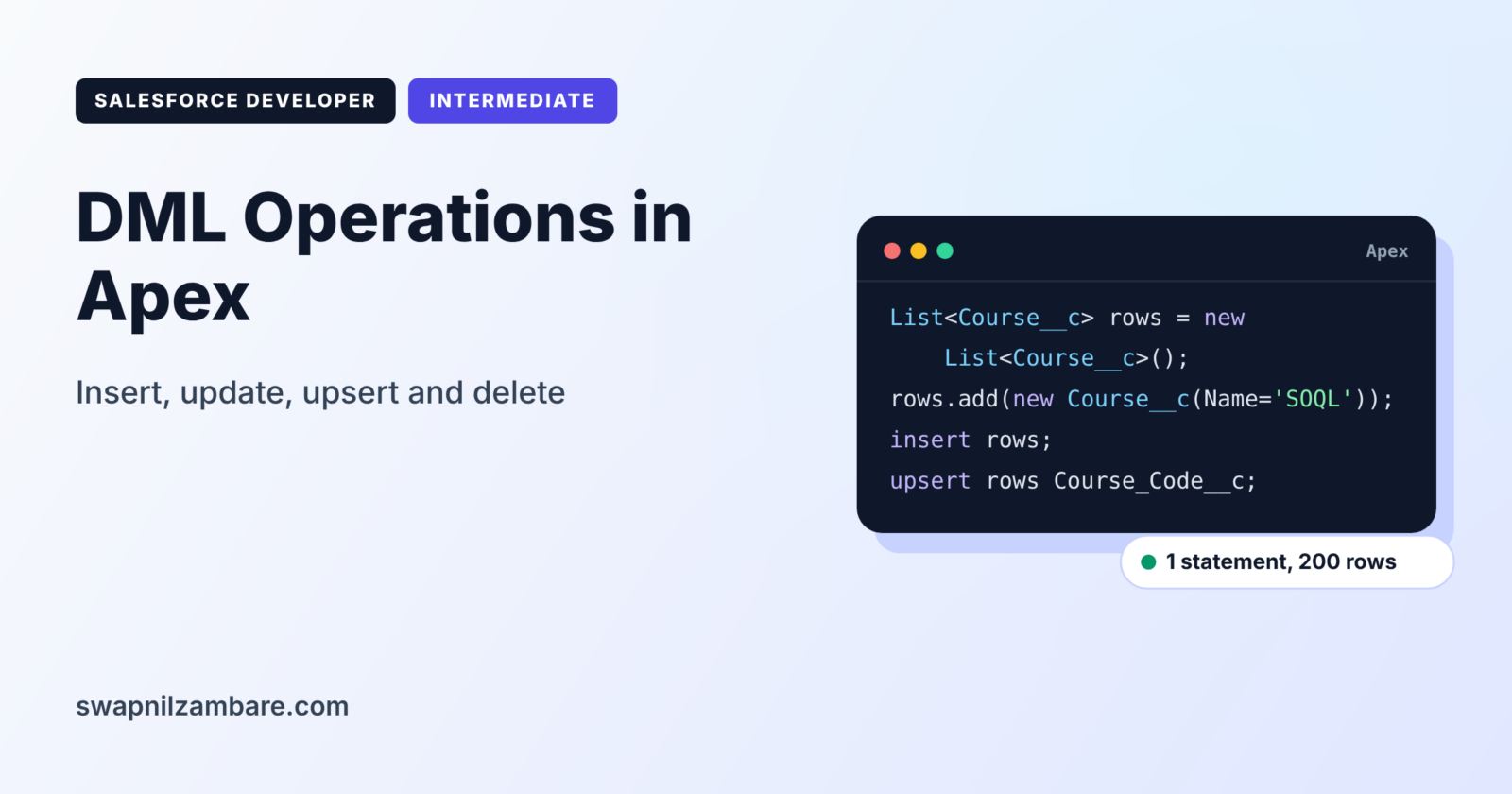
DML Operations in Apex are the statements that create, change and remove records in the Salesforce database. DML stands for Data Manipulation Language. Until now, we have only read data with SOQL and SOSL. Now we will write it.
In this post, you will learn each DML statement, how to work in bulk with lists, and how to handle errors and limits. It continues from SOSL in Salesforce and SOQL relationship queries. It also uses what you learned about Apex sObjects.
What are DML Operations in Apex?
DML Operations in Apex are keywords that send records to the database. The main ones are insert, update, upsert, delete, undelete and merge. Each one works on a single record or, much better, on a list of records.
Think of a school office register. You can add a new student, correct a student’s address, remove a student who left, or bring back a record removed by mistake. DML statements are those register actions for your Salesforce data.
Why DML Operations in Apex Matter
Almost every automation eventually saves data. Here is why DML Operations in Apex matter at Bright Path Tutors.
- First, a class creates enrolments when a student pays.
- Also, a trigger updates the course’s seat count after each enrolment.
- Next, an integration upserts courses from the training system every night.
- A clean-up job deletes test enrolments older than a year.
- Finally, careless DML inside loops quickly breaks governor limits.
So correct, bulk-safe DML keeps data accurate and code within limits.
How DML Operations in Apex Work
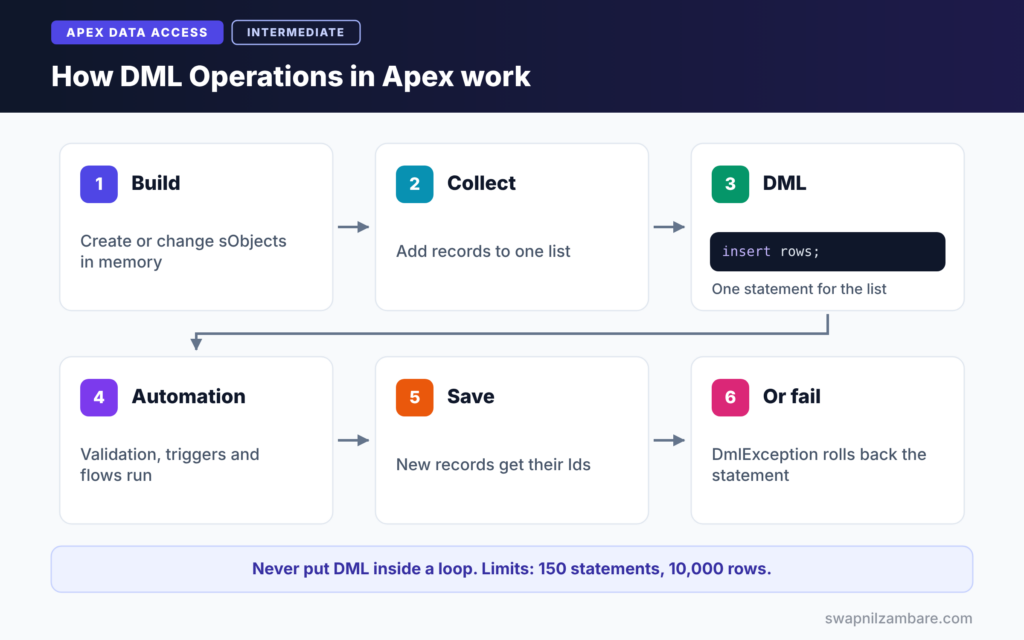
DML Operations in Apex follow a clear path. First, your code builds or changes sObjects in memory. Next, a DML statement sends them to the database. Then Salesforce runs validation rules, triggers, flows and other automation in the order of execution. After that, the records are saved, and new records get Ids. Finally, if anything fails, Salesforce throws a DmlException and rolls back the whole statement.
insert
insert creates new records. After it runs, each record’s Id field is filled, so you can use it straight away.
update
update changes existing records. Each record must have an Id, usually from a query.
upsert
upsert inserts new records and updates existing ones in one statement. It matches on Id or on an external ID field, such as Course_Code__c.
delete and undelete
delete moves records to the Recycle Bin. undelete brings them back, which needs a query with ALL ROWS to find deleted records.
merge
merge combines up to three records of the same type into one. It works on objects such as Account, Contact, Lead and Case.
DML Statements at a Glance
The table below summarises each statement.
| Statement | What it does | Needs Id |
|---|---|---|
| insert | Creates new records | No, Id is created |
| update | Changes existing records | Yes |
| upsert | Inserts or updates by Id or external ID | Optional |
| delete | Moves records to the Recycle Bin | Yes |
| undelete | Restores deleted records | Yes |
| merge | Combines up to three duplicates | Yes |
Single-Record DML vs Bulk DML
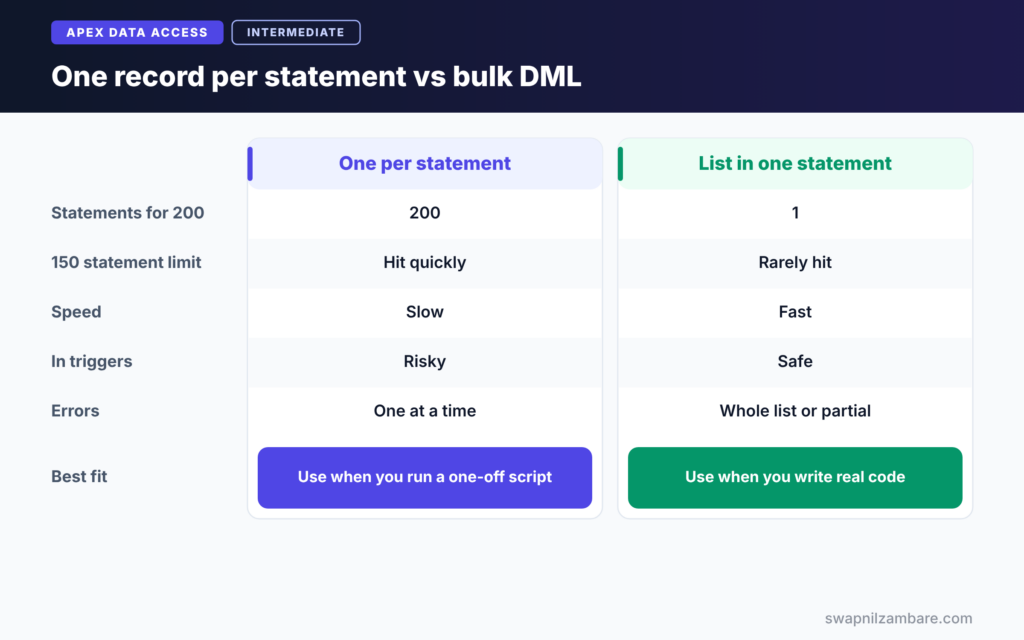
The table below compares DML on one record with DML on a list.
| Feature | One record per statement | List in one statement |
|---|---|---|
| DML statements used for 200 records | 200 | 1 |
| Hits the 150 statement limit | Quickly | Rarely |
| Speed | Slow | Fast |
| Works in triggers | Risky | Safe |
| Error handling | One record at a time | Whole list, or partial with Database methods |
When to use which is clear. Always collect records in a list and run one DML statement. Single-record DML is fine only for one-off scripts.
A Real DML Operations in Apex Example
Let’s use DML Operations in Apex at Bright Path Tutors in the Execute Anonymous window.
Step 1: Insert Records in Bulk
List<Course__c> newCourses = new List<Course__c>();
for (Integer i = 1; i <= 3; i++) {
    newCourses.add(new Course__c(
        Name = 'SOQL Workshop ' + i,
        Fee__c = 3000 + (i * 500),
        Level__c = 'Intermediate',
        Is_Online__c = true
    ));
}
insert newCourses;
System.debug('First new Id: ' + newCourses[0].Id);
The loop builds three courses in memory only. Then a single insert saves all three, using one DML statement. Afterwards, each record has its Id.
Step 2: Update in Bulk
List<Course__c> toUpdate = [
    SELECT Id, Fee__c FROM Course__c WHERE Name LIKE 'SOQL Workshop%'
];
for (Course__c c : toUpdate) {
    c.Fee__c = c.Fee__c * 1.10;   // 10% price rise
}
update toUpdate;
We query the records, change the fee in memory, and update the whole list once. The loop contains no DML, which keeps the code bulk-safe.
Step 3: Upsert by External ID
List<Course__c> fromTrainingSystem = new List<Course__c>{
    new Course__c(Course_Code__c = 'APX-101', Name = 'Apex Basics', Fee__c = 4500),
    new Course__c(Course_Code__c = 'LWC-201', Name = 'LWC Basics', Fee__c = 6000)
};
upsert fromTrainingSystem Course_Code__c;
Course_Code__c is an external ID field. Salesforce updates courses whose code already exists and inserts the others. This is ideal for nightly integrations.
Step 4: Handle Errors
try {
    Course__c bad = new Course__c(Fee__c = 1000);  // Name is missing
    insert bad;
} catch (DmlException e) {
    System.debug('Save failed: ' + e.getDmlMessage(0));
}
If a required field or validation rule fails, insert throws a DmlException. The catch block reads the first error message, so the code can log it instead of crashing.
Step 5: Read the Output
Here is an example of the debug log.
USER_DEBUG [10]|DEBUG|First new Id: a015g00000AbC12AAB
USER_DEBUG [5]|DEBUG|Save failed: Required fields are missing: [Name]
DML Operations in Apex and Governor Limits
For DML Operations in Apex, a transaction can run 150 DML statements and process 10,000 records through DML. A DML statement on a list of 200 records counts as one statement but 200 rows. So the rule is simple: never put DML inside a loop.
Mixed DML Errors
Some objects, such as User and PermissionSetAssignment, are setup objects. If one transaction changes a setup object and a normal object, such as Course__c, Salesforce throws a mixed DML error. The usual fix is to move one of the changes into asynchronous code, which we cover in the async level.
Common Mistakes with DML Operations in Apex
- Running insert or update inside a for loop.
- Updating records that were never queried, so Ids are missing.
- Forgetting that one bad record fails the whole list with plain DML.
- Ignoring DmlException, so users see technical errors.
- Mixing setup and non-setup objects in one transaction.
Best Practices for DML Operations in Apex
- Collect records in lists and run one DML statement per object.
- Use upsert with an external ID for integrations.
- Catch DmlException and show clear messages.
- Use Database methods when you need partial success.
- Check Limits.getDmlStatements() in complex code.
Practice Task
Write code that creates one Enrolment__c for each of three contacts in a course, using one insert. Hint: query the contacts first, build the enrolments in a loop, then insert the list after the loop.
Most Asked Interview Questions on DML Operations in Apex
Questions on DML Operations in Apex are part of almost every Apex interview. Here are the 20 asked most, with short answers.
Basic Questions on DML Operations in Apex
Q1: What is DML in Salesforce?
DML means Data Manipulation Language. It includes statements that create, change and remove records, such as insert and update.
Q2: Name the DML statements in Apex.
insert, update, upsert, delete, undelete and merge.
Q3: When does a new record get its Id?
Right after the insert statement succeeds. So you can use the Id on the next line.
Q4: What does upsert do?
It inserts records that do not exist and updates those that do, matching on Id or an external ID field.
Q5: Where do deleted records go?
To the Recycle Bin, where undelete can restore them for a limited time.
Q6: Which objects support merge?
For example, Account, Contact, Lead and Case. Merge combines up to three records of the same type.
Q7: What exception does failed DML throw?
A System.DmlException, which you can catch with try and catch.
Code and Scenario Questions on DML Operations in Apex
Q8: How many DML statements can a transaction run?
150 DML statements per transaction.
Q9: How many records can DML process in a transaction?
10,000 rows in total across all DML statements.
Q10: Why should DML not be inside a loop?
Each loop pass uses another DML statement, so you quickly hit the 150 limit. Instead, collect records and run one statement.
Q11: What happens when one record in a list fails during insert?
With plain DML, the whole statement fails and nothing is saved. However, Database.insert with allOrNone false can save the good records.
Q12: How do you upsert by an external ID?
Write upsert recordList ExternalField__c, for example upsert courses Course_Code__c.
Q13: How do you restore a deleted record?
Query it with ALL ROWS and IsDeleted = true, then call undelete on it.
Q14: How do you read the error message from a DmlException?
Use methods such as getDmlMessage(0), getDmlFieldNames(0) and getNumDml().
Advanced Questions on DML Operations in Apex
Q15: What is a mixed DML error?
It happens when one transaction changes setup objects, such as User, and normal objects together. So move one change into async code.
Q16: Does DML run triggers and validation rules?
Yes. DML starts the full order of execution, including validation rules, triggers and flows.
Q17: What is the difference between DML statements and Database methods?
DML statements fail completely on any error. In contrast, Database methods can allow partial success and return result objects.
Q18: Can you update a record without querying it first?
Yes, if you know its Id. For example, create new Course__c(Id = knownId, Fee__c = 5000) and update it.
Q19: How do you check DML usage in code?
Use Limits.getDmlStatements() and Limits.getDmlRows() with their limit methods.
Q20: How would you load 50,000 records in Apex?
Use Batch Apex, because one transaction can process only 10,000 DML rows.
Official Resources
Quick Recap
- DML Operations in Apex create, change and remove records.
- The statements are insert, update, upsert, delete, undelete and merge.
- Always use lists and one DML statement per object.
- The limits are 150 DML statements and 10,000 rows per transaction.
- Catch DmlException and avoid mixed DML errors.
What’s Next?
Plain DML is all or nothing. Next, learn to save the good records and report the bad ones in our guide to the Apex Database class and partial success.


