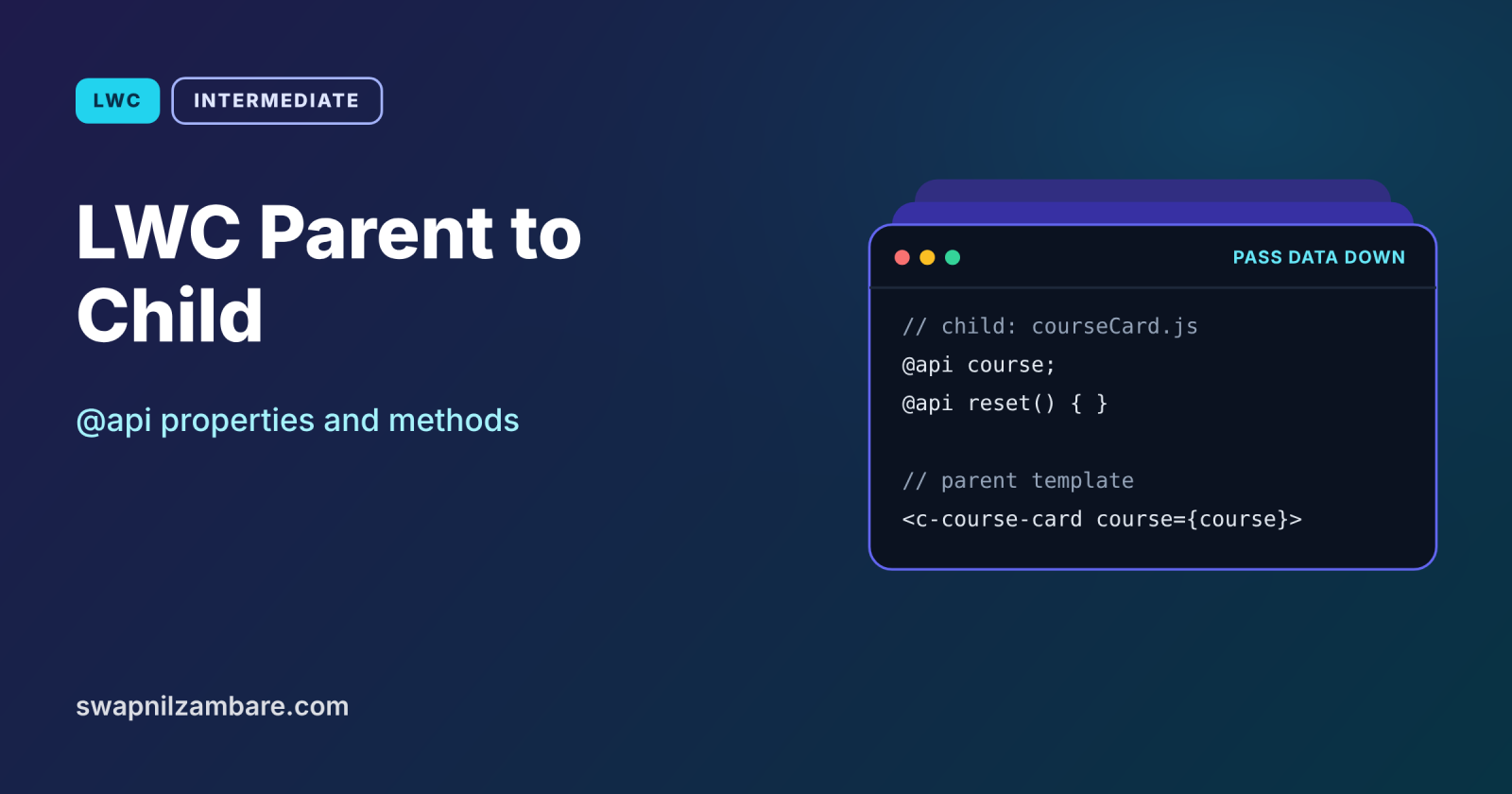
LWC Parent to Child communication is how a container component sends data and commands down to the smaller components inside it. The parent passes values through public properties marked with @api, and it can call public methods on the child. This is the first and most common way components work together.
In this post, you will learn @api properties, setters that react to new values, public methods, lwc:ref, and the naming rules between JavaScript and markup. It builds on LWC loops, LWC data binding and Apex access modifiers, because @api is the LWC version of making something public.
What is LWC Parent to Child Communication?
LWC Parent to Child communication means a parent component places a child in its template and passes it data through attributes, such as <c-course-card course={course}>. The child declares that property with @api, which makes it public. The parent can also call a child method marked @api, for example to reset or highlight it.
Think of a school principal and class teachers. The principal hands each teacher a timetable, and the teacher uses it but does not rewrite it. When needed, the principal also gives a direct instruction, such as “start the fire drill”. Timetables are @api properties, and instructions are @api methods.
Why LWC Parent to Child Matters
Breaking a page into small parts only works if the parts can share data. Here is why LWC Parent to Child communication matters at Bright Path Tutors.
- First, a course catalog passes each course to a reusable course card.
- Also, the same card works on the catalog, the home page and a record page.
- Next, the parent may ask every card to clear its selection.
- Cards stay simple, because they only display what they receive.
- Finally, small components are easier to test and reuse.
So LWC Parent to Child communication with @api is the foundation of reusable components.
How LWC Parent to Child Works
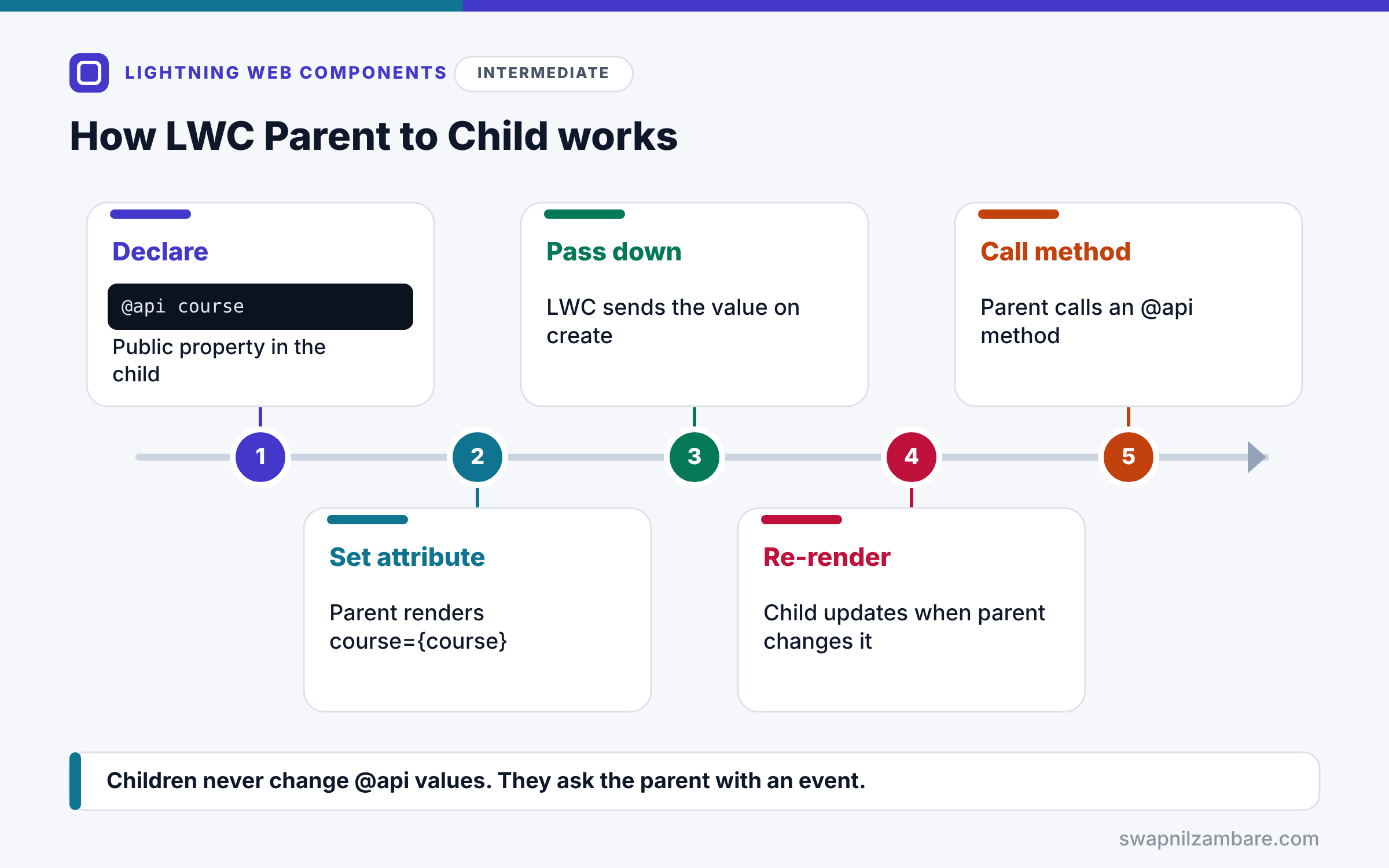
LWC Parent to Child communication follows a simple path. First, the child declares a public property with @api, such as @api course. Next, the parent renders the child and sets the attribute, such as course={course}. Then LWC passes the value down when the child is created. After that, whenever the parent changes its value, the child re-renders with the new data. Finally, the parent can get a reference to the child and call any @api method on it.
@api Properties
An @api property is public, so a parent can set it. In JavaScript, use camelCase, such as courseName. In markup, use kebab case, such as course-name.
Read-Only in the Child
The child should treat @api values as read-only. If it needs to change one, it copies the value into a private field, or asks the parent to change it with an event.
Setters for @api Properties
A getter and setter pair marked @api lets the child react every time the parent sends a new value, for example to format or validate it.
@api Methods
A public method marked @api lets the parent tell the child to do something, such as highlight() or reset().
lwc:ref
Add lwc:ref=”card” on the child, then use this.refs.card in the parent to call its methods. It is simpler than querySelector.
Naming Rules at a Glance
The table below shows how names change between the child’s JavaScript and the parent’s markup.
| In the child JavaScript | In the parent markup |
|---|---|
| @api course | course={course} |
| @api courseName | course-name={name} |
| @api isOnline | is-online={online} |
| @api highlight() | this.refs.card.highlight() |
@api Property vs @api Method
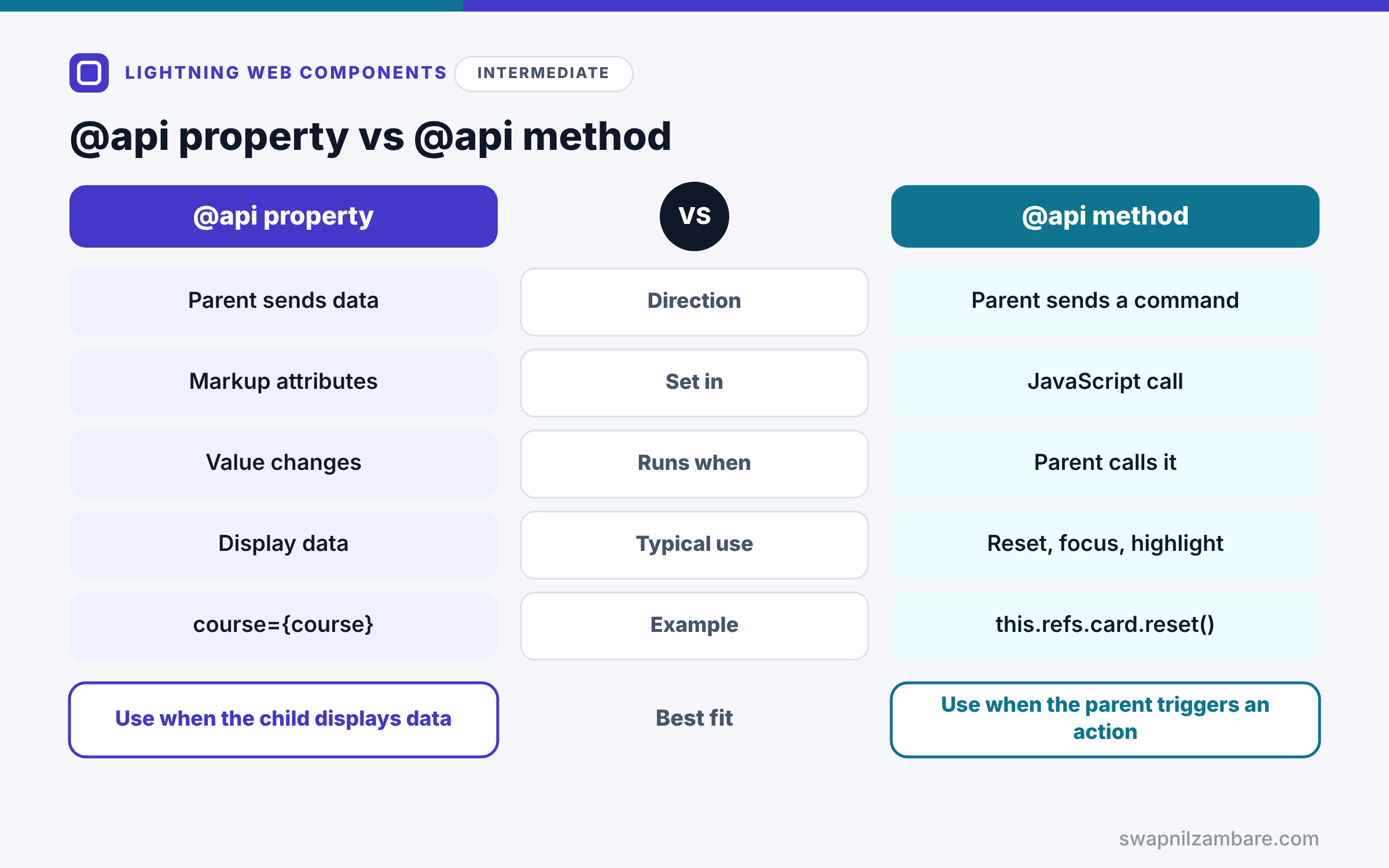
The table below compares the two ways a parent talks to a child.
| Feature | @api property | @api method |
|---|---|---|
| Direction | Parent sends data | Parent sends a command |
| Set in | Markup attributes | JavaScript call |
| Runs when | Value changes | Parent calls it |
| Typical use | Display data | Reset, focus, highlight |
| Example | course={course} | this.refs.card.reset() |
When to use which is simple. Use @api properties for data the child displays. Use @api methods for one-off actions the parent triggers.
A Real LWC Parent to Child Example
Let’s build LWC Parent to Child communication at Bright Path Tutors. A courseCatalog parent loops over courses and renders a courseCard child for each one. A button in the parent highlights the cheapest course.
Step 1: The Child Component
import { LightningElement, api } from 'lwc';

export default class CourseCard extends LightningElement {
    @api course;
    isHighlighted = false;
    _discount = 0;

    @api
    get discount() {
        return this._discount;
    }
    set discount(value) {
        this._discount = Number(value) || 0;   // keep a clean number
    }

    get finalFee() {
        return this.course.Fee__c - (this.course.Fee__c * this._discount / 100);
    }

    get cardClass() {
        return this.isHighlighted ? 'slds-box slds-theme_success' : 'slds-box';
    }

    @api
    highlight() {
        this.isHighlighted = true;
    }
}
The child receives course and discount from its parent. The setter turns any discount value into a safe number. Finally, highlight is a public method the parent can call.
Step 2: The Child Template
<template>
    <div class={cardClass}>
        <p><strong>{course.Name}</strong></p>
        <p>Fee after discount: {finalFee}</p>
    </div>
</template>
The template shows the course name and the calculated fee. Then cardClass switches the box colour when the card is highlighted.
Step 3: The Parent Component
<!-- courseCatalog.html -->
<template>
    <lightning-button label="Highlight cheapest" onclick={handleHighlight}></lightning-button>
    <template for:each={courses} for:item="c">
        <c-course-card key={c.Id} course={c} discount="10"></c-course-card>
    </template>
</template>
// courseCatalog.js
import { LightningElement } from 'lwc';
export default class CourseCatalog extends LightningElement {
courses = [
{ Id: 'a01A', Name: 'Apex Basics', Fee__c: 5000 },
{ Id: 'a01B', Name: 'SOQL Basics', Fee__c: 3000 }
];
handleHighlight() {
const cheapest = [...this.courses].sort((a, b) => a.Fee__c - b.Fee__c)[0];
const cards = this.template.querySelectorAll('c-course-card');
cards.forEach(card => {
if (card.course.Id === cheapest.Id) { card.highlight(); }
});
}
}The parent passes each course and a 10% discount to a card. lwc:ref cannot be dynamic inside a loop, so for lists we use querySelectorAll. Then the handler finds the cheapest course and calls highlight on its card.
Step 4: See the Result
Here is what the catalog shows after clicking the button.
[ Apex Basics | Fee after discount: 4500 ]
[ SOQL Basics | Fee after discount: 2700 ]   <- green highlighted box
The parent controlled the data and the action, while each card stayed simple.
LWC Parent to Child with lwc:ref
For a single child outside a loop, write <c-course-card lwc:ref="featured"> and call this.refs.featured.highlight(). However, lwc:ref values must be static strings, so they do not work for children rendered in a loop.
Common Mistakes with LWC Parent to Child
- Changing an @api property inside the child.
- Using camelCase attribute names in markup instead of kebab case.
- Calling a child method before the child has rendered.
- Expecting a boolean attribute to default to true.
- Passing huge objects when the child needs only two fields.
Best Practices for LWC Parent to Child
- Treat @api values as read-only in the child.
- Use setters to clean or validate incoming values.
- Keep @api methods few and clearly named.
- Use lwc:ref for single children and querySelector for loops.
- Pass only the data the child needs.
Practice Task
Add an @api reset() method to courseCard that removes the highlight, and a Reset all button in the parent that calls it on every card. Hint: reuse querySelectorAll and set isHighlighted to false.
Most Asked Interview Questions on LWC Parent to Child
Component communication is a core interview topic. Here are the 21 questions asked most about LWC Parent to Child communication.
Basic Questions on LWC Parent to Child
Q1: How does a parent pass data to a child in LWC?
Through an attribute on the child tag, which matches an @api property in the child.
Q2: What does @api do?
It makes a property or method public, so a parent can use it.
Q3: How is courseName written in markup?
As course-name, because markup uses kebab case.
Q4: Can a child change an @api property?
It should not, so copy the value into a private field or ask the parent with an event.
Q5: How does a parent call a child method?
It gets a reference with lwc:ref or querySelector and calls the @api method.
Q6: What is lwc:ref?
A directive that gives the parent a direct reference through this.refs.
Q7: Can @api be used on getters and setters?
Yes, so the child can react whenever the parent sends a new value.
Code and Scenario Questions on LWC Parent to Child
Q8: Why use a setter on an @api property?
Because it runs every time the value changes, so you can clean or validate it.
Q9: Can lwc:ref be used inside a loop?
No, because ref names must be static, so use querySelectorAll for lists.
Q10: How do you pass a number instead of a string?
Bind it from a JavaScript property, or convert it in a setter, because literal attributes are strings.
Q11: When is it safe to call a child method?
After the child has rendered, such as in a click handler or renderedCallback.
Q12: How do boolean @api properties behave?
They default to false, and the parent sets them to true by adding the attribute.
Q13: What happens if the parent changes the passed object?
The child re-renders with the new object, because the reference changed.
Q14: How do you pass a list to a child?
Bind the array to an @api property, such as courses={courses}.
Advanced Questions on LWC Parent to Child
Q15: Why are @api values read-only for the child?
Because the parent owns the data, so one-way flow keeps state predictable.
Q16: Are objects passed by reference?
They are passed as read-only proxies, so the child cannot change them directly.
Q17: How many @api methods should a component have?
Few, because a large public API is harder to maintain.
Q18: Can a parent read a child’s private field?
No, so expose it with an @api getter if the parent really needs it.
Q19: How do @api properties work in App Builder?
Properties listed in targetConfigs become editable fields for admins.
Q20: How do you design a reusable child?
Give it a small set of @api properties, sensible defaults and no hard-coded data.
Q21: How does a child send data back up?
It dispatches a custom event, which the next post covers.
Official Resources
Quick Recap
- LWC Parent to Child communication uses @api properties and methods.
- Markup attributes use kebab case for camelCase properties.
- Children treat @api values as read-only.
- Setters let a child react to every new value.
- Use lwc:ref for single children and querySelector for lists.
What’s Next?
Children also need to talk back. Next, read our guide to LWC custom events for child to parent communication.


