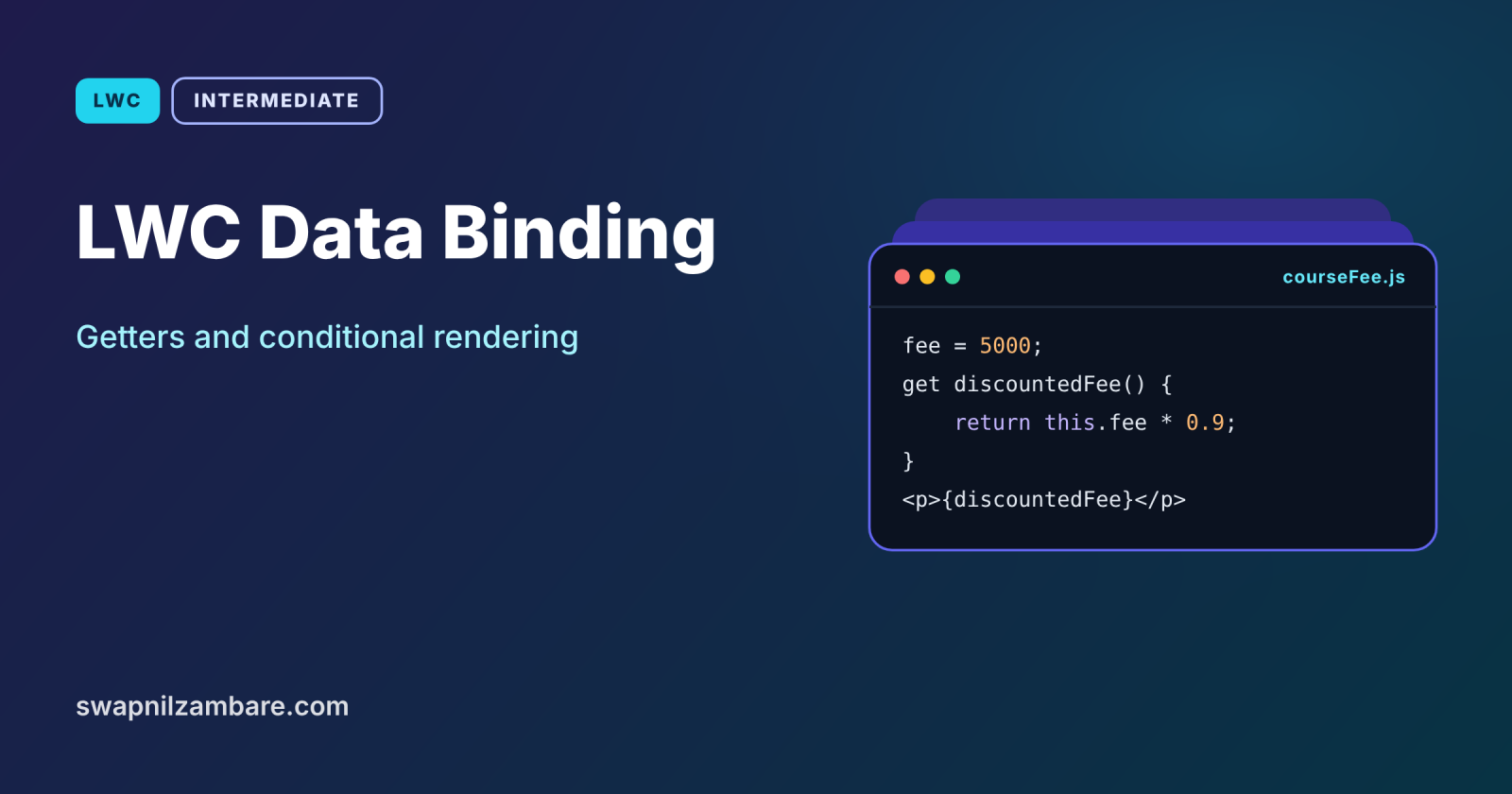
LWC Data Binding is how values in your JavaScript class appear in the HTML template and stay in sync when they change. Getters let you calculate values for the template, and conditional directives decide which parts of the template appear at all. Together, they control almost everything a user sees in a component.
In this post, you will learn one-way binding, reactive fields, getters, and the lwc:if, lwc:elseif and lwc:else directives. It builds on your first Lightning Web Component, Lightning Web Components basics and Apex conditional statements, because the same if and else logic appears in templates.
What is LWC Data Binding?
LWC Data Binding connects a class property to a spot in the template using curly braces, such as {courseName}. The binding is one-way: data flows from the class to the template. When the property changes, LWC re-renders only the parts that use it. To send user input back, you handle an event and update the property yourself.
Think of a scoreboard at a cricket ground. The scorer updates the numbers in the box, and the board shows them at once. Fans cannot change the board directly. They shout, and the scorer decides. The class is the scorer, the template is the board, and events are the shouts.
Why LWC Data Binding Matters
Every screen depends on showing the right value at the right time. Here is why LWC Data Binding matters at Bright Path Tutors.
- First, a course card must show the current fee after a discount.
- Also, an “Online” badge should appear only for online courses.
- Next, a “Full” warning must replace the Book button when seats run out.
- Templates cannot do maths, so getters must calculate values.
- Finally, clear binding rules make components easy to debug.
So mastering binding, getters and conditions covers most UI logic.
How LWC Data Binding Works
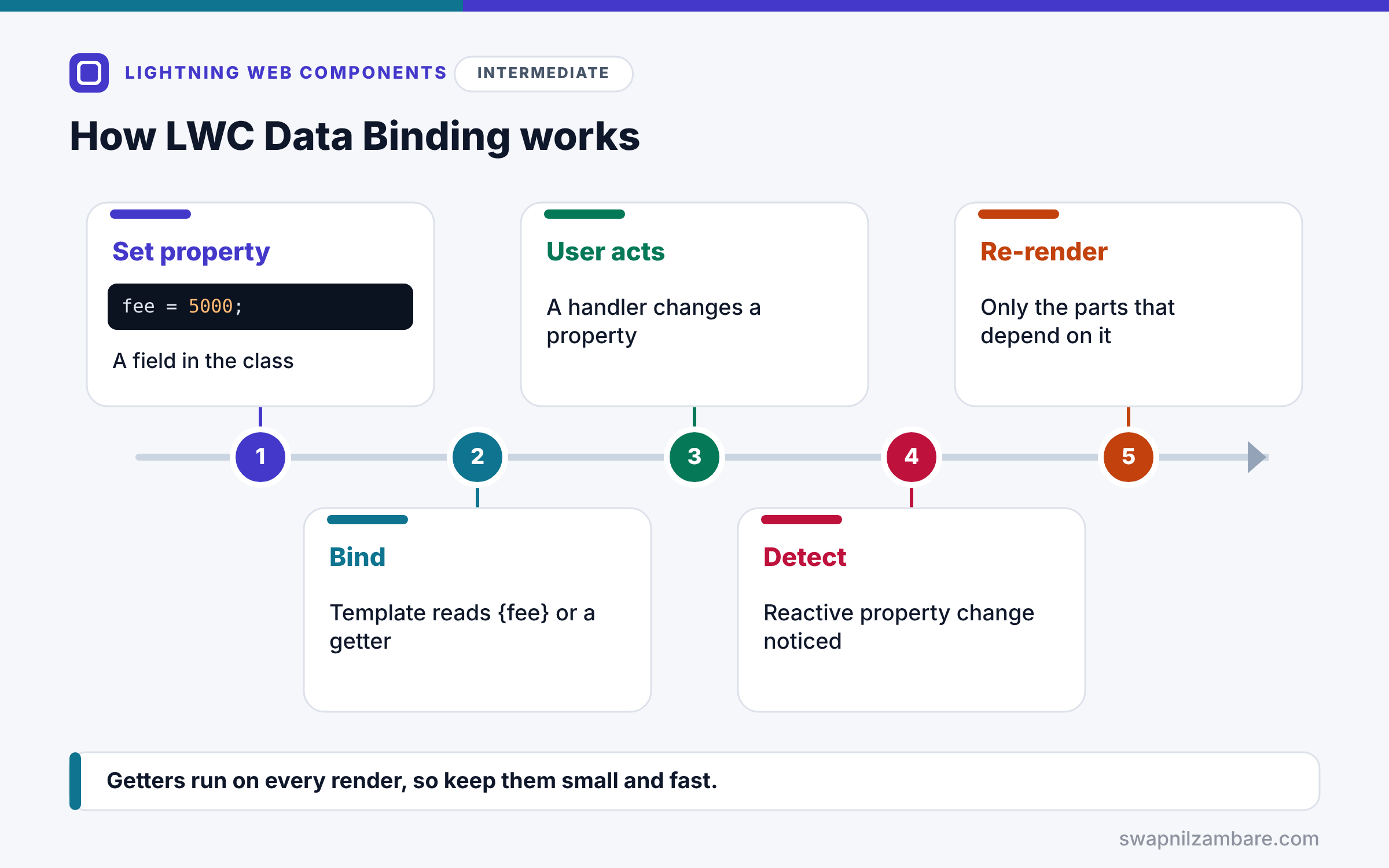
LWC Data Binding follows a reactive loop. First, the class sets a property, such as fee = 5000. Next, the template reads it through a binding, such as {fee}, or through a getter, such as {discountedFee}. Then the user does something, and an event handler changes a property. After that, LWC notices the change because the property is reactive. Finally, it re-renders only the bindings, getters and conditional blocks that depend on that property.
One-Way Binding
Curly braces show a property’s value. You cannot write expressions such as {fee * 0.9} in the template, so calculations live in getters.
Reactive Fields
All class fields are reactive. When you assign a new value, the template updates. For objects and arrays, assign a new object or array so LWC sees the change.
Getters
A getter is a method that starts with get, such as get discountedFee(). The template uses it like a property. It runs again whenever the properties it reads change.
lwc:if, lwc:elseif and lwc:else
These directives render a block only when a property or getter is truthy. lwc:elseif and lwc:else must follow directly after an lwc:if block.
Legacy if:true and if:false
Older code uses if:true and if:false. They still work, but Salesforce recommends lwc:if, lwc:elseif and lwc:else for new code.
Template Rules at a Glance
The table below sums up what templates allow.
| You want to | Do this |
|---|---|
| Show a value | {propertyName} |
| Calculate a value | Use a getter |
| Show a block conditionally | lwc:if={getterOrProperty} |
| Add an else branch | lwc:elseif or lwc:else right after |
| Use an expression like a + b | Not allowed, use a getter |
lwc:if vs if:true
The table below compares the modern and legacy conditional directives.
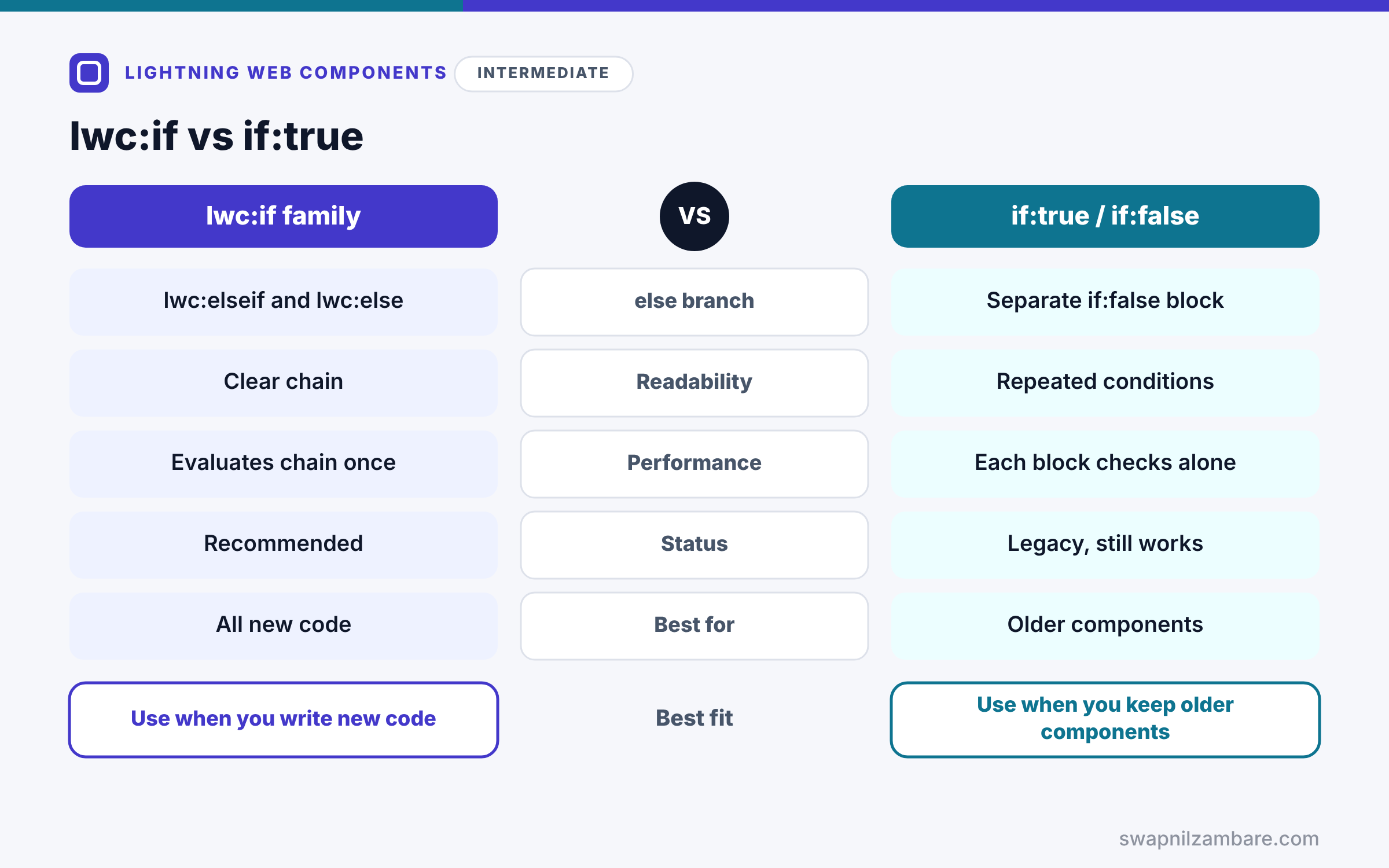
| Feature | lwc:if family | if:true and if:false |
|---|---|---|
| else branch | lwc:elseif and lwc:else | Separate if:false block |
| Readability | Clear chain | Repeated conditions |
| Performance | Evaluates the chain once | Each block checks on its own |
| Status | Recommended | Legacy, still works |
| Best for | All new code | Older components |
When to use which is simple. Write lwc:if, lwc:elseif and lwc:else in new components. Change old if:true blocks when you next edit that component.
A Real LWC Data Binding Example
Let’s apply LWC Data Binding to a course summary card at Bright Path Tutors. It shows a discounted fee, an Online badge, and either a Book button or a Full message.
Step 1: The Class with Getters
import { LightningElement } from 'lwc';

export default class CourseSummary extends LightningElement {
    courseName = 'Apex Basics';
    fee = 5000;
    discountPercent = 10;
    isOnline = true;
    seatsBooked = 28;
    maxSeats = 30;

    get discountedFee() {
        return this.fee - (this.fee * this.discountPercent / 100);
    }

    get seatsLeft() {
        return this.maxSeats - this.seatsBooked;
    }

    get isFull() {
        return this.seatsLeft <= 0;
    }

    get isAlmostFull() {
        return this.seatsLeft > 0 && this.seatsLeft <= 3;
    }

    handleBook() {
        this.seatsBooked += 1;
    }
}
Three getters do the maths: the discounted fee, seats left, and two status checks. When handleBook adds a seat, every getter that reads seatsBooked runs again.
Step 2: The Template with Conditions
<template>
    <lightning-card title={courseName}>
        <div class="slds-p-around_medium">
            <p>Fee after discount: {discountedFee}</p>
            <template lwc:if={isOnline}>
                <lightning-badge label="Online"></lightning-badge>
            </template>

            <template lwc:if={isFull}>
                <p class="slds-text-color_error">This course is full.</p>
            </template>
            <template lwc:elseif={isAlmostFull}>
                <p>Almost full. Seats left: {seatsLeft}</p>
                <lightning-button label="Book now" onclick={handleBook}></lightning-button>
            </template>
            <template lwc:else>
                <lightning-button label="Book" onclick={handleBook}></lightning-button>
            </template>
        </div>
    </lightning-card>
</template>
The template never does maths. Instead, it reads getters. The lwc:if chain shows exactly one of three blocks, depending on the seats left.
Step 3: See It Change
Here is what the card shows as a tutor clicks the button twice.
Start:          Fee after discount: 4500 | Online | Almost full. Seats left: 2 [Book now]
After 1 click:  Fee after discount: 4500 | Online | Almost full. Seats left: 1 [Book now]
After 2 clicks: Fee after discount: 4500 | Online | This course is full.
Each click changes one field, and the right block appears automatically.
LWC Data Binding with Objects and Arrays
If you change a property inside an object, such as this.course.Fee__c = 6000, assign a new object to be safe: this.course = { ...this.course, Fee__c: 6000 };. The same rule applies to arrays. Use spread syntax or methods that return new arrays.
Common Mistakes with LWC Data Binding
- Writing expressions such as {fee * 0.9} in the template.
- Putting lwc:else somewhere other than right after its lwc:if block.
- Hiding blocks with CSS when lwc:if would skip rendering them.
- Mutating objects in place and wondering why the screen did not update.
- Doing heavy work inside getters that run on every render.
Best Practices for LWC Data Binding
- Keep templates simple and move logic into getters.
- Use lwc:if, lwc:elseif and lwc:else for new code.
- Give getters clear names, such as isFull or discountedFee.
- Replace objects and arrays instead of changing them in place.
- Keep getters fast, because they run often.
Practice Task
Add a getter called feeLabel that returns “Free” when the discounted fee is 0, and the amount otherwise. Hint: use a ternary inside the getter and bind {feeLabel} in the template.
Most Asked Interview Questions on LWC Data Binding
Binding questions test whether you really understand how LWC renders. Here are the 21 questions asked most about LWC Data Binding.
Basic Questions on LWC Data Binding
Q1: Is LWC data binding one-way or two-way?
It is one-way, so data flows from the class to the template, and events send changes back.
Q2: How do you show a property in the template?
Wrap the property name in curly braces, such as {courseName}.
Q3: Can you write expressions in an LWC template?
No, so use a getter for any calculation.
Q4: What is a getter?
A class method that starts with get and works like a read-only property in the template.
Q5: Which directive shows a block conditionally?
lwc:if, followed optionally by lwc:elseif and lwc:else.
Q6: Are class fields reactive?
Yes, so assigning a new value re-renders the parts that use it.
Q7: Is if:true still supported?
Yes, but lwc:if is recommended for new code.
Code and Scenario Questions on LWC Data Binding
Q8: Where must lwc:else be placed?
Directly after an lwc:if or lwc:elseif block, with nothing between them.
Q9: Why did the screen not update after changing an object property?
Because the object reference stayed the same, so assign a new object instead.
Q10: How do you add an else-if branch?
Add a template with lwc:elseif={condition} right after the lwc:if block.
Q11: Can lwc:if use a function call such as {isFull()}?
No, so reference a property or getter like {isFull}.
Q12: How do you pass user input back to the class?
Handle an event, such as onchange, and set the property in the handler.
Q13: When does a getter run again?
Whenever the component re-renders, for example after a property it reads changes.
Q14: What is the difference between hiding with CSS and lwc:if?
CSS keeps the element in the DOM, while lwc:if does not render it at all.
Advanced Questions on LWC Data Binding
Q15: Why does LWC block template expressions?
Because keeping logic in JavaScript makes templates simple, testable and fast.
Q16: When do you still need @track?
Rarely, mainly to observe changes inside plain objects or arrays without reassigning them.
Q17: Why is lwc:if faster than separate if:true blocks?
Because the chain evaluates once and renders only one branch.
Q18: Can getters use @api properties?
Yes, so a getter can format values passed in from a parent.
Q19: What happens if a getter throws an error?
Rendering fails, and the error reaches the nearest errorCallback or the page.
Q20: How do you bind a value inside a string?
Use a getter that returns the full string, because templates cannot join strings.
Q21: How do you keep getters efficient?
Avoid loops over large data and cache results in fields when possible.
Official Resources
Quick Recap
- LWC Data Binding is one-way, from class to template.
- Use curly braces to show properties and getters.
- Getters do every calculation, because templates cannot.
- lwc:if, lwc:elseif and lwc:else render one branch.
- Assign new objects and arrays so changes show up.
What’s Next?
Lists of records need loops. Next, read our guide to LWC loops with for:each and iterator.


