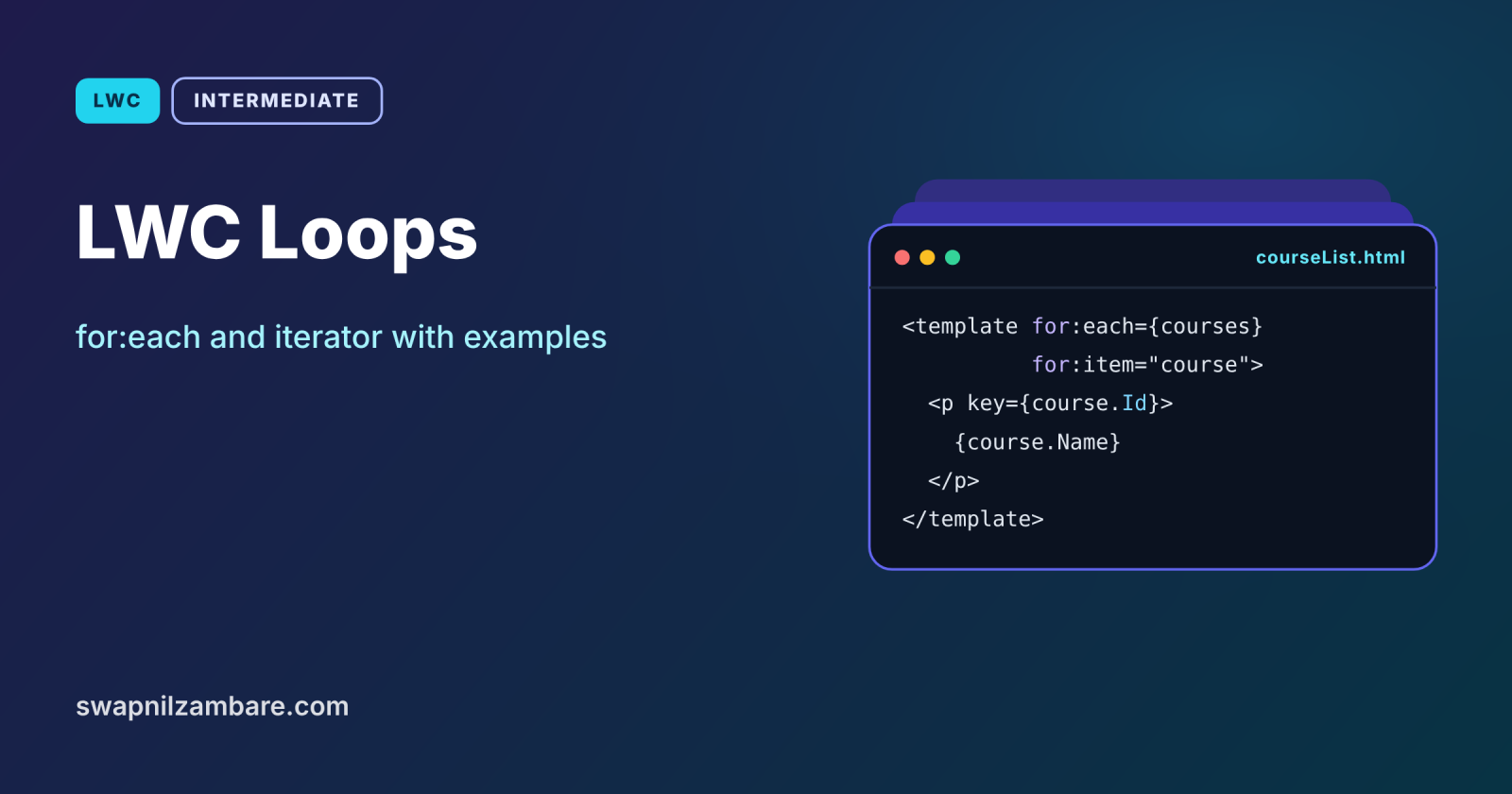
LWC Loops let a component show a list, such as courses, students or enrolments, by repeating a block of the template once for each item in an array. LWC has two loop directives: for:each for simple lists, and iterator when you need to know the first or last item. Both need a key so the framework can update the list efficiently.
In this post, you will learn both loop directives, why keys matter, how to style the first and last rows, and how to handle clicks on a single row. It builds on LWC data binding and getters, Apex loops and Apex collections.
What are LWC Loops?
LWC Loops are template directives that render a block once for every element of an array property. You put for:each or iterator on a nested <template> tag, and the block inside repeats. Each repeated element needs a unique key.
Think of a printing press for name badges. You load one badge design and a list of names, and the press prints one badge per name. The design is the template block, the list is the array, and the key is the badge number that keeps each one unique.
Why LWC Loops Matter
Almost every business screen shows a list. Here is why LWC Loops matter at Bright Path Tutors.
- First, the course catalog lists every open course as a card.
- Also, a tutor’s page shows enrolled students in a simple list.
- Next, the first item in a ranking should look special.
- Each row needs its own button, such as Enrol or Remove.
- Finally, lists change often, so updates must be fast.
So LWC Loops turn arrays of records into readable screens.
How LWC Loops Work
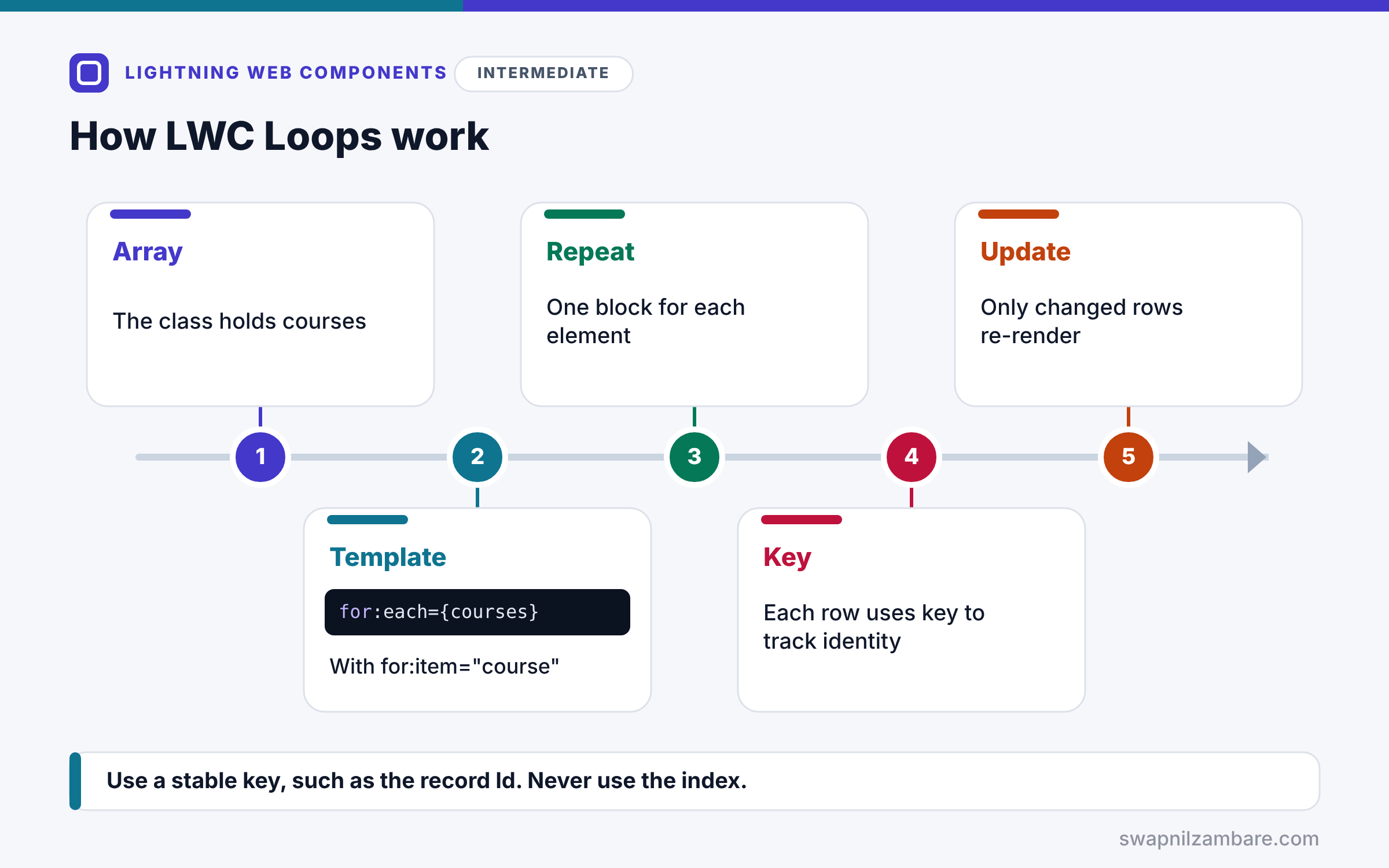
LWC Loops follow the same steps every time. First, the class holds an array, such as courses. Next, the template adds a nested template with for:each={courses} and for:item=”course”. Then LWC repeats the block once for each element. After that, each repeated element uses its key to track identity. Finally, when the array changes, LWC compares keys and updates only the rows that changed.
for:each
for:each={courses} names the array, and for:item=”course” names the current item. Optionally, for:index=”index” gives the position, starting at 0.
iterator
iterator:it={courses} gives an object for each item with it.value, it.index, it.first and it.last. Use it when the first or last row needs special handling.
The key Attribute
The first element inside the loop needs key={course.Id} or another unique value. Keys must be strings or numbers. Avoid using the index as a key when items can be added, removed or reordered.
Row Events
To know which row was clicked, put the record Id in a data attribute, such as data-id={course.Id}. Then read event.currentTarget.dataset.id in the handler.
for:each vs iterator
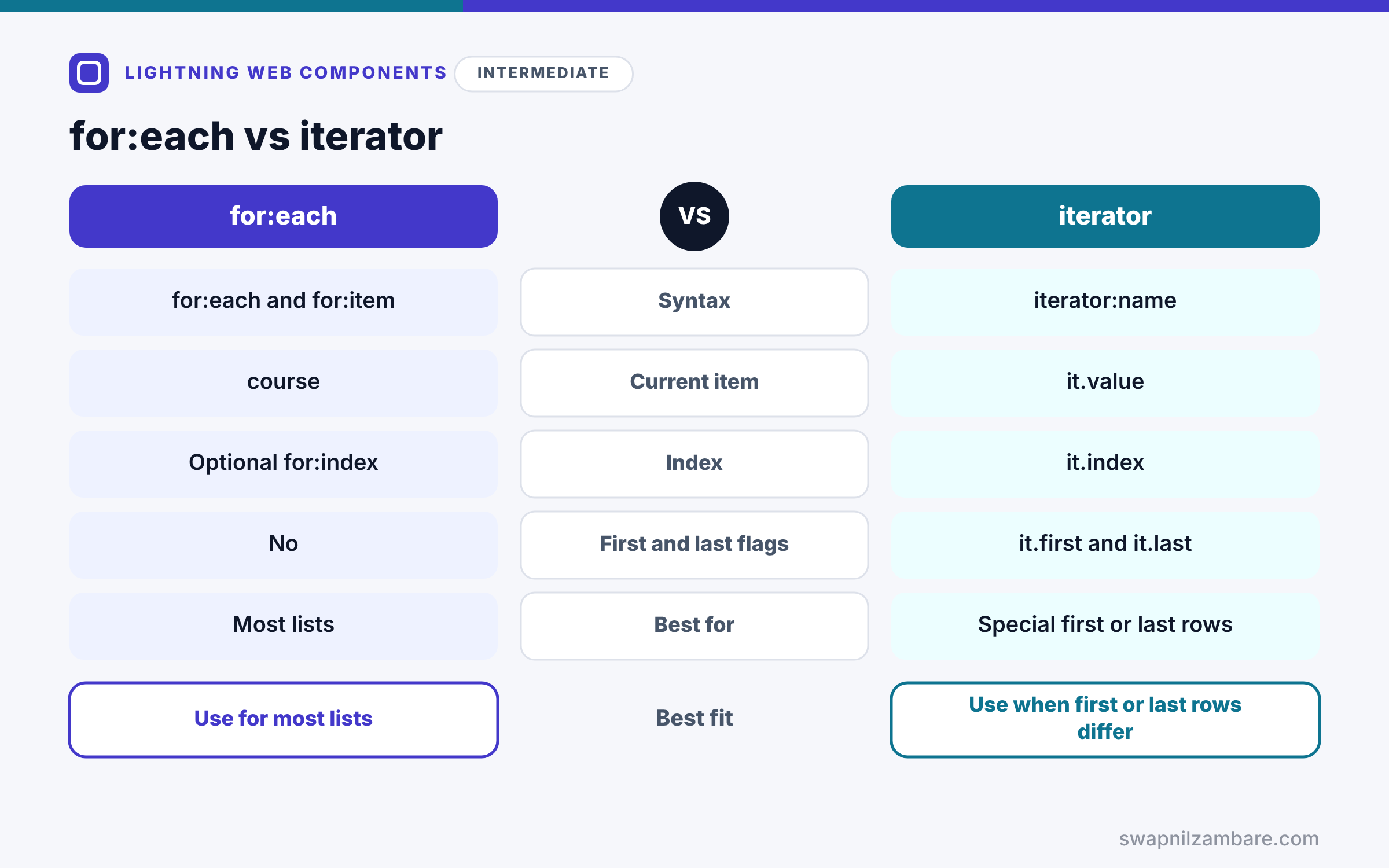
The table below compares the two loop directives.
| Feature | for:each | iterator |
|---|---|---|
| Syntax | for:each and for:item | iterator:name |
| Current item | course | it.value |
| Index | Optional for:index | it.index |
| First and last flags | No | it.first and it.last |
| Best for | Most lists | Special first or last rows |
When to use which is simple. Use for:each for most lists. Use iterator only when the first or last item needs different markup.
Loop Variables at a Glance
The table below lists the values available inside each loop.
| Inside for:each | Inside iterator:it |
|---|---|
| course (for:item) | it.value |
| index (for:index) | it.index |
| Not available | it.first |
| Not available | it.last |
A Real LWC Loops Example
Let’s use LWC Loops to build a course list at Bright Path Tutors. Each row shows the course and an Enrol button, and the first row gets a “Most popular” label.
Step 1: The Class
import { LightningElement } from 'lwc';

export default class CourseList extends LightningElement {
    courses = [
        { Id: 'a01A', Name: 'Apex Basics', Fee__c: 5000 },
        { Id: 'a01B', Name: 'SOQL Basics', Fee__c: 3000 },
        { Id: 'a01C', Name: 'LWC Basics', Fee__c: 6000 }
    ];
    selected = '';

    handleEnrol(event) {
        const courseId = event.currentTarget.dataset.id;
        const course = this.courses.find(c => c.Id === courseId);
        this.selected = `You chose ${course.Name}.`;
    }
}
The class holds a fixed array for now. Later posts load the same shape from Apex. Then handleEnrol reads the Id from the clicked button and finds the matching course.
Step 2: The Template with iterator
<template>
    <lightning-card title="Courses">
        <ul class="slds-p-around_medium">
            <template iterator:it={courses}>
                <li key={it.value.Id} class="slds-m-bottom_small">
                    <template lwc:if={it.first}>
                        <lightning-badge label="Most popular"></lightning-badge>
                    </template>
                    {it.value.Name}, fee {it.value.Fee__c}
                    <lightning-button label="Enrol" data-id={it.value.Id}
                        onclick={handleEnrol} class="slds-m-left_small"></lightning-button>
                </li>
            </template>
        </ul>
        <p class="slds-p-horizontal_medium">{selected}</p>
    </lightning-card>
</template>
The iterator repeats the li for each course. The key is the record Id, and it.first adds the badge to the first row only. Each button carries its course Id in data-id.
Step 3: The Same List with for:each
<template for:each={courses} for:item="course">
    <li key={course.Id}>{course.Name}, fee {course.Fee__c}</li>
</template>
This shorter version works when no row needs special treatment.
Step 4: See It Work
Here is what the list shows after clicking Enrol on the second row.
[Most popular] Apex Basics, fee 5000  [Enrol]
SOQL Basics, fee 3000                 [Enrol]
LWC Basics, fee 6000                  [Enrol]
You chose SOQL Basics.
The badge sits only on the first row, and the message names the clicked course.
LWC Loops and Large Lists
Rendering thousands of rows at once is slow. So for big data, show a page at a time, or use lightning-datatable with infinite loading. We cover performance in a later post.
Common Mistakes with LWC Loops
- Forgetting the key, which causes an error in the browser console.
- Using the index as the key for lists that change order.
- Putting for:each on a normal element instead of a nested template.
- Reading event.target instead of event.currentTarget for the data attribute.
- Changing the array with push without reassigning it.
Best Practices for LWC Loops
- Use the record Id as the key.
- Prefer for:each, and use iterator only for first or last rows.
- Pass row Ids with data attributes and read them from dataset.
- Replace the array, such as with spread syntax, to update the list.
- Use lightning-datatable for large, tabular data.
Practice Task
Add a Remove button to each row that deletes that course from the array. Hint: use filter to create a new array without the clicked Id, then assign it to this.courses.
Most Asked Interview Questions on LWC Loops
Loops come up in nearly every LWC coding round. Here are the 21 questions asked most about LWC Loops.
Basic Questions on LWC Loops
Q1: Which directives create loops in LWC?
for:each with for:item, and iterator.
Q2: Where do you place a loop directive?
On a nested template tag that wraps the repeated block.
Q3: What is the key attribute for?
It gives each item a unique identity, so LWC can update rows efficiently.
Q4: Which element needs the key?
The first element inside the loop template.
Q5: How do you get the index in for:each?
Add for:index=”index” next to for:item.
Q6: What does iterator give you that for:each does not?
It gives the first and last flags, it.first and it.last.
Q7: How do you read the current item in an iterator?
Use it.value, where it is the iterator name.
Code and Scenario Questions on LWC Loops
Q8: Why should you avoid the index as a key?
Because indexes change when items move, so LWC may update the wrong rows.
Q9: How do you know which row’s button was clicked?
Set data-id={record.Id} on the button and read event.currentTarget.dataset.id.
Q10: Why use currentTarget instead of target?
Because target can be an inner element, while currentTarget is the element with the handler.
Q11: Why did my list not update after push?
Because the array reference stayed the same, so assign a new array instead.
Q12: How do you remove an item from a rendered list?
Filter it out into a new array and assign that array to the property.
Q13: Can you nest loops?
Yes, so you can loop over students inside each course, each with its own keys.
Q14: How do you style only the last row?
Use iterator and check it.last with lwc:if or in a getter.
Advanced Questions on LWC Loops
Q15: What types can a key be?
A string or a number. Objects are not allowed.
Q16: How does LWC use keys when the list changes?
It matches old and new keys, then only adds, removes or moves the changed rows.
Q17: How do you show computed values for each row?
Map the data into new objects with extra fields before rendering.
Q18: When should you use lightning-datatable instead of a loop?
For large tabular data with sorting, selection or inline editing.
Q19: How do you handle very long lists?
Use pagination or infinite loading so the browser renders fewer rows.
Q20: Can you use lwc:if inside a loop?
Yes, so each row can show different blocks based on its data.
Q21: How do you show a message when the list is empty?
Add a getter such as hasCourses and use lwc:if and lwc:else around the loop.
Official Resources
Quick Recap
- LWC Loops repeat a template block for each array item.
- for:each suits most lists, and iterator adds first and last flags.
- Every row needs a unique key, ideally the record Id.
- Use data attributes and currentTarget to find the clicked row.
- Assign a new array so the list updates.
What’s Next?
Components often pass data to their children. Next, read our guide to LWC parent to child communication with @api.


