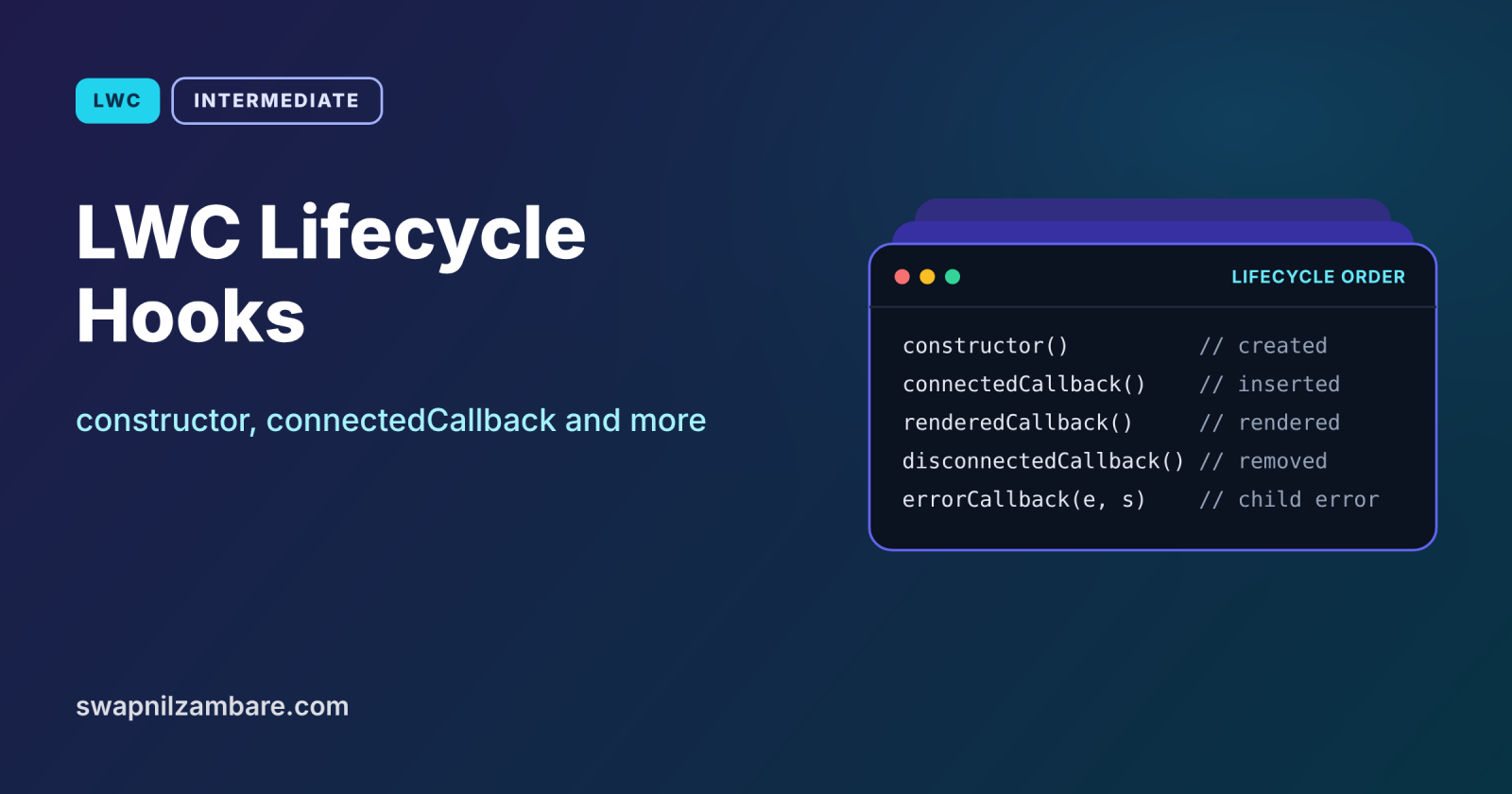
LWC Lifecycle Hooks are special methods that Salesforce calls at fixed moments in a component’s life: when it is created, added to the page, rendered, removed, or when a child throws an error. Putting code in the right hook avoids bugs such as timers that never stop, data that loads twice, or endless re-render loops.
In this post, you will learn all five hooks, the order they run in for parents and children, and what you should and should not do in each one. It builds on calling Apex from LWC, Lightning Message Service and Apex exception handling, since errorCallback works like a try and catch for components.
What are LWC Lifecycle Hooks?
LWC Lifecycle Hooks are methods with fixed names, such as connectedCallback, that you add to a component class. The framework calls them automatically at specific stages. You never call them yourself.
Think of a day at school. The bell rings when you arrive, you sit down and open your books, the teacher checks your work, and another bell rings when you leave. Each bell is a hook, and each one is the right time for a specific task, such as packing your bag only at the last bell.
Why LWC Lifecycle Hooks Matter
Code in the wrong place causes hard-to-find bugs. Here is why LWC Lifecycle Hooks matter at Bright Path Tutors.
- First, a live seat counter starts a timer that must stop when the user leaves.
- Also, a Lightning Message Service subscription must end when the component is removed.
- Next, a search box should get focus only once, after it appears.
- A broken child chart should not crash the whole dashboard.
- Finally, Apex calls should start only when the component is on the page.
So knowing each hook keeps components clean and reliable.
How LWC Lifecycle Hooks Work
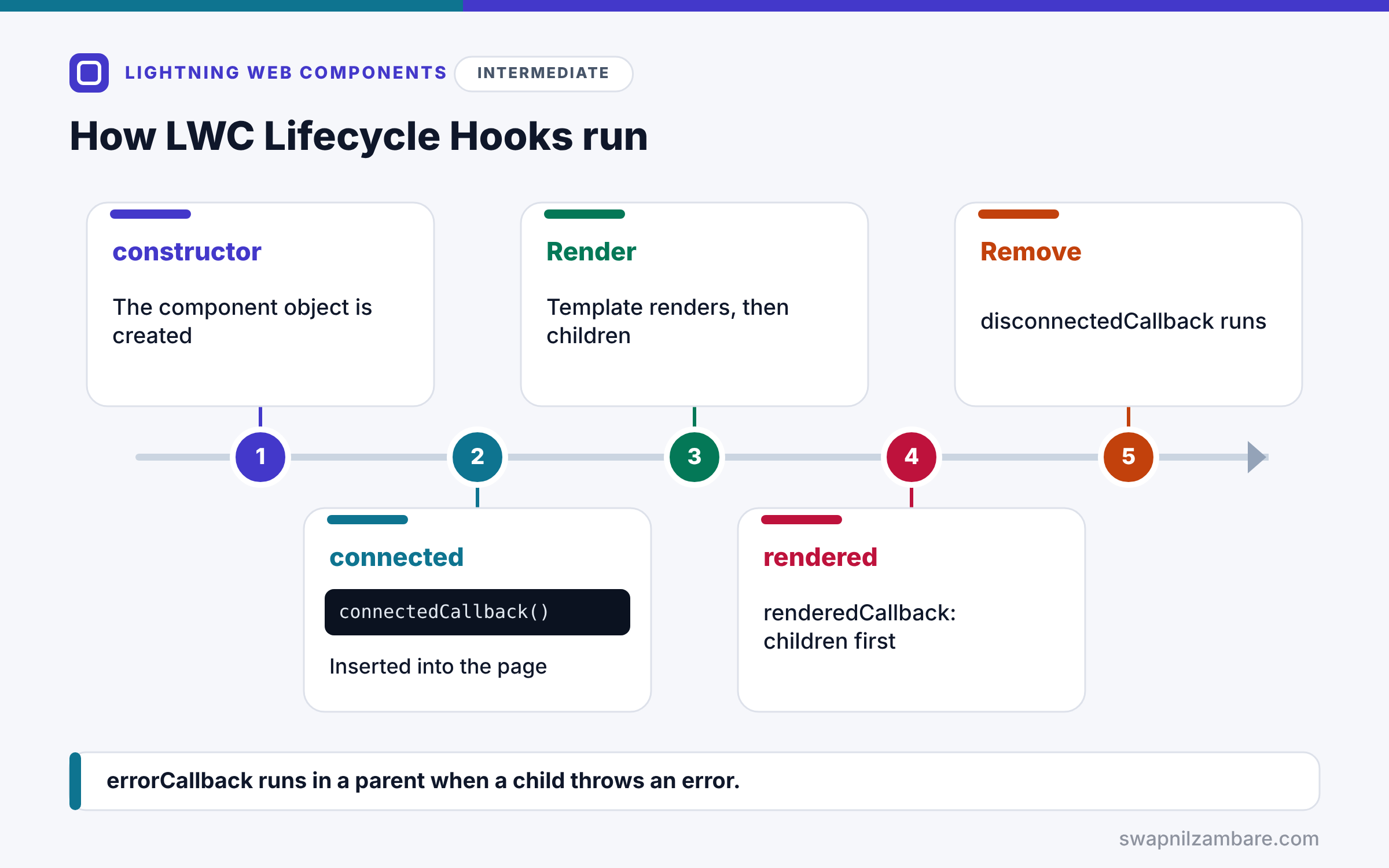
LWC Lifecycle Hooks run in a set order. First, constructor runs when the component object is created. Next, connectedCallback runs when it is inserted into the page. Then the template renders, and the same steps happen for each child component. After that, renderedCallback runs for the children, then for the parent. Finally, disconnectedCallback runs when the component is removed, and errorCallback runs in a parent if a child throws an error.
constructor
constructor runs first. You must call super() as the first line. Do not read @api properties or child elements here, because they are not ready.
connectedCallback
connectedCallback runs when the component enters the page. It is the place to load data, start timers and subscribe to messages. It can run more than once if the component is moved.
renderedCallback
renderedCallback runs after every render. So use a flag if code should run only once, and avoid changing tracked state here, which can cause a render loop.
disconnectedCallback
disconnectedCallback runs when the component leaves the page. Stop timers, remove listeners and unsubscribe here.
errorCallback
errorCallback(error, stack) runs in a parent when a child throws an error during a lifecycle hook or render. It works like an error boundary, so the parent can show a fallback.
What to Do in Each Hook
The table below sums up the right jobs for each hook.
| Hook | Good for | Avoid |
|---|---|---|
| constructor | Setting default fields | Reading @api values or children |
| connectedCallback | Loading data, timers, subscriptions | Heavy DOM work |
| renderedCallback | One-time DOM tasks with a flag | Changing state every time |
| disconnectedCallback | Cleanup | Starting new work |
| errorCallback | Showing a fallback for children | Hiding errors silently |
connectedCallback vs renderedCallback
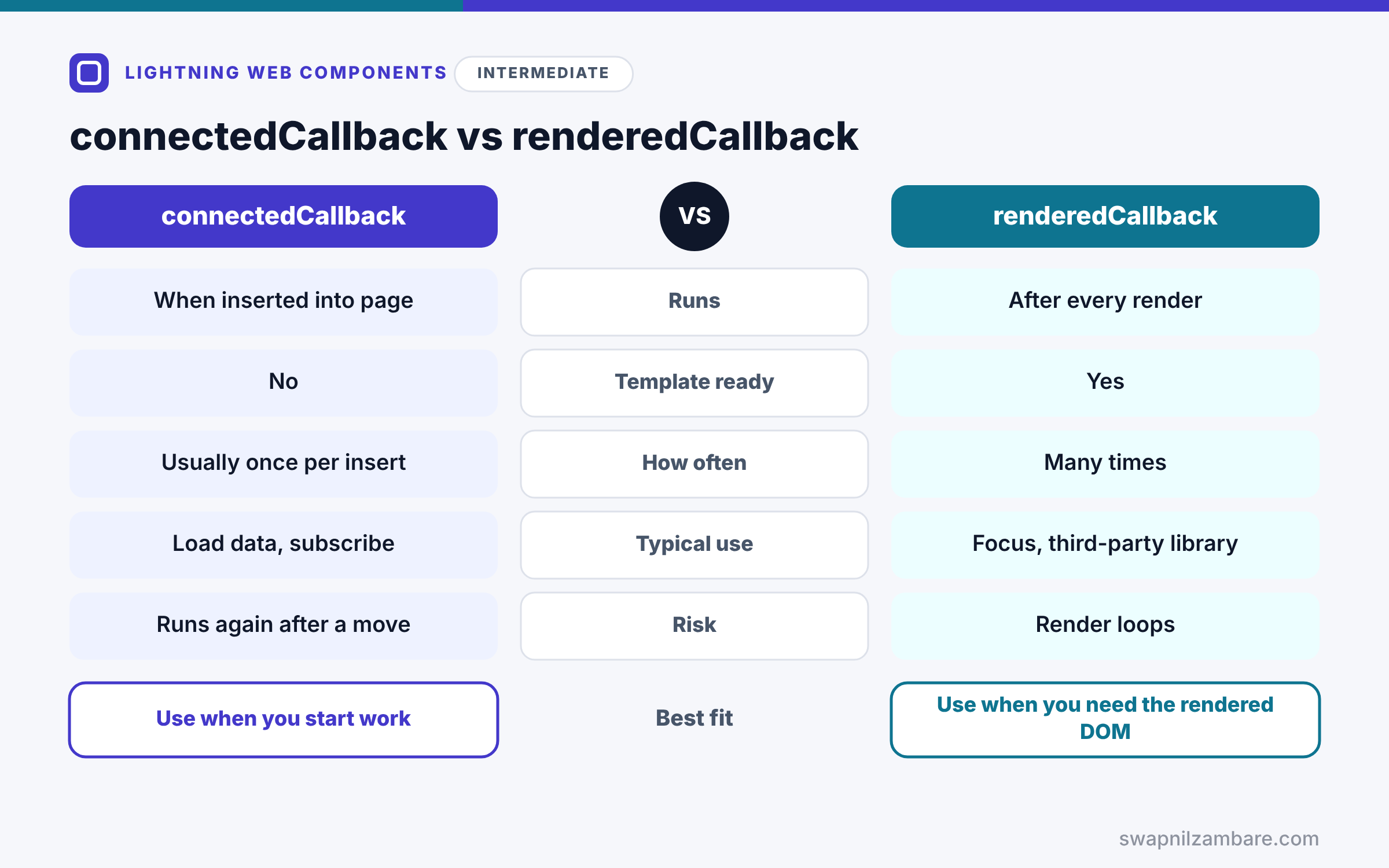
The table below compares the two hooks people confuse most.
| Feature | connectedCallback | renderedCallback |
|---|---|---|
| Runs | When inserted into the page | After every render |
| Template elements ready | No | Yes |
| Runs how often | Usually once per insert | Many times |
| Typical use | Load data, subscribe | Focus an input, third-party library |
| Risk | Running again after a move | Render loops |
When to use which is clear. Start work in connectedCallback. Use renderedCallback only for tasks that need the rendered DOM, and guard them with a flag.
A Real LWC Lifecycle Hooks Example
Let’s use LWC Lifecycle Hooks in a live seat counter at Bright Path Tutors. It refreshes every 30 seconds, focuses the search box once, and cleans up when removed. A parent dashboard catches any child error.
Step 1: The Seat Counter
import { LightningElement, api } from 'lwc';
import getSeats from '@salesforce/apex/CourseController.getSeats';

export default class SeatCounter extends LightningElement {
    @api courseId;
    seatsBooked;
    timerId;
    hasFocused = false;

    constructor() {
        super();                      // always first
        this.seatsBooked = 0;
    }

    connectedCallback() {
        this.loadSeats();
        this.timerId = setInterval(() => this.loadSeats(), 30000);
    }

    renderedCallback() {
        if (this.hasFocused) { return; }
        const input = this.template.querySelector('lightning-input');
        if (input) { input.focus(); this.hasFocused = true; }
    }

    disconnectedCallback() {
        clearInterval(this.timerId);  // stop the timer when the user leaves
    }

    async loadSeats() {
        this.seatsBooked = await getSeats({ courseId: this.courseId });
    }
}
Here getSeats is a small @AuraEnabled method in CourseController that returns Seats_Booked__c for one course. The constructor sets a default and calls super first. Then connectedCallback loads seats and starts a 30-second timer. renderedCallback focuses the input only once, thanks to the flag. Finally, disconnectedCallback stops the timer.
Step 2: The Parent with errorCallback
import { LightningElement } from 'lwc';

export default class CourseDashboard extends LightningElement {
    hasError = false;
    errorText = '';

    errorCallback(error, stack) {
        this.hasError = true;
        this.errorText = 'This widget could not load. Please refresh the page.';
        console.error(error.message, stack);
    }
}
If the seat counter or any other child throws an error, the parent catches it. Then the template can show errorText with lwc:if instead of a broken widget.
Step 3: See the Order
Here is the console output when the dashboard loads with one seat counter.
CourseDashboard constructor
CourseDashboard connectedCallback
SeatCounter constructor
SeatCounter connectedCallback
SeatCounter renderedCallback
CourseDashboard renderedCallback
The parent connects first, but the child finishes rendering first. That is why a parent’s renderedCallback can safely look for its children.
LWC Lifecycle Hooks and Wires
Wire adapters do not wait for connectedCallback, and they may deliver data before or after it. So do not depend on wired data inside connectedCallback. Instead, react in the wired function or a getter.
Common Mistakes with LWC Lifecycle Hooks
- Forgetting super() in the constructor.
- Reading @api values or child elements in the constructor.
- Changing state in renderedCallback without a guard, causing loops.
- Starting timers or subscriptions without cleanup in disconnectedCallback.
- Assuming connectedCallback runs only once ever.
Best Practices for LWC Lifecycle Hooks
- Keep the constructor tiny.
- Load data and subscribe in connectedCallback.
- Guard renderedCallback work with a flag.
- Clean up everything in disconnectedCallback.
- Add errorCallback to container components that hold many children.
Practice Task
Add console.log lines to each hook in two nested components and check the order in the browser console. Hint: place one component inside the other and reload the page.
Most Asked Interview Questions on LWC Lifecycle Hooks
Lifecycle questions are a favourite in LWC interviews. Here are the 21 questions asked most about LWC Lifecycle Hooks.
Basic Questions on LWC Lifecycle Hooks
Q1: What are the LWC lifecycle hooks?
constructor, connectedCallback, renderedCallback, disconnectedCallback and errorCallback.
Q2: Which hook runs first?
The constructor.
Q3: What must the constructor call first?
super(), so the base class sets up correctly.
Q4: Where should you load data?
In connectedCallback, or through wire adapters.
Q5: Which hook runs after every render?
renderedCallback.
Q6: Where should you clean up timers?
In disconnectedCallback.
Q7: What does errorCallback do?
It catches errors from child components, like an error boundary.
Code and Scenario Questions on LWC Lifecycle Hooks
Q8: Can you access @api properties in the constructor?
No, because they are not set yet, so use connectedCallback.
Q9: Can you query template elements in connectedCallback?
No, because the template has not rendered, so use renderedCallback.
Q10: How do you run code only once in renderedCallback?
Use a boolean flag that you set after the first run.
Q11: What is the parent and child hook order?
Parent constructor and connectedCallback, then child hooks, then child renderedCallback, then parent renderedCallback.
Q12: Can connectedCallback run more than once?
Yes, so it runs again if the component is removed and inserted again.
Q13: Where do you unsubscribe from Lightning Message Service?
In disconnectedCallback.
Q14: Which arguments does errorCallback receive?
The error and the component stack.
Advanced Questions on LWC Lifecycle Hooks
Q15: Why can renderedCallback cause an infinite loop?
Because changing reactive state there triggers another render, which calls it again.
Q16: Does errorCallback catch errors in its own component?
No, so it only catches errors from descendants.
Q17: How do wires relate to lifecycle hooks?
Wires run independently, so they may deliver data before or after connectedCallback.
Q18: When would you load a third-party library?
In renderedCallback with a flag, using loadScript from lightning/platformResourceLoader.
Q19: Why avoid heavy work in renderedCallback?
Because it runs after every render, so slow code slows the whole page.
Q20: What happens to timers you forget to clear?
They keep running after the component is gone, wasting memory and server calls.
Q21: How do you show a fallback when a child fails?
Set a flag in errorCallback and render a message with lwc:if.
Official Resources
Quick Recap
- LWC Lifecycle Hooks run at fixed moments in a component’s life.
- constructor calls super() and sets defaults only.
- connectedCallback loads data and starts subscriptions.
- renderedCallback needs a guard, and disconnectedCallback cleans up.
- errorCallback lets a parent show a fallback for broken children.
What’s Next?
Components often need to move users around and give feedback. Next, read our guide to LWC navigation, toasts and modals.


