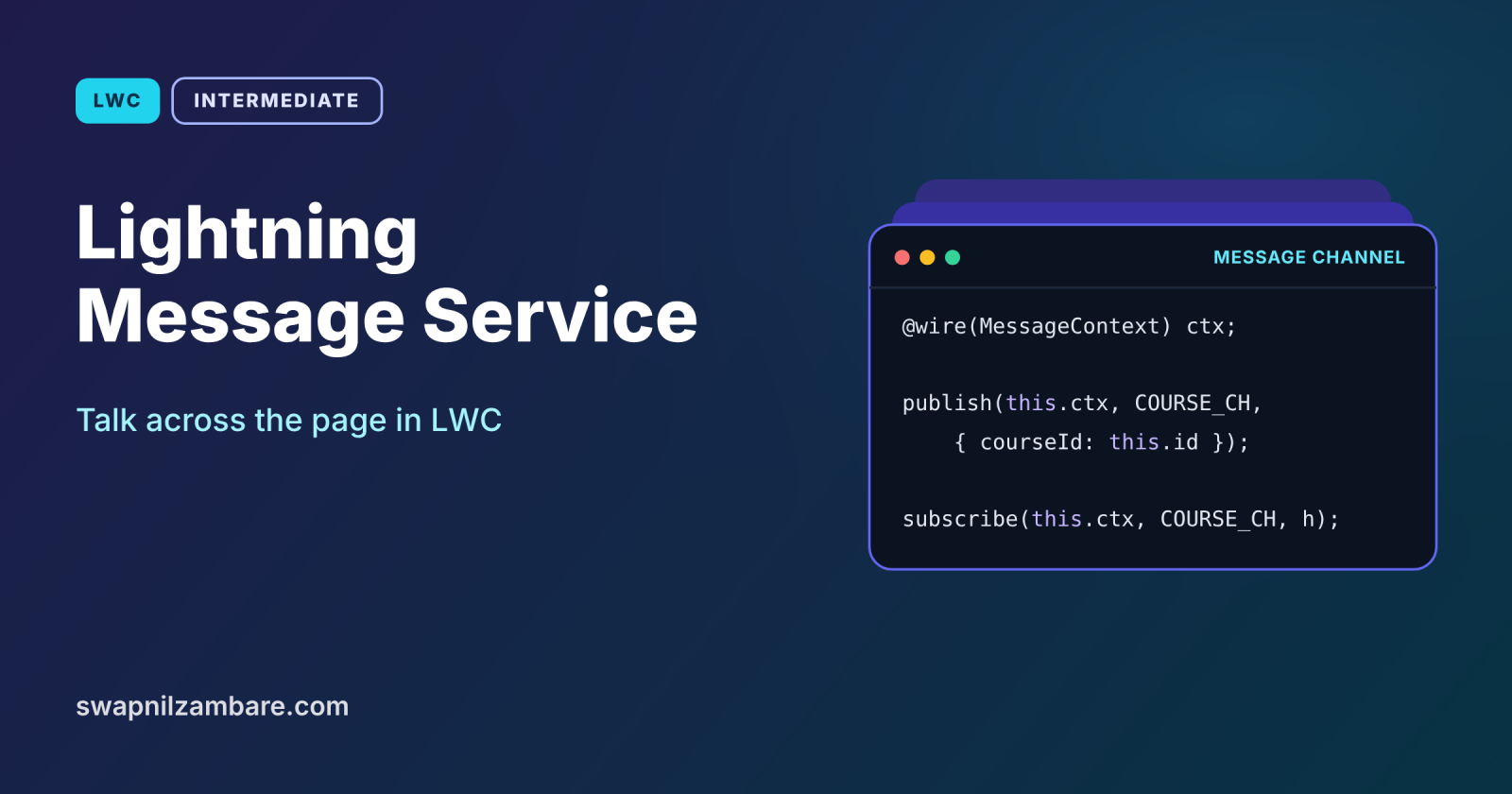
Lightning Message Service lets components that are not parent and child send messages to each other on the same Lightning page or app. A course list in the main region and a detail panel in the utility bar share no common parent, but with Lightning Message Service, one can publish “course selected” and the other can react. It even works across LWC, Aura and Visualforce.
In this post, you will learn message channels, how to publish and subscribe, why you must unsubscribe, and how scope works. It builds on LWC custom events, LWC parent to child communication and the Salesforce DX project structure, where the channel file lives.
What is Lightning Message Service?
Lightning Message Service (LMS) is a publish and subscribe service for the Lightning UI. You define a message channel as metadata, such as Course_Selected__c. A publisher sends a message on that channel, and every subscriber on the page receives it. Publishers and subscribers do not need to know about each other.
Think of a school notice board. A teacher pins a notice, and any student who checks the board sees it. The teacher does not need to know who reads it, and students do not need to know who wrote it. The message channel is the board.
Why Lightning Message Service Matters
Events only travel up the component tree. Here is why Lightning Message Service matters at Bright Path Tutors.
- First, the course list and the course detail panel sit in different page regions.
- Also, a utility bar component must react to selections on the main page.
- Next, an old Visualforce page still needs to hear about selections.
- Publishers stay simple, because they do not track listeners.
- Finally, new subscribers can join without changing the publisher.
So LMS connects components that DOM events cannot reach.
How Lightning Message Service Works
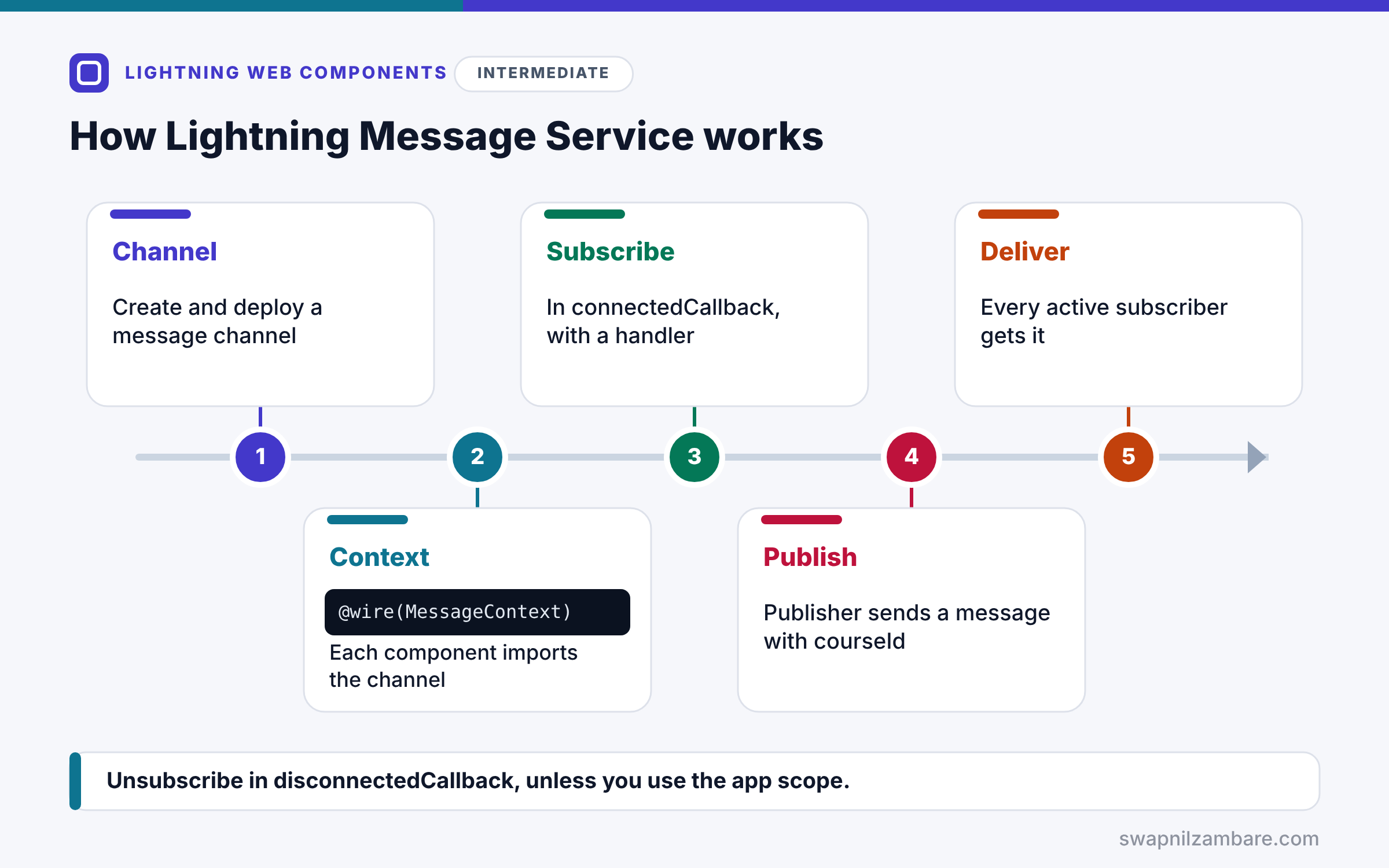
Lightning Message Service follows a clear flow. First, you create a message channel file and deploy it. Next, each component imports the channel and gets a MessageContext with the wire service. Then subscribers call subscribe, usually in connectedCallback, and pass a handler. After that, the publisher calls publish with a message object, such as { courseId }. Finally, LMS delivers the message to every active subscriber on that channel, and each handler updates its component.
Message Channels
A channel is a metadata file in the messageChannels folder, such as Course_Selected.messageChannel-meta.xml. It has a label, a description and optional field names.
Importing a Channel
Components import a channel with @salesforce/messageChannel/Course_Selected__c. The __c suffix refers to the channel, not a custom object.
MessageContext
@wire(MessageContext) messageContext; gives the component the context it needs to publish and subscribe.
Publish
publish(this.messageContext, CHANNEL, message) sends a message to all subscribers.
Subscribe and Unsubscribe
subscribe returns a subscription. Call unsubscribe in disconnectedCallback, so the component stops listening when it leaves the page.
Scope
By default, subscribers receive messages only from the active area, such as the current console tab. Pass APPLICATION_SCOPE to receive messages from anywhere in the app.
Lightning Message Service Building Blocks
The table below lists the pieces you import from lightning/messageService.
| Import | Purpose |
|---|---|
| MessageContext | Wire adapter that provides the context |
| publish | Sends a message on a channel |
| subscribe | Starts listening on a channel |
| unsubscribe | Stops listening |
| APPLICATION_SCOPE | Listens across the whole app |
Custom Events vs Lightning Message Service
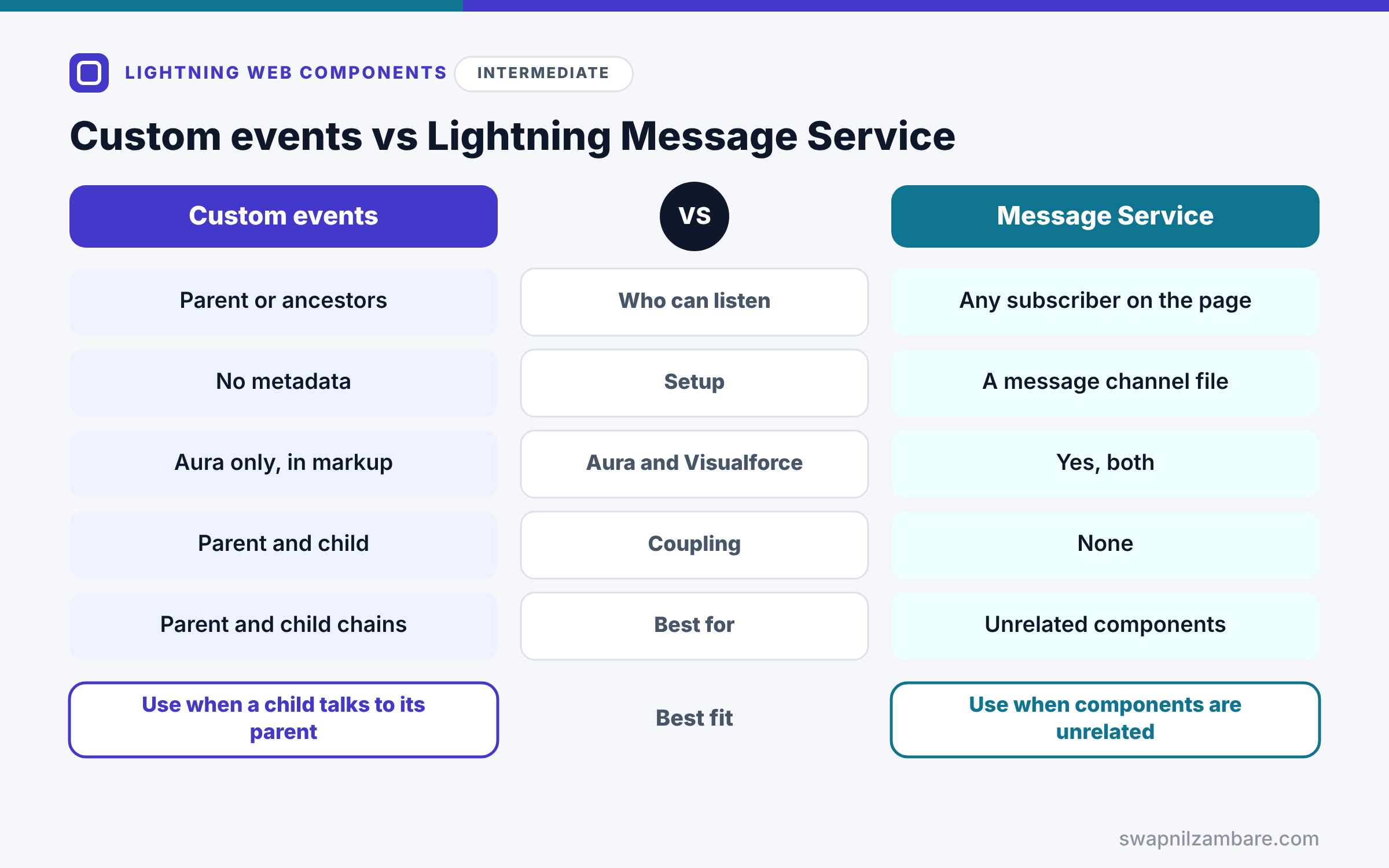
The table below compares the two ways components talk.
| Feature | Custom events | Lightning Message Service |
|---|---|---|
| Who can listen | Parent, or ancestors with bubbles | Any subscriber on the page |
| Setup | No metadata | A message channel file |
| Works with Aura and Visualforce | Aura only, through markup | Yes, both |
| Coupling | Parent and child | None |
| Best for | Parent and child chains | Unrelated components |
When to use which is clear. Use custom events between a child and its parent. Use Lightning Message Service when components sit in different branches or regions.
A Real Lightning Message Service Example
Let’s use Lightning Message Service at Bright Path Tutors. A course list publishes the selected course, and a separate detail panel shows it.
Step 1: The Message Channel
<?xml version="1.0" encoding="UTF-8"?>
<LightningMessageChannel xmlns="http://soap.sforce.com/2006/04/metadata">
    <masterLabel>Course Selected</masterLabel>
    <isExposed>true</isExposed>
    <description>Sent when a user selects a course.</description>
    <lightningMessageFields>
        <fieldName>courseId</fieldName>
        <description>Id of the selected course</description>
    </lightningMessageFields>
</LightningMessageChannel>
Save this as force-app/main/default/messageChannels/Course_Selected.messageChannel-meta.xml and deploy it. The field list documents the message shape.
Step 2: The Publisher
import { LightningElement, wire } from 'lwc';
import { publish, MessageContext } from 'lightning/messageService';
import COURSE_SELECTED from '@salesforce/messageChannel/Course_Selected__c';

export default class CoursePicker extends LightningElement {
    @wire(MessageContext) messageContext;

    handleSelect(event) {
        const courseId = event.currentTarget.dataset.id;
        publish(this.messageContext, COURSE_SELECTED, { courseId });
    }
}
The picker wires a MessageContext and imports the channel. When a user clicks a course, it publishes the course Id.
Step 3: The Subscriber
import { LightningElement, wire } from 'lwc';
import { subscribe, unsubscribe, MessageContext, APPLICATION_SCOPE }
    from 'lightning/messageService';
import COURSE_SELECTED from '@salesforce/messageChannel/Course_Selected__c';

export default class CourseDetailPanel extends LightningElement {
    @wire(MessageContext) messageContext;
    subscription = null;
    courseId;

    connectedCallback() {
        this.subscription = subscribe(this.messageContext, COURSE_SELECTED,
            (message) => { this.courseId = message.courseId; },
            { scope: APPLICATION_SCOPE });
    }

    disconnectedCallback() {
        unsubscribe(this.subscription);
        this.subscription = null;
    }
}
The panel subscribes when it connects and stores the received Id. Then it unsubscribes when it leaves the page. APPLICATION_SCOPE lets it hear messages even from the utility bar or another tab area.
Step 4: See It Work
Here is what the panel shows after Asha clicks SOQL Basics in the picker.
Course Detail Panel
Selected course: a01B
The two components share no parent, yet the panel updated as soon as the message arrived.
Lightning Message Service in Aura and Visualforce
Aura components use the lightning:messageChannel tag to publish and subscribe. Visualforce pages use the sforce.one.publish and sforce.one.subscribe functions with the channel’s API name. So older parts of the org can join the same conversation.
Common Mistakes with Lightning Message Service
- Forgetting to unsubscribe in disconnectedCallback.
- Subscribing more than once, which runs the handler twice.
- Forgetting to deploy the message channel file.
- Sending large records instead of Ids.
- Using LMS between a direct parent and child, where events are simpler.
Best Practices for Lightning Message Service
- Name channels after business events, such as Course_Selected.
- Send small messages, such as Ids, and load data in the subscriber.
- Subscribe once and always unsubscribe on disconnect.
- Use APPLICATION_SCOPE only when you need app-wide messages.
- Document each channel’s fields in the metadata file.
Practice Task
Add a second subscriber that counts how many times a course was selected in this session. Hint: subscribe to the same channel and add 1 to a counter field in the handler.
Most Asked Interview Questions on Lightning Message Service
LMS questions show up whenever interviewers ask about component communication. Here are the 21 questions asked most about Lightning Message Service.
Basic Questions on Lightning Message Service
Q1: What is Lightning Message Service?
A publish and subscribe service that lets components on a Lightning page talk without a parent and child link.
Q2: What is a message channel?
A metadata file that defines a named channel, such as Course_Selected__c.
Q3: Where do message channel files live?
In the messageChannels folder of the project.
Q4: How do you publish a message?
Call publish with the MessageContext, the channel and a message object.
Q5: How do you subscribe?
Call subscribe with the MessageContext, the channel and a handler function.
Q6: Why unsubscribe?
Because otherwise the handler may keep running after the component leaves the page.
Q7: Which technologies can use LMS?
LWC, Aura and Visualforce on Lightning pages.
Code and Scenario Questions on Lightning Message Service
Q8: How do you get a MessageContext?
Use @wire(MessageContext) messageContext in the component.
Q9: How do you import a channel?
Import it from @salesforce/messageChannel/ChannelName__c.
Q10: What does APPLICATION_SCOPE do?
It lets a subscriber receive messages from anywhere in the app, not only the active area.
Q11: Where should you subscribe?
Usually in connectedCallback, after checking you are not already subscribed.
Q12: What should a message contain?
Small data, such as record Ids, so subscribers can load details themselves.
Q13: How does an Aura component use LMS?
With the lightning:messageChannel component in its markup.
Q14: Can LMS replace parent and child events?
It can, but events are simpler for direct parent and child links.
Advanced Questions on Lightning Message Service
Q15: What happens if you subscribe twice?
The handler runs twice for each message, so guard against double subscriptions.
Q16: Does LMS work across browser tabs?
No, because it works within one Lightning page or app in one tab.
Q17: How is LMS different from platform events?
LMS works in the browser UI, while platform events travel through the server event bus.
Q18: Can Experience Cloud sites use LMS?
Some site types support it, so check the current docs for your site template.
Q19: Why make the channel isExposed true?
So components in other namespaces, such as packages, can use it.
Q20: How do you test LMS in Jest?
Use the mocks from sfdx-lwc-jest and assert publish was called with the right data.
Q21: How do you design channels for a large app?
Use few, well-named channels with clear message shapes, documented in metadata.
Official Resources
- Communicate Across the DOM with Lightning Message Service (LWC Developer Guide)
- Subscribe to a Message Channel (LWC Developer Guide)
Quick Recap
- Lightning Message Service connects components without a parent and child link.
- A message channel file defines the channel.
- Publishers call publish, and subscribers call subscribe with a handler.
- Always unsubscribe in disconnectedCallback.
- APPLICATION_SCOPE extends listening to the whole app.
What’s Next?
Now let’s load real records without Apex. Next, read our guide to Lightning Data Service in LWC.


