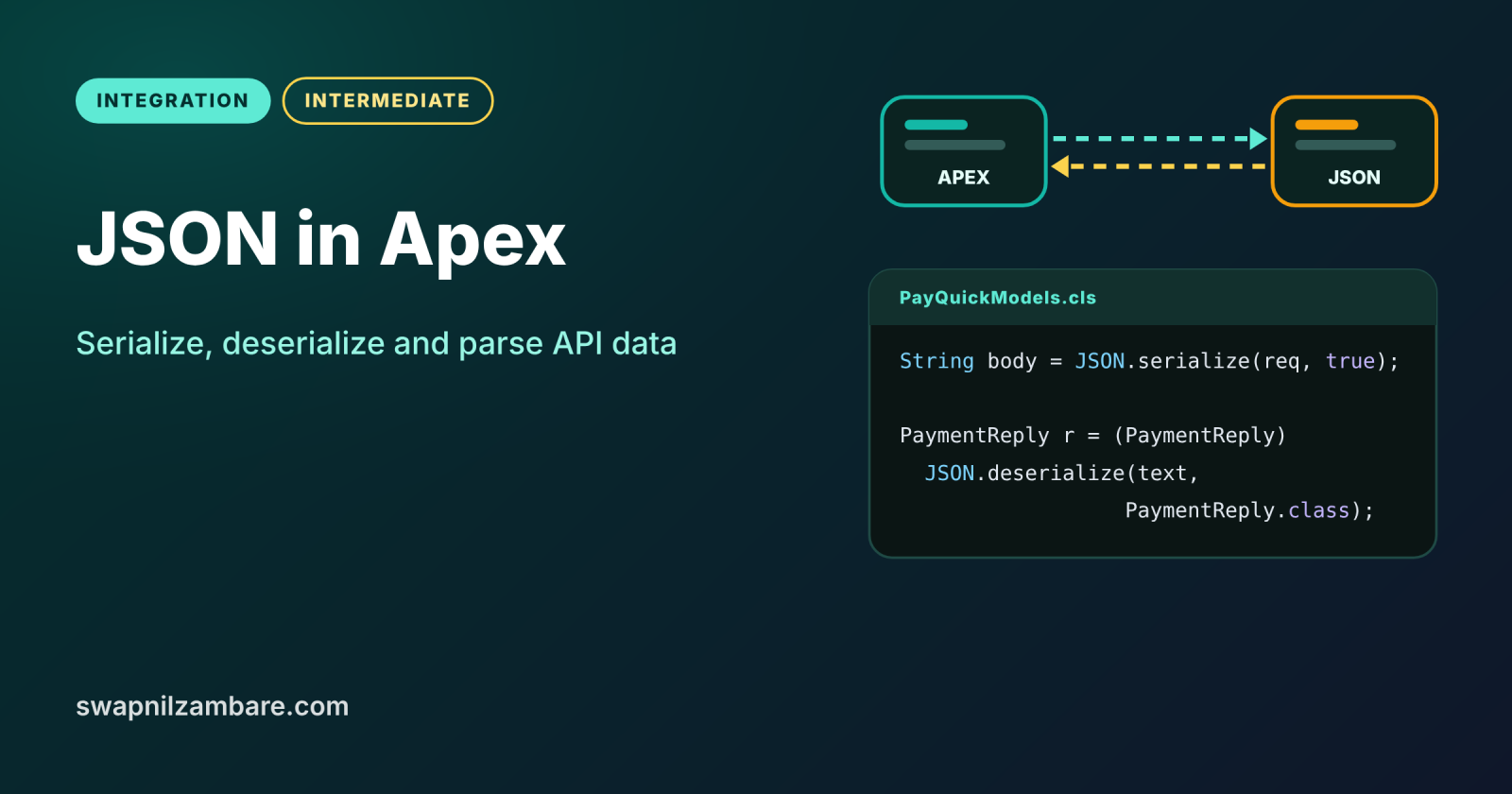
JSON in Apex is how your code turns Salesforce data into text for an API, and turns API replies back into Apex objects. Almost every modern integration sends and receives JSON, so this skill sits under every callout and REST service you write. The built-in JSON class does most of the work in one line.
In this post, you will serialize records and wrapper classes, deserialize typed and untyped JSON, build JSON with JSONGenerator and avoid common parsing traps. It builds on Apex collections, Apex REST callouts and Apex REST services.
What is JSON in Apex?
JSON, short for JavaScript Object Notation, is a text format made of key and value pairs, lists and nested objects. JSON in Apex means using the JSON class and its helpers to convert between that text and Apex types. Serializing turns Apex into JSON text, and deserializing turns JSON text into Apex.
Think of packing for a move. Serializing is packing furniture into labelled boxes, so it travels safely. Deserializing is unpacking those boxes in the new house and putting each item back in the right room.
Why JSON in Apex Matters
Every API speaks some data format, and today it is mostly JSON. Here is why JSON in Apex matters at Bright Path Tutors.
- First, LearnHub expects student data as a JSON body.
- Also, PayQuick returns payment details as nested JSON.
- Next, the partner course API sends JSON to an Apex REST service.
- Platform event payloads and logs are often stored as JSON text.
- Finally, LWC and Apex exchange data that Salesforce turns into JSON.
So clean JSON in Apex keeps every integration simple and reliable.
How JSON in Apex Works
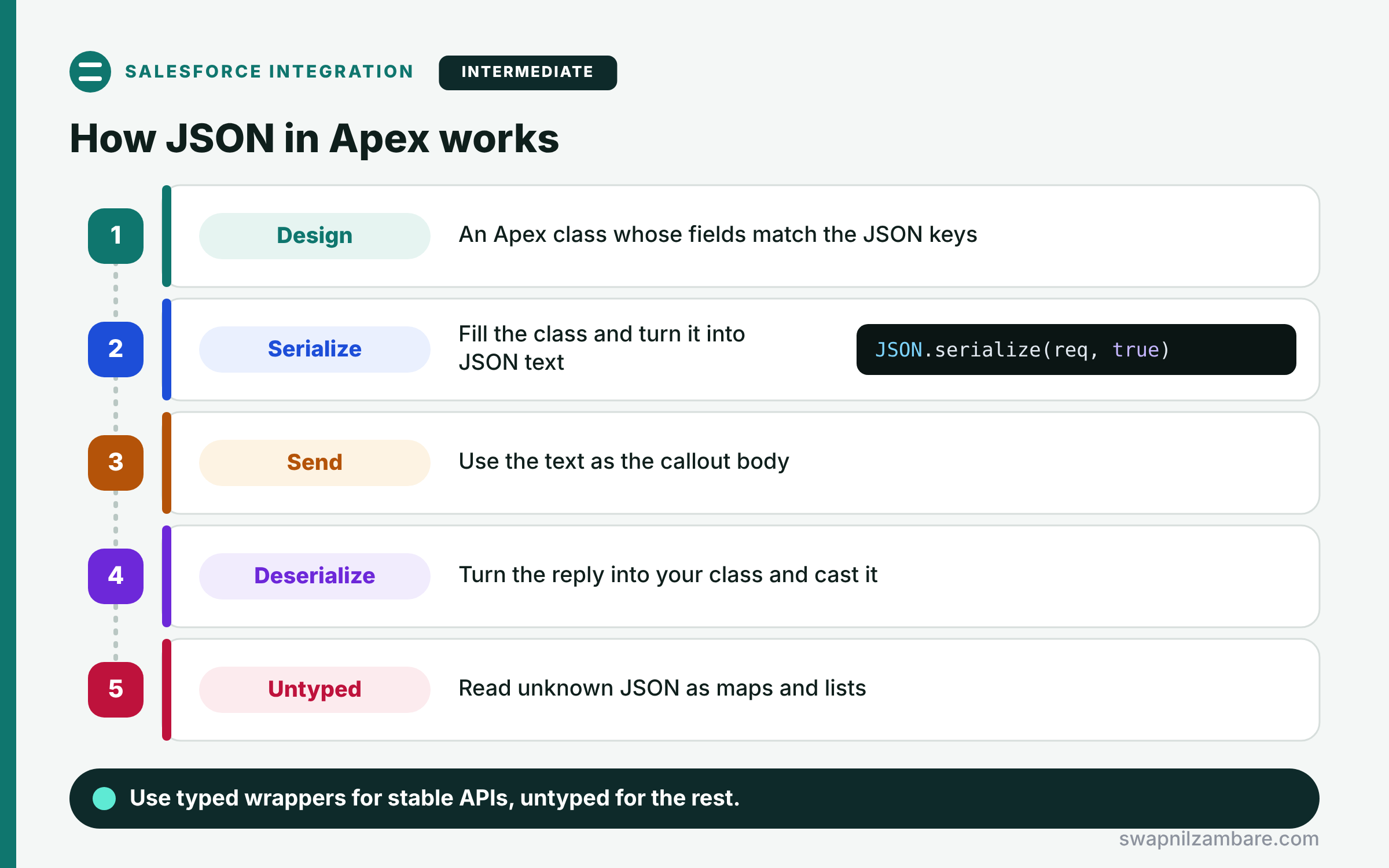
Working with JSON in Apex follows a short path. First, you design an Apex class whose fields match the JSON keys. Next, for outbound data, you fill the class and call JSON.serialize to get text. Then you send that text as a callout body. After that, for inbound data, you call JSON.deserialize with the class type. Finally, when the structure is unknown, you use deserializeUntyped and read the result as maps and lists.
JSON.serialize and serializePretty
JSON.serialize turns any Apex object into compact JSON. Also, serializePretty adds line breaks for easy reading in debug logs.
JSON.deserialize
JSON.deserialize(text, MyClass.class) creates a typed object. Because the result is an Object, you cast it to your class.
JSON.deserializeStrict
This version fails if the JSON has keys your class does not have. So use it when the contract must match exactly.
JSON.deserializeUntyped
This returns Map<String, Object> and List<Object> structures. It suits flexible JSON, although you must cast every value.
JSONGenerator and JSONParser
JSONGenerator builds JSON step by step, and JSONParser reads it token by token. Use them only for unusual shapes.
JSON Class Methods at a Glance
The table below lists the methods you will use most.
| Method | Direction | Use for |
|---|---|---|
| JSON.serialize(obj) | Apex to JSON | Callout bodies |
| JSON.serialize(obj, true) | Apex to JSON | Skipping null fields |
| JSON.deserialize(text, Type) | JSON to Apex | Known structures |
| JSON.deserializeStrict(text, Type) | JSON to Apex | Exact contracts |
| JSON.deserializeUntyped(text) | JSON to maps | Unknown structures |
| JSON.createGenerator(true) | Build JSON | Custom shapes |
Typed vs Untyped Deserialization
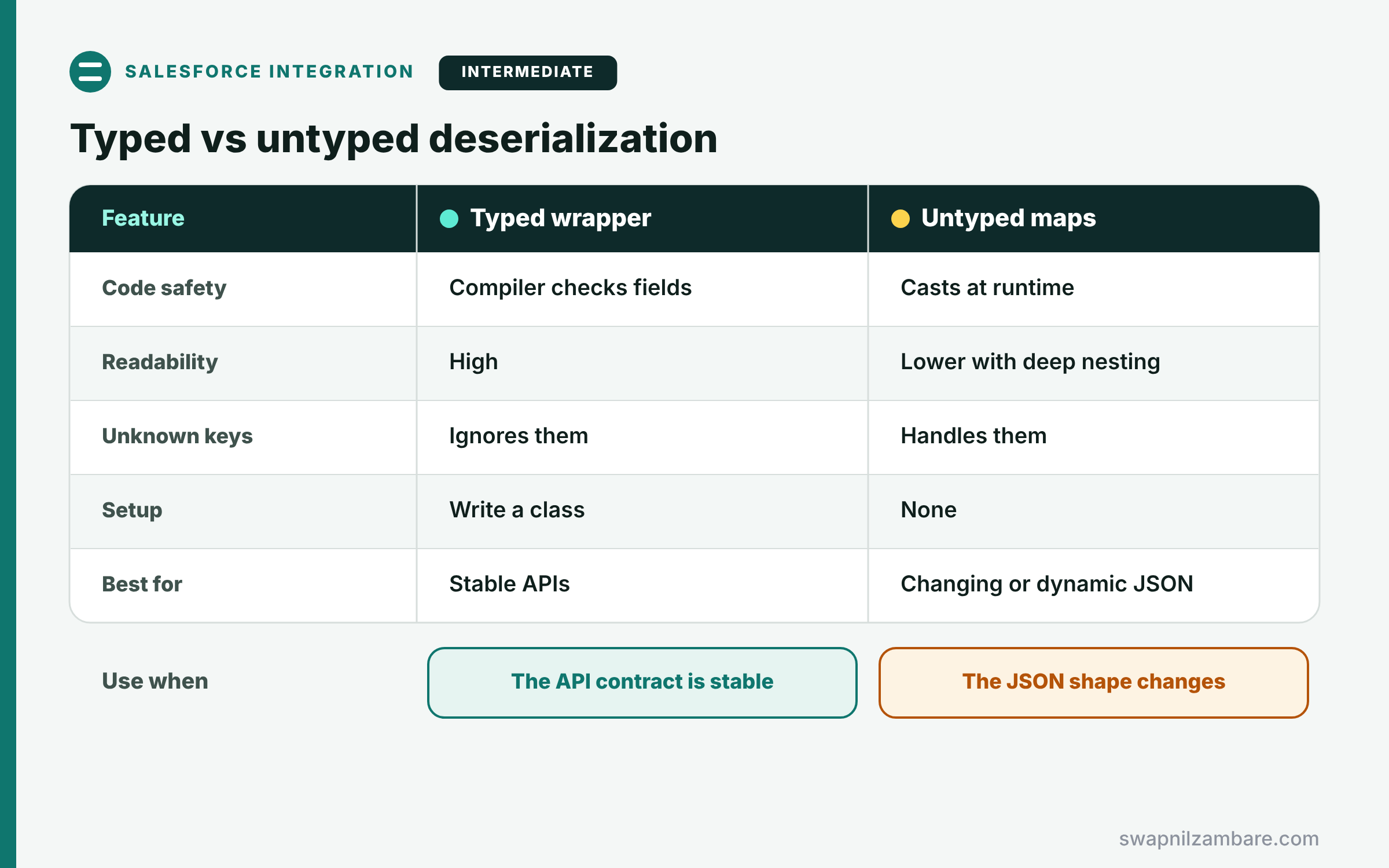
The table below compares the two main ways to read JSON.
| Feature | Typed (wrapper class) | Untyped (maps and lists) |
|---|---|---|
| Code safety | Compiler checks fields | Casts at runtime |
| Readability | High | Lower with deep nesting |
| Handles unknown keys | Ignores them | Yes |
| Setup | Write a class | None |
| Best for | Stable APIs | Changing or dynamic JSON |
When to use which is simple. Use typed wrappers for APIs with a stable contract. Use untyped parsing for small or unpredictable parts.
A Real JSON in Apex Example
Let’s use JSON in Apex for PayQuick at Bright Path Tutors. Salesforce sends a payment request and reads a nested reply.
Step 1: Wrapper Classes and Serialization
public class PayQuickModels {
    public class PaymentRequest {
        public String reference;
        public Decimal amount;
        public String currencyCode;
        public String notes;          // optional
    }
    public class PaymentReply {
        public String id;
        public String status;
        public Card card;
    }
    public class Card {
        public String brand;
        public String last4;
    }
}

// Run in Anonymous Apex after saving the class
PayQuickModels.PaymentRequest req = new PayQuickModels.PaymentRequest();
req.reference = 'ENR-0042';
req.amount = 5000;
req.currencyCode = 'INR';
String body = JSON.serialize(req, true);   // true = skip null fields
System.debug(body);
The wrapper fields match PayQuick’s JSON keys. Because notes is null, the second argument leaves it out of the body.
Here is the debug output.
{"reference":"ENR-0042","amount":5000,"currencyCode":"INR"}Step 2: Typed and Untyped Parsing
// Anonymous Apex
String replyJson = '{"id":"PQ-88","status":"captured","card":{"brand":"Visa","last4":"4242"},"meta":{"risk":12}}';

PayQuickModels.PaymentReply reply =
    (PayQuickModels.PaymentReply) JSON.deserialize(replyJson, PayQuickModels.PaymentReply.class);
System.debug(reply.status + ' with ' + reply.card.brand + ' ' + reply.card.last4);

Map<String, Object> raw = (Map<String, Object>) JSON.deserializeUntyped(replyJson);
Map<String, Object> meta = (Map<String, Object>) raw.get('meta');
Integer risk = (Integer) meta.get('risk');
System.debug('Risk score: ' + risk);
Typed parsing reads the nested card through the Card class and ignores the extra meta key. Then untyped parsing picks out meta.risk, which the wrapper does not model.
Here is the debug output.
captured with Visa 4242
Risk score: 12
JSON in Apex and Reserved Words
Some JSON keys, such as “currency” or “limit”, clash with Apex reserved words. So rename the field, like currencyCode, and replace the key in the text before parsing, or use JSONParser. For outbound JSON, build a Map<String, Object> with the exact key instead.
Common Mistakes with JSON in Apex
- Forgetting to cast the result of JSON.deserialize.
- Using deserializeStrict when the API often adds new keys.
- Casting untyped numbers to the wrong type, such as Decimal to Integer.
- Serializing full sObjects and sending fields the API does not need.
- Ignoring reserved words in JSON keys.
Best Practices for JSON in Apex
- Keep one models class per external API.
- Use typed wrappers for stable contracts.
- Skip nulls when the API rejects empty fields.
- Log the raw JSON on errors, without personal data.
- Write tests with real sample JSON from the API docs.
Practice Task
Parse a LearnHub reply that holds a list of courses, each with a title and progress percentage. Hint: create a wrapper with a List of an inner Course class, then deserialize the whole reply in one call.
Most Asked Interview Questions on JSON in Apex
JSON questions appear in almost every integration interview. Here are the 22 questions asked most about JSON in Apex.
Basic Questions on JSON in Apex
Q1: What is JSON?
It is a text format of keys, values, lists and nested objects, so systems can exchange data easily.
Q2: How do you convert an Apex object to JSON?
Call JSON.serialize, which returns a JSON string.
Q3: How do you convert JSON to an Apex object?
Call JSON.deserialize with the class type, then cast the result.
Q4: What does deserializeUntyped return?
It returns maps and lists, so you read values with get and casts.
Q5: What does serializePretty do?
It adds indents and line breaks, so the JSON is easy to read in logs.
Q6: What happens to extra keys with JSON.deserialize?
They are ignored, so the call still succeeds.
Q7: What does deserializeStrict do differently?
It throws an error if the JSON has keys that the class lacks.
Code and Scenario Questions on JSON in Apex
Q8: How do you skip null fields when serializing?
Pass true as the second argument to JSON.serialize.
Q9: How do you read a nested value with untyped parsing?
Cast each level to Map<String, Object>, then call get on the next key.
Q10: How do you handle a JSON key named “currency”?
Rename the field in Apex and swap the key in the text, or use JSONParser.
Q11: How do you parse a JSON array at the top level?
Deserialize into List<MyClass>.class, or use deserializeUntyped and cast to List<Object>.
Q12: Why does casting an untyped number to Integer sometimes fail?
Because decimals arrive as Decimal, so cast to Decimal first when values may have fractions.
Q13: When would you use JSONGenerator?
When you must build JSON with dynamic keys or a shape that no class models well.
Q14: How do you test JSON parsing?
Use sample JSON strings in a test method and assert the parsed values.
Advanced Questions on JSON in Apex
Q15: How does Salesforce serialize sObjects?
It includes an attributes block with type and url, plus the queried fields.
Q16: How do you avoid heap problems with large JSON?
Request smaller pages from the API, and parse in async Apex with its larger heap.
Q17: What is JSONParser good for?
Reading very large or irregular JSON token by token without building a full object.
Q18: How do you keep parsing safe when the API adds fields?
Use JSON.deserialize, which ignores unknown keys, instead of deserializeStrict.
Q19: How do dates travel in JSON?
As ISO 8601 strings, which Apex maps to Date or Datetime fields.
Q20: How does an Apex REST service receive JSON?
Salesforce maps body keys to method parameters, or you parse requestBody yourself.
Q21: Why use wrapper classes instead of maps?
Because the compiler checks fields, so typos fail early instead of at runtime.
Q22: How do you send a map with exact key names?
Build a Map<String, Object> and serialize it, so keys stay as written.
Official Resources
Quick Recap
- Use JSON in Apex through the JSON class, for both directions.
- Serialize wrappers for callout bodies, and skip nulls when needed.
- Deserialize typed for stable APIs and untyped for flexible data.
- Rename fields that clash with reserved words.
- Test parsing with real sample JSON.
What’s Next?
Events can stream out of Salesforce in real time too. Next, read our guide to the Pub/Sub API, the last post of Level 9.


