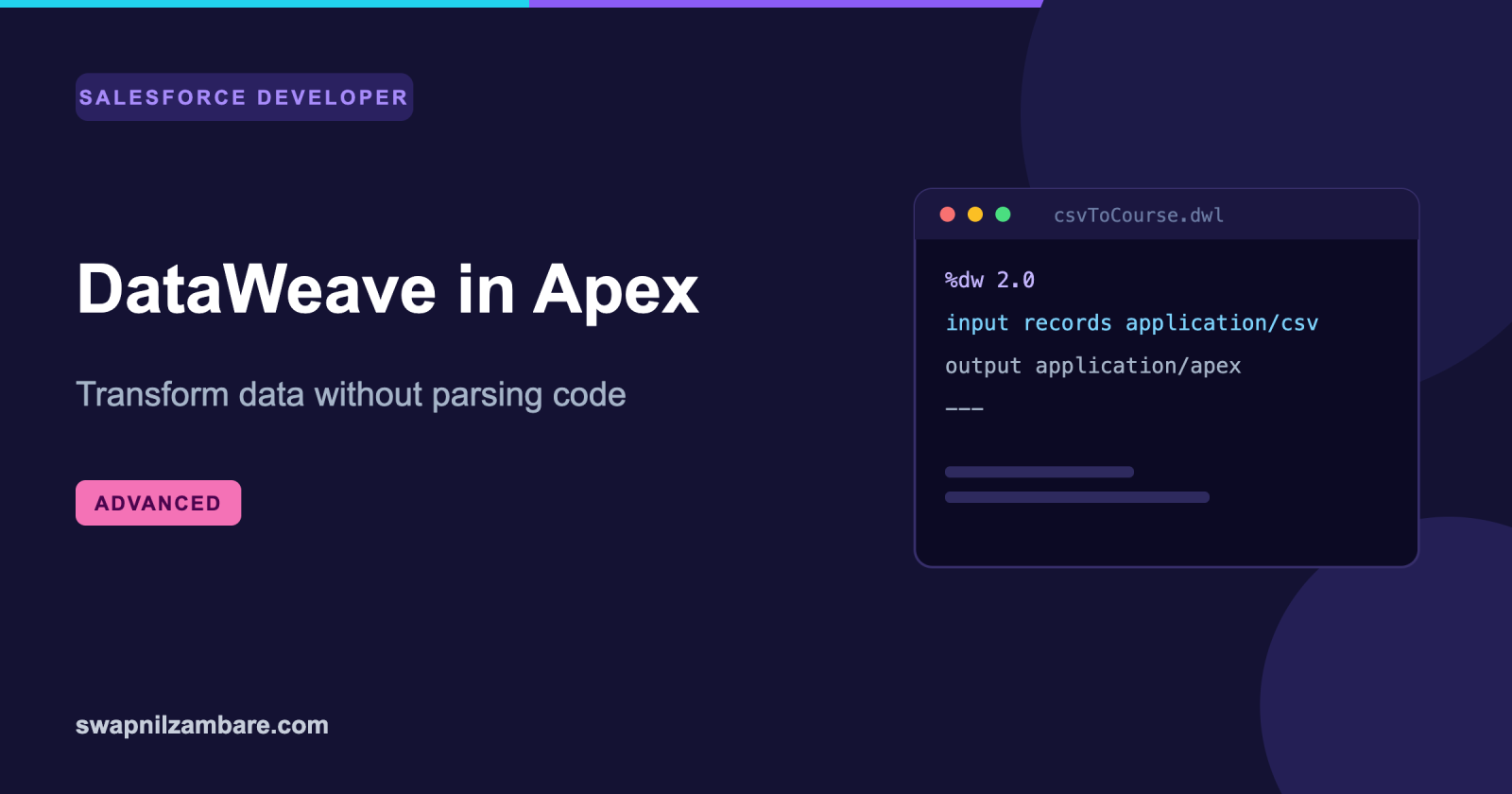
DataWeave in Apex lets you turn a CSV, JSON or XML payload into Salesforce records with a short declarative script instead of a parser you write and maintain. The script lives in the org as metadata, and Apex calls it with the payload.
Anyone who has written a CSV parser in Apex knows why this matters. The first version splits on commas, the second handles quoted values, the third handles quotes inside quoted values, and by the fourth you own a hundred lines of code that nobody wants to touch.
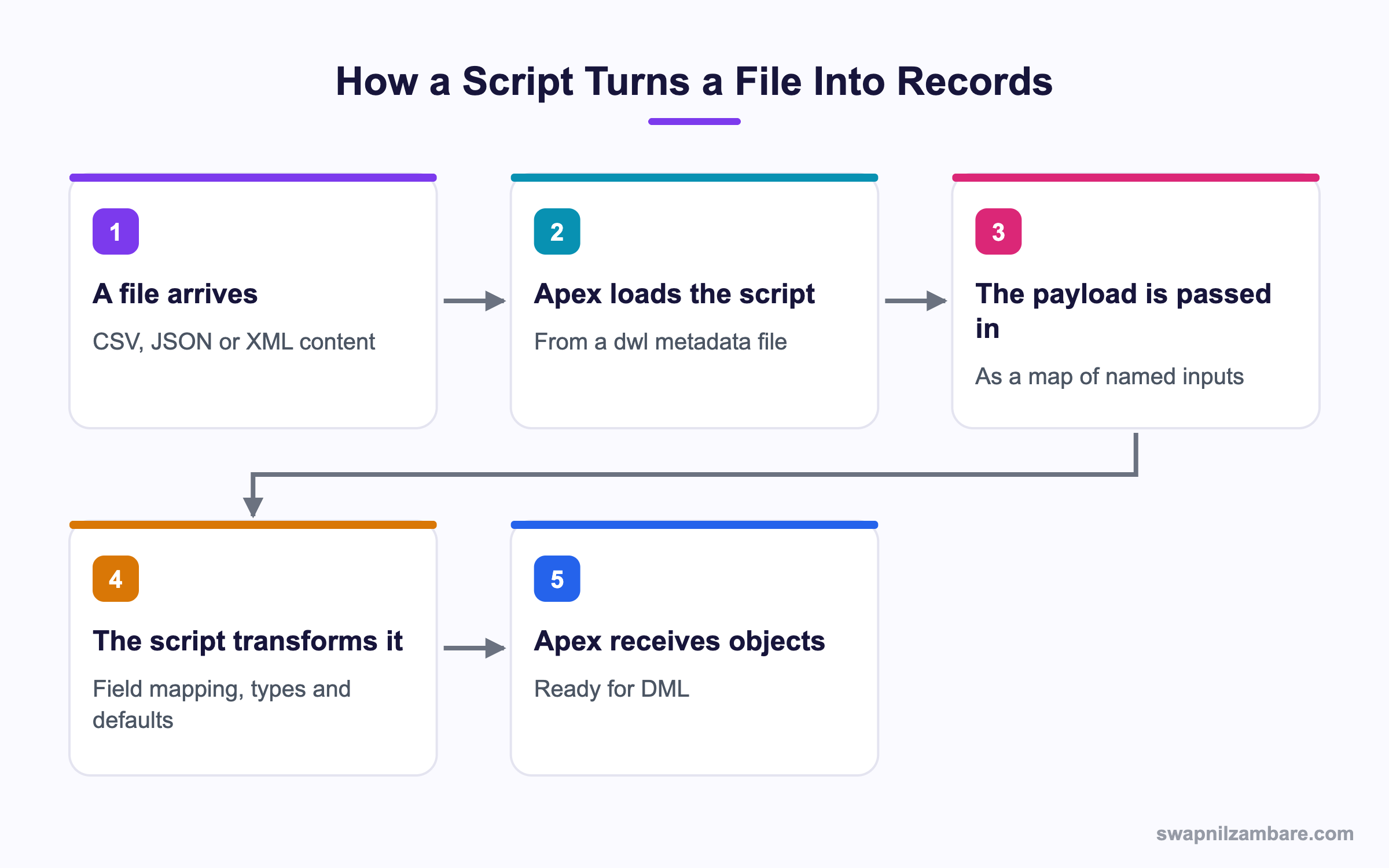
Caption: The script is metadata, so it deploys and versions like any other component.
What Is DataWeave in Apex
DataWeave in Apex is based on a transformation language from MuleSoft, and Salesforce brought it into the platform as a metadata type. A script is a .dwl file with three parts.
%dw 2.0
input records application/csv
output application/apex
---
records map (r) -> {
  Name: r.Title,
  Fee__c: r.Fee as Number,
  Is_Online__c: r.Online == 'yes',
  Start_Date__c: r.Start as Date { format: 'yyyy-MM-dd' }
} as Object { class: 'Course__c' }| Part | What it declares |
|---|---|
| The header | The DataWeave version and the inputs |
| The output line | The target format, such as application/apex |
| The body, after the dashes | The transformation itself |
That as Object { class: 'Course__c' } line is the piece people miss. Without it you get a list of maps. With it you get a list of Course__c records ready for DML.
Calling It from Apex
public with sharing class CourseImporter {

    public static List<Course__c> parse(String csvBody) {
        DataWeave.Script script = new DataWeaveScriptResource.csvToCourse();
        DataWeave.Result result = script.execute(
            new Map<String, Object>{ 'records' => csvBody }
        );
        return (List<Course__c>) result.getValue();
    }
}
DataWeave in Apex generates an inner class per script, so new DataWeaveScriptResource.csvToCourse() gives you a typed handle. The older route, DataWeave.Script.createScript('csvToCourse'), still works and takes the name as a string.
| Member | What it does |
|---|---|
| DataWeaveScriptResource.name | The generated class for one script |
| createScript(name) | Loads a script by name |
| execute(inputs) | Runs it with a map of named inputs |
| Result.getValue() | The output, cast to what the script produced |
| System.DataWeaveScriptException | Thrown when the script fails at runtime |
DataWeave in Apex matches the input map keys to the names declared in the script header. A mismatch there is the most common first error, and the message is not always obvious.
Why DataWeave in Apex Matters
| Benefit | What it saves you |
|---|---|
| No parser to write | A hundred lines and its edge cases |
| Type conversion in one line | Per field casting code |
| Three formats from one tool | Separate CSV, JSON and XML handling |
| Metadata, not code | It deploys and versions normally |
| Readable mapping | A field map a reviewer can check |
The readable mapping row is the one business analysts notice. A mapping expressed as fifteen lines of field pairs can be checked by someone who does not write Apex, which is not true of a parser. The post on JSON in Apex covers the native route for comparison.
Going the Other Way
DataWeave in Apex also turns records into a payload, which is useful before a callout.
%dw 2.0
input records application/apex
output application/json
---
records map (r) -> {
  courseId: r.Id,
  title: r.Name,
  fee: r.Fee__c default 0
}
That default 0 is a small example of why the syntax is worth learning. Null handling, renaming and nesting all sit inside the mapping rather than in branching Apex.
| Output format | Common use |
|---|---|
| application/json | A request body for a callout |
| application/xml | A legacy SOAP style payload |
| application/csv | A file for an outside system |
| application/apex | sObjects or Apex types |
Script Files and Metadata
A DataWeave in Apex script is two files, exactly like an Apex class.
| File | What it is |
|---|---|
| csvToCourse.dwl | The script body |
| csvToCourse.dwl-meta.xml | The metadata, holding the API version |
<?xml version="1.0" encoding="UTF-8"?>
<DataWeaveResource xmlns="http://soap.sforce.com/2006/04/metadata">
  <apiVersion>62.0</apiVersion>
  <isGlobal>true</isGlobal>
</DataWeaveResource>
The API version in that file decides which DataWeave version you get, and the versions differ in available functions. Setting isGlobal makes the generated class global, which matters when the script ships in a managed package.
DataWeave in Apex vs Writing the Parser
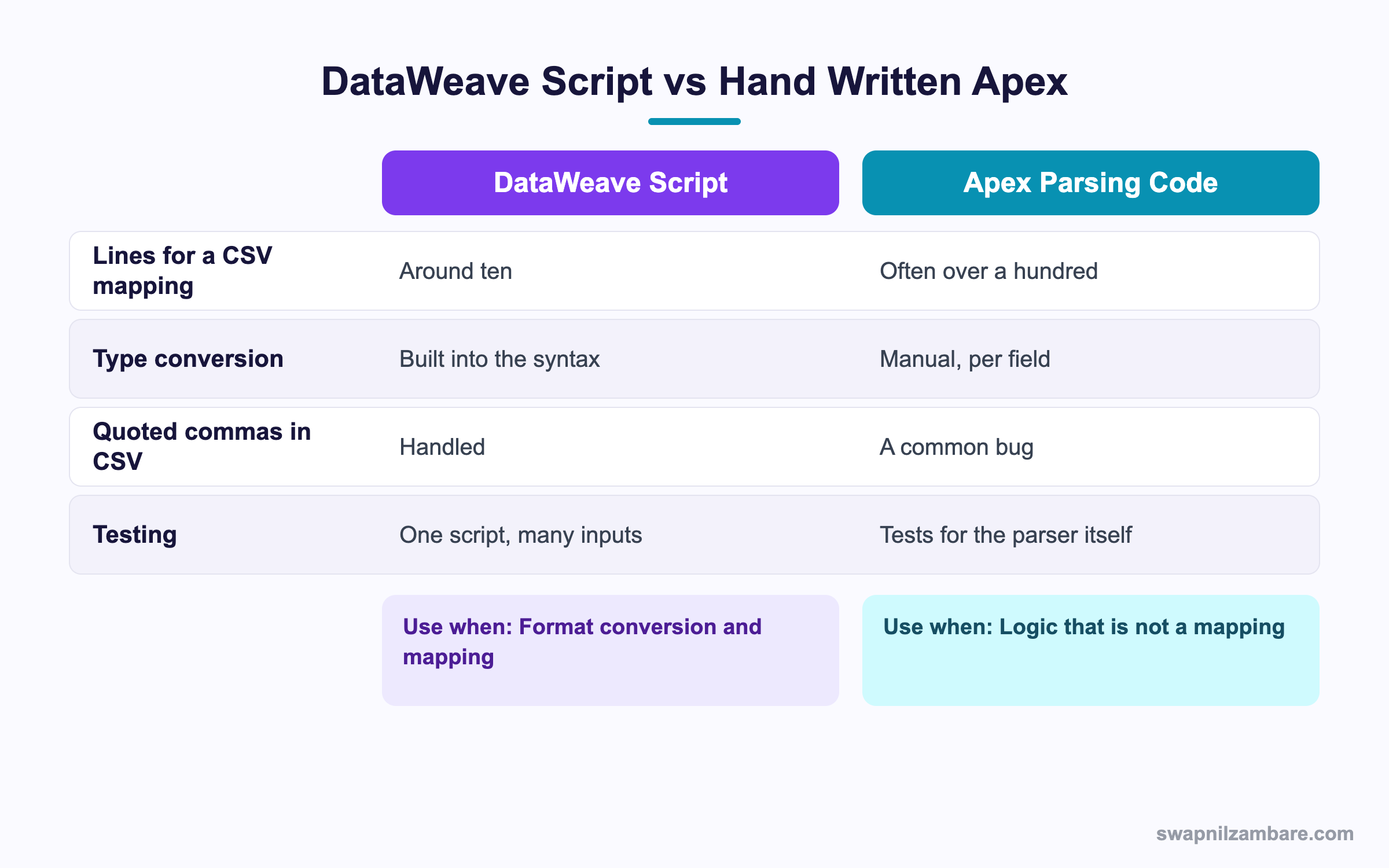
Caption: Mapping work goes to the script, and real logic stays in Apex.
| Task | Pick |
|---|---|
| CSV upload to records | DataWeave script |
| A nested JSON response to sObjects | DataWeave script |
| XML from a legacy system | DataWeave script |
| Business rules on the imported data | Apex |
| Deciding which records to skip | Apex, after the mapping |
| A single flat JSON object | JSON.deserialize in Apex |
That last row is worth saying plainly. For a simple JSON payload matching an Apex class, the native deserialize call is less work than a script. DataWeave in Apex earns its place when the shape has to change.
A Real DataWeave in Apex Example
DataWeave in Apex replaced a parser we had stopped trusting. Bright Path Tutors receives a weekly CSV of course updates from a partner. Columns move, some fees are blank, and dates arrive in two formats.
The original Apex parser had grown over two years.
| Problem | What it cost |
|---|---|
| 180 lines of parsing code | Nobody wanted to change it |
| Quoted commas in course titles | Three separate bug fixes |
| Blank fee values | A null reference failure each month |
| A new column added by the partner | A deployment every time |
Imports of this size are also candidates for Bulk API 2.0 when the file grows, and for batch Apex when the mapped records need processing in chunks.
We replaced it with a 14 line script.
| Measure | Apex parser | DataWeave script |
|---|---|---|
| Lines to maintain | 180 | 14 |
| Who can review a mapping change | A developer | An analyst |
| Bugs from quoting and escaping | 3 in two years | 0 |
| Work to add a column | Code change and tests | One line in the script |
Blank fees were handled by a default 0 and the two date formats by a single conditional expression. The Apex class shrank to a call and a DML statement.
Limits and Things to Watch
- A maximum of 50 scripts per org, so treat them as a shared resource
- A script body is capped at 100,000 characters
- Modules and importing other scripts are not supported, so each script is self contained
- The Java bridge is disabled, and so are functions that reach the environment
- Blob input needs an explicit encoding before it can be read as a string
- Apex classes must be on API version 53.0 or later to call these methods
- XML entity expansion is not supported, as a guard against denial of service attacks
The 50 script ceiling in DataWeave in Apex is the one to plan around. Write one script per integration rather than one per field mapping variant, and use conditional logic inside the script instead of creating near duplicates.
| Apex API version | DataWeave version you get |
|---|---|
| 61.0 and earlier | DataWeave 2.5 |
| 62.0 | DataWeave 2.8 |
| 63.0 and later | DataWeave 2.9 |
Debugging a Script
DataWeave in Apex has a log function that writes into the Apex debug log, under the Apex Code category at debug level, as a DataWeave user debug event.
records map (r) -> {
  Name: log('title', r.Title)
}
That one function removes most of the guesswork. The interactive DataWeave playground is also worth using, since iterating there is far quicker than deploying a script each time.
Common Mistakes with DataWeave in Apex
| Mistake | What you see | Fix |
|---|---|---|
| Input name does not match the header | A confusing runtime error | Match the map key to the declared input name |
| No class clause on the output | A list of maps, not sObjects | Add the as Object class line |
| No encoding on blob input | A coercion failure | Declare the encoding explicitly |
| One script per variant | The 50 script ceiling | Use conditions inside one script |
| Business rules inside the script | Logic nobody can test properly | Keep rules in Apex |
| No try and catch around execute | An unhandled script exception | Catch DataWeaveScriptException |
| Trusting the partner column order | Silent wrong mapping | Map by column name, not position |
Best Practices for DataWeave in Apex
- One script per integration, with conditions rather than near duplicates
- Map by column name so a reordered file still works
- Use the default keyword for every field that may arrive blank
- Keep the script to mapping and leave business rules in Apex
- Catch the script exception and log the payload shape, not the payload itself
- Build and test the script in the playground before deploying it
- Name scripts after the direction, such as csvToCourse and courseToJson
Most Asked DataWeave in Apex Interview Questions
Q1: What is DataWeave in Apex?
A transformation language available as org metadata, called from Apex to convert and map data.
Q2: What file extension does a script use?
A dwl file, with an accompanying meta xml file.
Q3: What are the three parts of a script?
The header with inputs, the output declaration, and the body after the dashes.
Q4: Which formats can it read and write?
CSV, JSON and XML, as well as the Apex format for sObjects and Apex types.
Q5: How do you get sObjects out rather than maps?
Add the class clause to the output object, naming the sObject type.
Q6: How do you call a script from Apex?
Through the generated resource class, or by name with createScript, then execute with a map of inputs.
Q7: What does execute return?
A Result object, and getValue gives the output to cast.
Q8: What exception should you catch?
System.DataWeaveScriptException, which surfaces runtime failures from inside the script.
Q9: What must match between Apex and the script?
The input names, since the map keys are matched to the declared inputs.
Q10: How many scripts can an org hold?
A maximum of 50.
Q11: What is the size limit for one script?
100,000 characters in the body.
Q12: Can one script import another?
No. Modules and imports are not supported, so each script is self contained.
Q13: Is the Java bridge available?
No. Binding to Java methods is disabled, and so are environment functions.
Q14: What is needed for blob input?
An explicit encoding, so the binary can be read as a string.
Q15: Which API version does Apex need?
Version 53.0 or later to use these methods.
Q16: What decides the DataWeave version?
The API version in the script metadata file.
Q17: What does isGlobal do?
It makes the generated resource class global, which matters for managed packages.
Q18: How do you debug a script?
With the log function, which appears in the Apex debug log as a DataWeave debug event.
Q19: Where is the fastest place to iterate on a script?
The interactive playground, rather than deploying each change.
Q20: How do you handle a blank numeric column?
With the default keyword, which gives a value when the input is missing.
Q21: Why map by column name rather than position?
Because partners reorder columns, and a positional map then maps the wrong data silently.
Q22: When is native JSON deserialize the better choice?
For a flat payload that already matches an Apex class, where no reshaping is needed.
Q23: Should business rules live in the script?
No. Keep mapping in the script and rules in Apex, where they can be tested properly.
Q24: Scenario: the result is a list of maps instead of records. What is missing?
The class clause on the output object.
Q25: Scenario: titles containing commas break the import. Does the script handle it?
Yes. Quoted values are handled by the CSV reader, which is a common Apex parser bug.
Q26: Scenario: the script fails with an input error. What do you check first?
That the map key in Apex matches the input name declared in the header.
Q27: Scenario: you need a 51st script. What now?
Consolidate near duplicates with conditions, since the ceiling is per org.
Q28: Does DataWeave heap usage count against the Apex transaction?
Treat heap as a shared concern and test with a realistic payload size rather than a sample row.
Q29: What is the one habit that makes scripts maintainable?
Keep each script to mapping only, name inputs clearly, and test it in the playground first.
Official Resources
What Is Next
Next, read Salesforce Big Objects for Billions of Records Explained.


