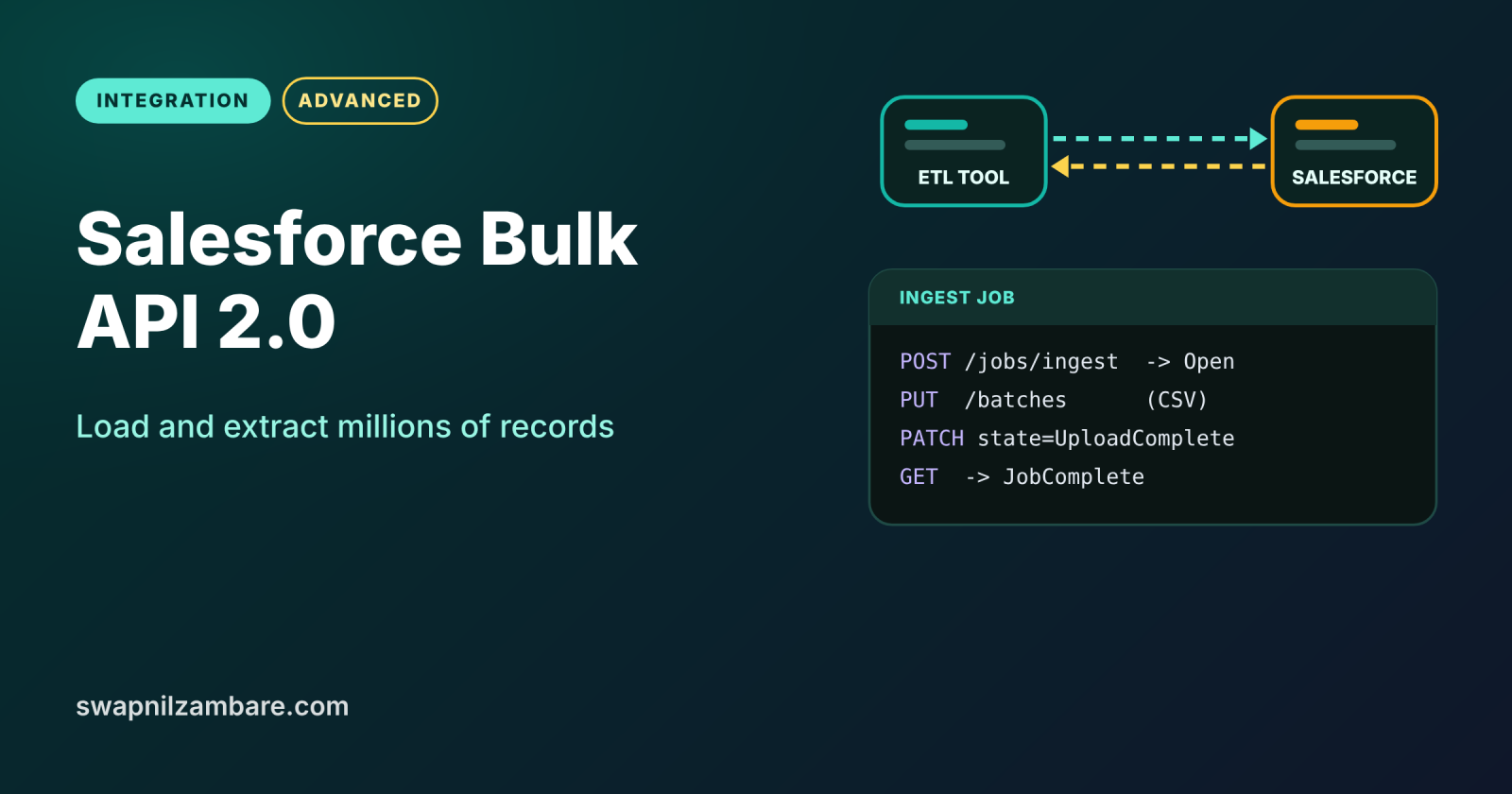
The Salesforce Bulk API is built for moving large amounts of data, such as hundreds of thousands or millions of records, in and out of Salesforce. Bulk API 2.0, the current version, works with CSV files and processes them in the background. You create a job, upload data, and Salesforce does the heavy work while your client simply checks back.
In this post, you will run an ingest job, check its state, read the success and failure results, and extract data with a query job. It builds on the Salesforce REST API with Postman, Salesforce Integration Patterns and Data Loader and the Import Wizard.
What is the Salesforce Bulk API?
The Salesforce Bulk API is an asynchronous REST-based API for large data jobs. In Bulk API 2.0, an ingest job inserts, updates, upserts or deletes records from a CSV file. A query job runs SOQL and returns the results as CSV. Salesforce splits the work into chunks for you, so you never manage batches yourself.
Think of a laundry service. You do not wash each shirt at the counter while the staff wait. Instead, you drop off a full bag, get a ticket, and come back later for clean clothes and a list of any damaged items. The job Id is your ticket, and the results files are that list.
Why the Salesforce Bulk API Matters
Normal REST calls handle one record or a small group at a time. Here is why the Salesforce Bulk API matters at Bright Path Tutors.
- First, the yearly migration loads 400,000 old student records.
- Also, the finance system needs every payment from the last year as a CSV file.
- Next, a nightly sync updates 50,000 course prices from the ERP.
- Bulk jobs use far fewer API requests than one call per record.
- Finally, tools like Data Loader can switch to Bulk API for big files.
So for anything beyond a few thousand records, the Salesforce Bulk API is the right tool.
How the Salesforce Bulk API Works
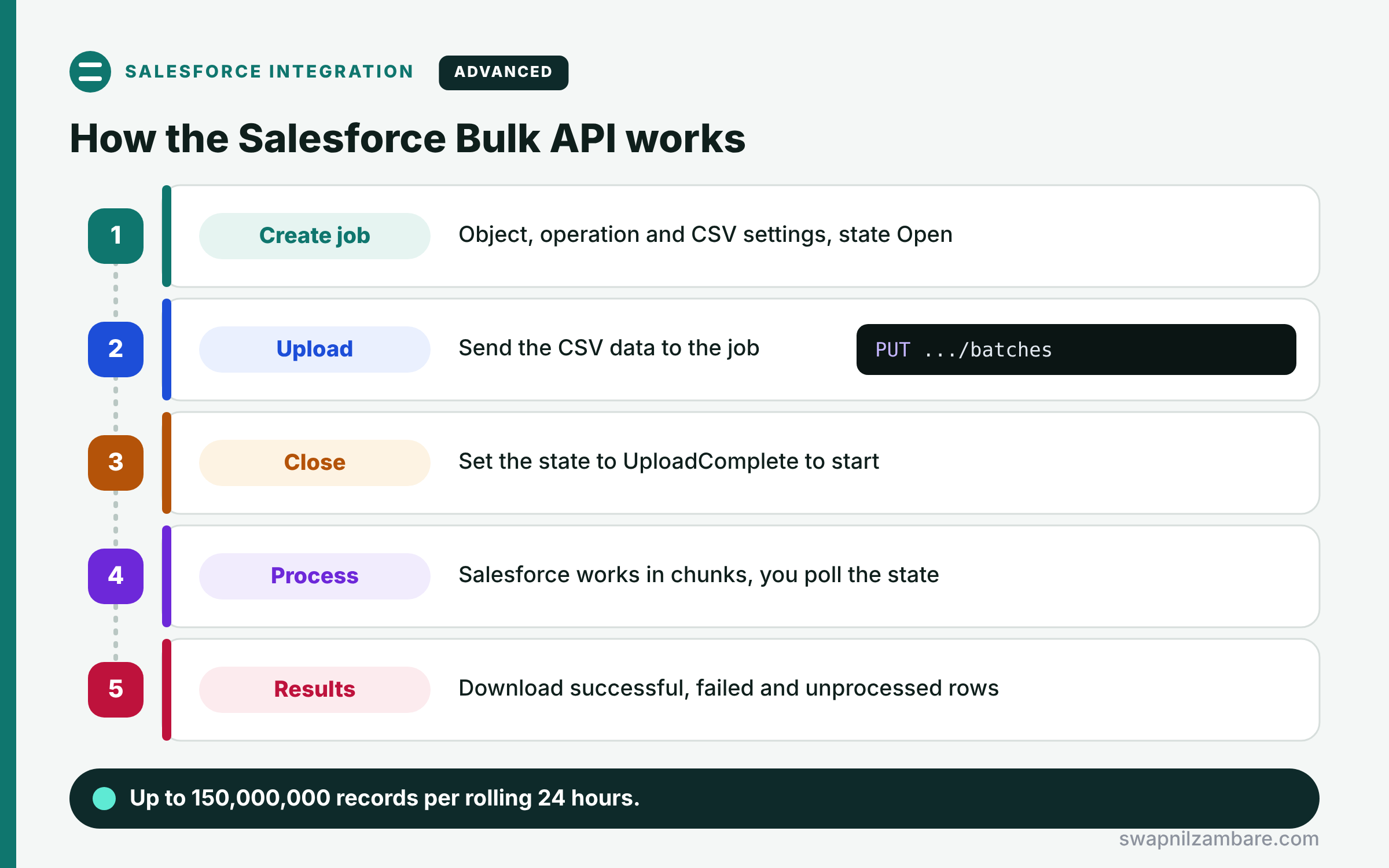
An ingest job in the Salesforce Bulk API has five steps. First, you create a job with the object, the operation and CSV settings, and Salesforce returns a job Id in the Open state. Next, you upload the CSV data to that job. Then you set the job state to UploadComplete, which tells Salesforce to start. After that, Salesforce processes the records in chunks, and you check the job until it shows JobComplete or Failed. Finally, you download the successful, failed and unprocessed results.
Ingest Jobs
Ingest jobs support insert, update, upsert, delete and hardDelete. For upsert, you also give an external ID field.
Query Jobs
Query jobs run SOQL and return CSV. Large results come back in parts, using the Sforce-Locator header.
Job States
A job moves through Open, UploadComplete, InProgress and then JobComplete, Failed or Aborted. You can abort a job you no longer need.
Results
Each ingest job has successfulResults, failedResults and unprocessedrecords. Failed rows include an error message, so you can fix and reload them.
Automatic Chunking
Salesforce creates internal batches of 10,000 records. So you upload one file, and the platform handles the splitting.
Salesforce Bulk API 2.0 Limits
The table below lists the main Bulk API 2.0 limits.
| Limit | Value |
|---|---|
| Records per rolling 24 hours | 150,000,000 |
| Data per job upload | 150 MB after base64 encoding |
| Safe raw CSV size per job | About 100 MB |
| Internal batch size | 10,000 records |
| Time a job can stay open | 24 hours |
Bulk API 2.0 vs REST API
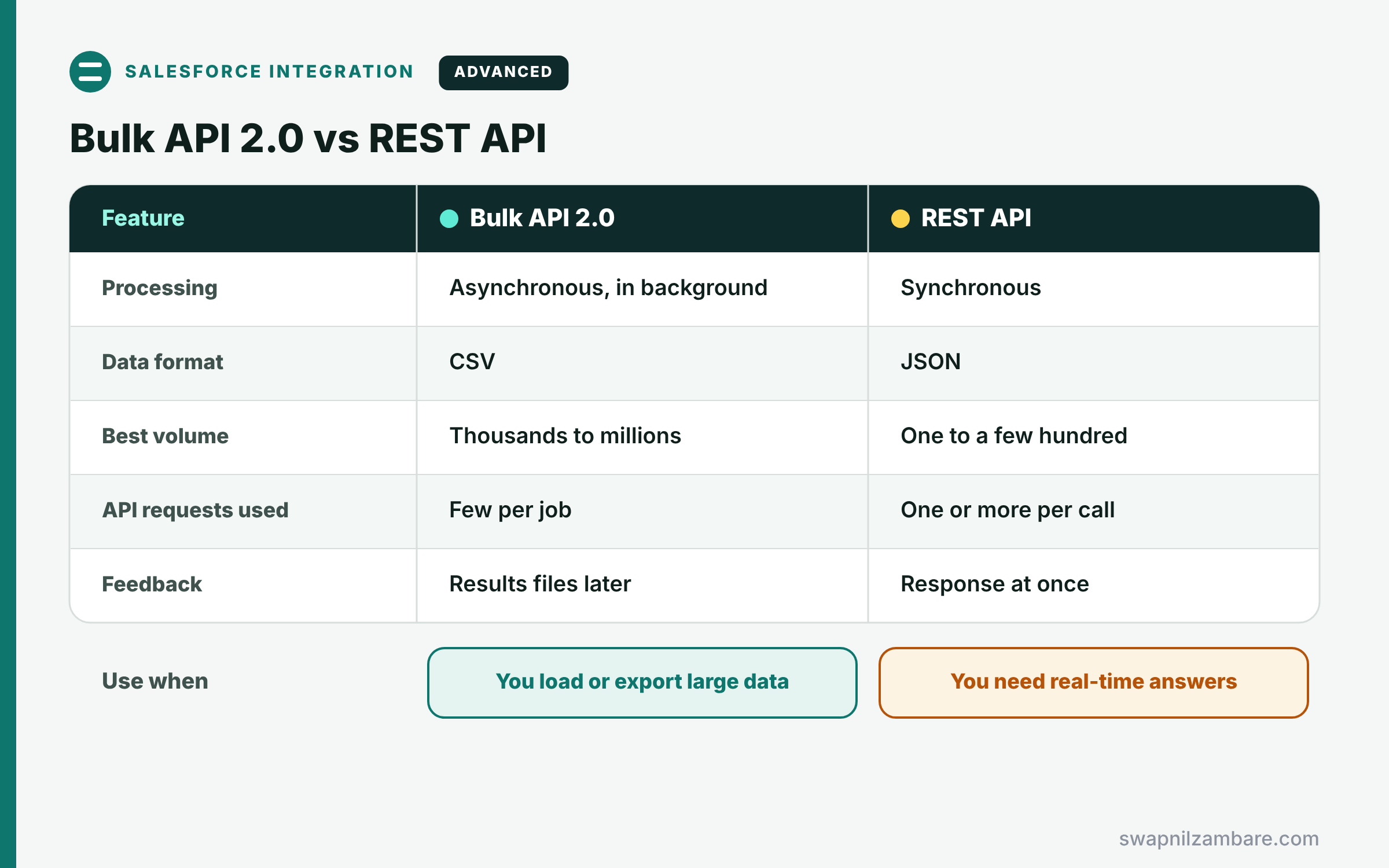
The table below compares Bulk API with the standard REST API.
| Feature | Bulk API 2.0 | REST API |
|---|---|---|
| Processing | Asynchronous, in background | Synchronous |
| Data format | CSV | JSON |
| Best volume | Thousands to millions | One to a few hundred |
| API requests used | Few per job | One or more per call |
| Feedback | Results files later | Response at once |
When to use which is simple. Use REST for small, real-time work. Use Bulk API 2.0 for large loads and exports.
A Real Salesforce Bulk API Example
Let’s upsert course prices at Bright Path Tutors with the Salesforce Bulk API. Each course has an external ID field called Course_Code__c.
Step 1: Create the Job and Upload the CSV
POST /services/data/v67.0/jobs/ingest
Content-Type: application/json

{
  "object": "Course__c",
  "operation": "upsert",
  "externalIdFieldName": "Course_Code__c",
  "contentType": "CSV",
  "lineEnding": "LF"
}

PUT /services/data/v67.0/jobs/ingest/750Kj000001AbCdIAK/batches
Content-Type: text/csv

Course_Code__c,Fee__c
APEX-101,5500
SOQL-101,4800
LWC-201,7200
The POST creates the job and returns its Id in the Open state. Then the PUT uploads the CSV rows to that job.
Step 2: Start the Job and Check It
PATCH /services/data/v67.0/jobs/ingest/750Kj000001AbCdIAK
Content-Type: application/json

{ "state": "UploadComplete" }

GET /services/data/v67.0/jobs/ingest/750Kj000001AbCdIAK
The PATCH tells Salesforce the upload is finished, so processing starts. Then the GET returns the state and counts, which you poll every few seconds.
Here is a typical response once the job ends.
{
  "id": "750Kj000001AbCdIAK",
  "state": "JobComplete",
  "numberRecordsProcessed": 3,
  "numberRecordsFailed": 1
}
Step 3: Read the Failures
GET /services/data/v67.0/jobs/ingest/750Kj000001AbCdIAK/failedResults

"sf__Id","sf__Error",Course_Code__c,Fee__c
"","FIELD_CUSTOM_VALIDATION_EXCEPTION:Fee must be below 7000",LWC-201,7200
One row broke a validation rule, so you can fix the fee and load just that row again. Meanwhile, the other two courses updated successfully.
Salesforce Bulk API and Data Loader
You do not always need raw HTTP calls. Data Loader has a Use Bulk API setting, and many ETL tools use Bulk API 2.0 behind the scenes. So learn the steps once, and you will understand what those tools are doing.
Common Mistakes with the Salesforce Bulk API
- Forgetting to set the job to UploadComplete, so it never starts.
- Uploading a file bigger than about 100 MB of raw CSV.
- Ignoring failedResults and losing bad rows.
- Using insert instead of upsert and creating duplicates on reruns.
- Running large updates that fire heavy triggers and flows without testing.
Best Practices for the Salesforce Bulk API
- Use upsert with an external ID for repeatable loads.
- Test with a small file in a sandbox first.
- Always save and review the failed results.
- Check that triggers and flows are bulk-safe before big loads.
- Run large jobs outside busy hours.
Practice Task
Create a query job that exports all paid enrolments from this year. Hint: POST to /jobs/query with operation query and your SOQL, then GET the results until no Sforce-Locator remains.
Most Asked Interview Questions on the Salesforce Bulk API
Data volume questions are common for integration roles. Here are the 22 questions asked most about the Salesforce Bulk API.
Basic Questions on the Salesforce Bulk API
Q1: What is Bulk API 2.0?
A REST-based, asynchronous API for loading or extracting large data sets with CSV.
Q2: When should you use Bulk API?
When working with thousands or millions of records at once.
Q3: Which operations do ingest jobs support?
Insert, update, upsert, delete and hardDelete.
Q4: What format does Bulk API 2.0 use for data?
CSV for data, with JSON for job requests and status.
Q5: What starts an ingest job after upload?
Setting the job state to UploadComplete.
Q6: What are the final job states?
JobComplete, Failed or Aborted.
Q7: How many records can you load in 24 hours?
Up to 150,000,000 records in a rolling 24-hour period.
Code and Scenario Questions on the Salesforce Bulk API
Q8: How do you avoid duplicates when a load runs twice?
Use upsert with an external ID field.
Q9: How do you find which rows failed?
Download failedResults, which lists each row with its error.
Q10: How do you export data with Bulk API 2.0?
Create a query job, then download the CSV results in parts with Sforce-Locator.
Q11: How large can one upload be?
150 MB after base64 encoding, so keep raw CSV under about 100 MB.
Q12: Do you create batches yourself in Bulk API 2.0?
No, because Salesforce splits data into internal batches of 10,000 records.
Q13: Do triggers run during Bulk API loads?
Yes, so triggers, flows and validation rules must handle 200 records per chunk.
Q14: How do you stop a running job?
PATCH the job state to Aborted.
Advanced Questions on the Salesforce Bulk API
Q15: How is Bulk API 2.0 simpler than Bulk API 1.0?
It handles batching for you and uses standard REST with OAuth.
Q16: What is the hardDelete operation?
It deletes records without sending them to the Recycle Bin, and it needs a special permission.
Q17: How do you reduce record locking errors?
Sort data by parent Id and avoid updating many children of one parent at once.
Q18: How do you load parent and child records?
Load parents first, then load children using the parent’s external ID in the relationship column.
Q19: Why poll the job instead of waiting on the call?
Because the work runs asynchronously, so the upload call returns long before processing ends.
Q20: How does Bulk API affect API limits?
It uses only a few API requests per job, so it saves your daily allocation.
Q21: When would you choose Batch Apex over Bulk API?
When the data is already in Salesforce and only Apex logic needs to process it.
Q22: How do you schedule a nightly Bulk API job?
Use middleware, an ETL tool or a scheduled script that runs the job steps.
Official Resources
- Bulk API 2.0 Developer Guide (Salesforce Developers)
- Bulk API and Bulk API 2.0 Limits and Allocations (Salesforce Developers)
Quick Recap
- The Salesforce Bulk API moves large data sets in the background.
- Ingest jobs load CSV, and query jobs export CSV.
- Set UploadComplete to start, then poll the job state.
- Always review failedResults and reload fixed rows.
- Use upsert with external IDs for safe reruns.
What’s Next?
Every API call so far needed a token. Next, read our guide to Salesforce OAuth flows.


