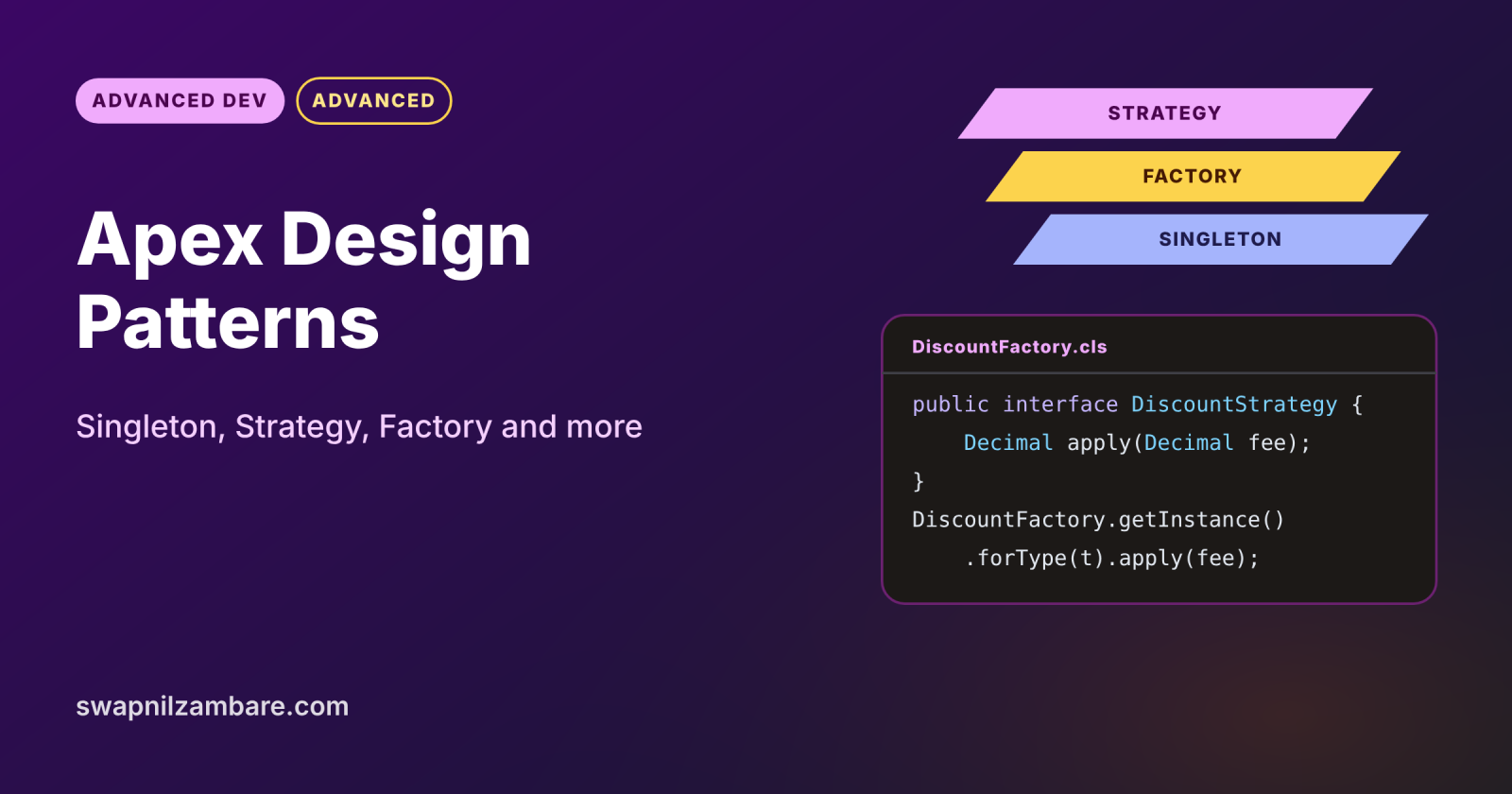
Apex Design Patterns are proven ways to organise Apex code so it stays easy to change, test and reuse as your org grows. A pattern is a named solution to a common problem, such as “only build this object once” or “pick a different rule for each customer type”. Once your team shares these names, code reviews and designs become much faster.
In this post, you will learn the Singleton, Strategy, Factory, Facade and Decorator patterns with real Apex code. It builds on Apex classes and objects, static vs instance Apex and the trigger handler pattern. This is the first post of Level 10: Advanced.
What are Apex Design Patterns?
Apex Design Patterns are general object-oriented patterns adapted to Salesforce limits and transactions. Each one describes the problem, the classes involved and how they work together. You still write normal Apex, but in a shape other developers recognise at once.
Think of building with Lego instruction books. Every model is different, yet the same small techniques repeat: a strong base, a hinge, a sliding door. Once you know those techniques by name, you build faster and other builders understand your model.
Why Apex Design Patterns Matter
Without structure, Apex grows into long classes full of if statements. Here is why Apex Design Patterns matter at Bright Path Tutors.
- First, discount rules differ for students, schools and corporate clients.
- Also, the same settings record is read many times in one transaction.
- Next, new payment providers arrive every year, so code must change easily.
- Tests are simpler when each class has one clear job.
- Finally, interviewers often ask candidates to name and explain patterns.
So patterns keep growing code clean, and they also help in interviews.
How Apex Design Patterns Work
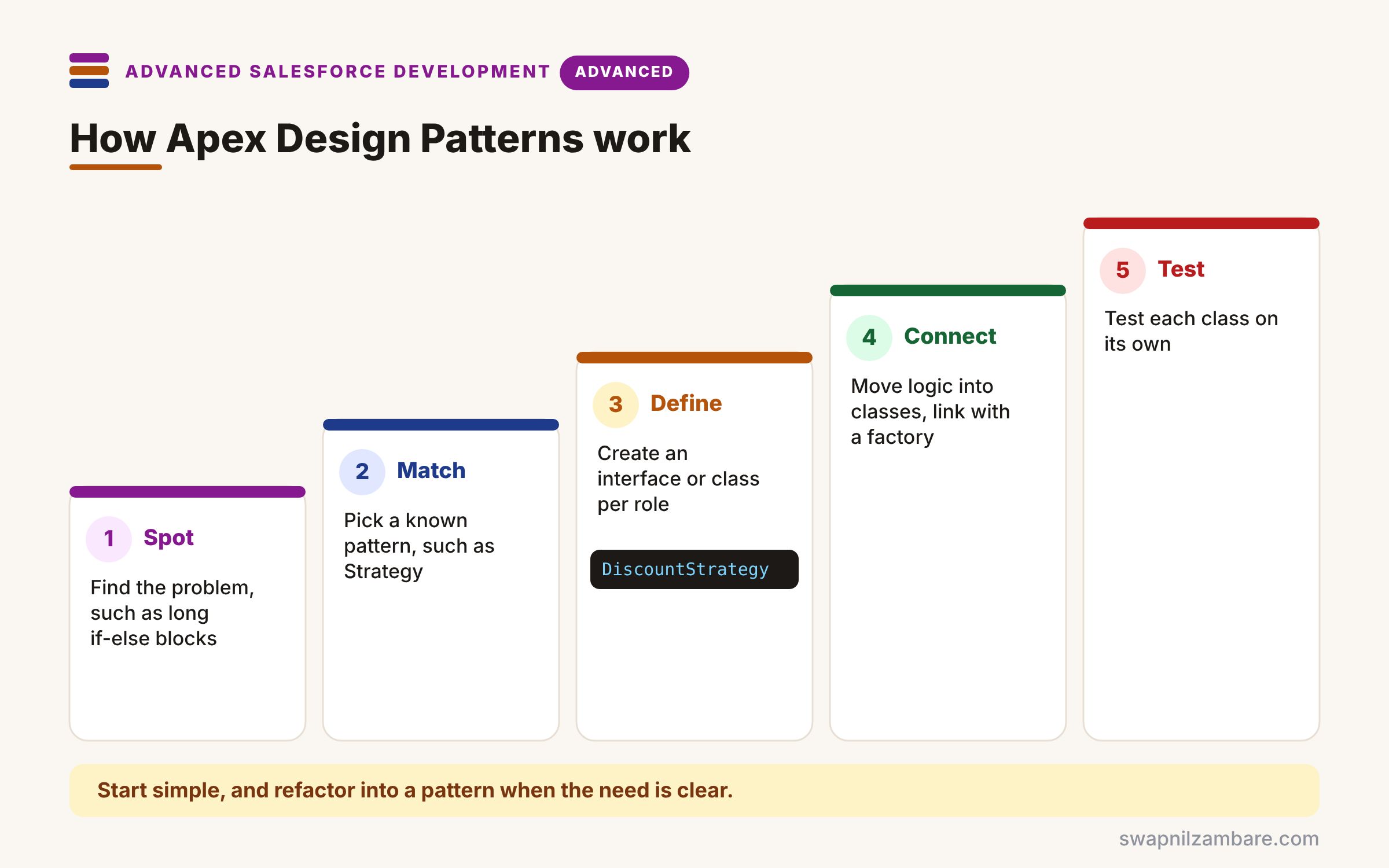
Using Apex Design Patterns follows a simple habit. First, spot the problem, such as repeated if-else blocks or repeated queries. Next, match it to a known pattern, such as Strategy for changing rules. Then define an interface or a small class for each role in the pattern. After that, move the logic into those classes and connect them, often through a factory. Finally, write tests for each class on its own.
Singleton
A Singleton makes sure only one instance of a class exists per transaction. So it suits settings or caches that should be loaded once.
Strategy
A Strategy puts each version of a rule in its own class behind one interface. As a result, you add a new rule by adding a class, not by editing old code.
Factory
A Factory decides which class to create, so callers never use new directly. Also, it can read the class name from custom metadata or Type.forName.
Facade
A Facade offers one simple method that hides several steps. For example, enrolStudent() can check seats, create records and send an email.
Decorator
A Decorator wraps an object to add behaviour, such as display fields for a UI. In Apex, wrapper classes around sObjects often follow this idea.
Apex Design Patterns at a Glance
The table below sums up each pattern and when it helps.
| Pattern | Problem it solves | Bright Path example |
|---|---|---|
| Singleton | Load something once | Course settings |
| Strategy | Rules that vary | Discount per customer type |
| Factory | Choose the class at runtime | Pick the discount strategy |
| Facade | Many steps, one call | Enrol a student |
| Decorator | Add behaviour around data | Course wrapper for LWC |
Strategy Pattern vs If-Else Logic
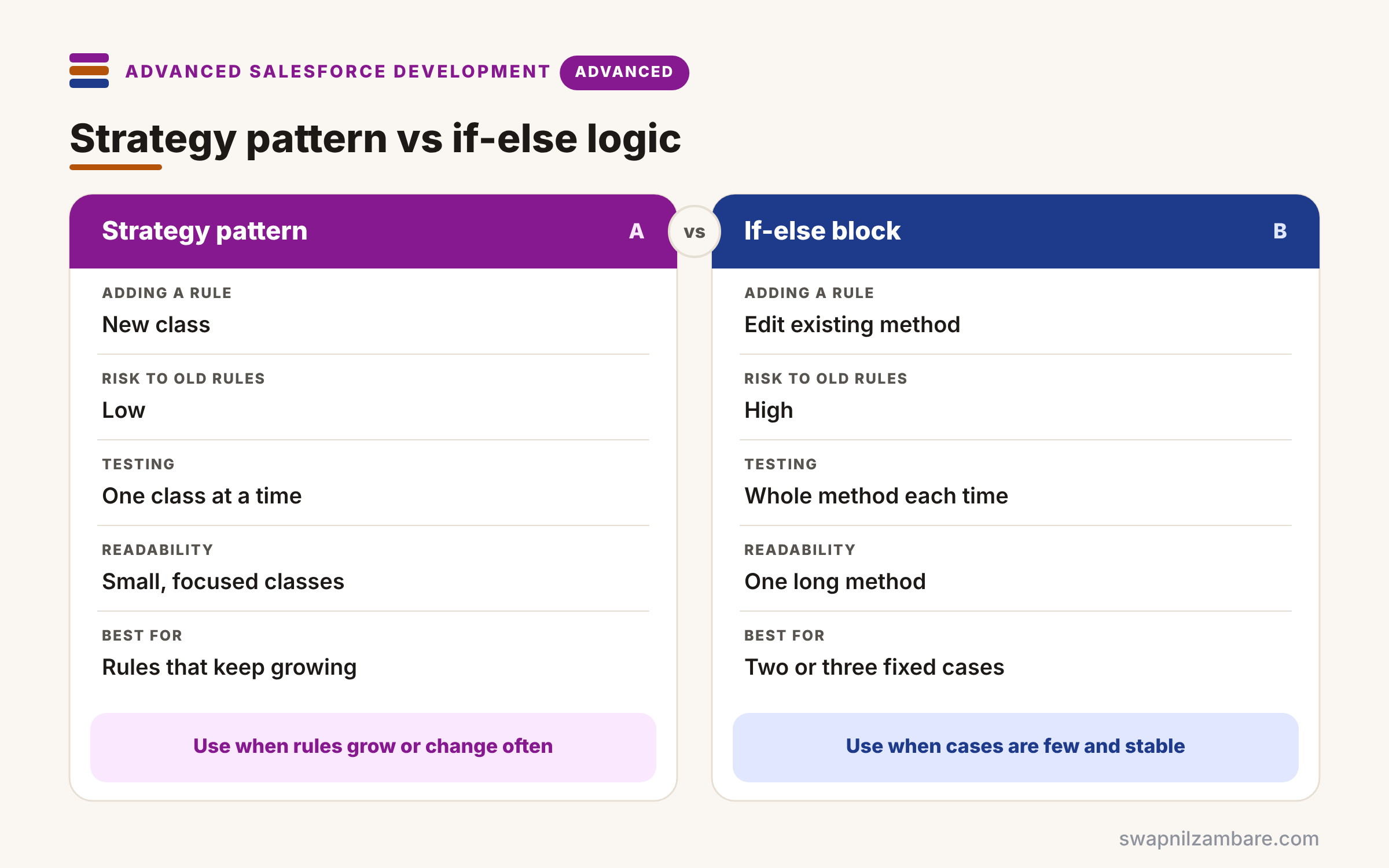
The table below compares a Strategy design with a long if-else block.
| Feature | Strategy pattern | If-else block |
|---|---|---|
| Adding a rule | New class | Edit existing method |
| Risk to old rules | Low | High |
| Testing | One class at a time | Whole method each time |
| Readability | Small, focused classes | One long method |
| Best for | Rules that keep growing | Two or three fixed cases |
When to use which is practical. Keep simple if-else for two or three stable cases. Switch to Strategy once rules grow or change often.
A Real Apex Design Patterns Example
Let’s apply Apex Design Patterns to course discounts at Bright Path Tutors. We combine Strategy, Factory and Singleton in one small feature.
Step 1: The Strategy Interface and Classes
public interface DiscountStrategy {
    Decimal apply(Decimal fee);
}

public class StudentDiscount implements DiscountStrategy {
    public Decimal apply(Decimal fee) { return fee * 0.90; }   // 10% off
}

public class CorporateDiscount implements DiscountStrategy {
    public Decimal apply(Decimal fee) { return fee * 0.80; }   // 20% off
}

public class NoDiscount implements DiscountStrategy {
    public Decimal apply(Decimal fee) { return fee; }
}
Each class holds one rule behind the same interface. So adding a “School” rule later means one new class and no edits elsewhere.
Step 2: A Singleton Factory
public class DiscountFactory {
    private static DiscountFactory instance;
    private Map<String, DiscountStrategy> strategies;

    private DiscountFactory() {
        strategies = new Map<String, DiscountStrategy>{
            'Student'   => new StudentDiscount(),
            'Corporate' => new CorporateDiscount()
        };
    }

    public static DiscountFactory getInstance() {
        if (instance == null) { instance = new DiscountFactory(); }
        return instance;
    }

    public DiscountStrategy forType(String customerType) {
        DiscountStrategy s = strategies.get(customerType);
        return s != null ? s : new NoDiscount();
    }
}
The private constructor stops other code from calling new, so getInstance() returns the same factory all transaction. Then forType() picks the right strategy and falls back to NoDiscount.
Step 3: Use It and See the Result
Decimal fee = 5000;
for (String t : new List<String>{ 'Student', 'Corporate', 'Guest' }) {
    Decimal price = DiscountFactory.getInstance().forType(t).apply(fee);
    System.debug(t + ' pays ' + price);
}
Here is the debug output.
Student pays 4500.00
Corporate pays 4000.00
Guest pays 5000
The caller never knows which class did the work. Because of this, the discount logic can grow without touching this loop.
Apex Design Patterns and Governor Limits
Patterns must still respect limits. So never query inside a strategy that runs in a loop, and load data once, often through a Singleton. Static variables live for one transaction only, so a Singleton is not a cross-user cache.
Common Mistakes with Apex Design Patterns
- Adding patterns to simple code that does not need them.
- Treating a static Singleton as if it lasts across transactions.
- Putting SOQL inside strategy methods called in loops.
- Creating classes directly instead of through the factory.
- Naming classes after patterns instead of business meaning.
Best Practices for Apex Design Patterns
- Start simple, then refactor into a pattern when the need is clear.
- Program to interfaces, so classes can be swapped in tests.
- Keep each class small, with one job.
- Store mapping data in custom metadata when admins need to change it.
- Document the pattern in a class comment for new team members.
Practice Task
Add a School discount of 15% and make the factory read class names from a custom metadata type. Hint: use Type.forName(className).newInstance() and cast to DiscountStrategy.
Most Asked Interview Questions on Apex Design Patterns
Pattern questions show up in nearly every senior developer interview. Here are the 21 questions asked most about Apex Design Patterns.
Basic Questions on Apex Design Patterns
Q1: What is a design pattern?
It is a proven, named solution to a common design problem, so teams share one vocabulary.
Q2: What does the Singleton pattern do?
It keeps one instance of a class per transaction, so data loads only once.
Q3: How do you build a Singleton in Apex?
Use a private constructor, a private static instance and a public static getInstance method.
Q4: What is the Strategy pattern?
It puts each version of a rule in its own class behind one interface.
Q5: What is a Factory?
It is a class that decides which object to create, so callers avoid new.
Q6: What is a Facade?
It is one simple method that hides several steps behind it.
Q7: What is a wrapper class in Apex?
It is a class that combines an sObject with extra fields, which follows the Decorator idea.
Code and Scenario Questions on Apex Design Patterns
Q8: How long does an Apex Singleton live?
It lives for one transaction, because static variables reset after each one.
Q9: How do you add a new rule with Strategy?
Create a new class that implements the interface, then register it in the factory.
Q10: How can a factory create a class from a name?
Call Type.forName(name).newInstance() and cast it to the interface.
Q11: Which pattern fits “different tax rules per country”?
Strategy, so each country’s rule lives in its own class.
Q12: How do interfaces help testing?
You can pass a fake class into the code, so tests control the behaviour.
Q13: Where should SOQL live in pattern-based code?
In selector or service classes, so strategies stay free of queries.
Q14: Is the trigger handler a design pattern?
Yes, because it separates trigger events from business logic in a repeatable shape.
Advanced Questions on Apex Design Patterns
Q15: What is dependency injection in Apex?
Passing objects into a class instead of creating them inside, so you can swap them easily.
Q16: How do custom metadata and Strategy work together?
Custom metadata stores which class to use, so admins can change rules without code.
Q17: When is a pattern over-engineering?
When the code is small and stable, because extra classes only add reading time.
Q18: How do patterns help with governor limits?
They centralise queries and DML, so you can bulkify in one place.
Q19: What is the Unit of Work pattern?
It collects all DML for a transaction and commits it once in the right order.
Q20: How do you explain a pattern in an interview?
State the problem, the classes involved, a real example and one trade-off.
Q21: Which patterns appear in Apex Enterprise Patterns?
Service, Domain, Selector and Unit of Work.
Official Resources
Quick Recap
- Apex Design Patterns give names to proven code shapes.
- Singleton loads once per transaction.
- Strategy and Factory make changing rules easy.
- Facade hides many steps, and Decorator adds behaviour.
- Use patterns when code grows, not before.
What’s Next?
Patterns scale up into full layers for large apps. Next, read our guide to Apex Enterprise Patterns.


