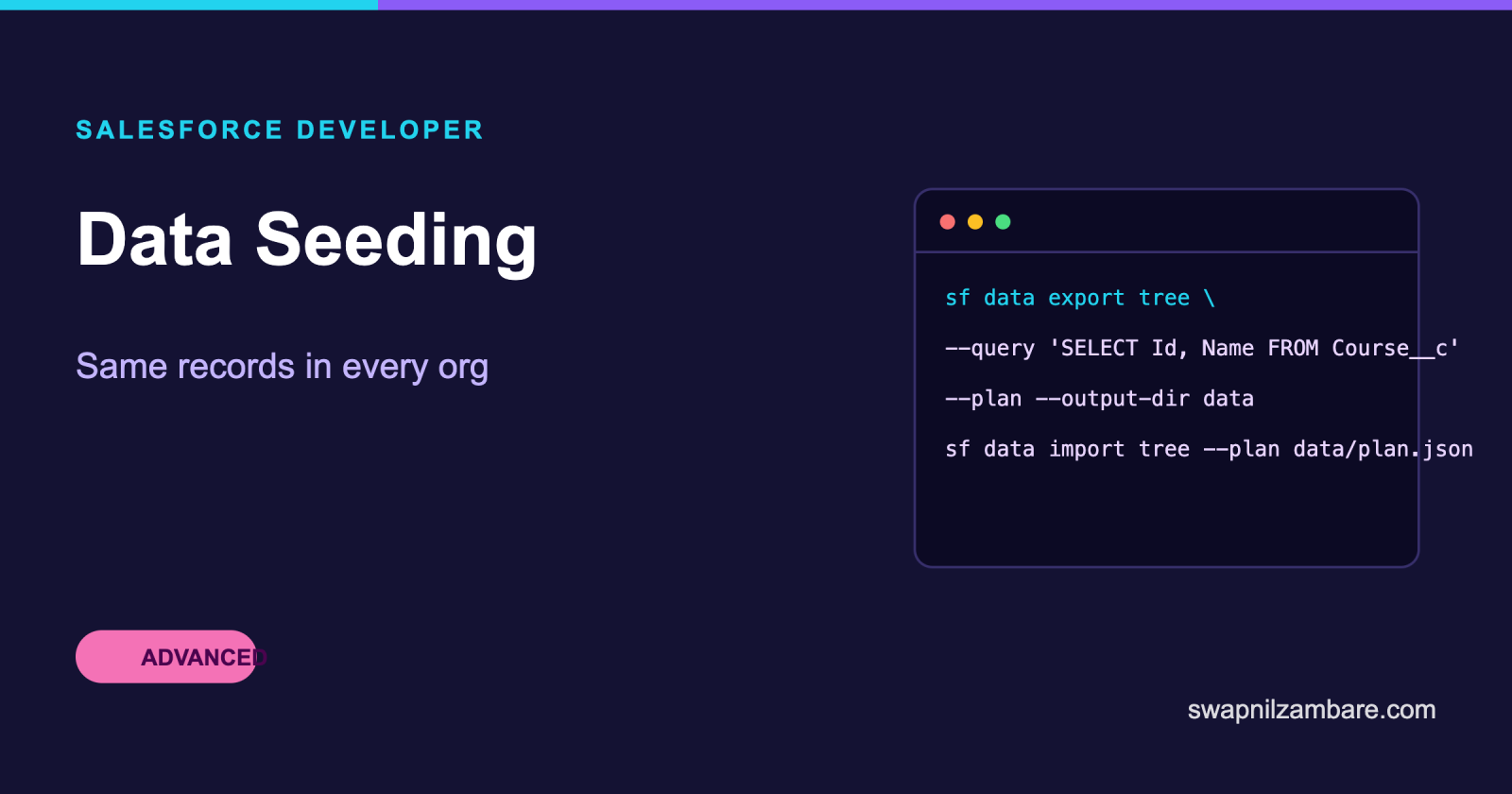
Salesforce Data Seeding is how every fresh org ends up with the same starting records. A scratch org is created empty, so without a seed step each developer invents their own courses and contacts, and a bug that depends on data becomes impossible to reproduce.
The goal is not a copy of production. It is a small, deliberate set that exercises the awkward cases, lives in Git, and loads in seconds.
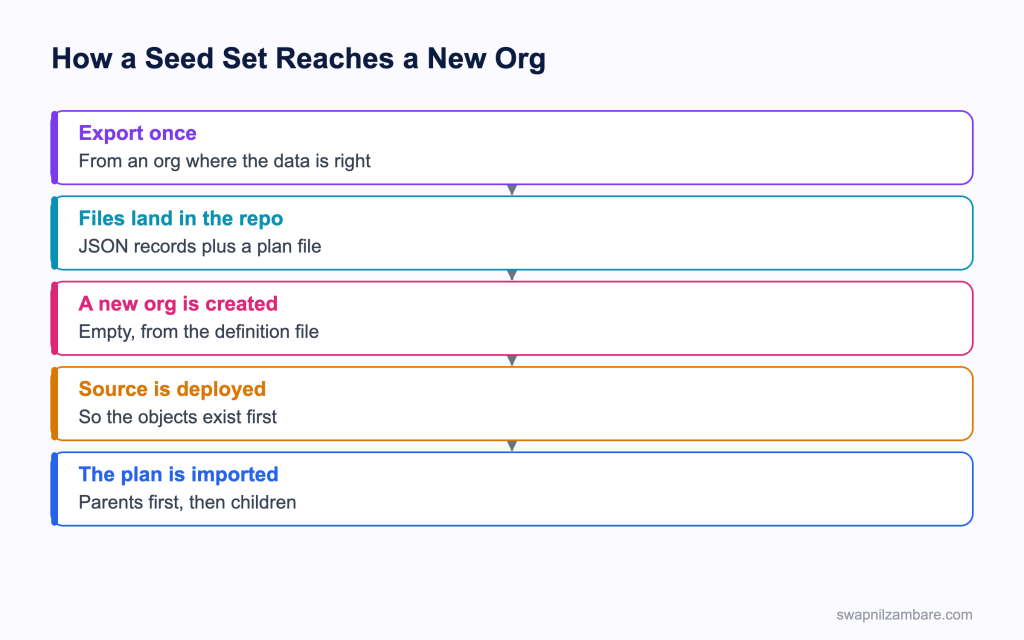
Caption: The import runs after the deployment, because the objects have to exist first.
What Salesforce Data Seeding Looks Like
Salesforce Data Seeding runs from the CLI, which reads a plan file, which lists record files in the order they must load.
[
  {
    "sobject": "Account",
    "saveRefs": true,
    "resolveRefs": false,
    "files": ["Accounts.json"]
  },
  {
    "sobject": "Contact",
    "saveRefs": true,
    "resolveRefs": true,
    "files": ["Contacts.json"]
  },
  {
    "sobject": "Course__c",
    "saveRefs": true,
    "resolveRefs": true,
    "files": ["Courses.json"]
  }
]| Plan key | What it does |
|---|---|
| sobject | The object this group loads |
| files | The record files for that object |
| saveRefs | Remembers the new ids so children can point at them |
| resolveRefs | Replaces reference names with the real ids |
Those two flags are the whole mechanism of Salesforce Data Seeding. A parent saves its references and a child resolves them, which is how a relationship survives a load into an org where no ids exist yet.
The Record Files
{
  "records": [
    {
      "attributes": { "type": "Contact", "referenceId": "ContactRef1" },
      "LastName": "Mehta",
      "FirstName": "Asha",
      "AccountId": "@AccountRef1"
    }
  ]
}
The referenceId is a name you invent, and the at sign prefix points at one. Nothing here depends on a real Salesforce id, which is what makes the files portable between orgs.
Creating the Files
sf data export tree \
  --query "SELECT Id, Name, Fee__c, Level__c FROM Course__c LIMIT 10" \
  --plan \
  --output-dir data

sf data import tree --plan data/sample-plan.json --target-org dev1
Salesforce Data Seeding starts with one export from an org where the data is right, then commit the files. Editing them by hand afterwards is normal, and it is often where the awkward test cases get added.
Why Salesforce Data Seeding Matters
| Benefit | What it gives the team |
|---|---|
| The same data everywhere | A bug one person sees, everybody sees |
| A fast new org | Minutes rather than an afternoon |
| Reviewable test cases | Edge cases visible in a pull request |
| Honest demos | The same records in every demo org |
| No production data in development | A real privacy benefit |
That last row deserves attention. Copying production records into a developer org spreads personal data into environments with looser access, and a small invented data set avoids the problem entirely. The post on scratch org definition files covers the org itself.
Designing the Seed Set
Good Salesforce Data Seeding is small and opinionated. Ask what each record is for, and remove anything with no answer.
| Record | Why it is there |
|---|---|
| A course with no fee | Proves the null handling works |
| A course at the maximum fee | Proves the validation rule fires |
| An online course | Proves the discount applies |
| A contact with no account | Proves the orphan path works |
| A course with a very long name | Proves the layout does not break |
| Two courses with the same name | Proves the duplicate rule triggers |
Six Salesforce Data Seeding records like that are worth more than six hundred random ones, because every one of them is a test waiting to happen.
| Seed set size | What it suits |
|---|---|
| Under 50 records | Daily development, the usual answer |
| A few hundred | Demos and layout checks |
| Thousands | A performance test, built by a script |
| Production volume | A full sandbox, not a seed set |
Tree Import or an Apex Factory
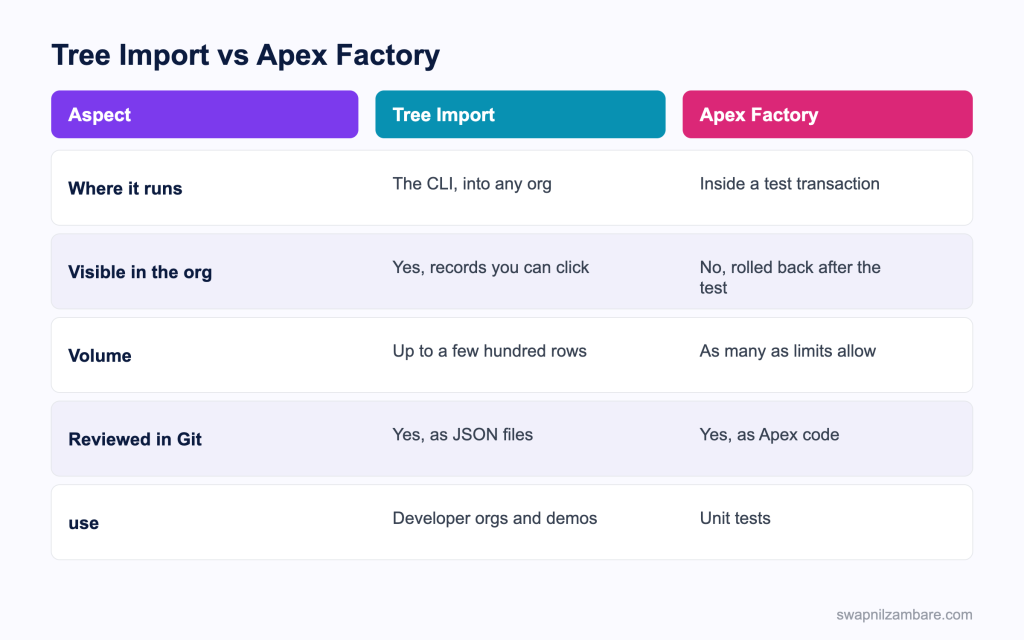
Caption: They solve different problems, so most projects use both.
Salesforce Data Seeding is for people, not for tests. Unit tests should build their own data, because a test that depends on records already in the org is not a unit test.
@IsTest
public class TestFactory {

    public static Course__c course(String level, Decimal fee) {
        return new Course__c(
            Name = 'Test ' + level,
            Level__c = level,
            Fee__c = fee,
            Duration_in_Weeks__c = 6
        );
    }

    public static List<Course__c> courses(Integer count) {
        List<Course__c> rows = new List<Course__c>();
        for (Integer i = 0; i < count; i++) {
            rows.add(course('Beginner', 3000 + i));
        }
        return rows;
    }
}| Need | Pick |
|---|---|
| Records a developer clicks on | Tree import |
| Data for a unit test | Apex factory |
| A demo org that looks real | Tree import |
| Two hundred records for a bulk test | Apex factory |
| Something a reviewer should see in Git | Tree import |
| Records that must not persist | Apex factory |
The post on the Apex Stub API covers the third option, which is needing no data at all.
A Real Salesforce Data Seeding Example
Salesforce Data Seeding fixed a recurring argument for us. Bright Path Tutors had no seed step. Each developer created a handful of courses by hand, named after whatever was on their desk.
| Problem | What it cost |
|---|---|
| Different data per developer | Bugs nobody else could reproduce |
| No zero fee course anywhere | A null handling bug reached production |
| Demo orgs built by hand | An hour before every demo |
| A production extract used once | Personal data in three developer orgs |
We built a 31 record seed set with a plan file.
| Measure | Before | After |
|---|---|---|
| Records in a new org | Whatever you typed | 31, always the same |
| Time to a usable org | 45 minutes | Under 2 minutes |
| Bugs that could not be reproduced | Several a month | Rare |
| Production records in developer orgs | Yes | None |
The zero fee course is the Salesforce Data Seeding detail worth repeating. Nobody had one, so nobody found the bug, and it took a customer to report it.
Loading Larger Volumes
When Salesforce Data Seeding grows past a few hundred records, change tool rather than stretching this one.
| Volume | Tool |
|---|---|
| Under a few hundred | Tree import with a plan |
| Thousands | A CSV with the bulk upsert command |
| Millions | Bulk API 2.0 |
| Generated data for a load test | An Apex script run from the CLI |
sf data upsert bulk \
  --sobject Course__c \
  --file data/courses.csv \
  --external-id External_Id__c \
  --wait 10
The post on Bulk API 2.0 covers the largest end of that table.
Limits and Things to Watch
- Tree import suits a small number of records, not a bulk load
- Load order is yours to get right, since a child cannot point at a missing parent
- Required fields and validation rules apply, so a seed file can be rejected
- Record types and picklist values must exist in the org already
- Triggers and Flows fire during the import, which can create extra records
- Owner and created date cannot be set freely, so a seed set always looks new
- Person accounts and some standard objects need extra care
The trigger point produces the most surprises in Salesforce Data Seeding. An import can fire automation that sends an email or creates a task, so a brand new org ends up with records nobody put in the plan. Check the result once, then adjust the plan rather than the automation.
Common Mistakes with Salesforce Data Seeding
| Mistake | What you see | Fix |
|---|---|---|
| Children before parents in the plan | Reference errors on import | Order the plan parents first |
| saveRefs missing on a parent | Children with empty lookups | Set saveRefs on the parent group |
| A production extract used as the seed | Personal data in developer orgs | Invent the records instead |
| Hundreds of random records | Slow imports and no test value | Keep it small and deliberate |
| No edge cases in the set | Bugs found by customers | Add a record per awkward case |
| Hard coded ids in the files | An import that works in one org only | Use reference names |
| Unit tests reading seed data | Tests that pass only in a seeded org | Build data in an Apex factory |
Best Practices for Salesforce Data Seeding
- Keep the seed set under 50 records unless there is a reason
- Give every record a purpose, and delete the ones with none
- Include a record for each awkward case, such as a null value or a maximum
- Use reference names rather than ids so the files are portable
- Commit the files and review changes to them like code
- Run the import as part of the same script that creates and deploys the org
- Never seed with production records, for privacy as much as for size
- Build unit test data in Apex and keep the seed set for people
Most Asked Salesforce Data Seeding Interview Questions
Q1: Why does a scratch org need seeding?
Because it is created empty, so without a seed step every developer invents their own data.
Q2: What does a plan file do?
It lists the record files per object, in the order they must load.
Q3: What does saveRefs do?
It remembers the new record ids so later groups can point at them.
Q4: What does resolveRefs do?
It replaces reference names in child records with the real ids.
Q5: What is a referenceId?
A name you invent for a record, used in place of a real id.
Q6: How does a child point at a parent?
With the reference name prefixed by an at sign in the lookup field.
Q7: Why does that matter?
Because ids differ per org, so reference names keep the files portable.
Q8: How do you create the files in the first place?
Export from an org where the data is right, using the tree export command with the plan flag.
Q9: When does the import run?
After the deployment, since the objects must exist first.
Q10: How big should a seed set be?
Usually under 50 records, each with a clear purpose.
Q11: Why not copy production data?
It spreads personal data into looser environments, and it is far larger than needed.
Q12: What belongs in a seed set that people forget?
Edge cases, such as a null value, a maximum value and a duplicate.
Q13: Does automation fire during an import?
Yes. Triggers and Flows run, which can create records the plan never mentioned.
Q14: What happens if the plan lists children first?
The references cannot resolve, so the import fails.
Q15: Do validation rules apply?
Yes, so a seed file can be rejected by a rule like any other insert.
Q16: Can you set the created date or the owner?
Not freely, so a seed set always looks newly created.
Q17: When do you move away from tree import?
Past a few hundred records, where a bulk upsert from CSV is the better tool.
Q18: What loads millions of rows?
Bulk API 2.0.
Q19: Should unit tests use the seed data?
No. A test that depends on org records is not a unit test.
Q20: What should tests use instead?
An Apex test factory that builds its own records, or stubs that need none.
Q21: Why keep a factory separate from the seed set?
They solve different problems, one for people using an org and one for tests.
Q22: Where should the seed files live?
In the repository, reviewed like code.
Q23: Why review changes to seed data?
Because adding or removing a record changes what the whole team tests against.
Q24: Scenario: a bug appears only on one developer’s machine. What is the likely cause?
Different data in their org, which a shared seed set removes.
Q25: Scenario: a new org has tasks nobody created. Why?
Automation fired during the import.
Q26: Scenario: contacts load with empty account lookups. What is wrong?
The parent group is missing saveRefs, or the children are missing resolveRefs.
Q27: Scenario: a null handling bug reached production. What was missing from the seed set?
A record with that field left empty.
Q28: Scenario: the import takes four minutes. What now?
The set is too large for tree import, so move the bulk of it to a CSV upsert.
Q29: Can one plan file seed several objects?
Yes, which is the normal case, with one group per object in load order.
Q30: How do you keep demos consistent?
Seed every demo org from the same files, so each demo shows the same records.
Q31: What is the one habit that makes seeding worthwhile?
Give every record a reason to exist, and keep the whole set small enough to read.
Official Resources
What Is Next
Next, read LWR Sites in Experience Cloud Explained for Developers.


