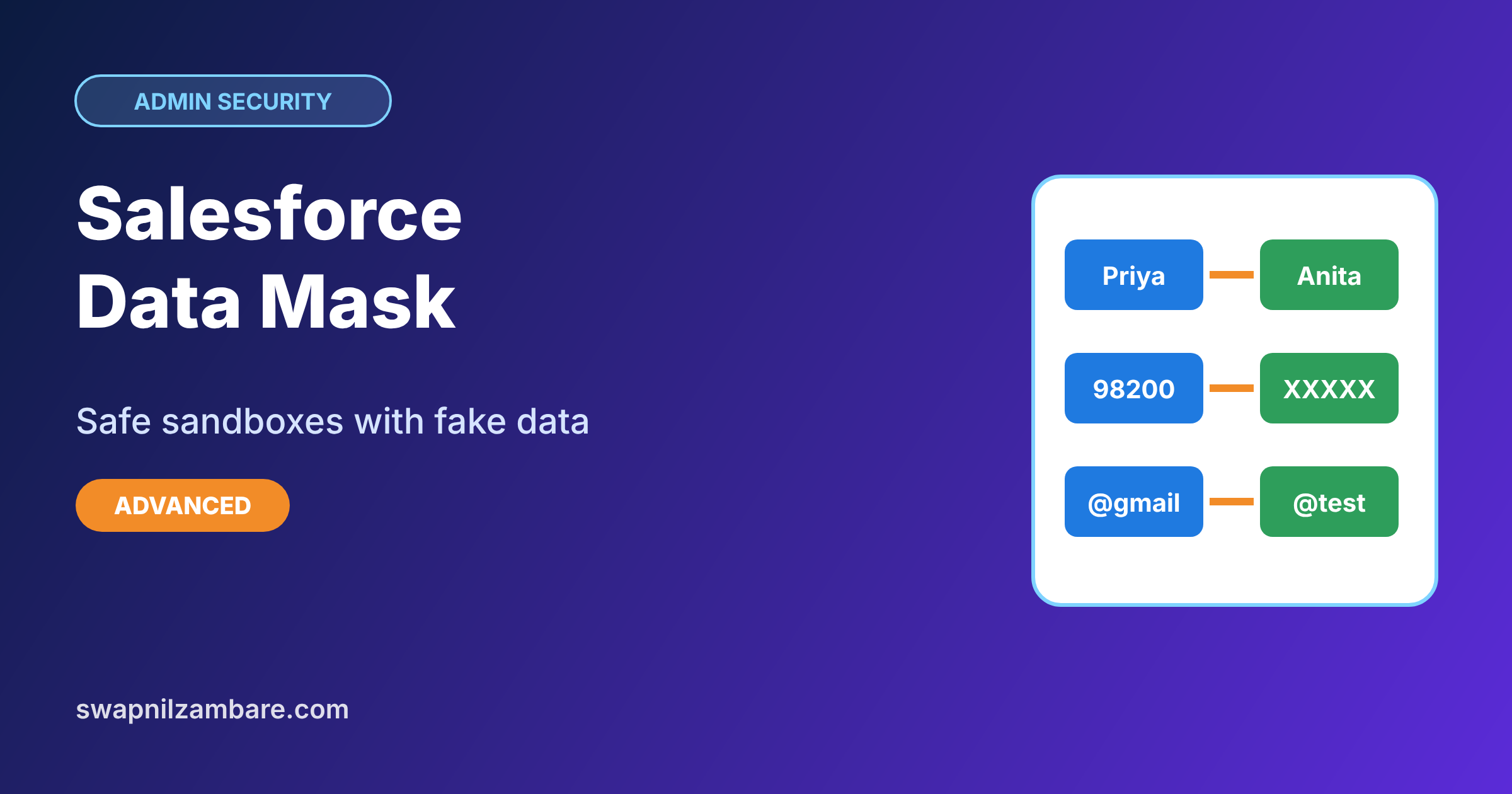
Salesforce Data Mask hides real personal data in sandboxes by replacing it with realistic fake values, so developers and testers can work with production-like data without seeing real customer details. Its current version, Data Mask & Seed, became a core Salesforce application in the Summer ’26 release. It replaces the older Data Mask managed package and adds seeding, which fills sandboxes with the right test data. In our sandboxes guide, you learned that Full and Partial Copy sandboxes copy production data. In our encryption guide, you protected data in production. Masking protects it everywhere else.
In this post, you will learn why sandbox data is a risk, how masking and seeding work, which masking types to choose, and how to plan a masking job. Then you will plan masking for parent and student data at Bright Path Tutors. The Platform Administrator II exam asks how to protect sensitive data in sandboxes, so this topic also helps with the exam.
What is Salesforce Data Mask?
Data Mask is a Salesforce tool that changes sensitive field values in a sandbox after it is created or refreshed. A parent’s real name, email and phone are replaced with believable fake values, while the record structure stays the same. Reports, flows and tests still work, because the data still looks real.
Seeding is the second part. It copies a chosen subset of records, or generates fake records, into a sandbox. So testers get the data they need without copying everything.
Here is a simple analogy. Think of a film shoot that uses a fake shop front. It looks like a real shop on camera, with signs and prices, but nothing inside belongs to a real business. Masked sandbox data is that fake shop: realistic enough to test with, but not real.
Why Salesforce Data Mask Matters
Full and Partial Copy sandboxes hold real customer data. Developers, contractors and testers often have wide access in sandboxes, and sandbox security is usually looser than production. For example, a contractor may have the System Administrator profile in a sandbox, even though they would never get it in production. So a sandbox can quietly become the weakest point for customer data.
Here are some real situations at Bright Path Tutors.
- A contractor builds a new flow in a Full sandbox with 4,500 real student records.
- Testers send test emails, and a real parent receives one by mistake.
- The school contract says student data must not leave production unprotected.
- Trainers need realistic data for a training sandbox, but not real names.
So masking keeps sandboxes useful for testing while keeping real people’s data safe.
How Salesforce Data Mask Works
A masking job follows clear steps. First, you create or refresh a sandbox from production. Next, you open Data Mask & Seed and create a configuration that lists objects and fields to mask. Then you choose a masking type for each field, such as a realistic fake name or a random value. After that, you run the job, and it updates the sandbox records while bypassing automation. Finally, you check sample records and hand the sandbox to developers and testers.
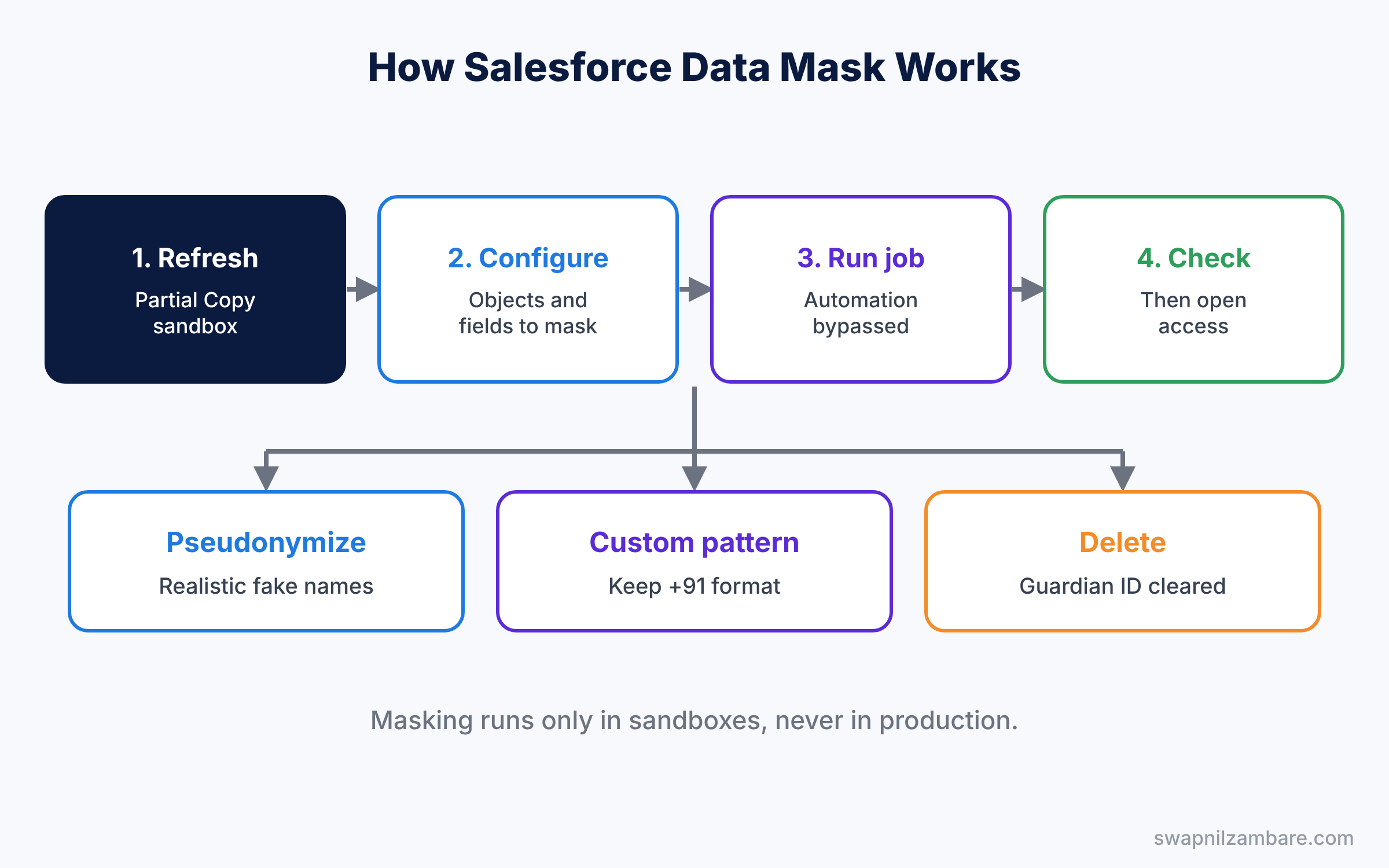
Masking runs in the sandbox, never in production. So production data is never changed. Also, the job only changes the fields in your configuration, so everything else, like course fees and dates, stays exactly as it was in production.
Key Parts of Salesforce Data Mask
Masking configurations
First, a configuration lists the objects and fields to mask, such as Contact First Name, Email and Phone. You can save and reuse it after every sandbox refresh, so masking takes minutes instead of hours.
Masking types
Next, each field gets a masking type. Pseudonymize replaces values with realistic fake ones from libraries, like names and cities. Anonymize uses random characters. Delete clears the field completely.
Custom patterns
Then custom patterns let you shape fake values, for example a phone number that keeps the country code but changes the rest. This keeps formats valid for validation rules. Without patterns, a random phone value might fail the phone format rule from our validation rules post, and the masking job would report errors.
Seeding
Seeding copies a subset of records, such as 200 courses with their enrollments, into a sandbox. It can also generate fake records when no real data is needed. This is useful for Developer sandboxes, which start empty, because developers still need some realistic records to test with.
Automation bypass and access
Finally, Data Mask & Seed bypasses automation during jobs, so masked updates do not fire emails or flows. Only admins with the right permission should run jobs.
The table below shows our masking plan for Bright Path Tutors.
| Object and field | Masking type | Why |
|---|---|---|
| Contact First and Last Name | Pseudonymize, name library | Looks real in tests |
| Contact Email | Pseudonymize, email pattern | Stops real emails going out |
| Contact Phone | Custom pattern, keep +91 | Passes phone format rules |
| Guardian ID | Delete | Highly sensitive, not needed |
| Enrollment Fee Paid | Leave as is | Needed to test fee reports |
Data Mask vs Platform Encryption
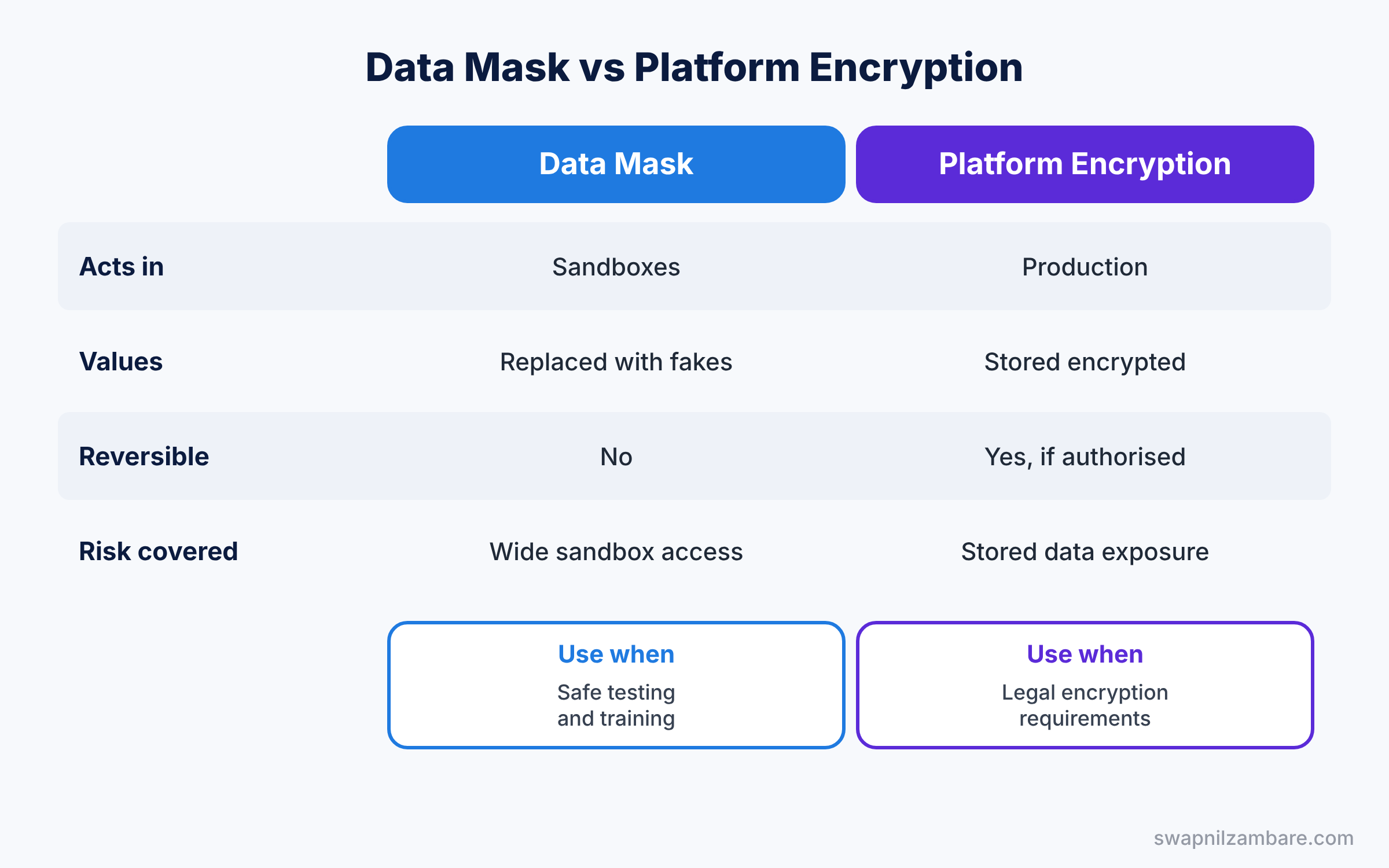
Both protect sensitive data, but in different places. The table below compares them.
| Feature | Data Mask | Platform Encryption |
|---|---|---|
| Where it acts | Sandboxes | Production data at rest |
| What happens to values | Replaced with fake values | Stored encrypted, shown to authorised users |
| Reversible | No, real values are gone | Yes, for authorised users |
| Main risk covered | Wide sandbox access | Exposure of stored data |
| Best for | Safe testing and training | Legal encryption requirements |
In short, use Platform Encryption for data that must stay real in production. Use Salesforce Data Mask so sandboxes never expose real people’s details.
Hands-on Example: Salesforce Data Mask for Student Data
Let’s plan a masking job for a Partial Copy sandbox. Data Mask & Seed needs the right licence, and menu names may differ, so follow the current Help steps.
Step 1: Refresh the sandbox
- Refresh the “UAT” Partial Copy sandbox from production.
- Do not give developers access until masking finishes.
Step 2: Create the configuration
- Open Data Mask & Seed in the sandbox and create a new masking configuration.
- Add Contact and the custom Guardian ID field, then add the fields from the table above.
Step 3: Choose masking types
- Set names and emails to Pseudonymize with the matching libraries.
- Next, choose a custom pattern for Phone that keeps +91 and randomises the rest.
- Set Guardian ID to Delete. Save the configuration.
Step 4: Run and monitor the job
Run the job and watch its progress. Large objects can take time, so start it in the evening. Meanwhile, keep the sandbox locked, and tell the team when it will be ready.
Step 5: Check the result
Compare a few records before and after. Developers can check that no real email domains remain with this query.
SELECT COUNT(Id) realLooking
FROM Contact
WHERE Email LIKE '%@gmail.com' OR Email LIKE '%@brightpath%'
The count should be zero, or match only test users you created on purpose. Then open the access to the team and note the masking date in your sandbox log. Finally, send one test email from the sandbox to make sure it goes to a fake address, not a real parent.
Common Mistakes with Salesforce Data Mask
- Giving access before masking. Developers see real data in the first hours.
- Masking fields that tests need. Leave non-sensitive fields, like fees, as they are.
- Breaking formats. Random phone values fail validation rules, so use patterns.
- Forgetting custom objects. Sensitive data often hides in custom fields.
- Not saving the configuration. Every refresh then needs a fresh setup.
Best Practices for Salesforce Data Mask
- List sensitive fields first. Work with security to agree on the list.
- Reuse configurations. Run the same masking after every single refresh.
- Use seeding for small sandboxes. Copy only the records teams need for their tests.
- Test after masking. Run key flows and reports to confirm they still work with the new values.
- Keep a sandbox log. Record refresh and masking dates for audits and security reviews.
Practice Task
Add the Lead object to the masking configuration, masking Name, Email, Phone and Company. Then run the job again and check five leads.
Hint: use Pseudonymize with the company library for Company names.
Salesforce Data Mask FAQ
Does Data Mask change production data?
No. It runs only in sandboxes.
Can I undo masking?
No. Masked values replace the real values in that sandbox. Refresh the sandbox to start again.
What happened to the old Data Mask package?
Salesforce replaced it with Data Mask & Seed, a core application, and the managed package reached end of support.
Official Resources
- Data Mask Managed Package End of Support (Salesforce Help)
- Data Masking and Seeding Tools (Salesforce)
- Create a Sandbox (Salesforce Help)
Quick Recap
- Salesforce Data Mask replaces sensitive sandbox data with realistic fake values.
- Data Mask & Seed became a core application in Summer ’26.
- Pseudonymize, Anonymize and Delete suit different fields.
- Seeding fills sandboxes with only the data teams need.
- Mask before giving anyone access to a refreshed sandbox.
What’s Next?
Your sandboxes are now safe to share. Next, learn how to give customers and partners their own portal. Read Salesforce Experience Cloud Sites for Beginners.