Salesforce CPQ helps sales reps build accurate quotes quickly, even when products have many options and complex pricing. CPQ stands for Configure, Price, Quote. Reps choose products, the system applies the right prices and discounts, and then it creates a professional quote document.
In this post, you will learn the main Salesforce CPQ ideas, see how they fit together, and build a simple bundle with a volume discount. You will also see how Revenue Cloud relates to CPQ today. This builds on our guides to products, price books and quotes and contracts and orders. Since many CPQ quotes need sign-off, our post on Salesforce Flow Approvals is useful too.
What is Salesforce CPQ?
Salesforce CPQ is a Salesforce product that adds smart quoting on top of opportunities. Standard quotes work well for simple product lists. However, they struggle with bundles, rules and tiered discounts. Salesforce CPQ adds those features.
Think of ordering a custom laptop online. You pick a base model, then choose memory, storage and warranty. The site blocks options that do not fit together and updates the price as you go. Finally, you get a clear order summary. Salesforce CPQ gives sales reps that same guided experience.
Why Salesforce CPQ Matters
Quoting errors cost money. A wrong discount or a missing item can turn a good deal into a loss. Here is how Salesforce CPQ helps Bright Path Tutors sell corporate training packages.
- First, reps pick a bundle, and required items are added automatically.
- Also, the system blocks invalid combinations, such as a voucher without a course.
- Next, seat-based discounts apply the same way on every quote.
- Quote documents look professional and match the brand.
- Finally, contracts and renewals carry the same prices forward.
So CPQ saves time for reps and protects margins for the business.
How Salesforce CPQ Works
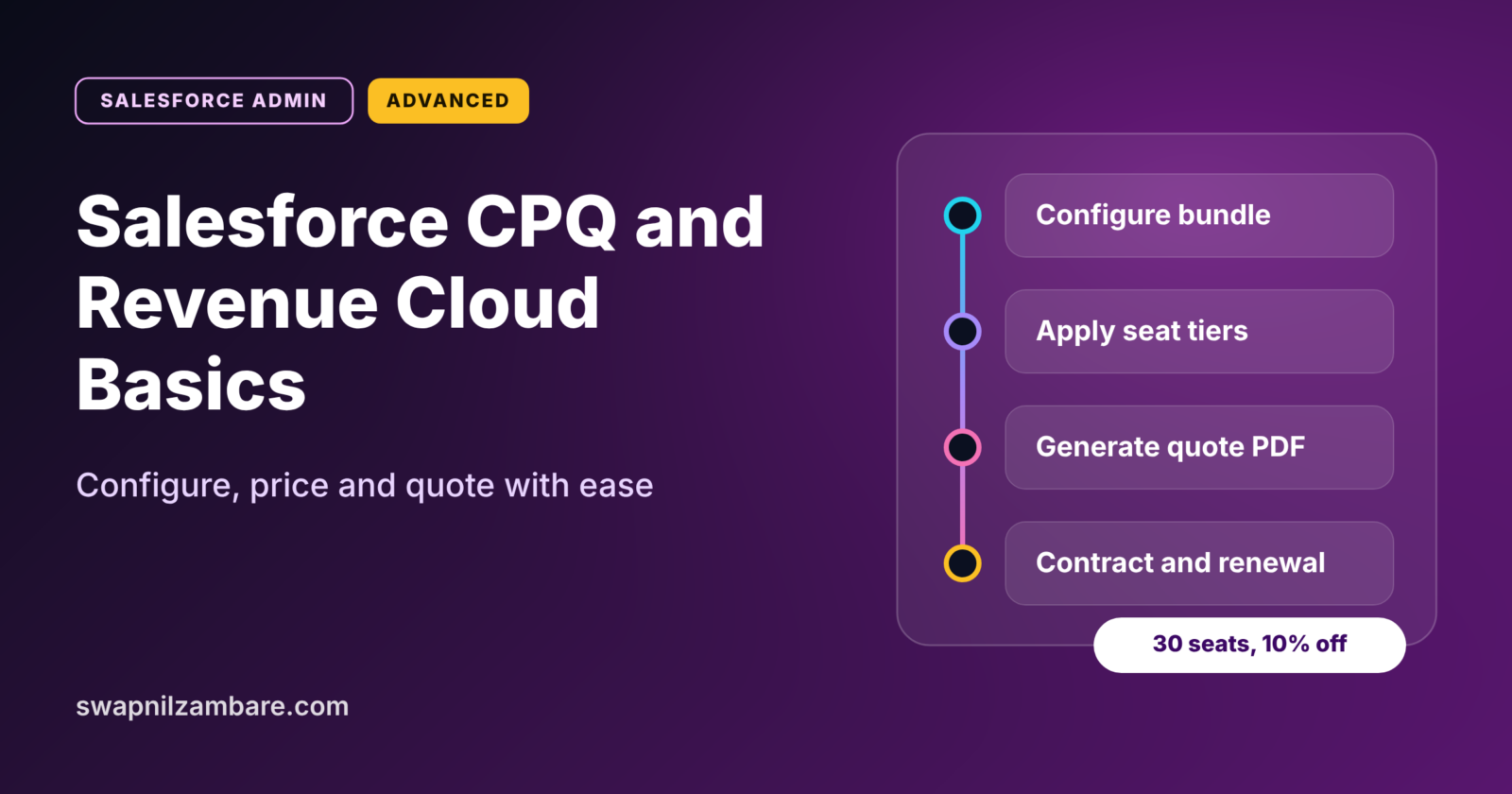
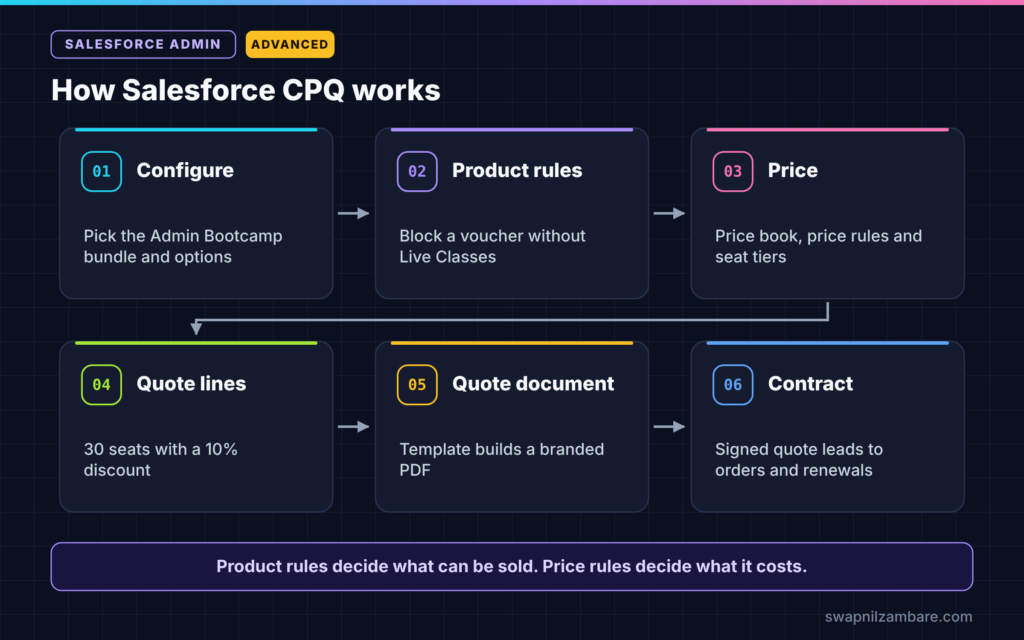
Salesforce CPQ follows the three words in its name. First, the rep configures the products, choosing a bundle and its options. Next, CPQ prices them using price books, price rules and discount schedules. Then it builds a quote with quote lines. After that, the rep generates a quote document and sends it. Finally, when the customer signs, the quote can become an order and a contract.
Product Bundles
A bundle is a parent product with child options. For example, “Admin Bootcamp” includes live classes and can add a certification voucher. Options are grouped into features, such as “Learning Format” and “Extras”.
Product Rules
Product rules guide configuration. Validation rules block bad choices, selection rules add or remove options, and alert rules show warnings. So reps cannot build a quote that the team cannot deliver.
Price Rules
Price rules change prices based on conditions. For example, “If seats are more than 20, set the voucher price to half.”
Discount Schedules
Discount schedules give tiered discounts by quantity or term. They apply the same discount every time, so reps do not need to calculate it.
Quote Templates
Quote templates control the quote PDF. They include your logo, terms, line items and totals.
Product Rules vs Price Rules
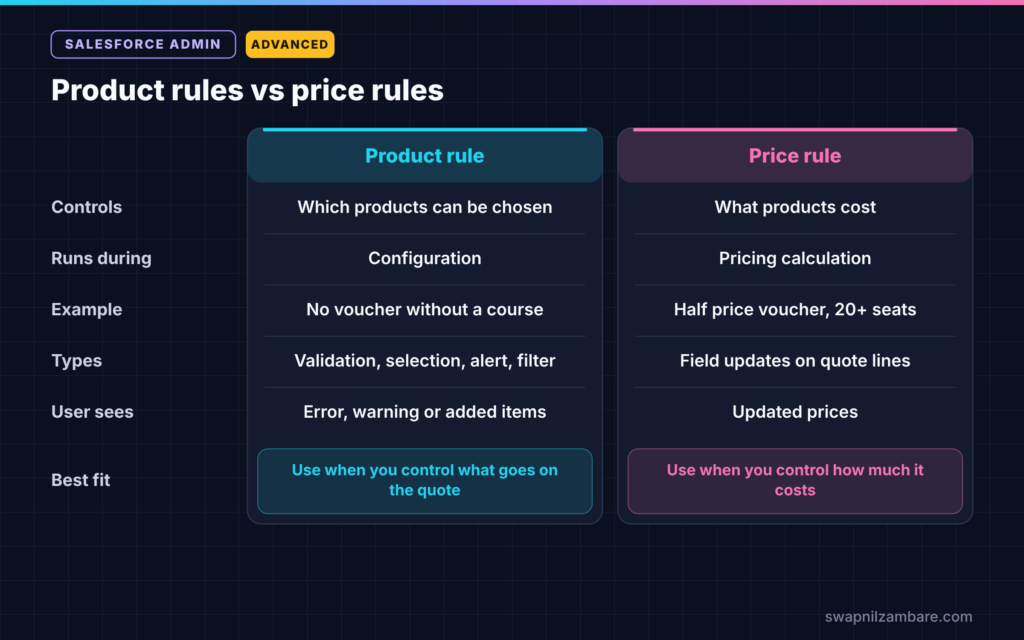
New admins often mix these two up. The table below shows the difference.
| Feature | Product rule | Price rule |
|---|---|---|
| Controls | Which products can be chosen | What the products cost |
| Runs during | Configuration | Pricing calculation |
| Example | Block a voucher without a course | Half price voucher above 20 seats |
| Types | Validation, selection, alert, filter | Field updates on quote lines |
| User sees | Error, warning or auto-added items | Updated prices |
When to use which is easy to remember. Use product rules for what can go on the quote. Use price rules for how much it costs.
How to Build a Salesforce CPQ Bundle Step by Step
Let’s build a simple Salesforce CPQ bundle for Bright Path Tutors. Companies buy an “Admin Bootcamp” for their staff, priced per seat.
Step 1: Create the Products
- Create these products and add them to the standard price book: Admin Bootcamp, Live Classes, Recorded Videos, Certification Voucher and Mock Interviews.
- Then set prices in the price book for each one.
Step 2: Make the Bundle
- Open the Admin Bootcamp product.
- Next, create two features: Learning Format and Extras.
- Add Live Classes and Recorded Videos as options under Learning Format.
- Then add Certification Voucher and Mock Interviews as options under Extras.
- Finally, mark Live Classes as Required, so it is always included.
Step 3: Add a Discount Schedule
The table below shows the seat-based discount tiers.
| Seats | Discount |
|---|---|
| 1 to 10 | 0% |
| 11 to 50 | 10% |
| 51 and above | 20% |
- Create a discount schedule called “Seat Tiers” with these tiers.
- Then link it to the Admin Bootcamp product.
Step 4: Add a Product Rule
- Create a validation product rule called “Voucher Needs Live Classes”.
- Next, set the condition so it fires when Certification Voucher is selected without Live Classes.
- Then add the message “Add Live Classes before adding a voucher.”
Step 5: Build a Test Quote
- Open a test opportunity for City College and create a CPQ quote.
- Next, add the Admin Bootcamp bundle with 30 seats.
- Choose Live Classes and Certification Voucher.
- Then save and confirm the 10% discount applied.
- Finally, generate the quote document from your template.
Renewals and Amendments
Training contracts often run for a year. With Salesforce CPQ, a signed quote can create a contract. Later, the rep can amend the contract to add seats mid-year, and CPQ prorates the price. Near the end, CPQ can create a renewal quote with the same products, ready to send.
This keeps pricing consistent across the whole customer life, not just the first sale.
Salesforce CPQ and Revenue Cloud
Salesforce CPQ is a managed package, so its objects use the SBQQ prefix, such as SBQQ__Quote__c. Salesforce now also offers Revenue Cloud, a newer product built natively on the platform for catalogues, pricing, quotes and orders. Many companies still run CPQ, while new projects often look at Revenue Cloud. So learn the shared ideas, such as bundles, rules and tiered pricing, because they apply to both.
Common Mistakes with Salesforce CPQ
- Building huge bundles with dozens of options that confuse reps.
- Mixing up product rules and price rules.
- Giving reps manual discount fields that bypass discount schedules.
- Skipping test quotes before changing rules in production.
- Ignoring renewals until the first contracts expire.
Best Practices for Salesforce CPQ
- Start with a few key bundles and grow slowly.
- Write each rule in plain words before you build it.
- Use discount schedules instead of manual discounts where possible.
- Test every change with sample quotes in a sandbox.
- Train reps with real deals, not just slides.
Practice Task
Add a price rule that sets the Mock Interviews price to zero when seats are 51 or more. Then build a test quote with 60 seats. Hint: the rule needs a condition on quote line quantity.
Most Asked Interview Questions on Salesforce CPQ
Questions on Salesforce CPQ appear in many advanced admin and consultant interviews. Here are the ones asked most.
Basic Questions on Salesforce CPQ
Q1. What does CPQ stand for?
Configure, Price, Quote. It helps reps choose products, apply correct prices and create quote documents.
Q2. What is a product bundle?
It is a parent product with child options, grouped into features. Some options can be required or optional.
Q3. What is a discount schedule?
It is a set of tiers that gives a discount based on quantity or term, such as 10% for 11 to 50 seats.
Q4. What is a quote template?
It controls the layout of the quote document, including logo, terms, line items and totals.
Practical Questions on Salesforce CPQ
Q5. What is the difference between a product rule and a price rule?
A product rule controls which products can be selected. A price rule changes prices based on conditions.
Q6. How do you stop reps from selling an option alone?
Create a validation product rule that shows an error when that option is chosen without the required product.
Q7. How does CPQ handle adding seats mid-contract?
The rep amends the contract. CPQ creates an amendment quote and prorates the price for the remaining term.
Q8. How does Revenue Cloud relate to CPQ?
Revenue Cloud is Salesforce’s newer native product for pricing, quoting and orders. CPQ is an older managed package that many companies still use. The core ideas are similar.
Official Resources
Quick Recap
- Salesforce CPQ means Configure, Price, Quote.
- Bundles group products and options into features.
- Product rules control choices, while price rules control prices.
- Discount schedules apply tiered discounts automatically.
- Contracts, amendments and renewals keep pricing consistent over time.
What’s Next?
Big deals and contracts need a strong audit trail. Next, read our guide to Shield Field Audit Trail and data retention.